
Solved

Get dynamic Params data from Webhook in Airtable

  • May 28, 2026
  • 11 replies
  • 282 views

pittmarcomm
Forum|alt.badge.img+2

Hi everyone!


I’ve been trying to use Webhooks for a while to create a simple link that will allow my University’s Data Team to click a link to let us know that a query has been created. The Data Team will not use Slack either, so I’m basically trying to do an Actionable Message, but automating sending an ‘actionable’ link through our Microsoft Teams Channel.

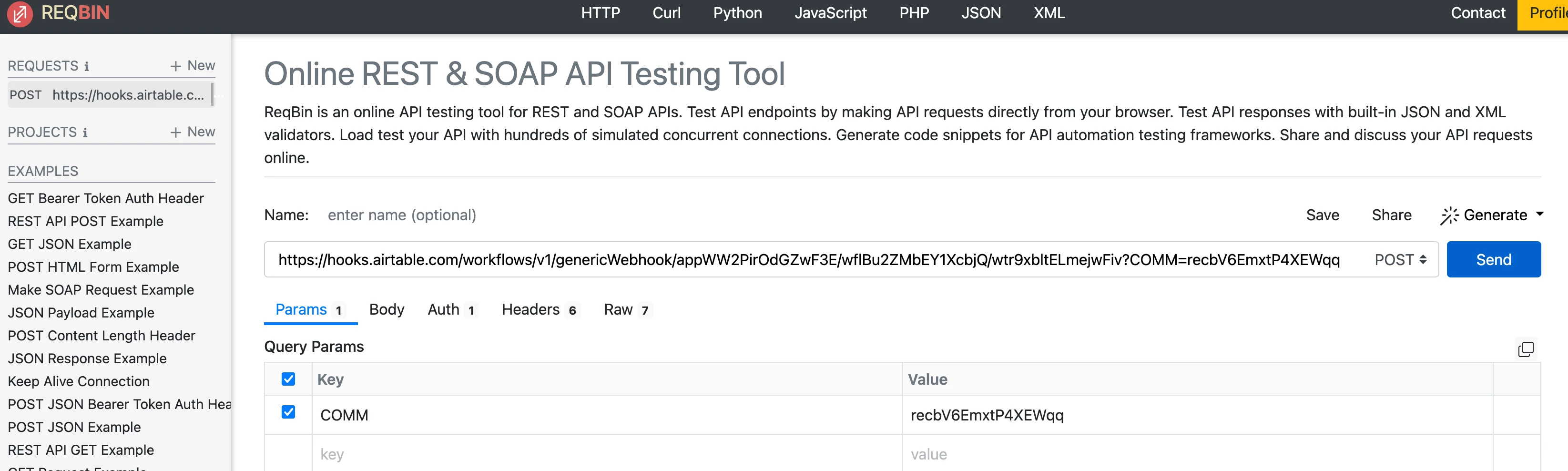
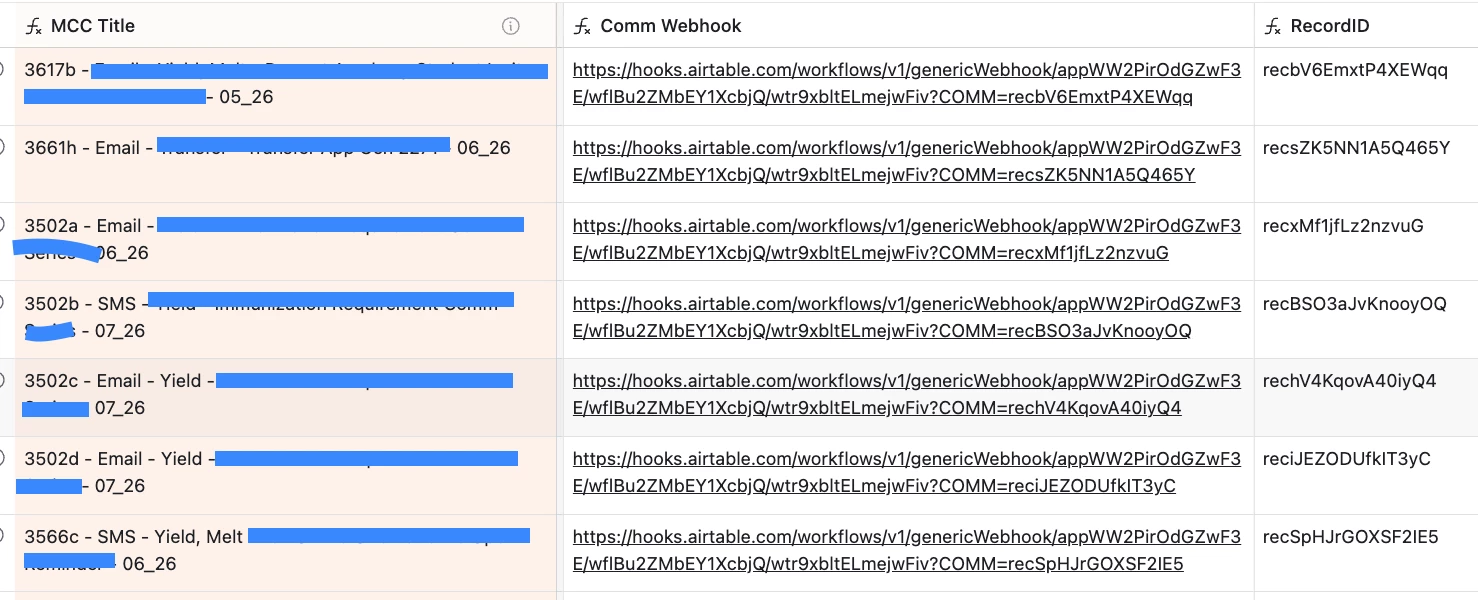
I have the Webhook examples below.

The formula automatically generates the RecordID into the Webhook so that when it is sent, the RecordID appears in the Params. However, I can’t get that information to go into the Body, so I am not able to use the RecordID in my “Update Record” automation. 
(AirTable recommends using ReqBin for webhooks/testing, so that’s what I’m in)


With University Guidelines and permission issues, I am only able to do this through AirTable and not any 3rd party tools. Do you have any suggestions on how I can do this?


Thank you!

Best answer by Matt_Shepherd

The reason the record ID never lands in the Body is that Airtable's "When webhook received" trigger only accepts a POST request and only reads the JSON body. It does not parse URL query parameters at all. A clicked link is a GET, and a GET has no body, so the ID travels in the URL but reaches the automation as an empty body, which is why your Update Record step has nothing to map. There is no setting for it, the trigger reads the body and only the body.

So the fix is to send a POST with a JSON body rather than a plain link. That usually means putting something between the click and Airtable (Make, or a small script) that takes the GET and re-posts the values as JSON.

One thing to watch even after that: link-scanners in email and chat tools often open URLs on their own to build previews, so a webhook link that fires the moment it is opened can get triggered before a person ever clicks it. Worth making sure it only fires when someone actually opens the link, not on an automated preview.

If you would rather not build the middle piece, there is a free tool that does exactly this, takes a link with parameters on it and forwards them to your webhook as a JSON body:

Airtable Webhook Relay

You paste in your webhook URL with the parameters, and it gives you a link to use in its place.

11 replies

ScottWorld
Forum|alt.badge.img+35
  • Genius
  • May 28, 2026

Simple links are actually GET requests, but Airtable’s webhooks require a POST request.

So you would only be able to trigger an Airtable webhook with a POST request. You can probably do this by writing a Javascript in Airtable, but I don’t know Javascript so somebody else would need to guide you there.

Instead, I would highly recommend using Make’s webhooks for triggering an automation with a URL link — because Make supports both GET and POST requests — and they even support custom webhook responses as well.

So your simple URL link in Airtable would trigger a Make automation for you.

Make’s automations are also significantly more powerful & customizable than Airtable’s automations, with none of the limitations of Airtable’s automations. Your Airtable automations can also be integrated with any other app on the web that has an API.

However, I just noticed that you said that you are not allowed to use 3rd party tools. Unfortunately, you would need to use SOME sort of 3rd-party tool if you wanted a URL link to trigger an internal Airtable automation. There is no way to do this with Airtable alone. You would need to use some sort of external service to handle this.

However, remember that you never need to use a URL link to trigger an Airtable automation. You can stay entirely within Airtable by triggering your automation with a button link, a dropdown menu, by submitting a form, or dozens of other ways. URL links are not required for triggering automations.

Hope this helps!

If you have a budget and you’d like to hire the best Airtable consultant to help you with this or anything else that is Airtable-related, please feel free to contact me through my website: Airtable consultant — ScottWorld


pittmarcomm
Forum|alt.badge.img+2
  • Author
  • Participating Frequently
  • May 28, 2026

Simple links are actually GET requests, but Airtable’s webhooks require a POST request.

So you would only be able to trigger an Airtable webhook with a POST request. You can probably do this by writing a Javascript in Airtable, but I don’t know Javascript so somebody else would need to guide you there.

I was going to recommend Make’s webhooks which support both GET and POST requests — and they even support custom webhook responses as well — but I just noticed that you said that you are not allowed to use 3rd party tools.

- ScottWorld, Expert Airtable Consultant

Thanks so much, Scott! I can try and look into the javascript, but that’s something I’m definitely not familiar with either


TheTimeSavingCo
Forum|alt.badge.img+32

Hm I don’t think this is possible as a one click action if it’s being sent as a link via Teams I’m afraid

If you’re okay with making it two clicks, you could try creating a new table, putting a form in there, and then sending out a prefilled form link instead?  Then the workflow would be:

  1. Send prefilled form link with the record ID
  2. User clicks the link and then clicks ‘Submit’
  3. When a new record gets created in that table, run the automation you want

Making it a one click action then would need a 3rd party tool like Pipedream, Make, n8n, Zapier, etc 


anmolgupta
Forum|alt.badge.img+7
  • Inspiring
  • May 29, 2026

@pittmarcomm I know JavaScript very well and use it a lot in automations. But in this case, it won’t help you because Airtable’s “When webhook received” trigger is only giving us the visibility on request body and not the query parameters of the url. I’m not sure what their reason is but technically it isn’t a big thing. Maybe they want to keep the webhook trigger super simple.

Anyway, the next best option is what ​@TheTimeSavingCo described.

PS: If Airtable gave visibility on query parameters, the JavaScript needed was just a couple of lines to get the record id from your url as following:


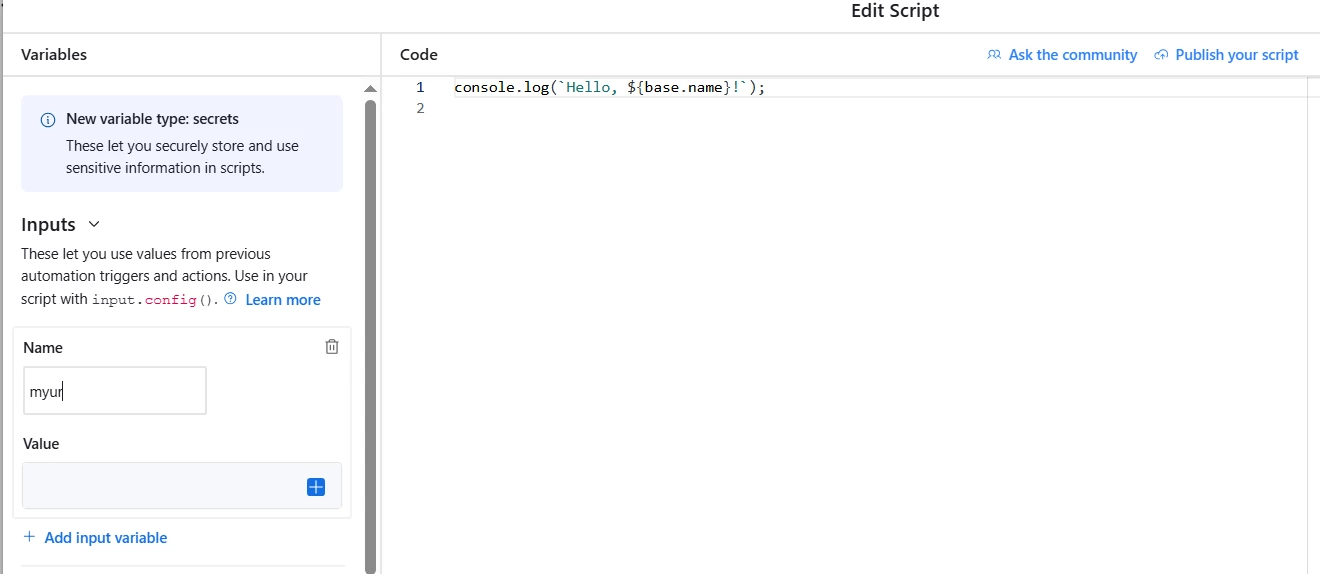
In “Run a Script” automation step, first you would have provided the complete url as input with following code:

const url = input.config().url;
const comm = new URL(url).searchParams.get("COMM");
output.set("COMM", comm ?? "");


pittmarcomm
Forum|alt.badge.img+2
  • Author
  • Participating Frequently
  • May 29, 2026

@pittmarcomm I know JavaScript very well and use it a lot in automations. But in this case, it won’t help you because Airtable’s “When webhook received” trigger is only giving us the visibility on request body and not the query parameters of the url. I’m not sure what their reason is but technically it isn’t a big thing. Maybe they want to keep the webhook trigger super simple.

Anyway, the next best option is what ​@TheTimeSavingCo described.

PS: If Airtable gave visibility on query parameters, the JavaScript needed was just a couple of lines to get the record id from your url as following:


In “Run a Script” automation step, first you would have provided the complete url as input with following code:

const url = input.config().url;
const comm = new URL(url).searchParams.get("COMM");
output.set("COMM", comm ?? "");


Thank you very much for this, Anmol! So in order to use this in my automation, should it be a Trigger of “Webhook Received” still, and then I do “Run a Script” right after before the rest of the steps? Can I then put my dynamic field of “Comm Webhook” in there, which formulates the exact Webhook for each record with the identifying RecordID in the URL? 


If so, where/how do I put “Comm Webhook” into the script you sent?


pittmarcomm
Forum|alt.badge.img+2
  • Author
  • Participating Frequently
  • May 29, 2026


@pittmarcomm I know JavaScript very well and use it a lot in automations. But in this case, it won’t help you because Airtable’s “When webhook received” trigger is only giving us the visibility on request body and not the query parameters of the url. I’m not sure what their reason is but technically it isn’t a big thing. Maybe they want to keep the webhook trigger super simple.

Anyway, the next best option is what ​@TheTimeSavingCo described.

PS: If Airtable gave visibility on query parameters, the JavaScript needed was just a couple of lines to get the record id from your url as following:


In “Run a Script” automation step, first you would have provided the complete url as input with following code:

const url = input.config().url;
const comm = new URL(url).searchParams.get("COMM");
output.set("COMM", comm ?? "");

Thank you very much for this, ​@anmolgupta ! So in order to use this in my automation, should it be a Trigger of “Webhook Received” still, and then I do “Run a Script” right after before the rest of the steps? Can I then put my dynamic field of “Comm Webhook” in there, which formulates the exact Webhook for each record with the identifying RecordID in the URL? 


If so, where/how do I put “Comm Webhook” into the script you sent?


anmolgupta
Forum|alt.badge.img+7
  • Inspiring
  • June 2, 2026

@pittmarcomm Yes, trigger would be “Webook Received” and then “Run a Script” step. 

To provide your dynamic variable from previous steps as an input to a script, there is an option of providing inputs into a script on the left panel of a script. 


However, all of this is hypothetical because currently Airtable is not providing the URL that was hit :(


Alexey_Gusev
Forum|alt.badge.img+25

HI,

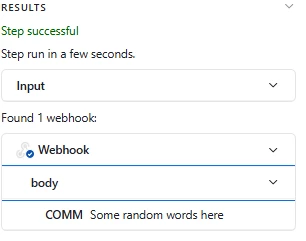
Sorry, I’m not clearly understand your starting goal, but maybe this example 
can be helpful

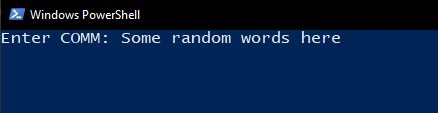
What about PS1?

Example


Save this as Sender.ps1
Change link to yours (without params)   .
Run via “Run with Powershell”

$COMM=Read-Host "Enter COMM"
Invoke-RestMethod -Uri "https://hooks.airtable.com/workflows/v1/genericWebhook/app_Put_your_Webhook_link_here/wtrZZAbcD123" -Method POST -ContentType "application/json" -Body (@{COMM=$COMM}|ConvertTo-Json)


pittmarcomm
Forum|alt.badge.img+2
  • Author
  • Participating Frequently
  • June 2, 2026

Thanks ​@Alexey_Gusev !

What I’m trying to do is use a webhook to automatically update a status within my base. I can send the link well enough, but I can’t use the record.id that it sends since it’s only in the Params and not the Body. 


I would like to automate this so I don’t have to do it every time, and I don’t have to Enter the COMM every time, since it will be happening many times, and by that point I might as well just change the status myself rather than giving my stakeholders the option to click the link and change the status that way. If this isn’t possible, I understand!


Matt_Shepherd
Forum|alt.badge.img+1
  • Participating Frequently
  • Answer
  • June 2, 2026

The reason the record ID never lands in the Body is that Airtable's "When webhook received" trigger only accepts a POST request and only reads the JSON body. It does not parse URL query parameters at all. A clicked link is a GET, and a GET has no body, so the ID travels in the URL but reaches the automation as an empty body, which is why your Update Record step has nothing to map. There is no setting for it, the trigger reads the body and only the body.

So the fix is to send a POST with a JSON body rather than a plain link. That usually means putting something between the click and Airtable (Make, or a small script) that takes the GET and re-posts the values as JSON.

One thing to watch even after that: link-scanners in email and chat tools often open URLs on their own to build previews, so a webhook link that fires the moment it is opened can get triggered before a person ever clicks it. Worth making sure it only fires when someone actually opens the link, not on an automated preview.

If you would rather not build the middle piece, there is a free tool that does exactly this, takes a link with parameters on it and forwards them to your webhook as a JSON body:

Airtable Webhook Relay

You paste in your webhook URL with the parameters, and it gives you a link to use in its place.


pittmarcomm
Forum|alt.badge.img+2
  • Author
  • Participating Frequently
  • June 5, 2026

@Matt_Shepherd , thank you so much - that worked perfectly!!