Solved

How to use Linked Records as Input list for creating new records with repeating group?

  • March 9, 2026
  • 6 replies
  • 35 views

Forum|alt.badge.img+17

Hi,

I’m trying to use linked records in a “When record is created” automation to create records in a repeating group, but I don’t understand how to get it to work.

I googled and reviewed Airtable’s support documentation (https://support.airtable.com/docs/repeating-groups-of-automation-actions), but that was less than helpful. It confirms linked records can be used, but doesn’t open up how to do that.

The background is that I want to create Invoice Header and Invoice Line Item records in separate tables based on one order record with products as linked records. First a new order triggers creating a new Invoice Header record, then this triggers creating a new line item record for each of the linked product records.

(I first tried to create both the header and the line item records in one automation, but that didn’t work because one cannot have repeating groups inside a conditional step. The conditional step is required since not all orders created should trigger the automation, so there needs to be a filter in between.)

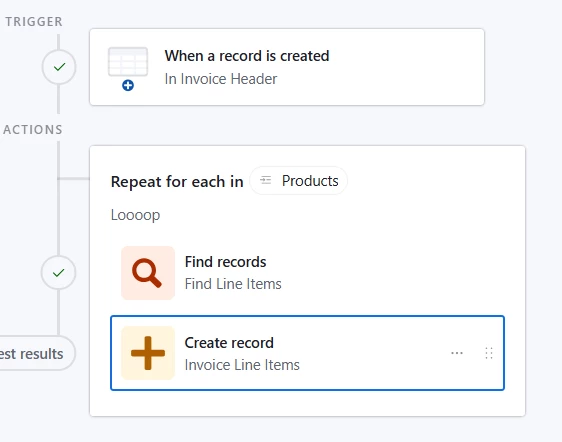
I have a Find records step that matches with the triggered record’s id. That result is then used as the Input list in the repeating group, but it holds only the one record.

When I test the list I receive the triggered record, and when I use this result as the input for the Create record and “current item”, the result is getting all the linked records’ data into one field, not one new record per linked record. Obviously, I guess, since the input list holds only one record 😊.

I first tried to use the triggered record’s linked field directly, and then I got several records in the input list, but had only the triggered record’s ID and name as values I could use for creating the new record.

How is one to use linked records as the input for repeating groups?

Rgds,

Björn
Best answer by TheTimeSavingCo

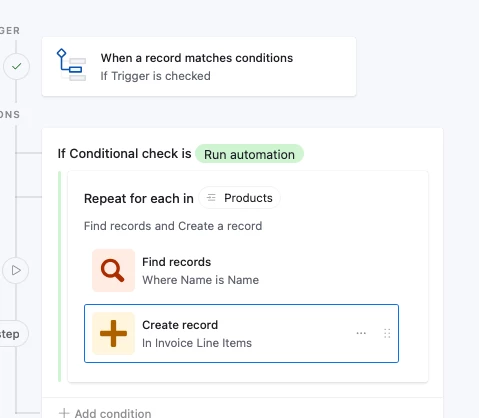
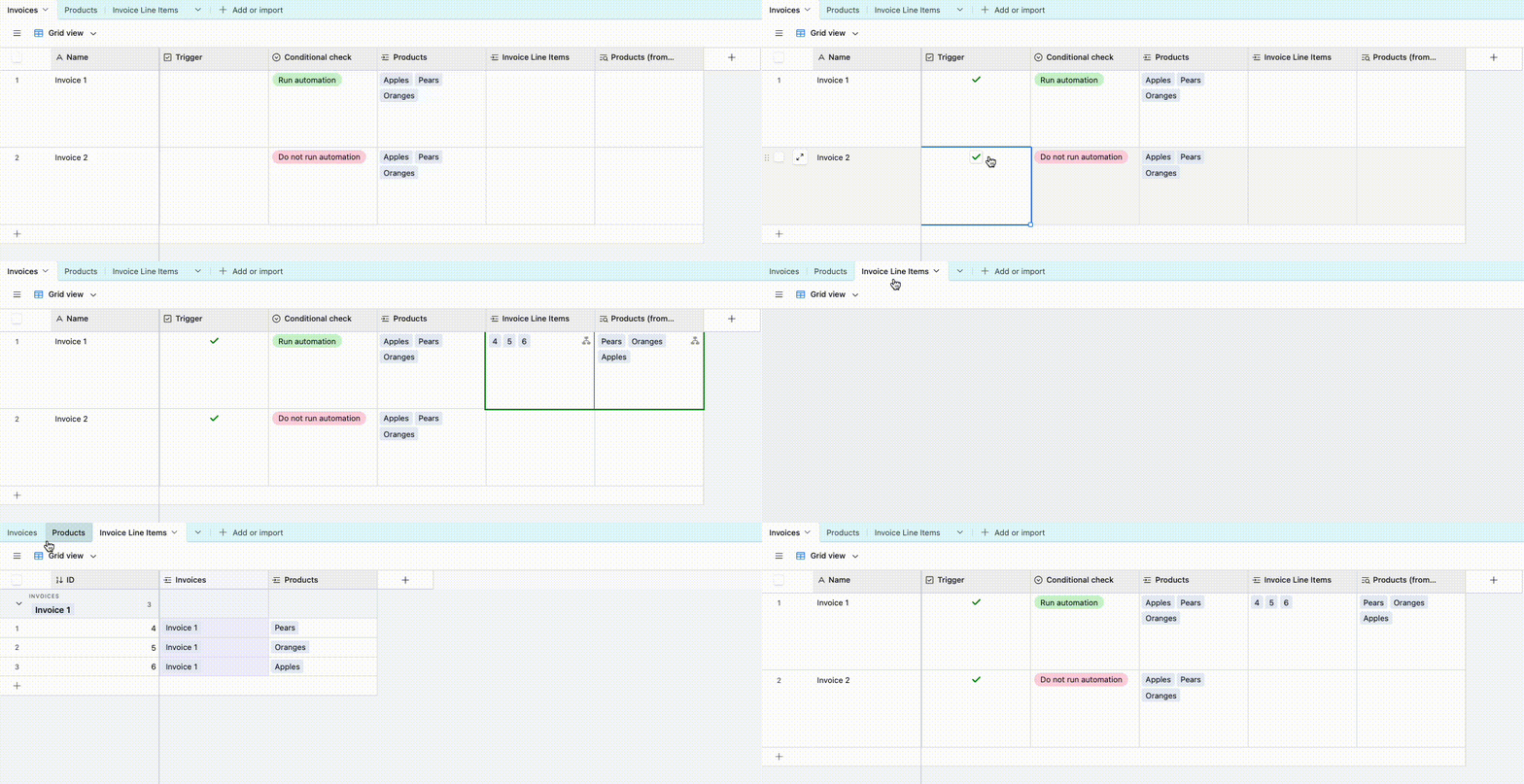
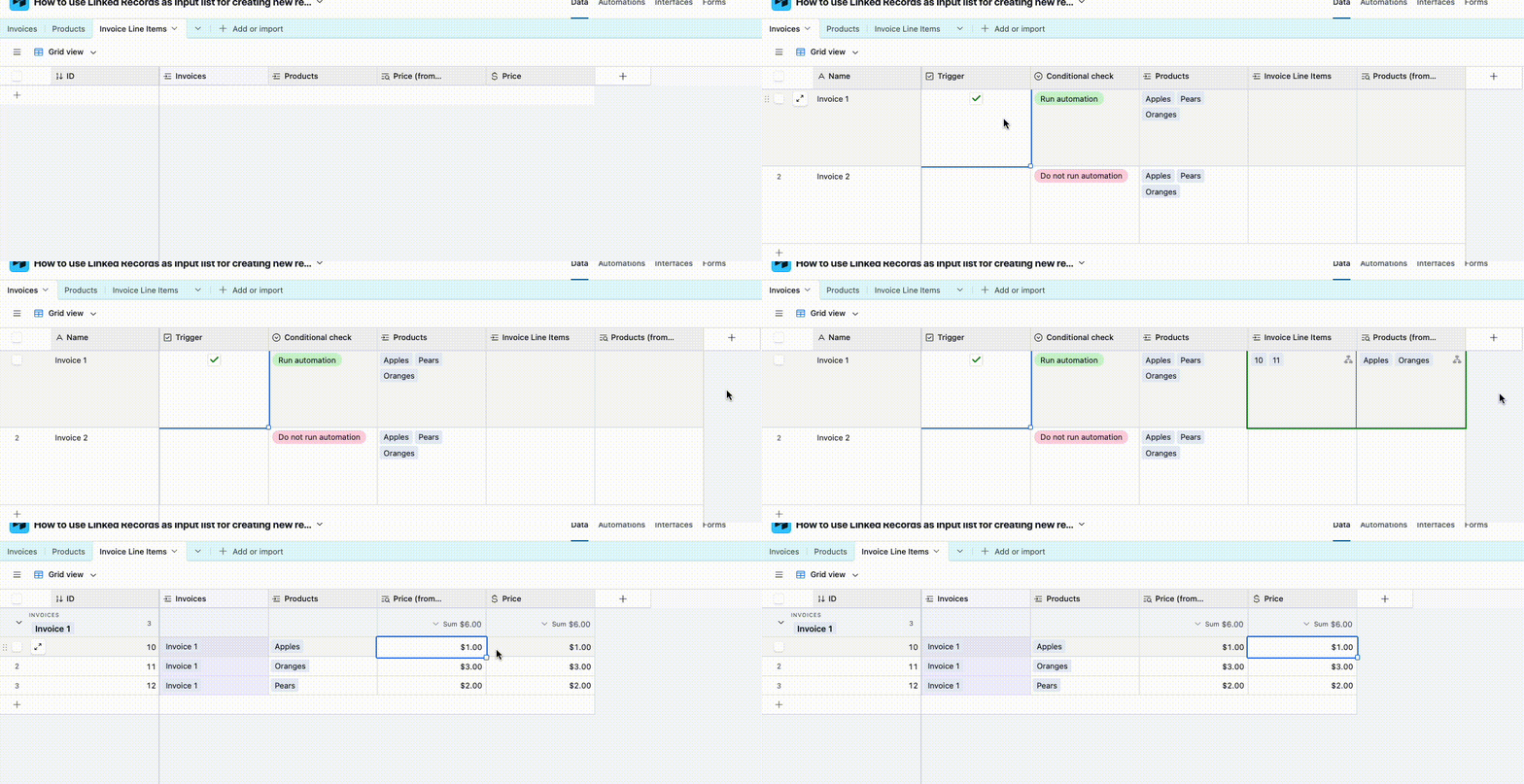
Oh that’s totally fine too, add a ‘Find Record’ step into the repeating group and use the data from that.  You can see in the gif below that the Invoice Line Items ‘Price’ is populated via the automation, and so changes to the ‘Price’ in Products won’t affect it


6 replies

TheTimeSavingCo
Forum|alt.badge.img+31

Hm, could you provide some screenshots of your data and automation setup?  Would love to help but finding it hard to visualize what we’re trying to do!

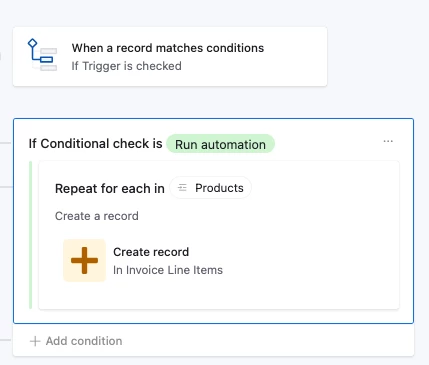
If it helps, here’s an example where a linked field is used as a repeating group within an automation


Forum|alt.badge.img+17
  • Author
  • Known Participant
  • March 11, 2026

Thanks ​@TheTimeSavingCo Adam for your answer. I sat quite a while and went through your example, and couldn’t understand :): Then I started making an own small demo base for the issue. But somewhere along that doing I realised I perhaps have wrong expectations.

I had thought that I could bring all the values “behind” the linked records to the new record to be created. In other words, when there’s a linked record “Apple” I though the repeating group could fetch Price, VAT etc etc and fill that out to the new record.

But is it after all so, that this feature can only “pass on” the link of linked record to the new record? Sorry for the verbal confusion there.. This would mean I need to have a table of lookup/rollup fields to bring in all the details? Which unfortunately totally defeats the whole purpose of this excercise, which is to make an unchangeable “hard copy” of the invoice data. The total opposite of a linked record :).

Rgds,

Björn


TheTimeSavingCo
Forum|alt.badge.img+31

Oh that’s totally fine too, add a ‘Find Record’ step into the repeating group and use the data from that.  You can see in the gif below that the Invoice Line Items ‘Price’ is populated via the automation, and so changes to the ‘Price’ in Products won’t affect it


Forum|alt.badge.img+17
  • Author
  • Known Participant
  • March 12, 2026

Aaaaah ​@TheTimeSavingCo, there it was :)! You need to have the Find record step inside the loop. I’ve had it outside the loop, and then of course didn’t work.

I can’t however still get it to work. What I end up with is all of the values put into one field, instead of creating several records with the value once in each.

Here’s how I’ve tried. 


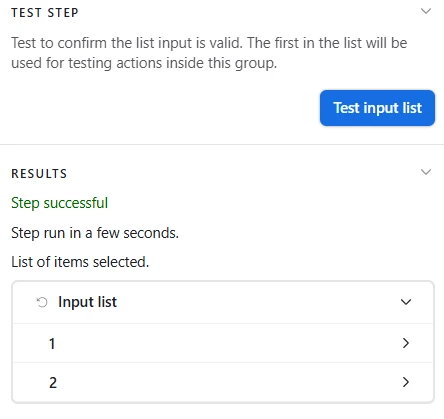
Test Input list works as expected, finds two instances.

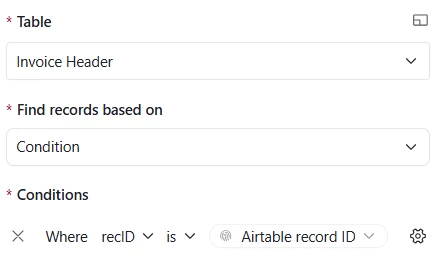
A Find record inside the repeating group finds the particular record that the automation was triggered by.


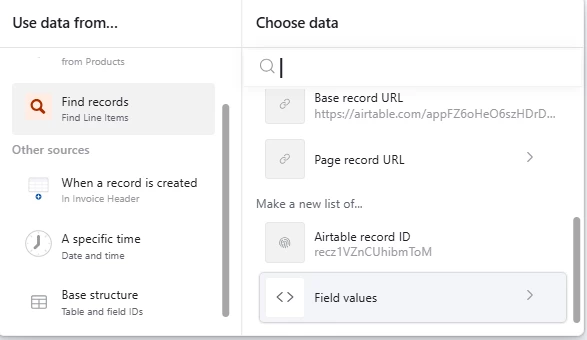
Then in the Create record, use Find records step and Field values.


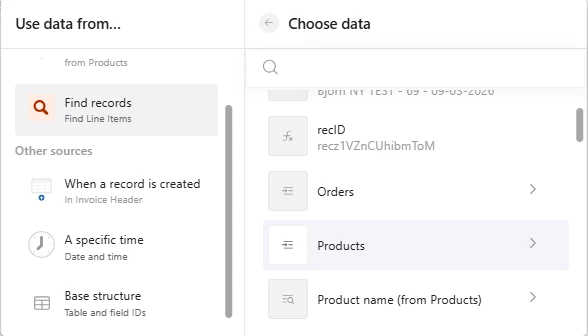
Then to the linked record “Products”


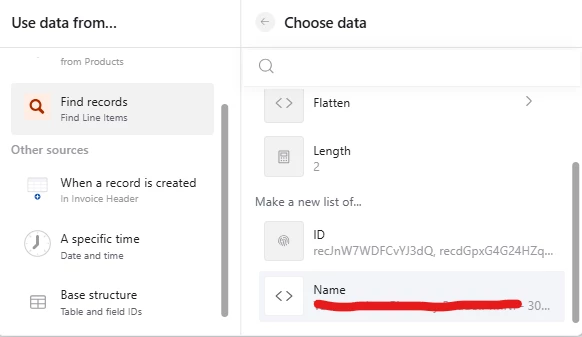
Then from Make a new list of I choose name, since I want to “print” the names to the new records. There are two product names in the list, but the output (when tested, not actually run) is one new line item with both product names in the field.


Moreover, I still can’t find any variables “behind” the products, there is just ID and Name.

If I on the other hand use Lookup values from the linked records in the Invoice Header table, I get the same results as above, one record with two product names in one record.

  1. what am I still doing wrong?
  2. am I supposed to get the data “behind” the linked records, or do I need to use Lookup values in the source table?

It could be very helpful if I could get to see the exact setup of your Create record step, the actual variable selection. But I understand if that’s not possible to open up.

Cheers,

Björn


TheTimeSavingCo
Forum|alt.badge.img+31

Ah the original reply has a read-only invite link to the base, and you can duplicate that into your own workspace so that you can see how the automation’s set up!  Here’s the link again for your convenience:

https://airtable.com/invite/l?inviteId=invYQIkPoa9f0u497&inviteToken=4b50807c937e01ca3aa882e120bee51dc764036889ced2d4caee3847380b00f9 


For the issue you’re facing, could you create an example base with some dummy data and provide an invite link please?

In the example base we’d need some example input data of the Invoice Header, Products, etc records, as well as example output of how the Invoice Line Items that the automation would create


Forum|alt.badge.img+17
  • Author
  • Known Participant
  • March 12, 2026

Thanks ​@TheTimeSavingCo for the reminder that one can duplicate the base, I had forgotten that. Now when I got to see the exact choices, it helped. Although first when starting to build a debug base to show you, it started dawning on me what I did wrong.

I had all the time used the Invoice Header record in my Find record step. When I changed that to the Product record everything worked as expected. 

I had somehow thought about it totally wrong, and couldn’t even challenge that one design choice.

Thanks for helping again!

Cheers,

Björn