Question

Time tracker Interface with Start and Stop Buttons

  • March 27, 2026
  • 5 replies
  • 23 views

Forum|alt.badge.img+1
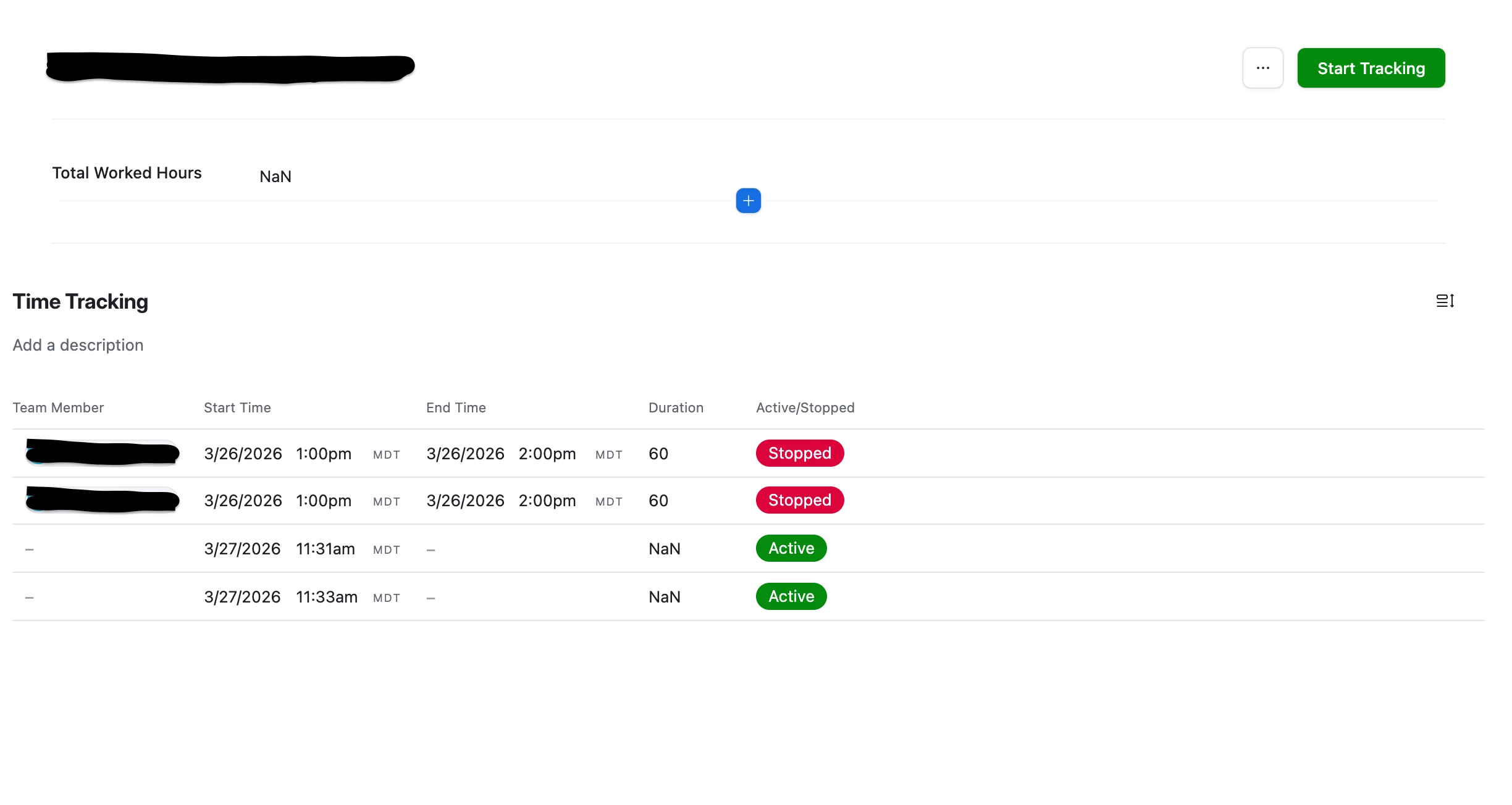
Current Table
 
Current Interface View
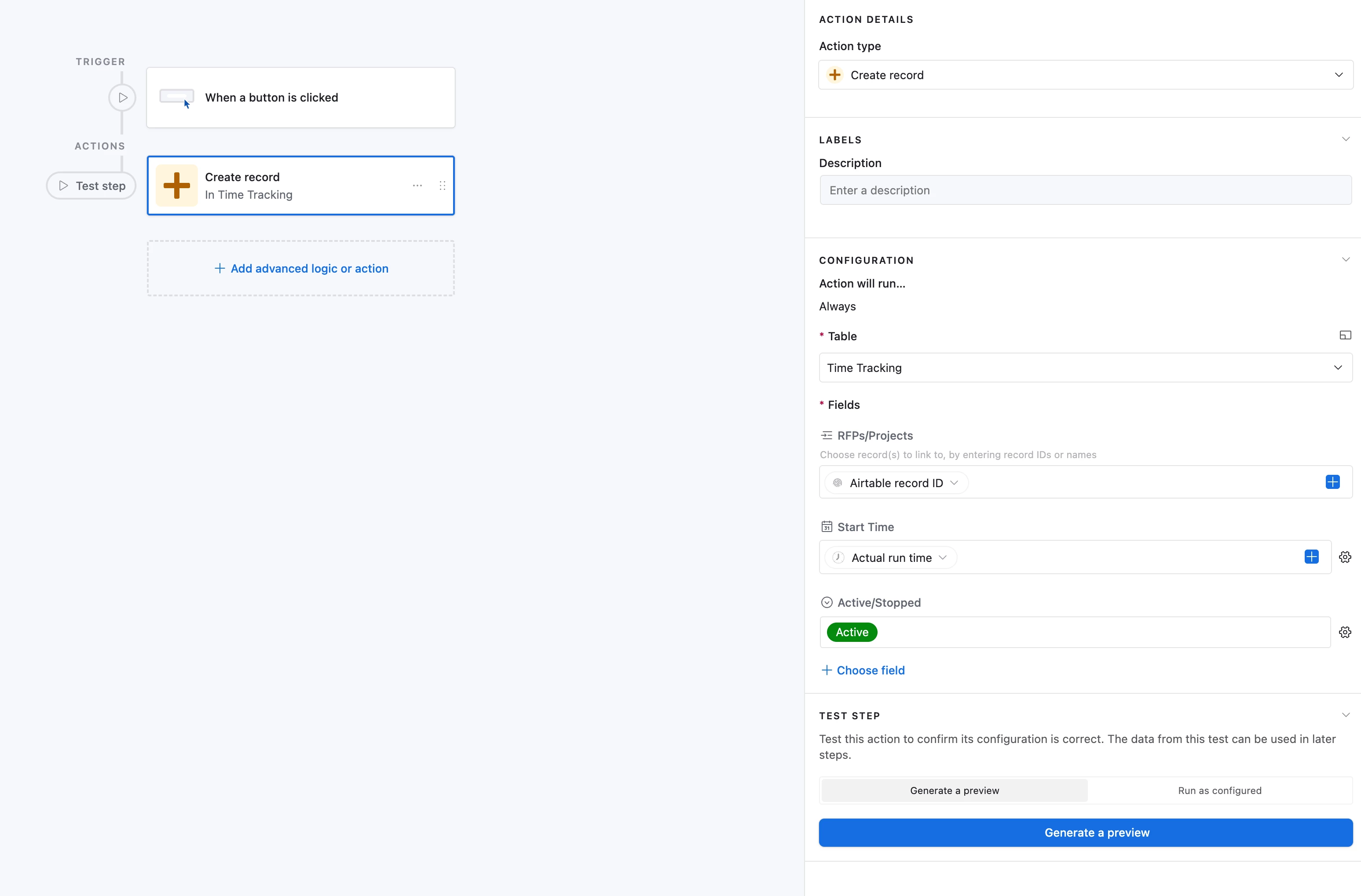
Current “Start Tracking” button Automation
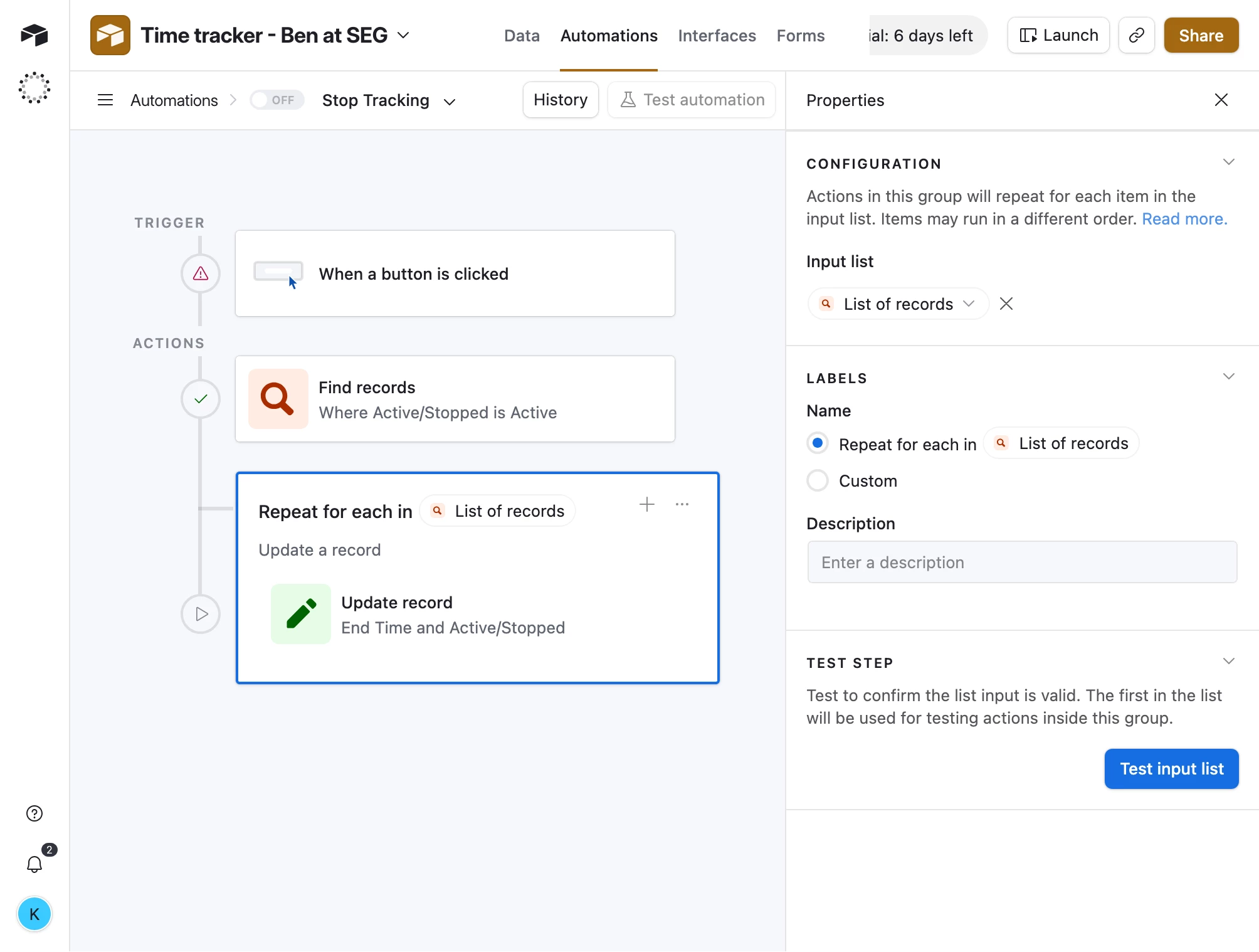
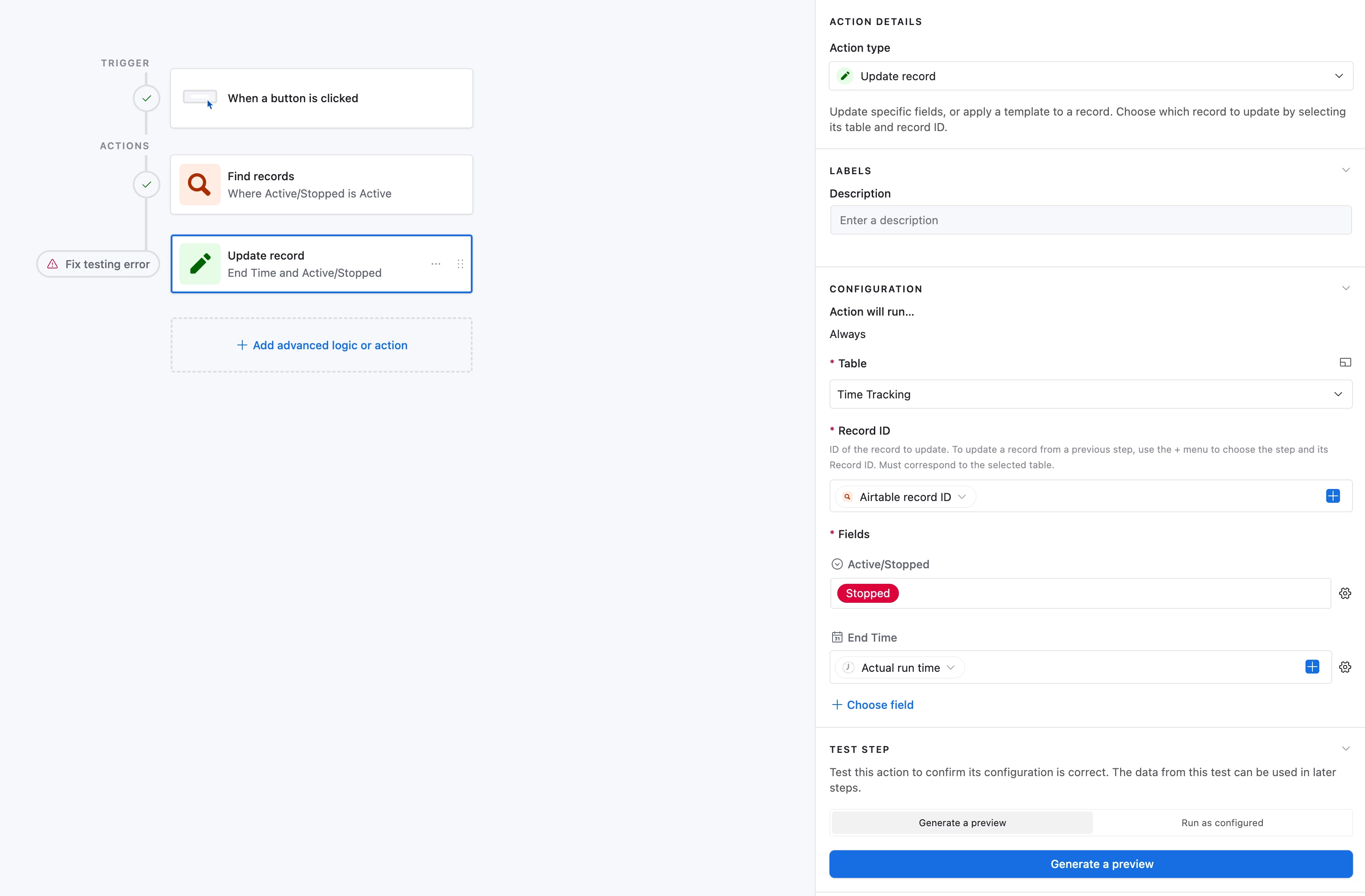
Current “Stop Tracking button Automation step two … unsuccessful

This is my current table, interface and automation set up to try and create a time tracking interface. I am stuck on the “Stop Tracking” button automation. I can’t seem to be able to update the “End Time” field with the current time when the stop tracking button is pressed. 

Thanks!

5 replies

coderkid
Forum|alt.badge.img+3
  • Participating Frequently
  • March 27, 2026

I think the problem is that the “Find Records” action of the “Stop Tracking” button automation returns an array, and you need to wrap the “Update Record” action with a “Repeating Group”


Forum|alt.badge.img+1
  • Author
  • New Participant
  • March 27, 2026

@coderkid Could you explain further and/or share a solution for this automation? Thank you


coderkid
Forum|alt.badge.img+3
  • Participating Frequently
  • March 27, 2026


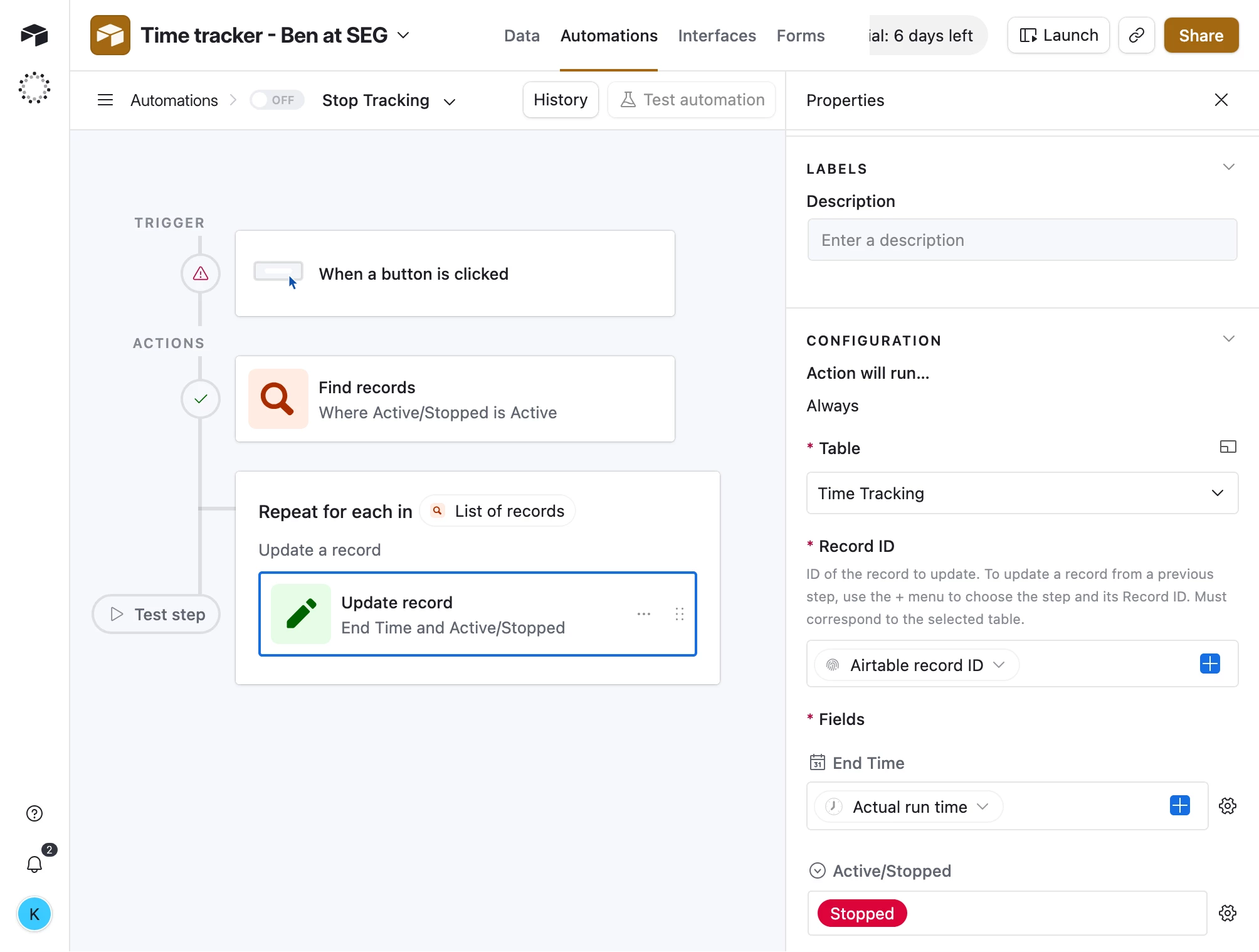
Since search may return multiple records;


Update the records, inside the loop :


Forum|alt.badge.img+1
  • Author
  • New Participant
  • March 27, 2026

@coderkid Awesome! This works, thank you.


Stephen_Biegner
Forum|alt.badge.img+2

Hey ​@Ben at SEG - I’ve got an internal ticketing system that does exactly this and ran into the same issue when initially setting it up. The way I got around it was to have our “Stop Tracking” button pop out to a new interface page where users could log notes about what they worked on, and then toggle the status on a “Start/Stop” single select field. 

Overview:

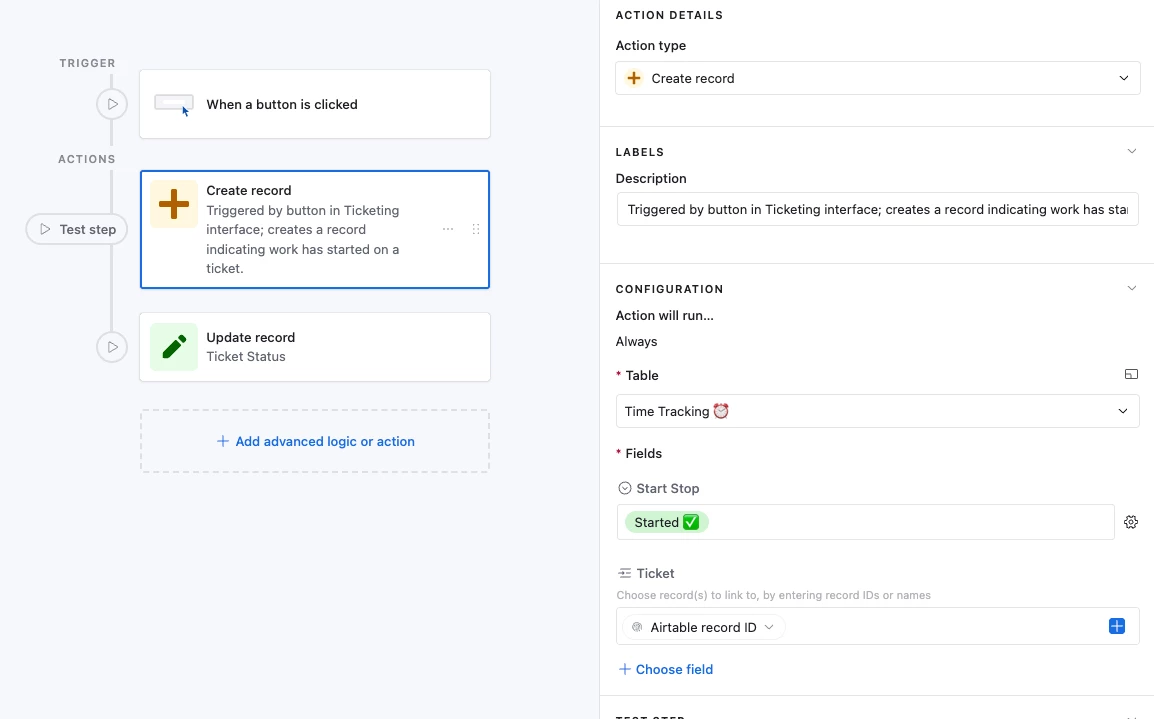
I have an interface that’s tied to a “Tickets” table. Once I pick which ticket to work on, I can click a green “Start Tracking” button that triggers an automation. The automation creates a record in a separate “Time Tracking” table and updates a single select ‘Start/Stop’ field to say “Started.” It also automatically links the time tracking record to the Airtable Record ID from the Tickets table. (It also runs an Update Record automation to change the ticket status to “In Progress”.)


When I’m done working on a ticket, I click a red “Stop Tracking” button in the same interface, and it takes me to a new “Time Tracking” Interface. This interface uses the Time Tracking table as the source. I jot down notes documenting what I worked on, and then I toggle the Start/Stop single select field to “Stopped.” 


In the time tracking table, I have a “Start Time” field which is simply a Created Time field tracking when the record was created. I also have an “End Time” field which is a Last Modified Time field tracking when the Start/Stop field is updated (i.e. when I switch it to “stopped”). Finally, there is a formula field calculating the difference to show the total time logged. To keep track of multiple punch-ins/outs against a single ticket, I have a Roll-up field calculating the sum of all punch-ins logged to that record. 


Below are some screenshots, but I’m also happy to hop on a quick call sometime and walk through how the system works if that would be helpful. 

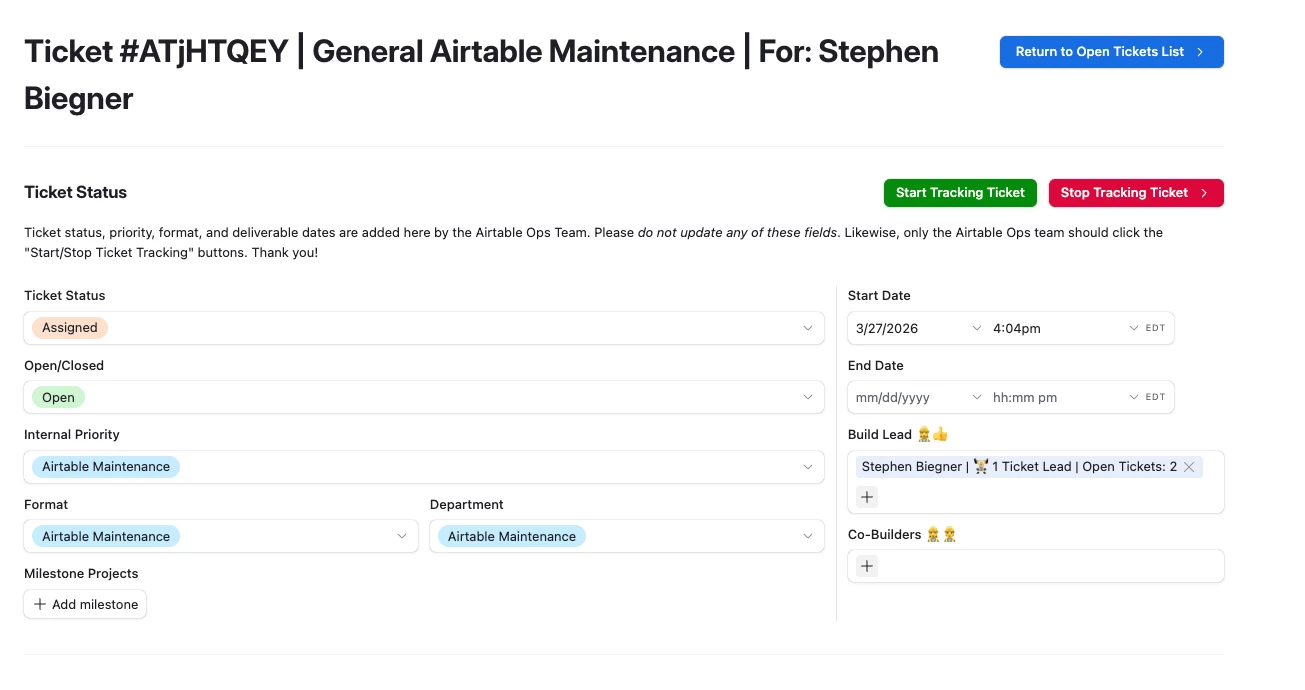
The green button runs an automation to create a Time Tracking record; the red button next to it takes you to a time tracking interface to log notes and punch out.
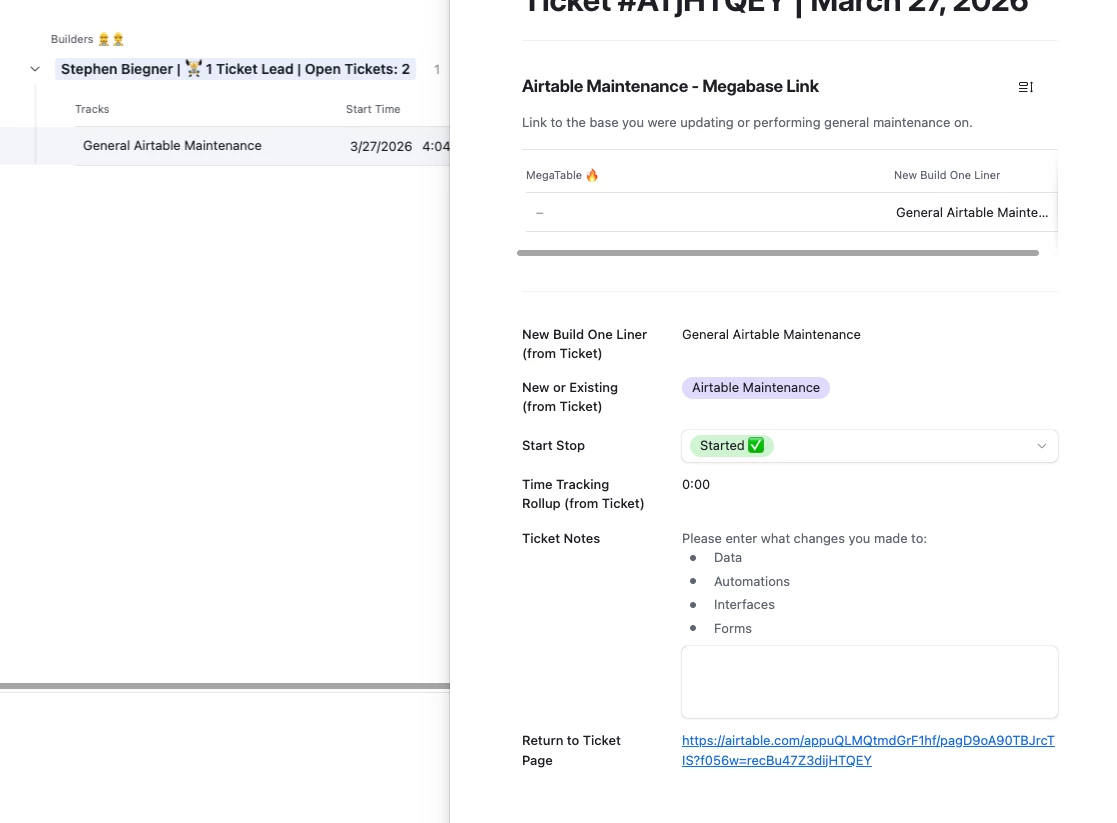
In the expanded record view, I can add notes, toggle the Start Stop field to “Stopped” and this will be tracked in the “Last Time Modified” field in the time tracking table. 
Here’s the automation that creates the record when the green “Start Tracking” button is clicked.
Quick screenshot of the created time field (Start Time), last modified time field (End Time - watching the Start Stop field), and the formula field calculating the total time logged.
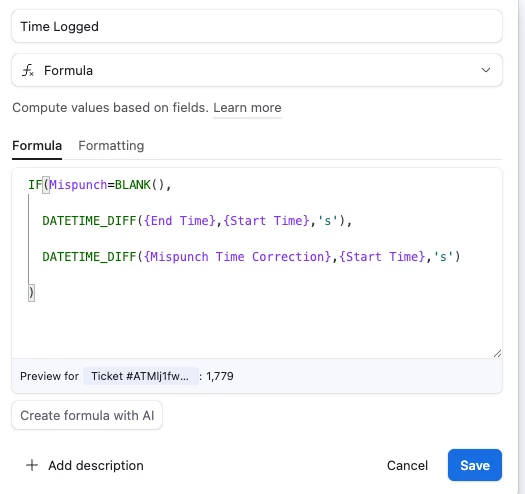
Here is the time logged formula. Note - I did add the ability to indicate a mispunch in the event myself or a colleague forgets to punch out which this formula takes into account.
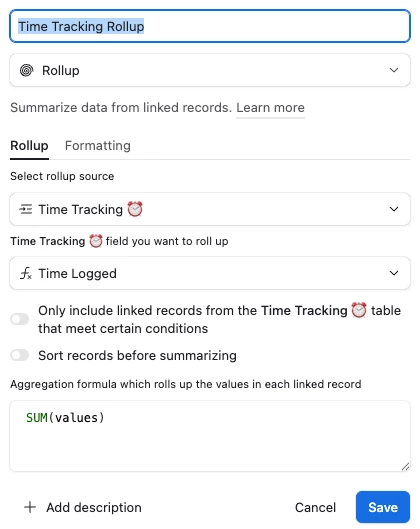
Finally, back in the Tickets table, I have a rollup field that looks at all linked records and provides a sum of the values of the time logged field. 


I know this is a lot, but let me know if you have any questions. Thanks!