Question

Best base structure for project and task tracker

  • July 14, 2026
  • 4 replies
  • 52 views

Forum|alt.badge.img

I am looking to get help on structuring my base to track Deals, Tasks, and Subtasks without overcomplicating the fields and inputs. What I am struggling with is that some Tasks don’t have any Subtasks, so I created a separate “status” field for just Tasks. Right now I have Tasks and Subtasks in separate tables with Subtasks linked to their appropriate Tasks. This is fine, but it’s a little awkward and annoying that I have two status fields now at two different levels. Especially in interfaces. 


Why do I have a status field for Tasks and Subtasks? I want to automate when all the Subtasks are complete, then that parent Task is filtered out and no longer shows on my interface. If a Task doesn’t have Subtasks, then I need to have a separate status field for Tasks so when they are complete, they will also filter out when complete. 


In short, I imagine there is a solution or more efficient alternative given this is a very basic Project-Tasks-Subtasks structure that thousands of people probably have set up already. I’m not married to my current set up in any way. 

4 replies

Forum|alt.badge.img+7
  • Inspiring
  • July 14, 2026

Have you looked through Airtable’s downloadable templates? I agree that yours is a pretty straightforward use case, so there’s a good chance you could find something that matches what you need.

https://www.airtable.com/templates


Mike_AutomaticN
Forum|alt.badge.img+29

Hey ​@rsvr_ac,

You could just have one table.
Tasks, and have it linked to itself for child-parent (sub /tasks) relationships.
In this way you could use the same Status field for both.
If needed you can have a rollup to rollup child completion percentage at the parent level.

Does that make sense?
Not really related with sub tasks, but you might be interested in the following video:


Feel free to grab a slot using this link if you’d like to get some help setting up you PM base!

Mike, Consultant @ Automatic Nation 
YouTube Channel 


TheTimeSavingCo
Forum|alt.badge.img+32

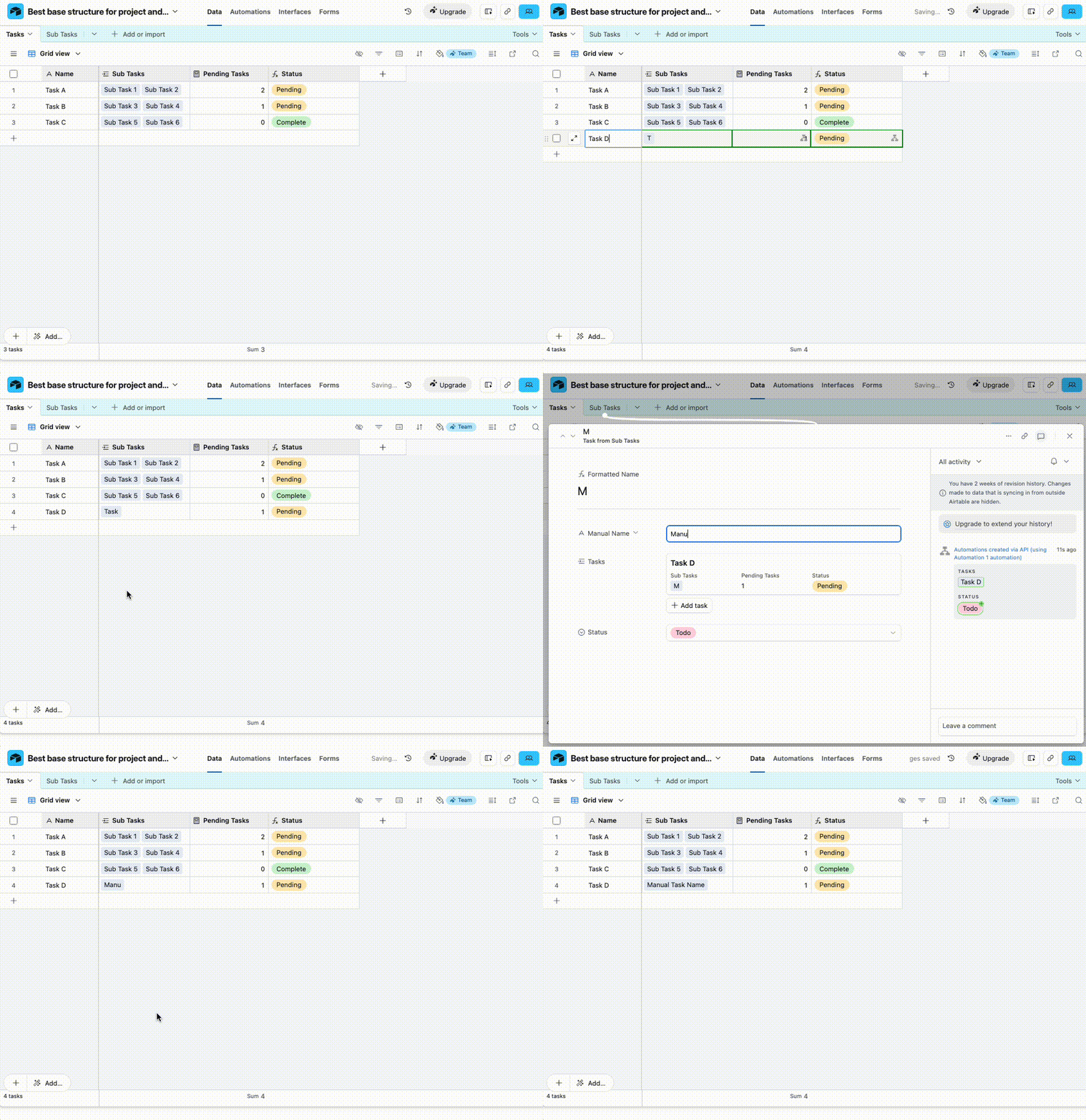
The last time I had this issue I ended up making an automation to create subtasks for me instead

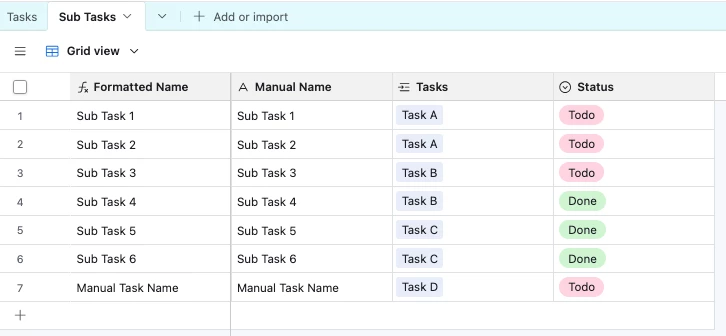
That way the ‘Sub Tasks’ table was exclusively for notes on doing stuff, when it was completed, who it was assigned to etc, and ‘Tasks’ overall due dates / people in charge.  I found it easier to wrap my head around instead of having two places where there might be action items with the same fields, you know what I mean?

I’ve set it up here for you to check out.  ‘Pending Tasks’ is a count field with a filter to only count linked subtasks that aren’t ‘Done’, and the ‘Status’ field is a formula field with this:

IF(
{Pending Tasks} = 0,
'Complete',
'Pending'
)


Forum|alt.badge.img
  • Author
  • New Participant
  • July 15, 2026

The last time I had this issue I ended up making an automation to create subtasks for me instead

That way the ‘Sub Tasks’ table was exclusively for notes on doing stuff, when it was completed, who it was assigned to etc, and ‘Tasks’ overall due dates / people in charge.  I found it easier to wrap my head around instead of having two places where there might be action items with the same fields, you know what I mean?

I’ve set it up here for you to check out.  ‘Pending Tasks’ is a count field with a filter to only count linked subtasks that aren’t ‘Done’, and the ‘Status’ field is a formula field with this:

IF(
{Pending Tasks} = 0,
'Complete',
'Pending'
)


This is interesting. I will definitely mess around with this to see if this solves my issue.