Question

Page Designer Rich Text Formatting Enabled Issue

  • May 1, 2025
  • 9 replies
  • 172 views

Forum|alt.badge.img+8

Is anyone else having issues with Page Designer today? For some reason, all of the builds I’ve created across multiple bases with Long Text fields (with rich text formatting enabled) aren’t displaying correctly. I’m just seeing numbers like 0, 1, 2, 3. We rely on rich text formatting to include links and emails in our letters, so I’m wondering if it’s an issue with our setup or if this feature is no longer supported. I also put in a ticket just in case it’s a temporary error, but wanted to see if anyone else in the community has the same experience.
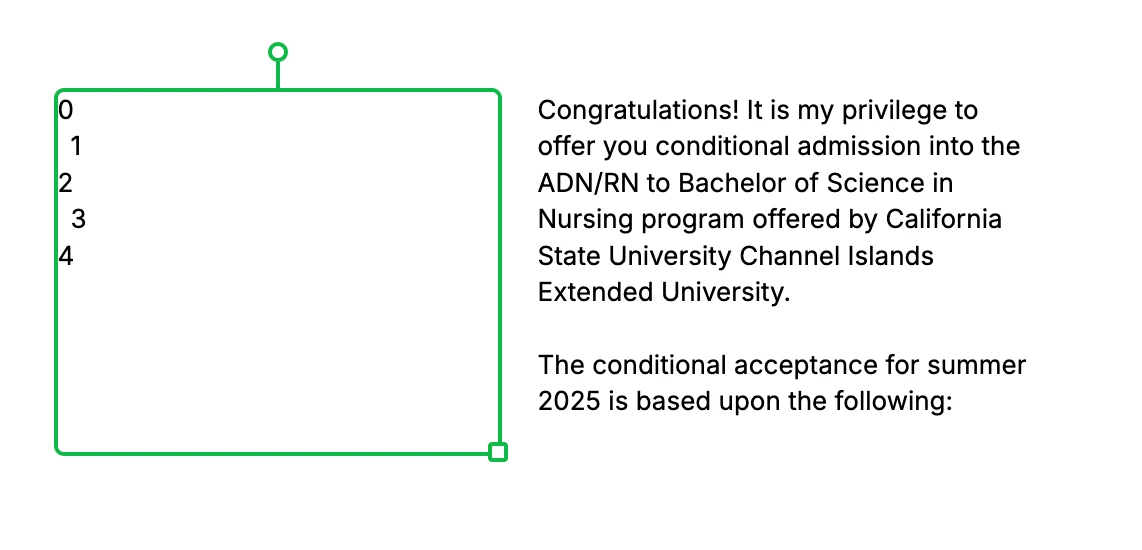

Selected in green is rich text enabled, and right side is just the long text field


9 replies

wperque
Forum|alt.badge.img+6
  • Employee
  • May 1, 2025

@jerilee I posted something internally to see if there are any issues identified. In the meantime, I would open a ticket when you have a chance.


wperque
Forum|alt.badge.img+6
  • Employee
  • May 1, 2025

@jerilee sounds like some cases are trickling in so they are investigating!


Forum|alt.badge.img+8
  • Author
  • Participating Frequently
  • May 1, 2025

Thanks for the update Wendy!! I’m glad to hear the investigation started. 


Mike_AutomaticN
Forum|alt.badge.img+28

Seems to be working fine on my side!

You might want to email support@airtable.com. Please keep us posted on how that goes. 


Forum|alt.badge.img+3
  • New Participant
  • May 2, 2025

Yeah, Its broken for me as well.


Forum|alt.badge.img+8
  • Author
  • Participating Frequently
  • May 2, 2025

@Jwilder It’s still broken for me too. I got an update on my ticket yesterday and their engineering team has been looped in and taking a look at the issue. Hopefully an update soon. 


Forum|alt.badge.img+3
  • New Participant
  • May 2, 2025

I was able to duplicate my page and get by with text box record reference for now. 

{“field name”} - in a text box

if thats helpful for anyone else


ScottWorld
Forum|alt.badge.img+35
  • Genius
  • May 2, 2025

Yes, we’re seeing this problem too.

One workaround is to use Documint for Airtable, which supports rich text formatting and can be fully automated from Airtable (unlike Page Designer, which can’t be automated in any way).

- ScottWorld, Expert Airtable Consultant


Forum|alt.badge.img+8
  • Author
  • Participating Frequently
  • May 3, 2025

I just got an update on my ticket. Everything has been fixed and all our pages are back in working order.