Question

How to make form show longer text

  • January 5, 2026
  • 4 replies
  • 48 views

Forum|alt.badge.img+1

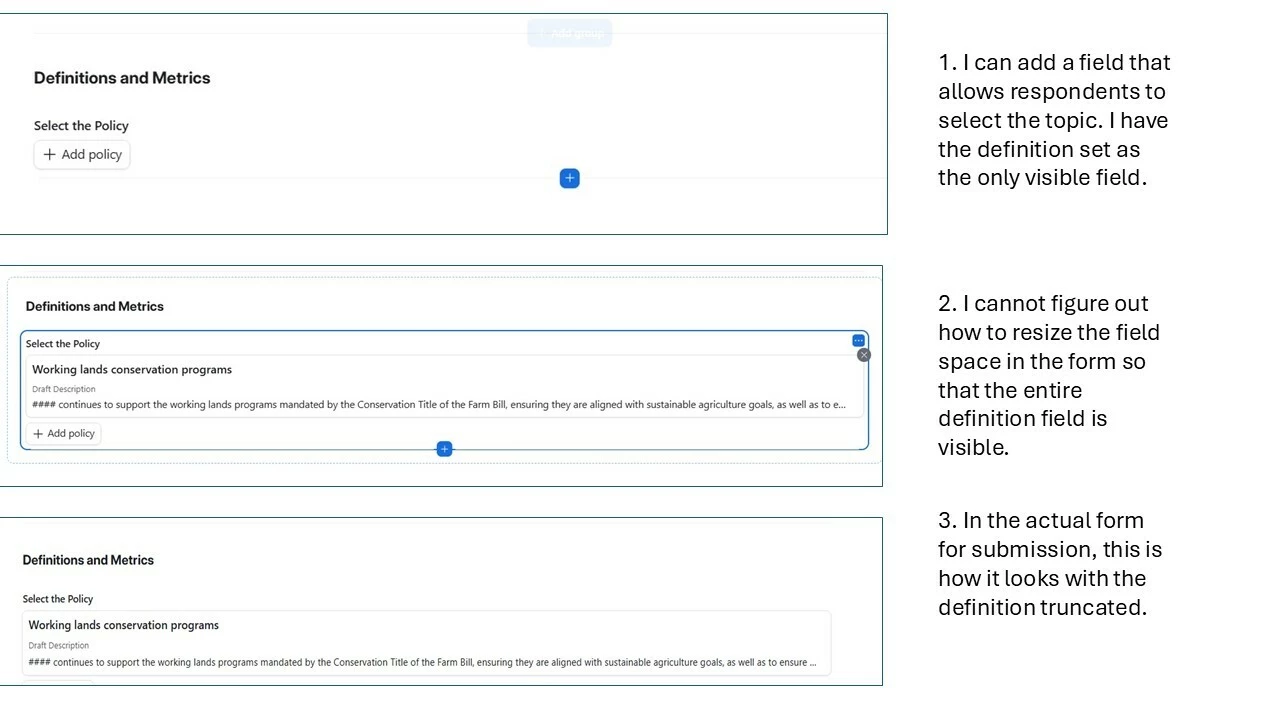
I have a form where respondents need to be able to select a topic and then see the draft definition of that topic. The problem is that the definitions are long and I cannot figure out how to make the form show the entire definition. I’ve included screen caps below.

Is there a way to resize the field space that is offered in a form so that the longer text is visible?


4 replies

Mike_AutomaticN
Forum|alt.badge.img+28

Hey ​@NonProfitData!

I don’t think you can achieve this using Airtable native forms (might be missing smth). However, Fillout forms allow you to have dynamic text (which AT native forms do not) on your form. In this way, you could have your text read something like:

“Definition: @dynamic definition field from word chosen above”.

I’ll try to include a walkthrough soon, but you should not have big issues finding your way around it on your own! Pretty simple. use the “@” when trying to reference a dynamic value on your text.

Their free plan is all you’ll need.

Mike, Consultant @ Automatic Nation 
YouTube Channel


TheTimeSavingCo
Forum|alt.badge.img+31

Is there a way to resize the field space that is offered in a form so that the longer text is visible?

 

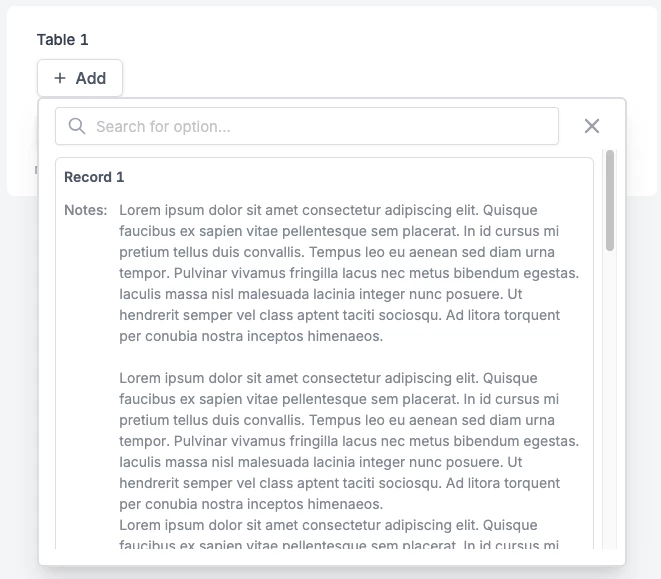
I’m afraid not.  Fillout (https://www.fillout.com/) doesn’t limit the text displayed from a linked record so I reckon you may want to check that out:

And here’s the form from the screenshot


ScottWorld
Forum|alt.badge.img+35
  • Genius
  • January 6, 2026

As the others have mentioned above, you will only be able to accomplish this with Fillout’s advanced forms for Airtable.

Fillout communicates directly with Airtable and can easily do everything that you requested — in many different ways!

@Mike_AutomaticN outlined one way of doing this in Fillout, and ​@TheTimeSavingCo outlined a completely different way of doing it! There are even other ways you could approach this in Fillout as well.

Best of all, Fillout is 100% free and it offers hundreds of features that Airtable’s native forms don’t offer. So you may actually find many more reasons to build all of your Airtable forms in Fillout.

For example, Fillout offers the ability to:

I show how to use a few of the advanced features of Fillout on these 2 Airtable podcast episodes:

Hope this helps!

If you’d like to hire the best Airtable consultant to help you with anything Airtable-related, please feel free to contact me through my website: Airtable consultant — ScottWorld


Forum|alt.badge.img+1
  • Author
  • New Participant
  • January 6, 2026

Thanks, all! I will be setting this up today with Fillout.