Non-anonymous forms

  • Sep 24, 2020 9:04 PM UTC
  • 7 replies
  • 181 views

Forum|alt.badge.img+2

Is it possible to make a form that requires authentification in order to make sure that “Created by” is populated when the form is submitted?


This topic has been closed for replies.

7 replies

  • New Participant
  • Sep 25, 2020 8:23 AM UTC

I also strongly need this.

In the “share” option of the form (pro plan), you can specify that the email of the connected user should belong to a specific domain name. In this cas, auth would be forced.

But for the moment, it is impossible for me to access to this data. By Scripting, the value of “session” variable is “not initialized”, so it is not possible to access the user login.


Forum|alt.badge.img+15
  • Inspiring
  • Sep 27, 2020 4:58 PM UTC

If you would like to have a login page for your form, we’ve created a tool that allows you to build that. It automatically links every form submission to its creator.


  • New Participant
  • Sep 28, 2020 6:14 PM UTC

If you would like to have a login page for your form, we’ve created a tool that allows you to build that. It automatically links every form submission to its creator.


Is there a way to avoid two authentications ? (one to AirTable and one to your form)

Could it work with Google auth ?


Forum|alt.badge.img+15
  • Inspiring
  • Sep 29, 2020 1:14 AM UTC

Is there a way to avoid two authentications ? (one to AirTable and one to your form)

Could it work with Google auth ?


The login page works by using records in Airtable as the users. The users would not make miniExtensions accounts. Instead, a user’s login would be a record in Airtable. We go over how this works in detail in the video.


Brandi_Bullock
Forum|alt.badge.img+10

Here to ask this too... a lot of my interface design is using forms and when our users create tasks/notes/etc. they are all marked as anonymous.  A huge dilemma for tracking purposes!


Forum|alt.badge.img
  • New Participant
  • Apr 15, 2023 12:14 AM UTC


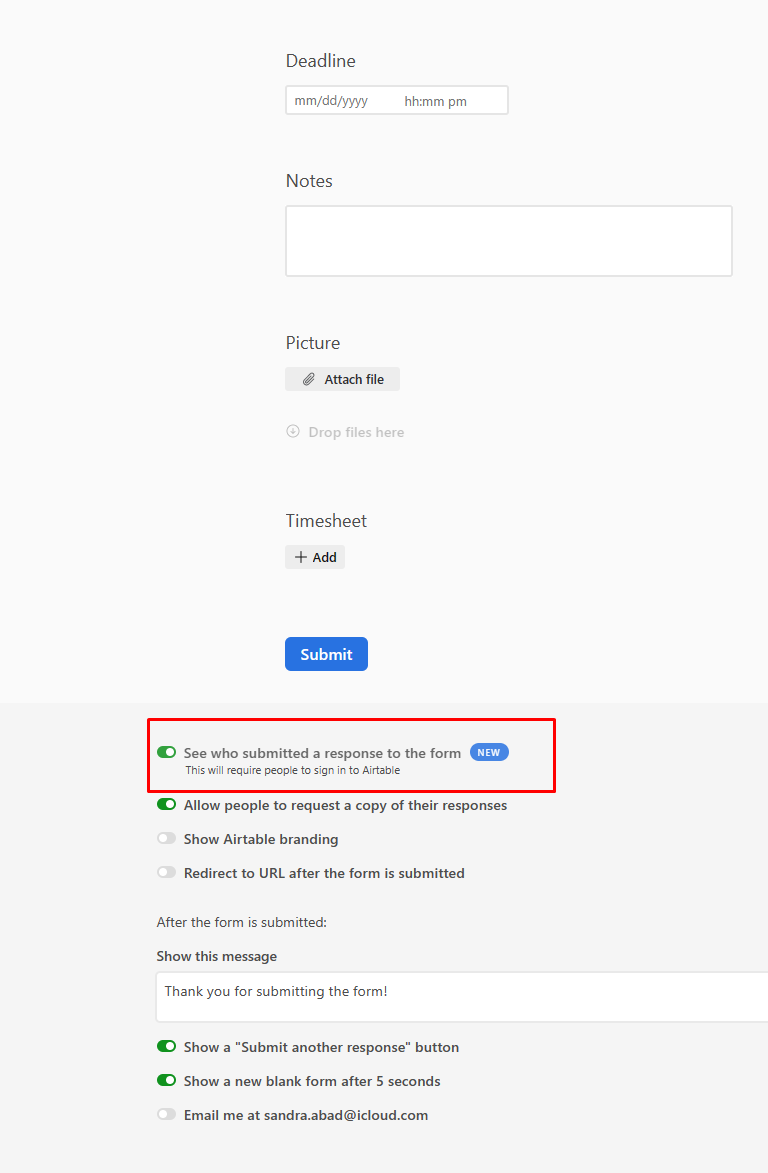
Now u can


ScottWorld
Forum|alt.badge.img+35
  • Genius
  • May 28, 2025 12:18 PM UTC

You have a few different options for this:

  1. As long as the user is logged into their Airtable account, you can enable the option to “See who submitted a response”.
  2. If the user doesn’t have an Airtable account, you can either ask for their email address on the Airtable form, or you can create a login page for your form by using Fillout’s advanced forms for Airtable.

Fillout’s login pages will also give you these optional features:

  1. Fillout will allow you to validate email addresses based on a pre-approved list of email addresses that you have stored in Airtable.
  2. You can verify & confirm that the user is typing in a valid email address.
  3. You can restrict the logins by SSO or email domain or your pre-approved list of email addresses.
  4. You can limit form entries to one entry per person.
  5. And much more.

Hope this helps! If you’d like to hire an expert Airtable consultant to help you with anything Airtable-related, please feel free to contact me through my website: Airtable consultant — ScottWorld