Hi,
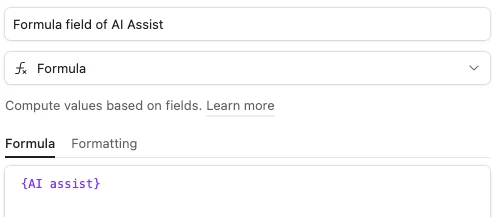
M problem is that [object Object] is displayed when trying to view the data from one row from one column instead of text. The issue arises only on one new column on my table. The error comes via a connected application called Fillout, which I assume uses the standard Airtable API’s.
Initially I thought it was taking time for the Airtable API interface to be updated. Then I thought I had better refresh the fields in the ‘connected’ to Airtable view on Fillout. But here I am days later without any clue as to what is still wrong. Before you ask, Fillout is happily returning data from a Long Text field in the exact same base and table. One of our team added this new AI auto-generated text field and this is the only field with this problem. The field editor permissions are the same ‘Editor and up’ on both old and new fields. Both fields are a singleton ‘Lookup’ type to the same parent table.
I started a totally new form in Fillout and added both the old (not AI) and the new (AI) text fields, just to check it wasn’t some weird thing with my old form, but got the exact same problem. So, starting over again in Fillout isn’t the solution.
Is the AI-generated Long text content not actually a simple text object but some kind of array? is the Lookup behaving differently for an AI-long-text?
All ideas welcome and thanks in advance,
Austin