I had a great time at Buildathon NYC! Really enjoyed meeting so many of you. It was awesome connecting with such a talented and friendly community!
During the event, while tackling different challenges, I had the opportunity to play around with the "Image Generation" field agent. It sparked a bunch of ideas for how we could use it in projects at my organization.
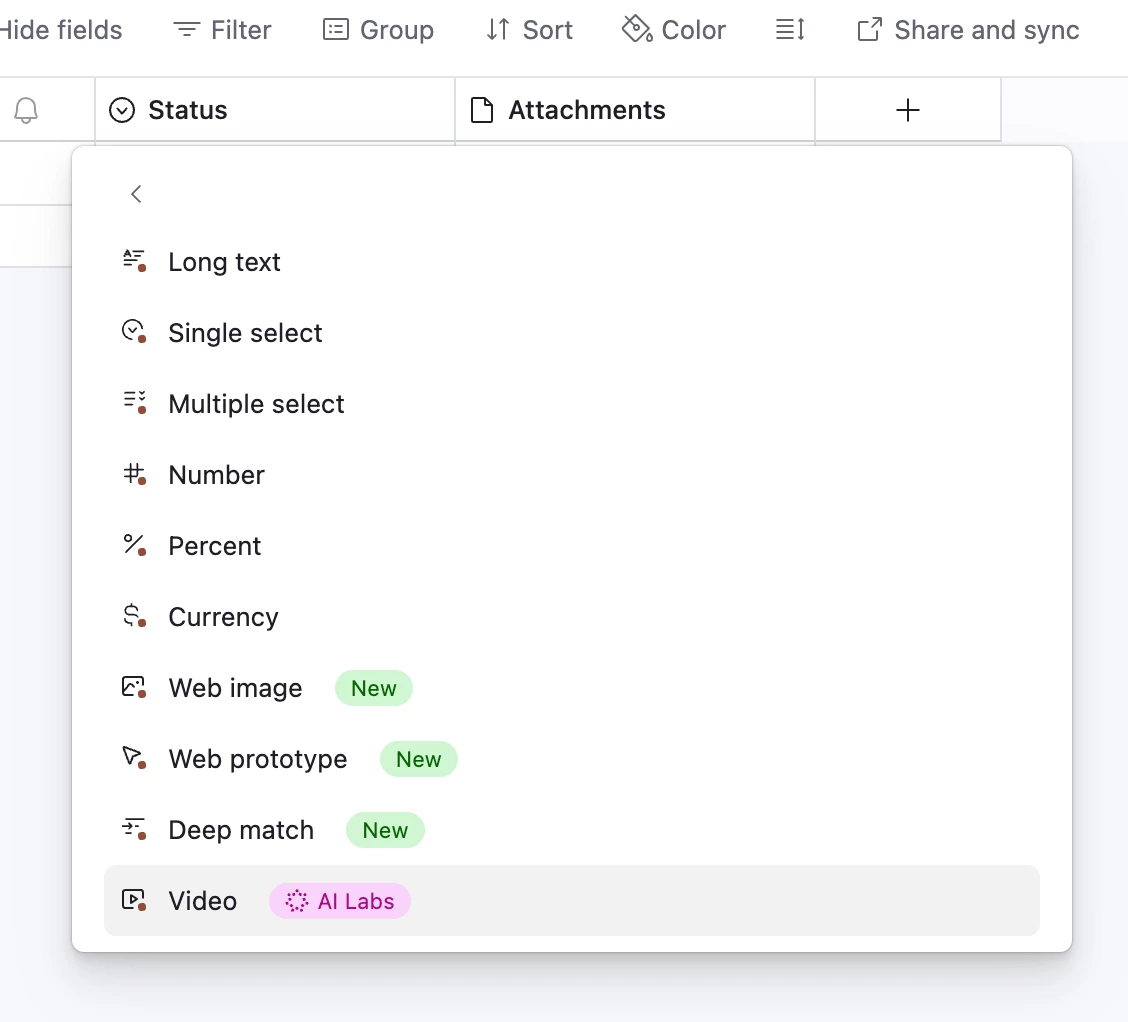
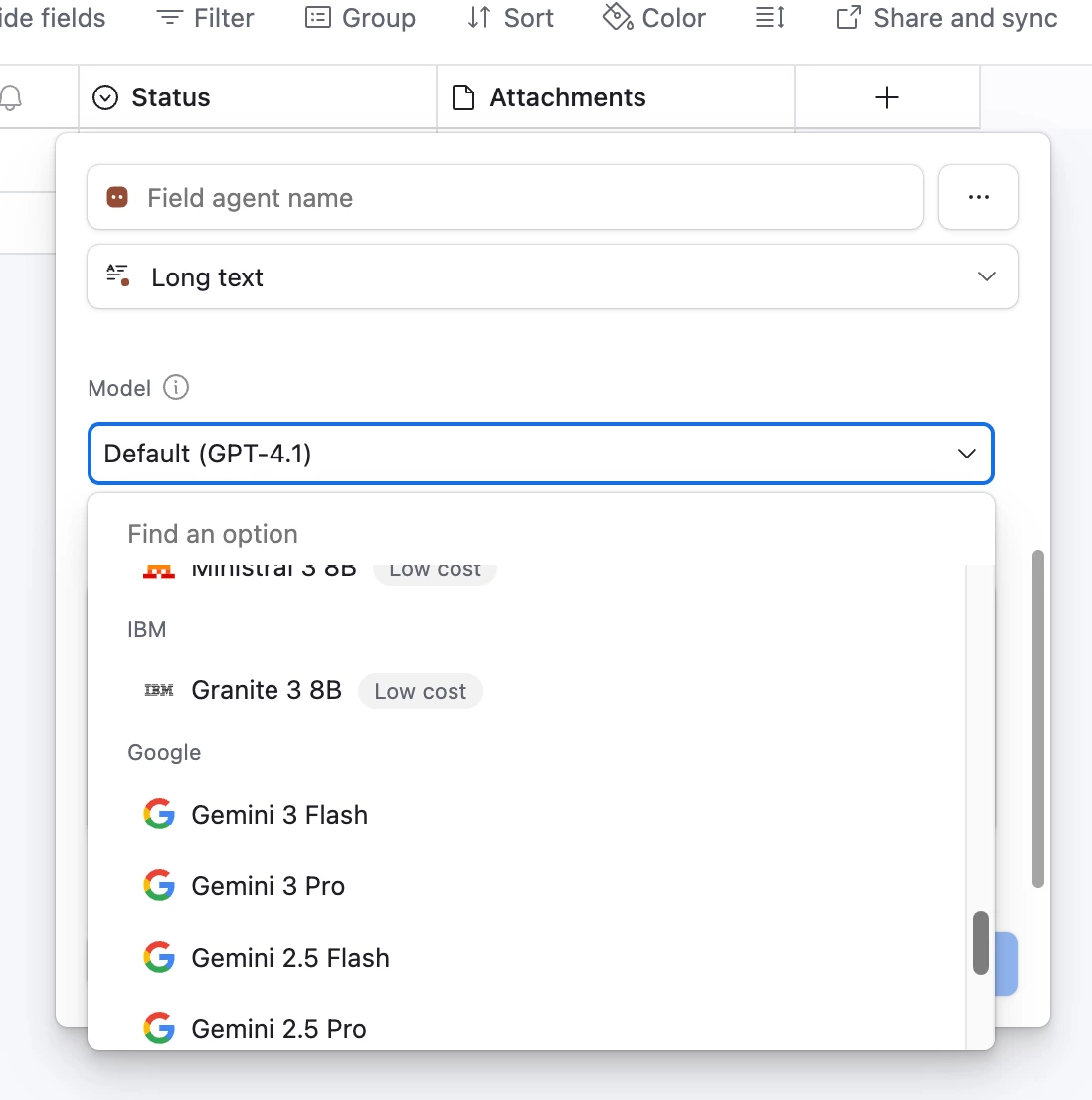
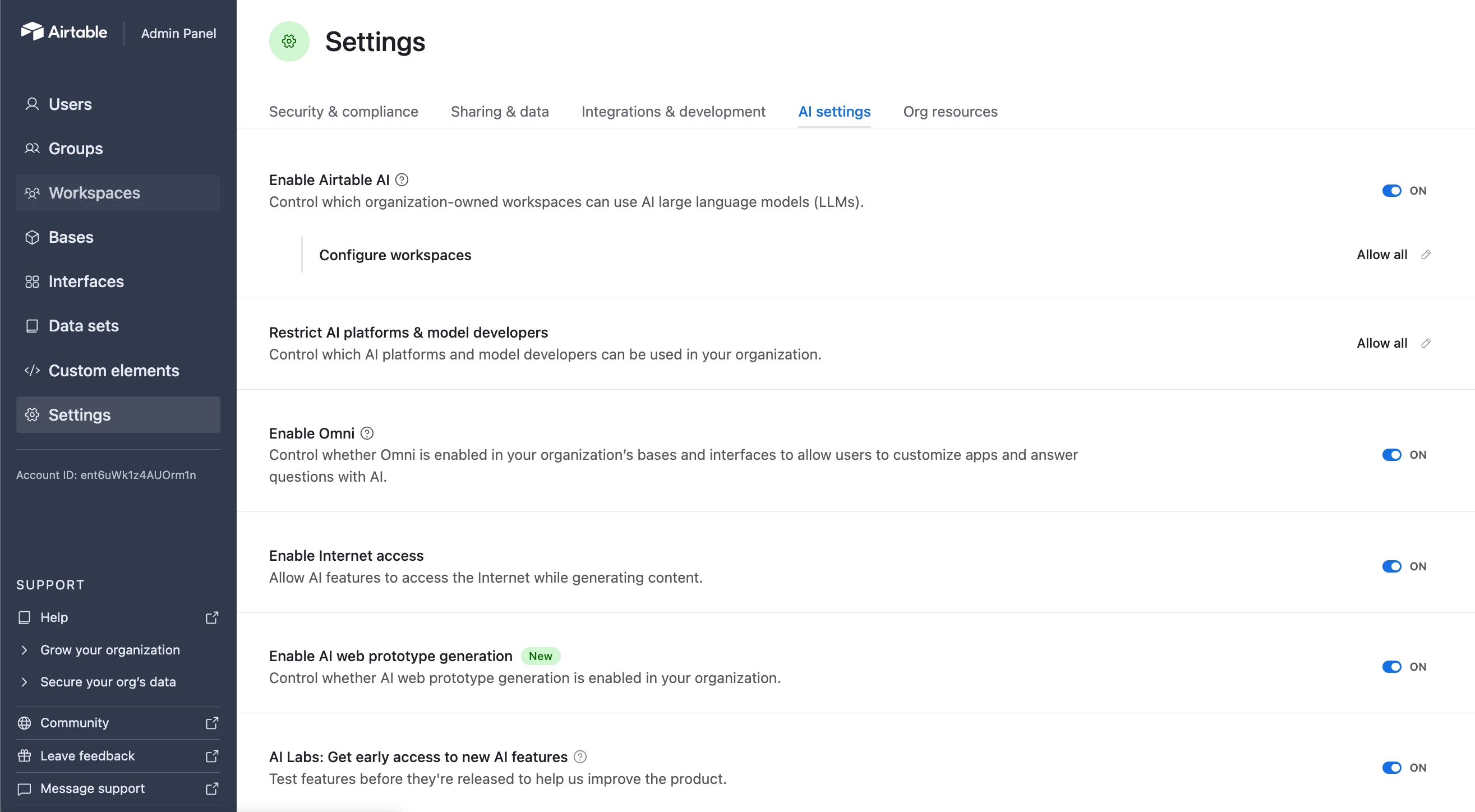
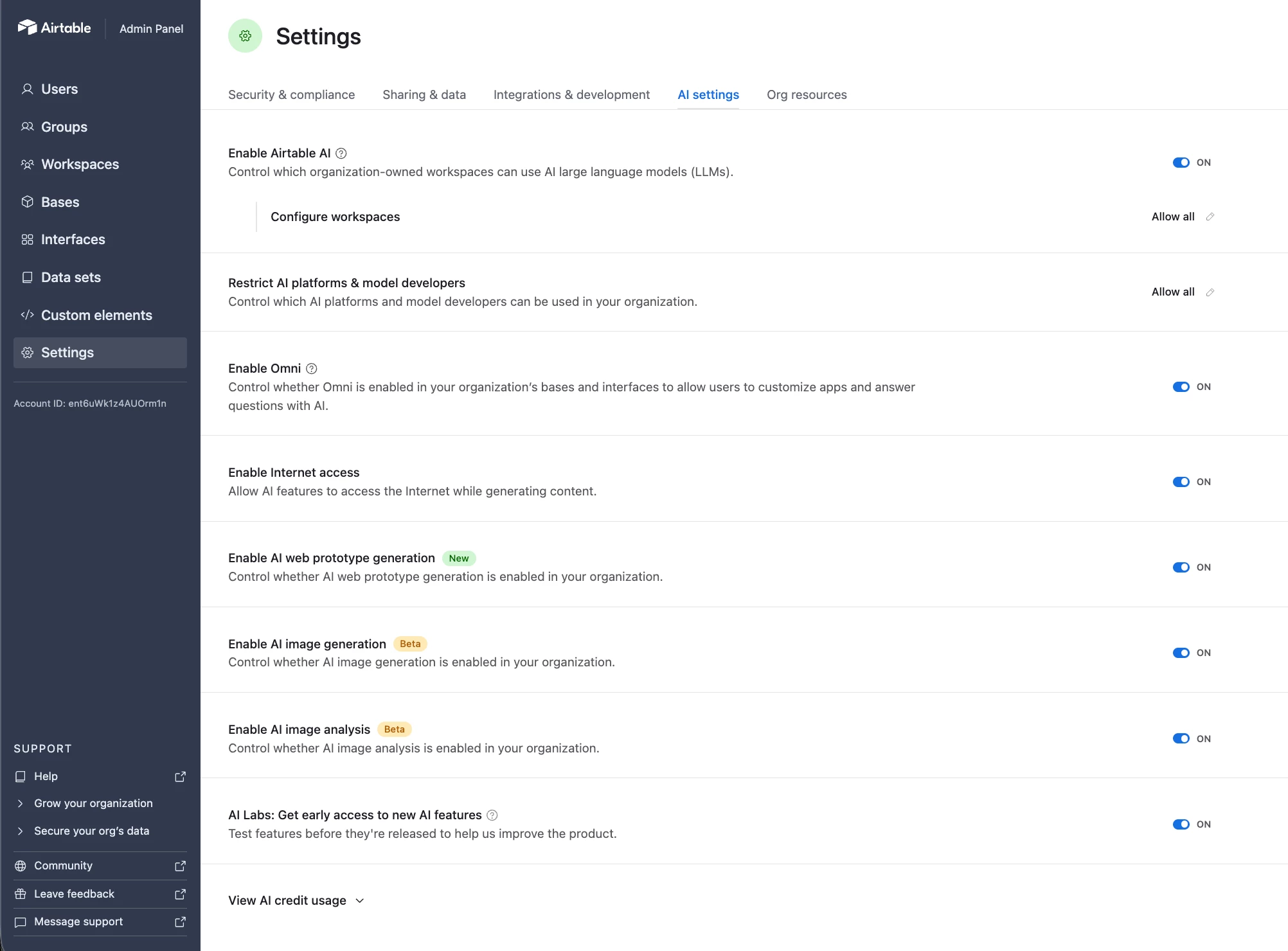
Now that I am back (after rough flights)! I have enabled all AI models and AI Labs features in our Airtable workspace (we are on a Business plan). However, even though everything appears to be turned on, I am not seeing the “Generate Image” option, nor do I see any image related field agent available. Interestingly, I do see the "Video (AI Labs)" option.
Am I missing a step to enable image generation? Is there a specific setting, permission, or rollout limitation I should be aware of?
At this point, I am starting to feel like the AI agents do not like me 😅 During the event in NYC, around 2:30PM'ish, they suddenly stopped working on my base, so I couldn't finish and submit the challenge and now this…
Would really appreciate any guidance, thanks in advance!
Best answer by VictoriaPlummer
Hey there! 👋 I remember you! So glad you made it to Buildathon.
I’m so sorry field agents conked out on you, but happy you got to experiment with image generation. Totally understand the frustration of seeing it work in person and then not being able to find it back on your own workspace.
Here's what's going on:
Image gen is part of the AI Labs family of features. On Business plan accounts, there are a couple of toggles in your Admin Panel (under Settings → AI) that control visibility. One for image analysis and one for image generation. If those aren't switched on, the "Generate Image" option won't show up as a field agent type even if your other AI features are working fine. A few things to check:
AI Labs: make sure this is enabled in your Admin Panel (it's a separate toggle from the general AI setting)
Image analysis & generation toggles: these should appear under your AI Settings once Labs is on. If you don't see them at all, reach out to support and they can make sure everything's configured on your account.
The Team plan users in this thread can see it because the feature surfaces automatically for them.
Business and Enterprise accounts have the additional admin controls for governance, which means a couple more steps to get it live. Once those toggles are on, you should see "Generate Image" as an option when creating a new AI field. If you don’t see either of those options, please reach out to support as there may be a feature flag we need to throw on on the backend. It looks like you already have a support thread going, but happy to help you get unblocked.
Thank you for taking the time to reply. I really appreciate it. Just a few minutes before your response, I came across the announcement post about image generation (from about 5 months ago!), and noticed this section:
How to get started
- Image Gen is available today for all customers on Free and Teams plans. - Business and Enterprise Scale customers can access Image Gen via AI Labs. We’ll share more updates soon on bringing Image Gen to all Business and Enterprise Scale customers.
This made me wonder whether our account might still not be part of the "all business customers” rollout.
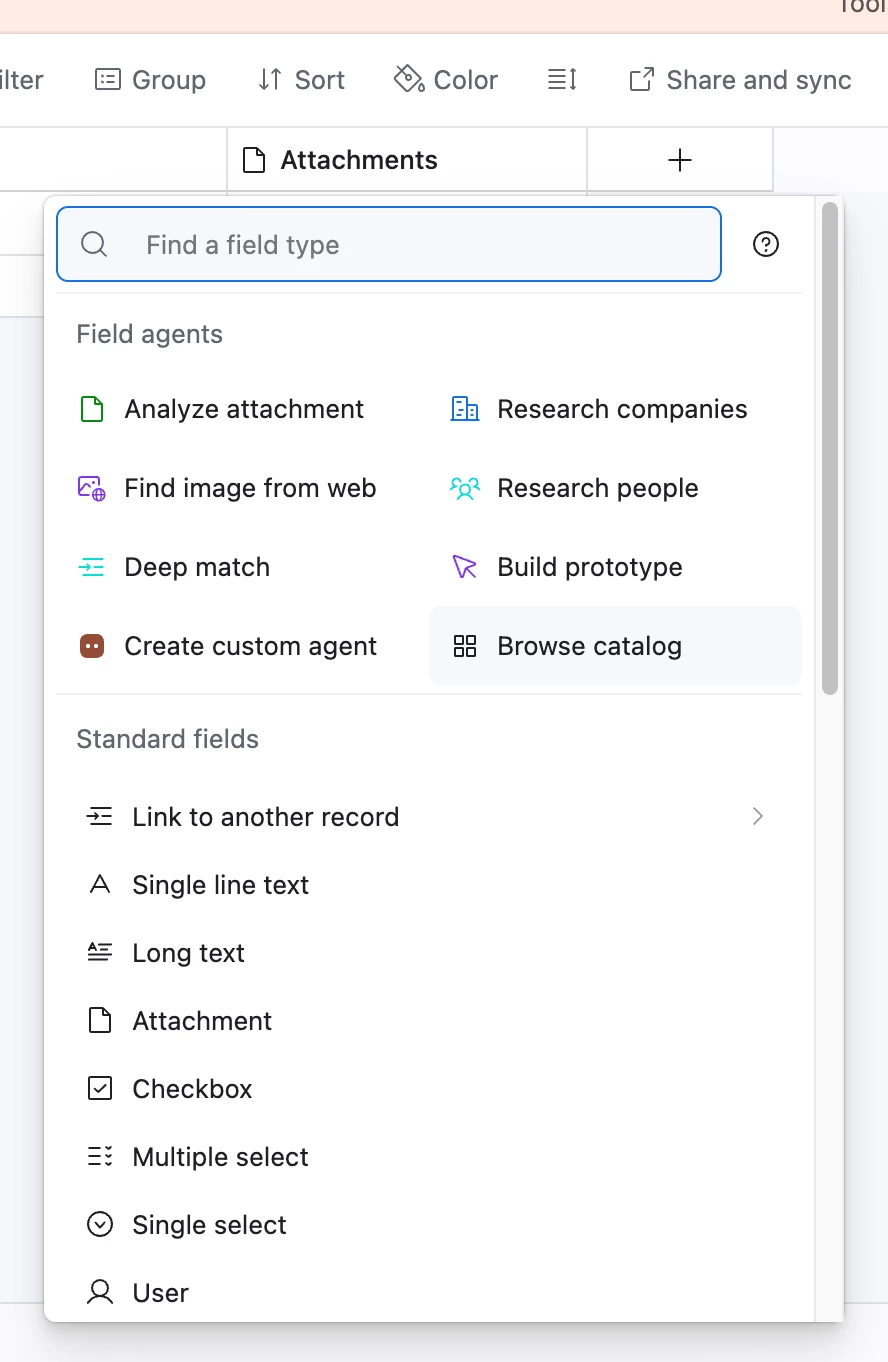
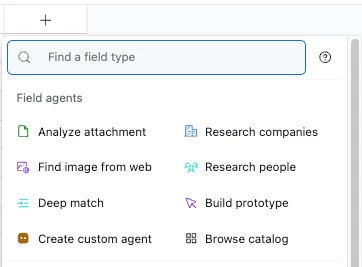
Also, based on the screenshot I shared earlier, I am seeing "Research People" instead of a "Generate Image" option, even though all AI features appear to be enabled in the Admin Console.
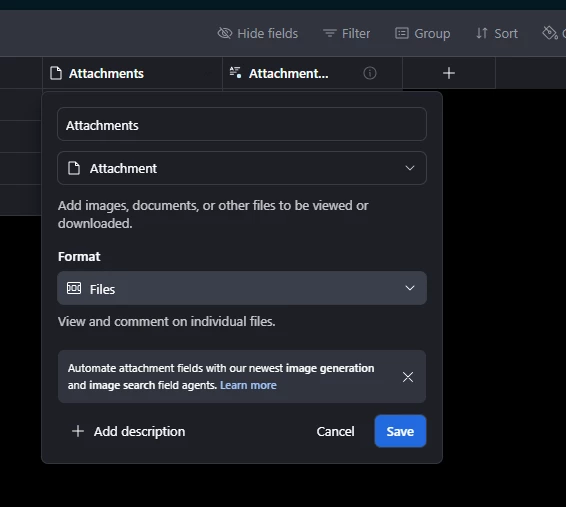
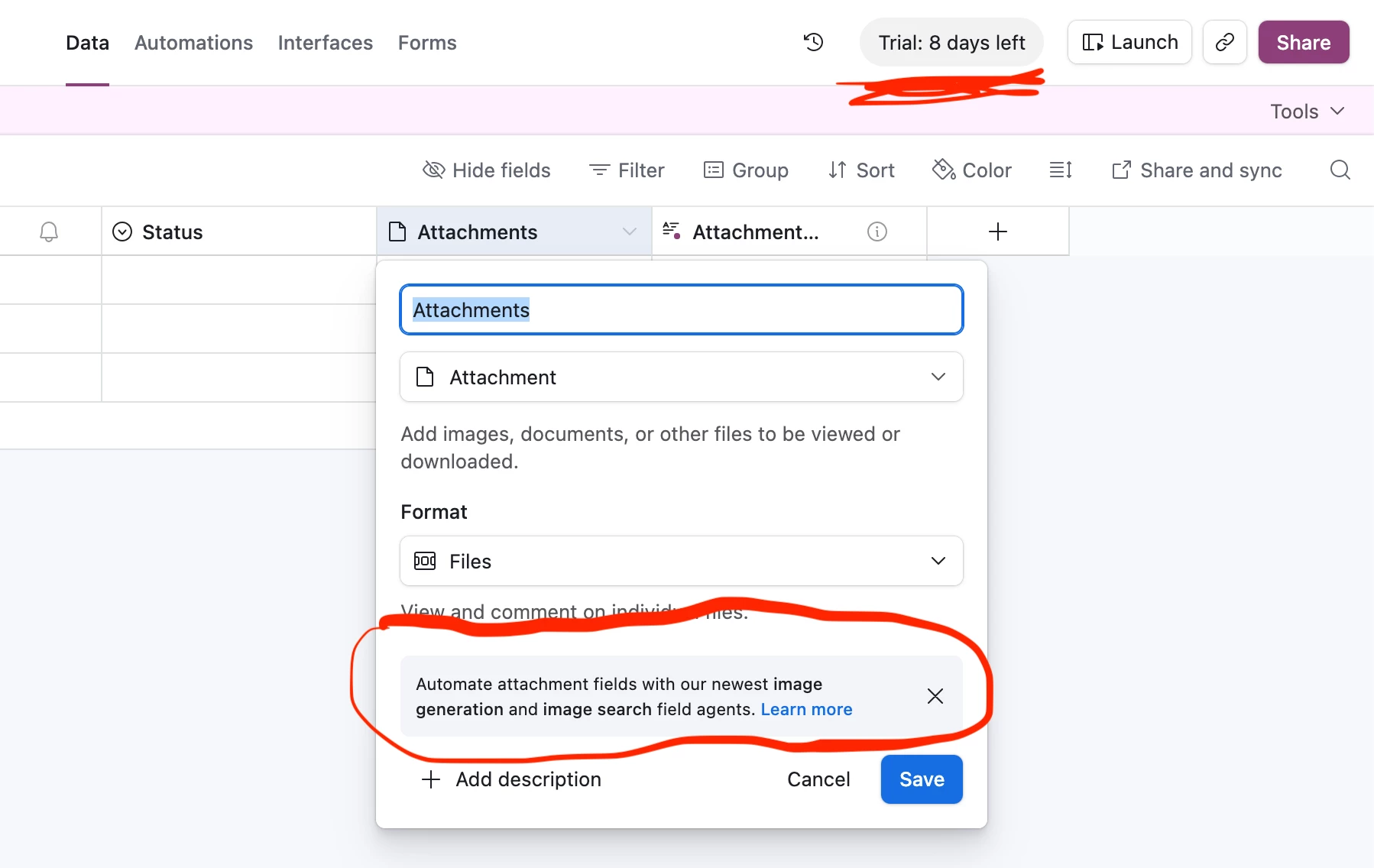
In my AI enabled account, I get the same Field agent ordering as @matthewsk but another angle of approach would be to create an Attachment field (which is where AI gen images would get put anyway), as I’m prompted with AI image gen options there in the edit field settings.
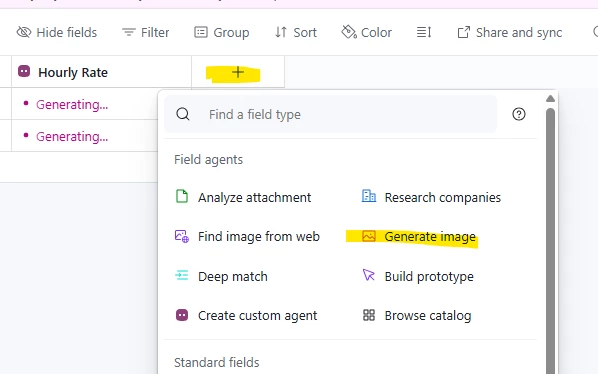
Could you please tell me your plan? I want to confirm whether "Image Generation" is available and enabled for the "Free" and "Team" plans, but not for the "Business" plan. I have a free/trial account, and I see the menu options as shown. (The screenshot is below)
And thank you for taking the time to reply. I really appreciate it.
Hey there! 👋 I remember you! So glad you made it to Buildathon.
I’m so sorry field agents conked out on you, but happy you got to experiment with image generation. Totally understand the frustration of seeing it work in person and then not being able to find it back on your own workspace.
Here's what's going on:
Image gen is part of the AI Labs family of features. On Business plan accounts, there are a couple of toggles in your Admin Panel (under Settings → AI) that control visibility. One for image analysis and one for image generation. If those aren't switched on, the "Generate Image" option won't show up as a field agent type even if your other AI features are working fine. A few things to check:
AI Labs: make sure this is enabled in your Admin Panel (it's a separate toggle from the general AI setting)
Image analysis & generation toggles: these should appear under your AI Settings once Labs is on. If you don't see them at all, reach out to support and they can make sure everything's configured on your account.
The Team plan users in this thread can see it because the feature surfaces automatically for them.
Business and Enterprise accounts have the additional admin controls for governance, which means a couple more steps to get it live. Once those toggles are on, you should see "Generate Image" as an option when creating a new AI field. If you don’t see either of those options, please reach out to support as there may be a feature flag we need to throw on on the backend. It looks like you already have a support thread going, but happy to help you get unblocked.
Thank you again for all your help during the Buildathon… I really appreciate it!
I’m still a bit confused about why the field AI agents stopped working for my base during the event. Do you happen to know if there was anything going on from the Airtable technical team side that might have caused that?
Also, quick update: I created a support ticket 2 days ago, and I can now see the image generation and image analysis options in my admin settings.
I’ve just enabled them and I’m planning to experiment more with those features.