

Automation Buttons in Interfaces, Bigger Find Records, & Searchable Comments
Hi everyone,
It's AP from Product, back with more updates from the new Core team!
This week we focused on automations and interfaces, plus one improvement that makes comments much easier to use.
The highlights
1. Find Records above 1,000 records
Find Records steps in automations are no longer capped at 1,000 records. Workflows on larger tables can now find [4000] records, so you can stop splitting them up or working around the cap.
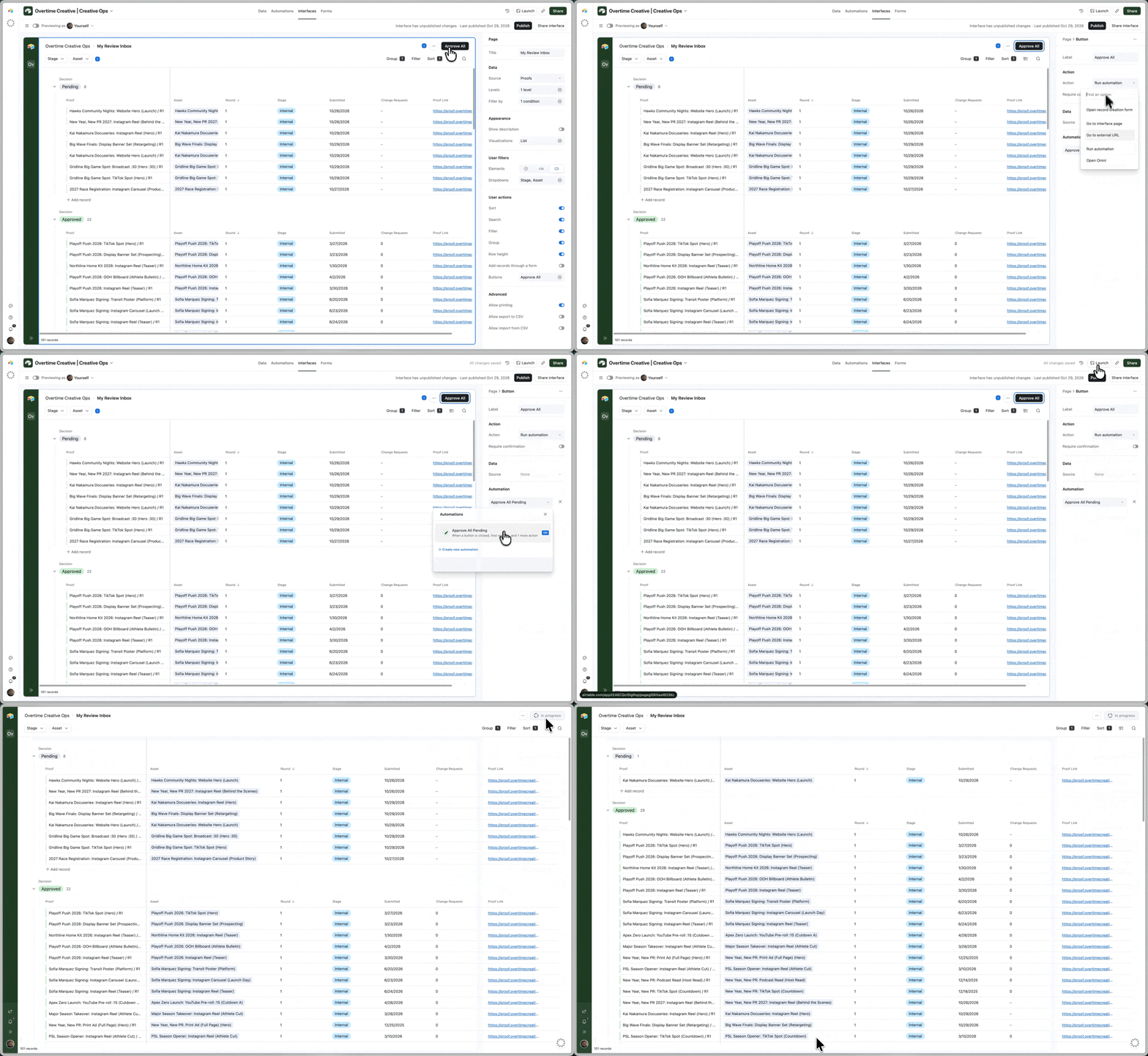
2. Run automation buttons on interface pages
You can now place "Run automation" buttons on interface list and grid pages. Until now they were only available on record detail and review layouts. That means your team can kick off an automation right from the page where they're already working, with no need to open each record first.
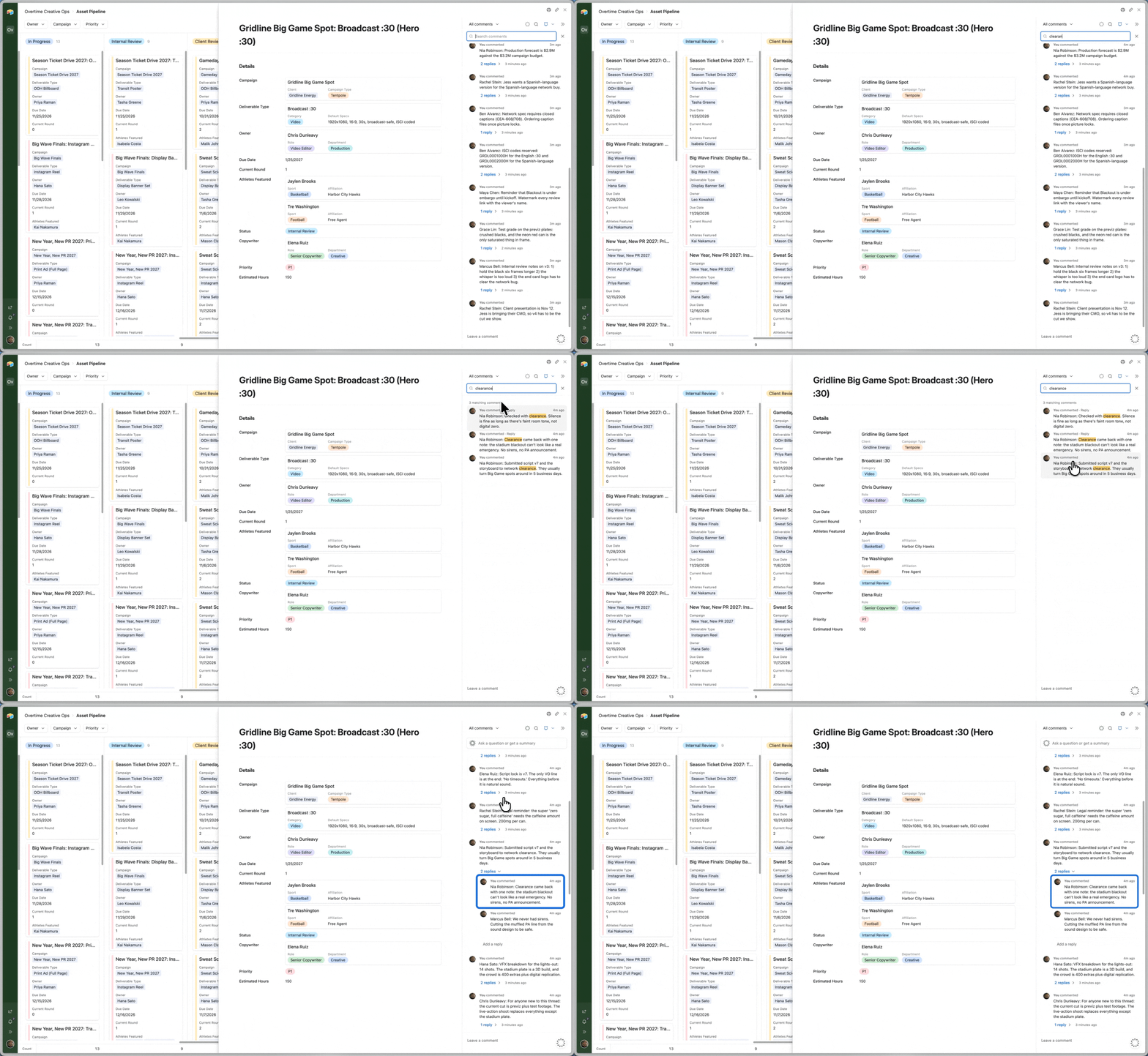
3. Search comments on a record
Comments are now searchable in the comments panel on a single record. Hunting down a past discussion or decision no longer means scrolling through the whole thread.
Usability improvements
4. See selected options first in condition pickers
When you set conditions on a select field with lots of options, you can now see which ones are switched on without scrolling the whole list. This works anywhere you set conditions on a select field, including automation conditions and rollup and lookup conditions.
5. Interface CSV import remembers your settings
Interface CSV import now keeps your settings, so your column mappings and options are reused the next time you import into an interface table element. You don't have to set them up again for every import.
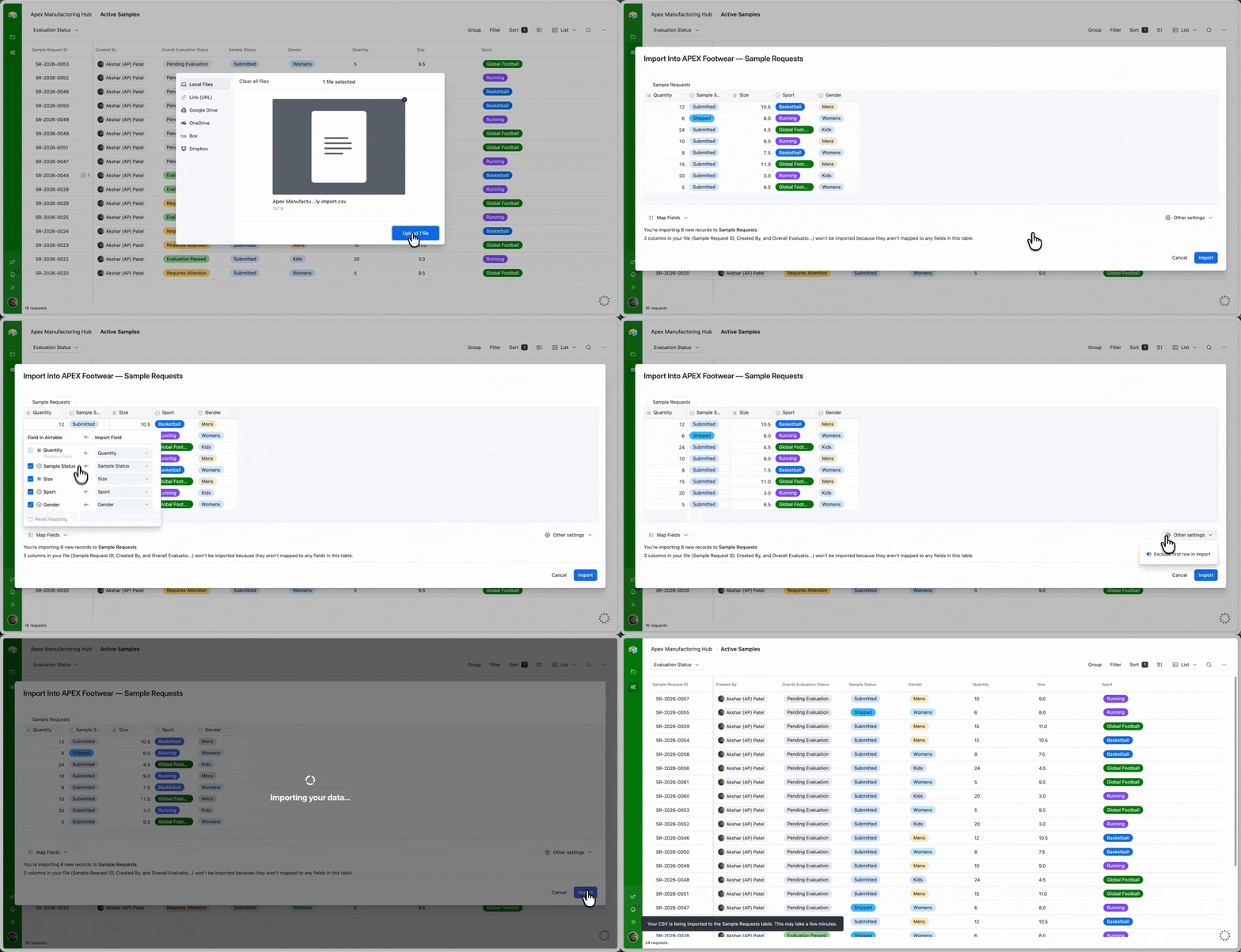
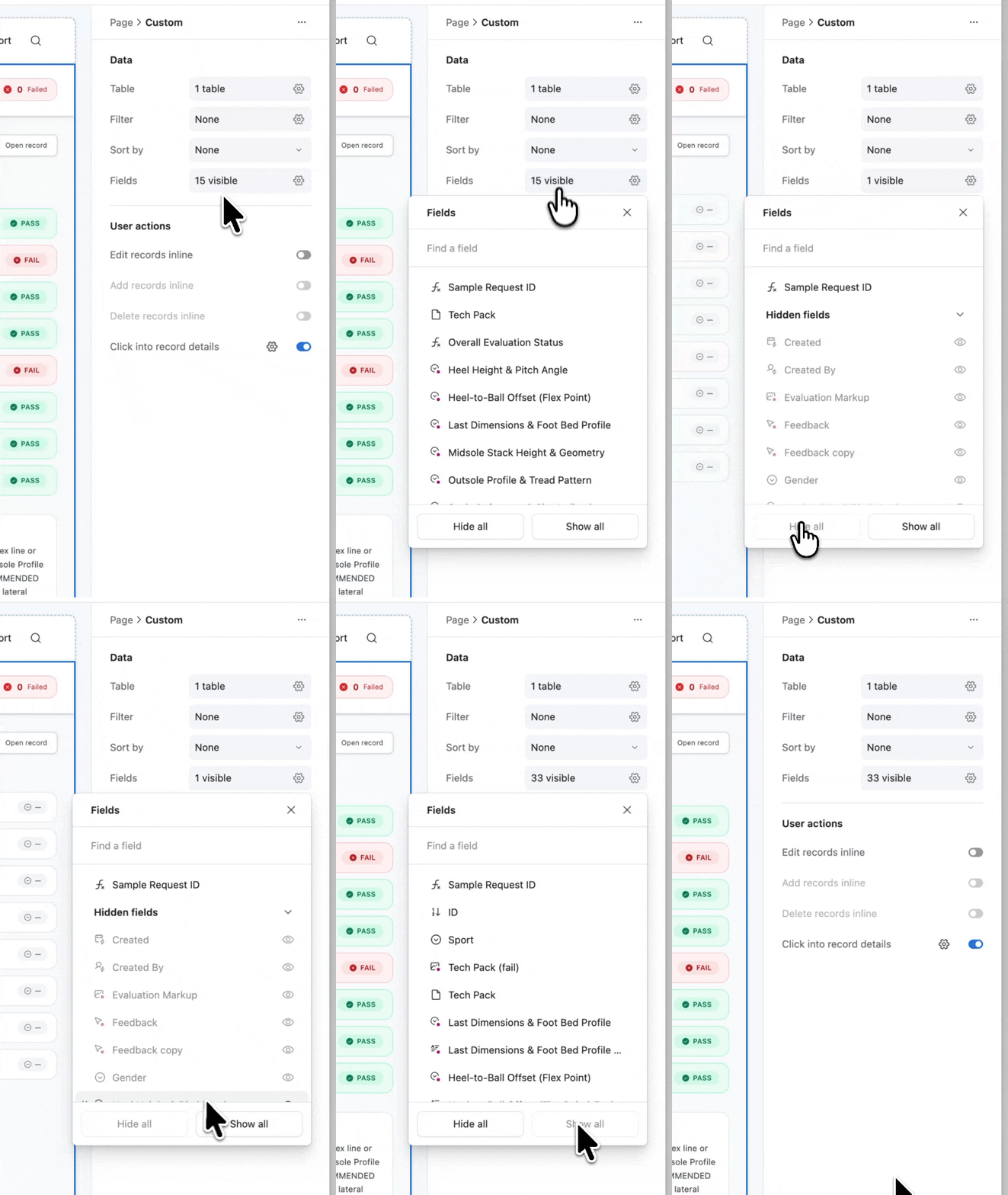
6. Hide all / Show all in the fields dropdown on custom interface pages
When you configure a custom interface page, the fields dropdown now has Hide all and Show all controls. You can toggle every field at once instead of one by one.
Hope you like them! We'll keep building based on your feedback here and in the requests form, so please keep letting us know what you want us to work on next.
AP
Product Manager, Core Product