



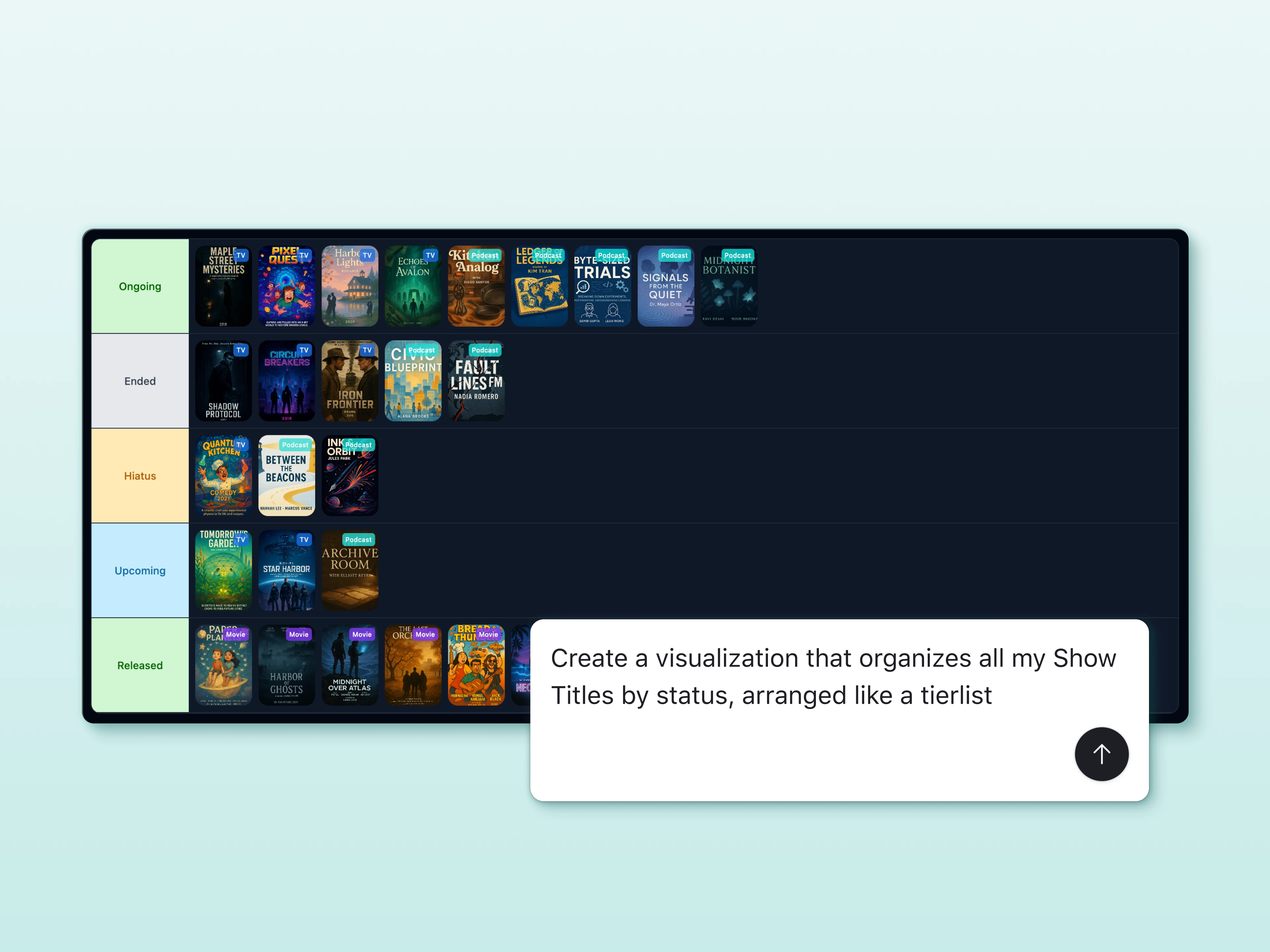
AI-generated interface elements are now available to everyone and out of beta. Since launching in AI Labs last year, this feature has become one of the most popular ways builders unlock entirely new ways to visualize, interact with, and act on their Airtable data. It's now fully supported across all plans.
Just describe what you need in plain language, and Omni builds a fully custom element tailored to your exact workflow. Go beyond what's available out of the box to create exactly what your team needs. No templates to configure, no coding required. Since the initial launch, we've shipped major improvements based on your feedback, including multi-table support, version history, and the ability to revert and undo changes directly in Omni.
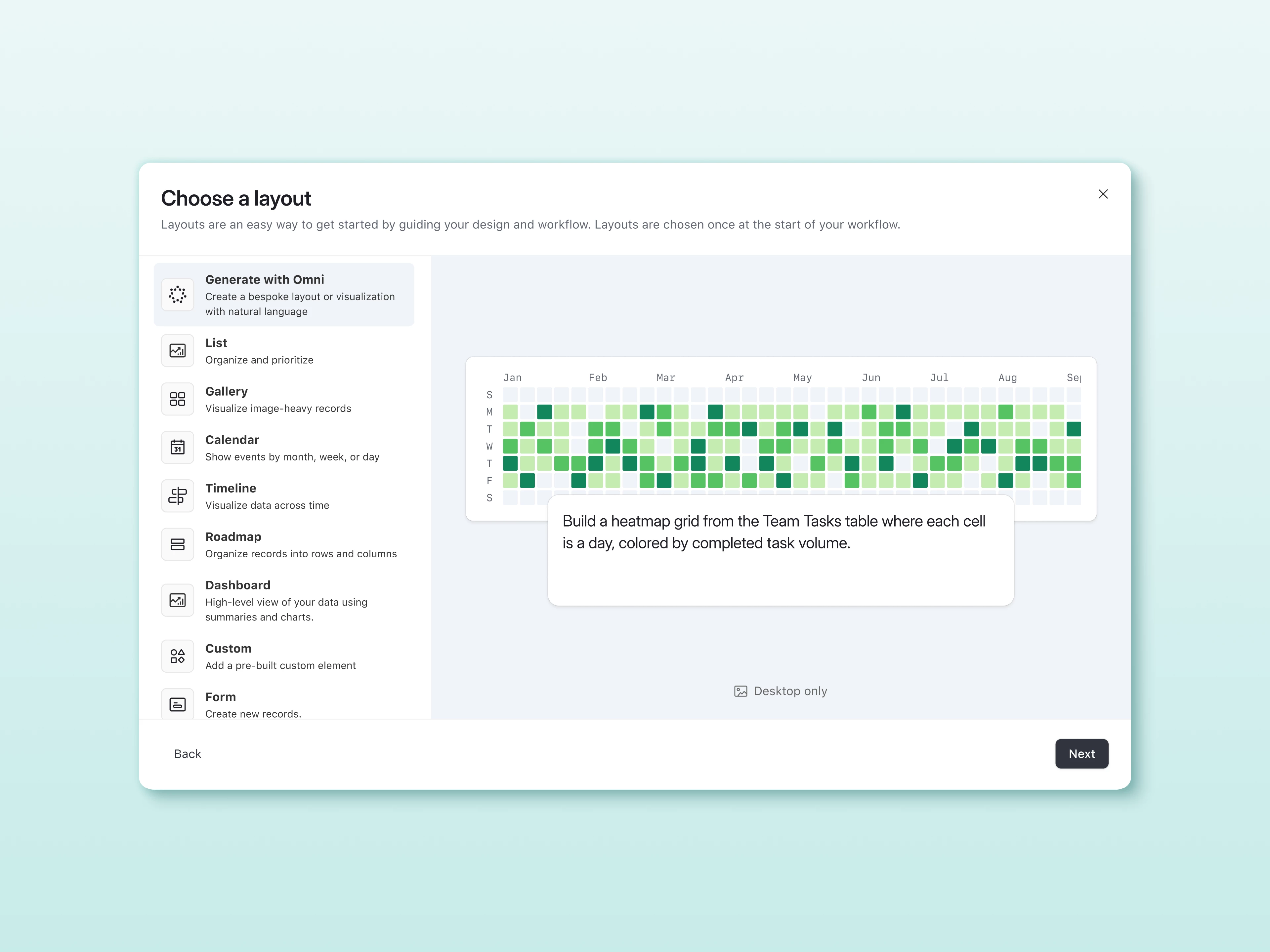
There are two ways to get started:
- From Interfaces: Create a new interface, select "Generate with Omni," and either type a prompt describing what you want or choose from Omni's suggestions.
- From Omni chat: Ask Omni to "Create a custom element" and then describe what you want to build.
Example elements
Here are some of the elements builders have created:
- 3D asset review and feedback: Create and inspect interactive 3D product models right inside your interface, and leave feedback without leaving Airtable. "Create a custom element with a 3D viewer for our product models with annotation and feedback tools."
- Interactive whiteboard: Brainstorm, sketch, and map out ideas on a freeform canvas connected to your base. "Create a custom element with an interactive whiteboard where my team can visually map out project ideas."
- Wedding seating chart: Drag and drop guests around a floorplan, track RSVPs, and manage dietary restrictions all in one visual layout. "Create a custom element with a seating chart where I can assign guests to tables and see their RSVP status."
- Movie tier list: Rank and sort items into custom tiers with a drag-and-drop interface your team (or friends) can debate over. "Create a custom element with a tier list where I can rank movies by dragging them into tiers."
- Network graph: See how records in your base connect to each other as an interactive, explorable web of relationships. "Create a custom element with a network graph that shows how our contacts are connected to companies and deals."
- Org chart: Visualize your team's reporting structure as a dynamic, clickable chart that stays in sync with your people data. "Create a custom element with an org chart from our employees table using the manager field."
You can also build Figma embeds, Google Docs viewers, custom calendars, Gantt-style timelines, and more. Browse examples in our Built with Omni showcase.
To get started, just open Omni and describe the element you want to build. Reference the data you want to use (e.g., projects, tasks, and teams) and Omni will take it from there.
For builders who want more control over the code, you can edit the generated source code directly in your browser or download it. Custom elements can also be built from scratch in your favorite IDE using the Interface Extensions SDK (available for Teams, Business, and Enterprise Scale plans).
Limitations
- AI-generated elements are not viewable on mobile devices. They are supported on web/browser, Mac app, and Windows app.
- Elements can only be used on dashboard or standalone pages, not on blank layout or record detail pages.
- Elements cannot securely store login credentials for third-party services. Any credentials used are visible to all element users.
- Only Anthropic and OpenAI models are supported. Enterprises that have restricted these models will not be able to generate custom elements.
Highlights
- Out of beta and now available to everyone across all plans, no longer requires AI Labs to be enabled.
- Go from idea to a fully working interface element in minutes, just by describing what you need.
- Pull in data from multiple tables so your teams can see the full picture without switching views.
- Creating or updating AI-generated interface elements does not use AI credits.
Links
- Introduction to Custom Interfaces (Airtable Academy)
- Build Custom Interfaces with Omni (Airtable Academy)

