


Hi everyone,
I'm Akshar Patel (AP), a Product Manager here at Airtable. Today I'm excited to share three updates that make it easier to collaborate with your team directly inside Airtable, so you don't have to jump across tools to keep conversations moving.
Whether you're giving feedback on a record, tracking what's been addressed, or trying to find that one notification from last week, these updates are for you.
1. Attach files directly to comments
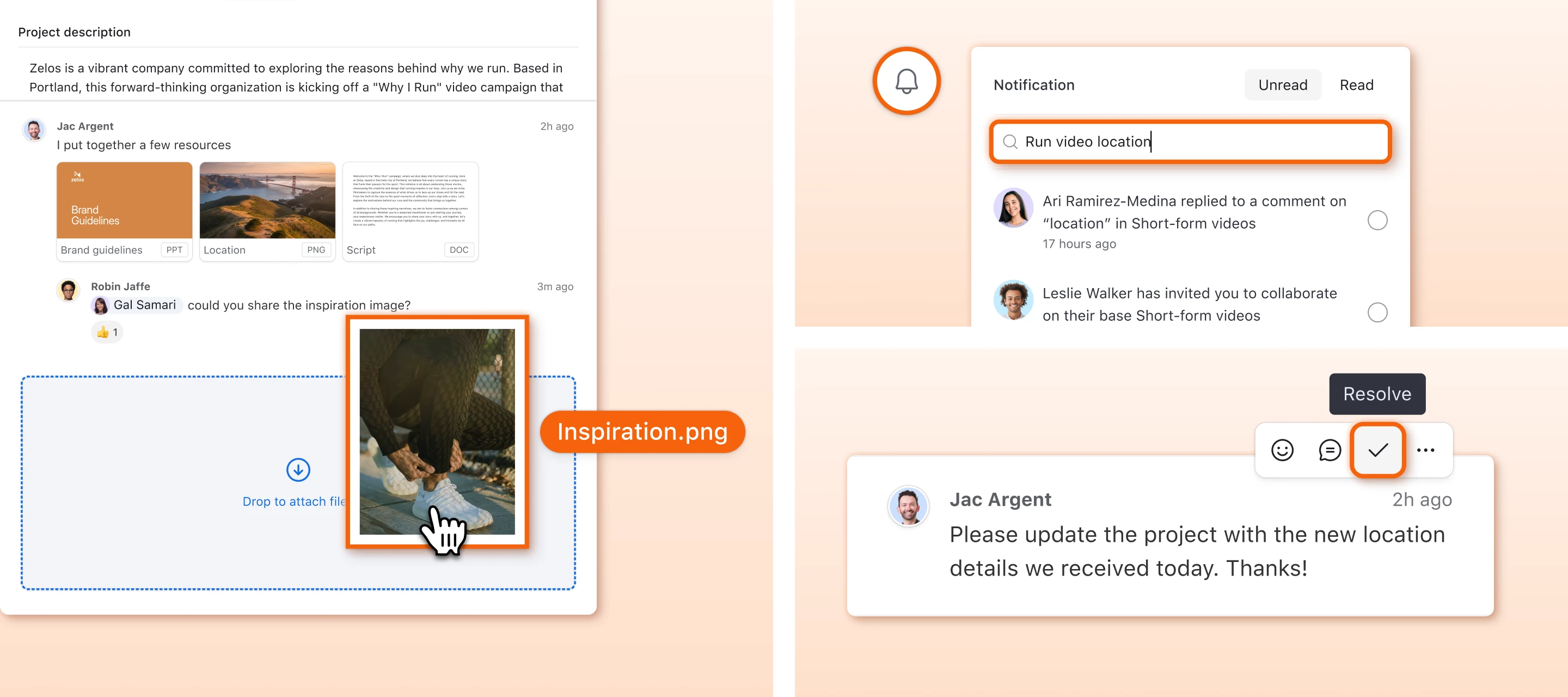
You can now attach files (images, PDFs, videos, documents, and more) right inside your comments on a record.

Instead of describing what you're referring to or linking out to another tool, drop the file directly into the conversation. Think design mockups, screenshots of bugs, signed contracts, or reference docs.
How to use it:
- Click the paperclip icon in the comment input area, or drag and drop files directly in
- Each comment supports up to 5 attachments (max 10 MB per file)
- Click any attachment thumbnail to open it in a full-screen viewer with preview, navigation, and download
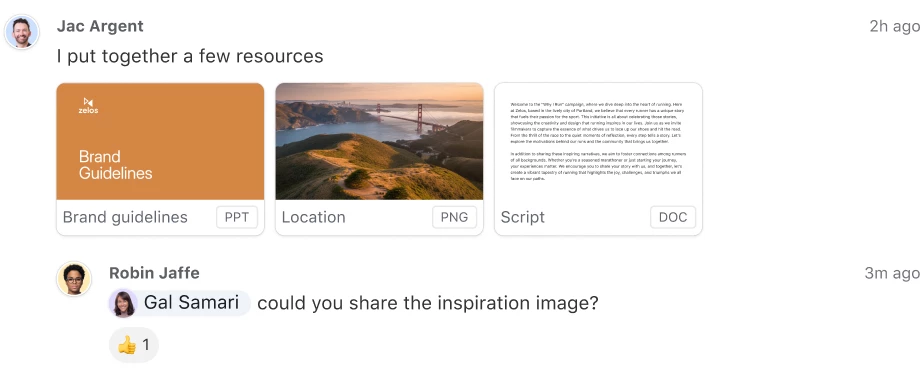
You can then filter your activity feed to only show comments with attachments, which is handy when tracking down a fileshared a few weeks back.
Note: Adding attachments to comments is not currently supported when attachments are configured for "versions mode," but this functionality is planned for a future update.
2. Resolve comments when you're done with them
This one has been a long time coming.
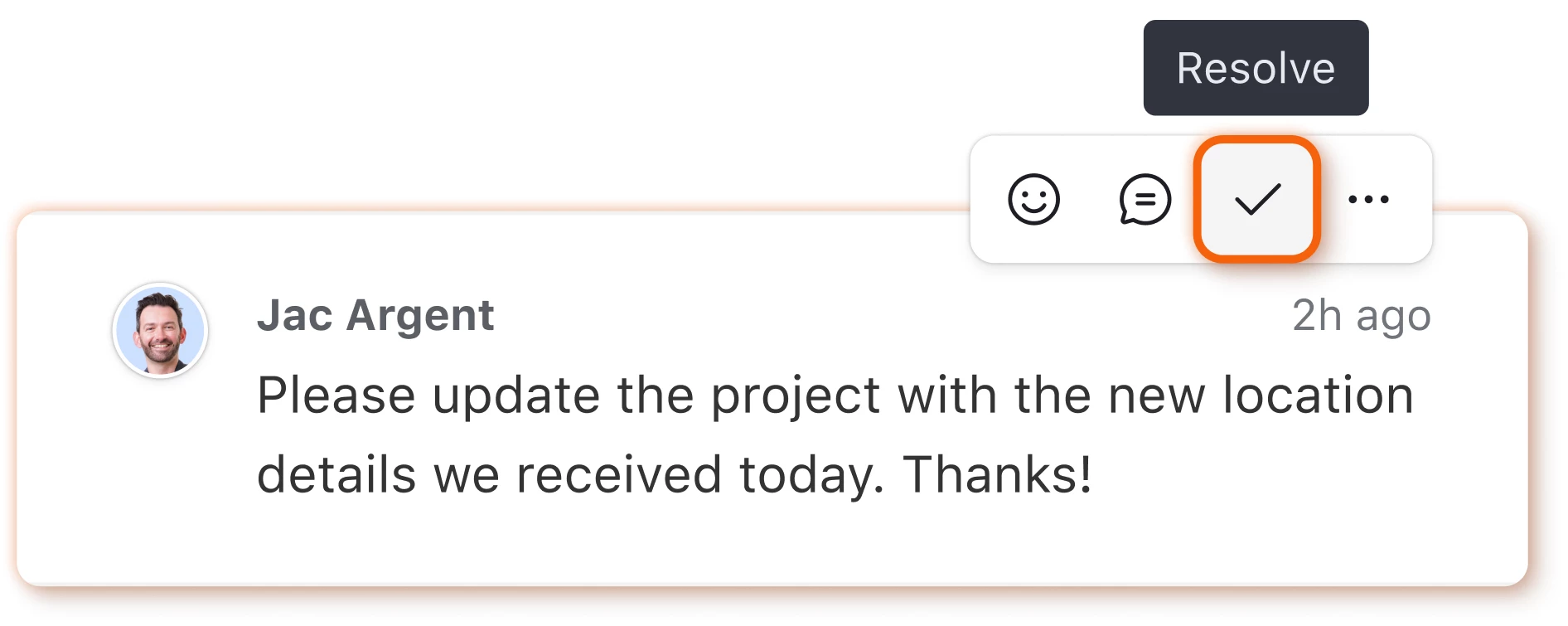
If you've ever used a record's comment thread to track feedback or action items, you know the pain of scrolling through old comments trying to figure out what's still outstanding. Now, once something has been addressed, just resolve it. It's a small action that makes a big difference towards keeping your team aligned.
How to use it:
- Hover over any comment and click the Resolve button
- Resolved comments can be filtered in the activity feed so you can quickly see what's been handled vs. what still needs attention
- You can reopen a comment if it needs to be revisited
Note: Comment resolution is not yet available with attachment comments, but support for that is coming soon.
3. Search your notifications
Your notification inbox now has a search bar.
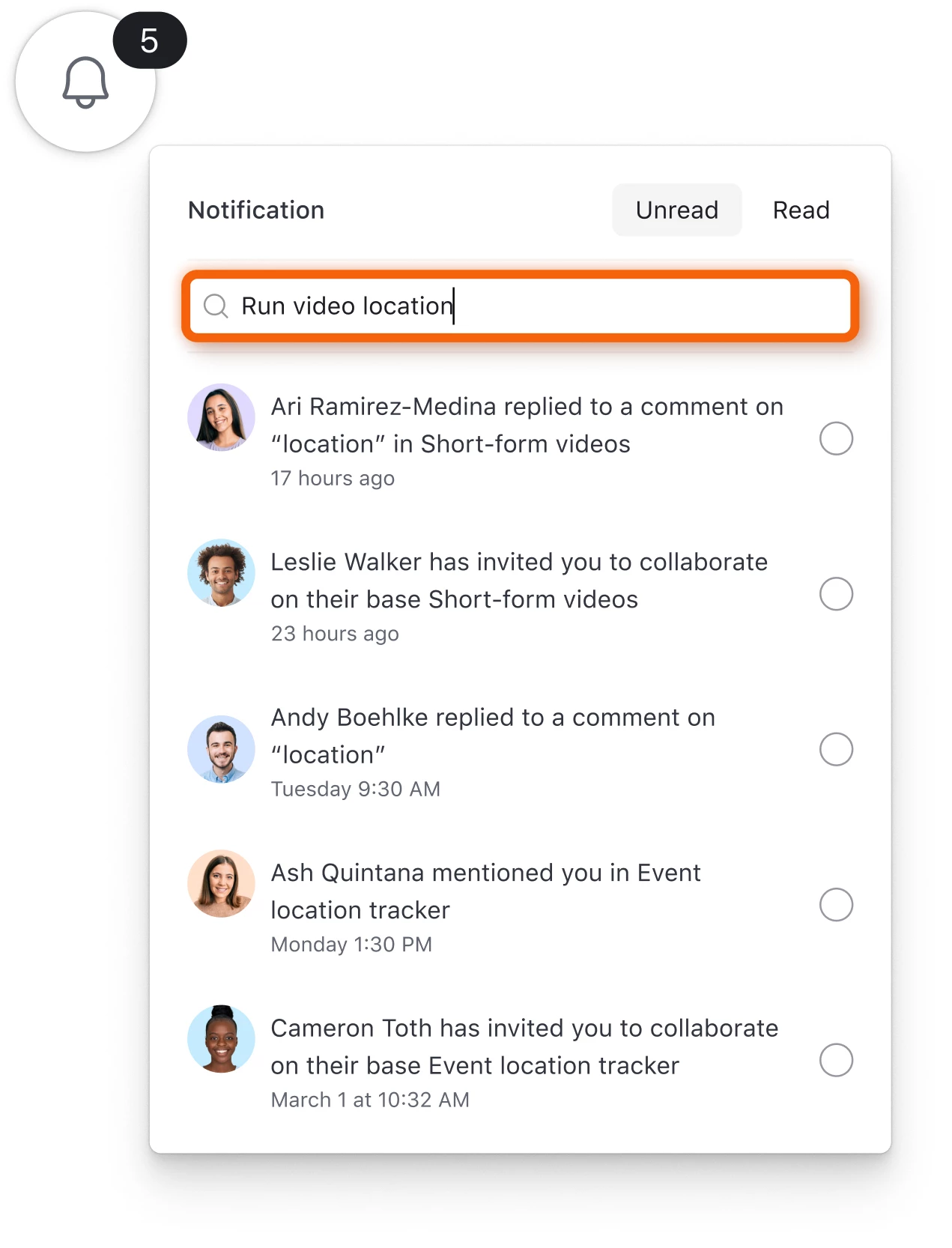
If you're someone whose notification bell permanently reads "99+", help has arrived. You can now search by the person who tagged you, the base name, or even the primary field value of the record. No more scrolling through hundreds of notifications trying to find the one you're looking for.
How to use it:
- Open the notification panel and type your search in the search bar at the top
- Search works across notification content, including person names, base names, record names, and comment text
Try it out
These three updates are all about reducing the friction from how your team communicates within Airtable. We want the conversations happening to be useful, organized, and easy to find.
We'd love to hear how you're using these features. Drop a comment below with your thoughts or feedback — it helps us prioritize what to build next.
Thanks for being a part of this community!
— AP