


Hi everyone! I'm AP, a Product Manager at Airtable working on some of our strategic portfolio management features. Over the past several months we've shipped a set of upgrades to timelines, date dependencies, and duration fields that make Airtable a much stronger home for managing real projects and portfolios. Here's what's new, with a few examples of where each one helps.
Nested timelines
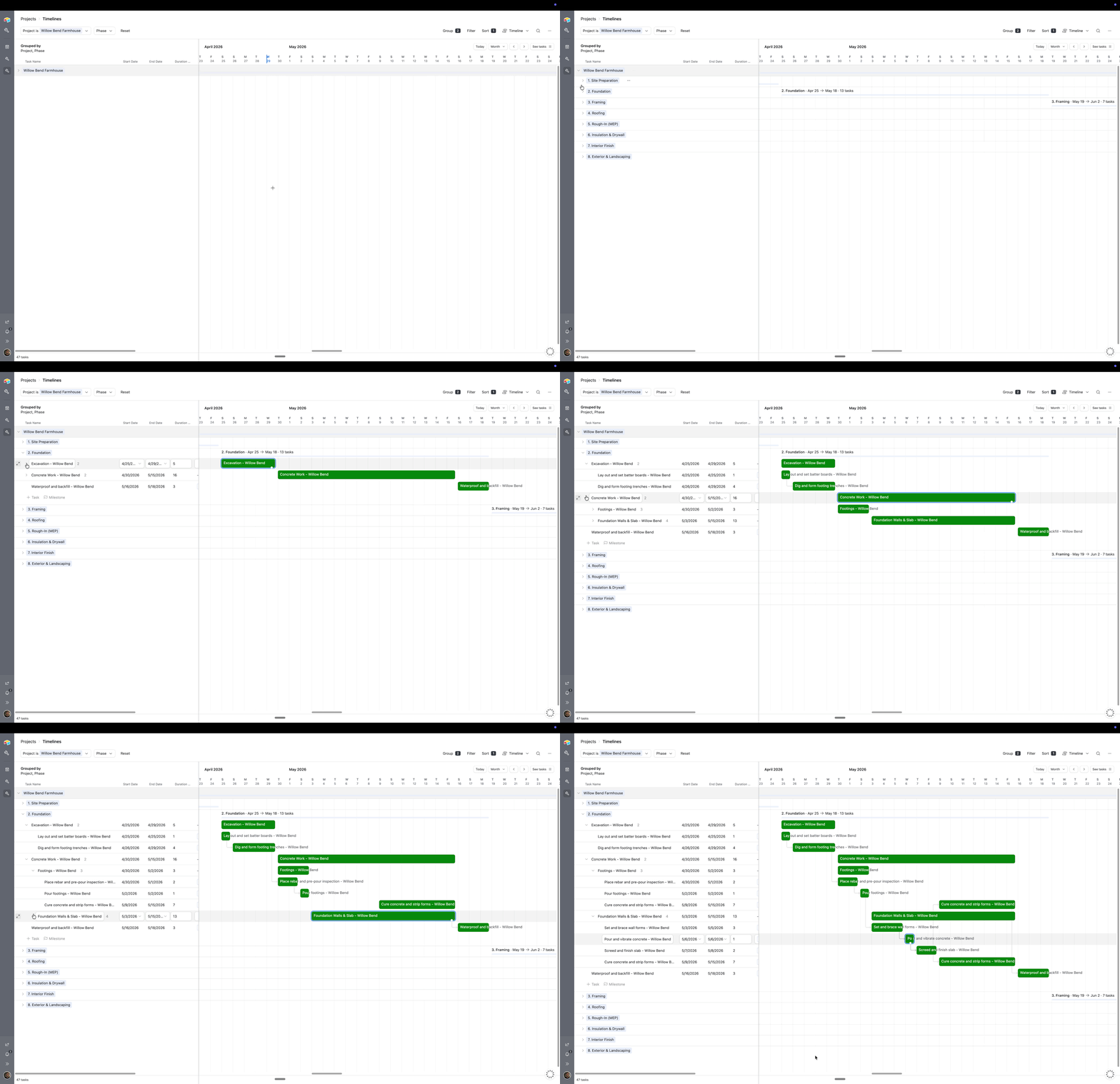
Your projects are hierarchies, and now your project timeline is too. You can nest tasks inside other tasks, up to 7 levels deep, then collapse a parent task down to a single bar or expand it to see every sub-task underneath. It's the same nesting and the same depth you already have in List View, so a plan reads the same way wherever you're working.
Say you're building a home. A parent task like Concrete Work can roll up its sub-tasks, and each of those can break down further into the individual steps, like placing rebar, pouring footings, and curing the slab. On the Timeline, collapse Concrete Work to a single bar to give the homeowner the high-level picture, then expand it to walk your crew through every step.
Scheduling that runs itself
If you manage plans with dependencies, this is the big one. Keeping a schedule current used to mean re-dragging a dozen dates by hand every time one thing moved, but now that work mostly takes care of itself, because you set your plan up once and the dependencies keep everything accurate as dates shift.
Here's what's new:
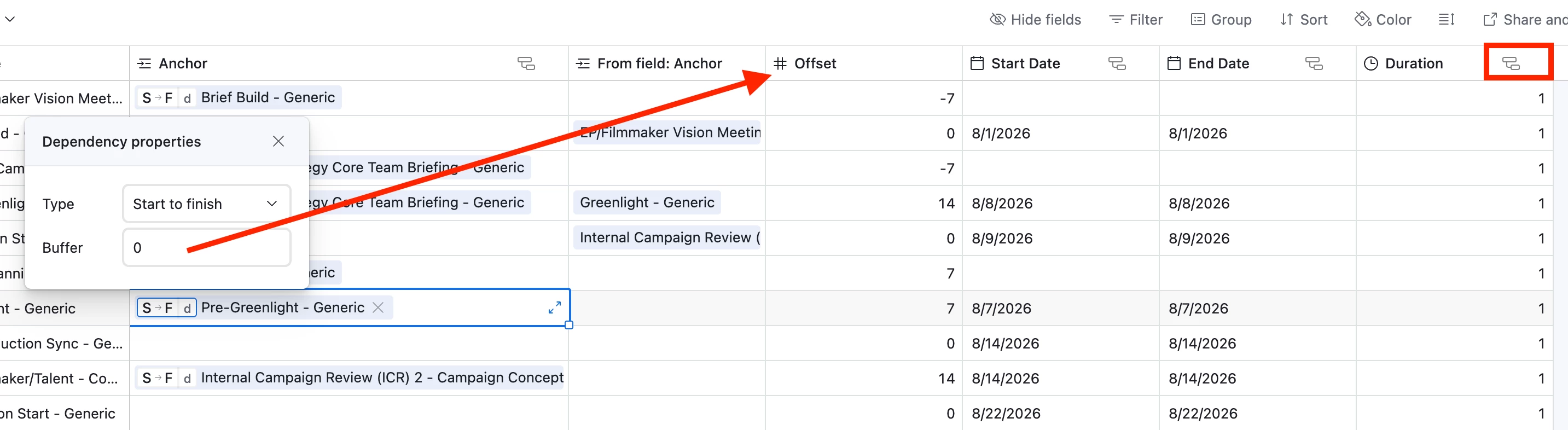
- Auto-schedule from a predecessor: Link a task to the one before it and Airtable sets the start date for you, including any buffer you've set.
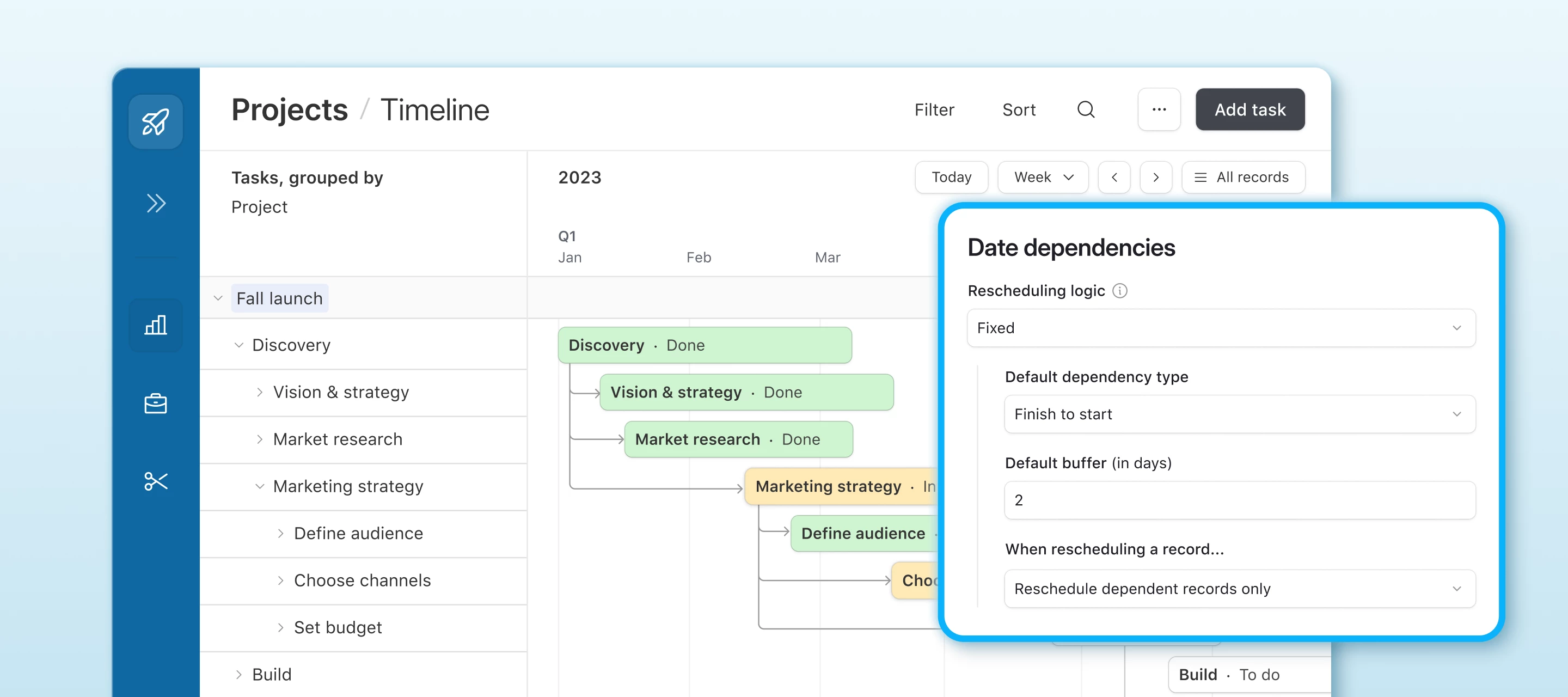
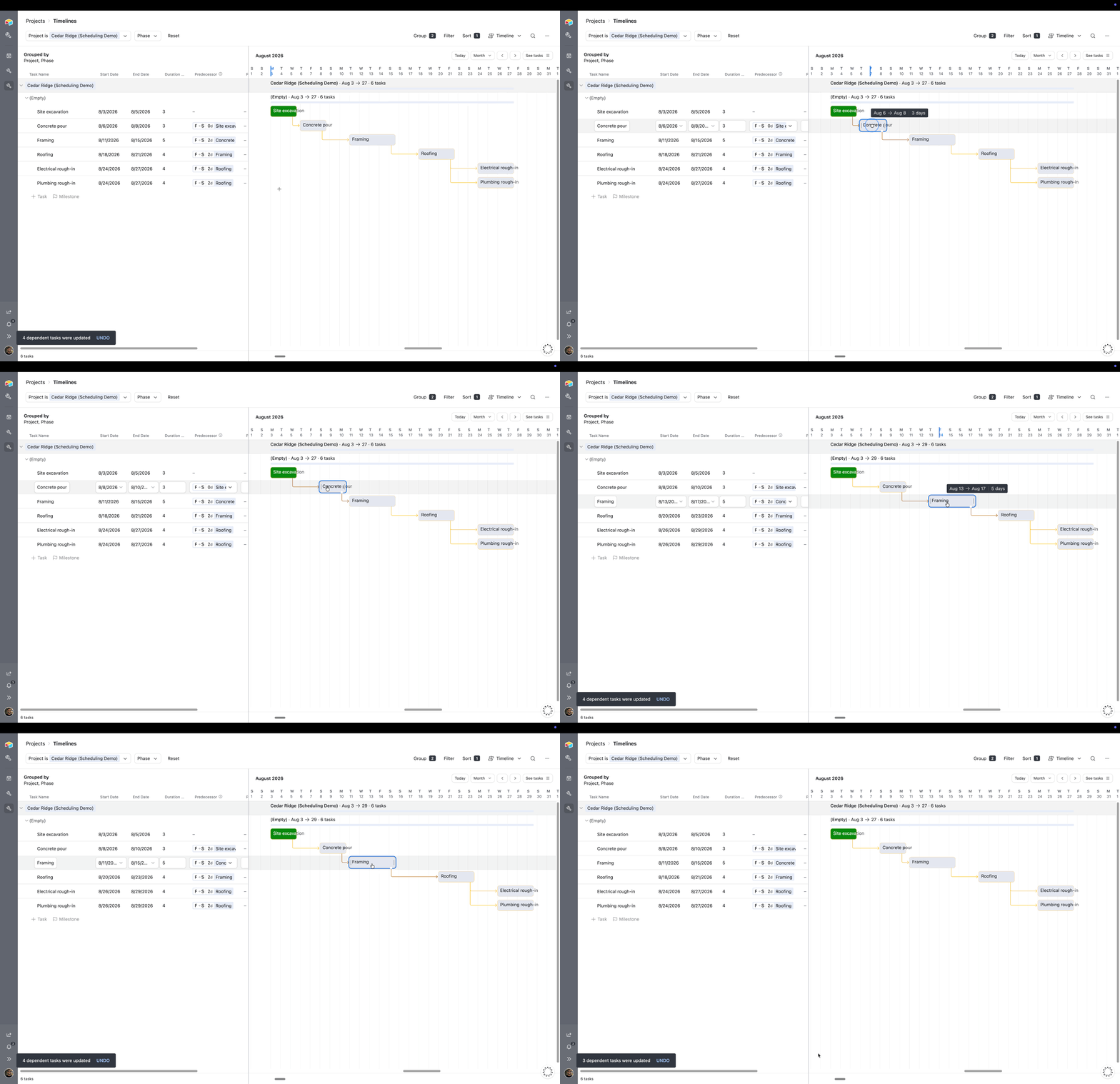
- New scheduling logic: When a date changes, the tasks that come after it move and the ones before it stay put, so a single edit won't quietly shift work you've already completed.
- Default dependency type and buffer: Set them once and every new link inherits them, instead of configuring each link by hand.
- Default duration: Give tasks a default length so the scheduler always has something to work with.
On a home build, framing can't start until the foundation has cured, and the plumbing and electrical rough-in can't begin until the roof is on. Link those tasks once, and if the concrete pour slips 2 days, framing, roofing, and every rough-in after it shifts with it automatically, while the work you've already finished stays exactly where it is. You spend your time running the job, not dragging dates around.
And if you run the same kind of project over and over, you don't have to rebuild any of that. Save your standard build as a record template with the dependencies, types and buffers intact, and the next one starts fully wired. You set the start date and the rest falls into place.
Build on it with the API
For the builders here: date-dependency metadata (the dependency type and buffer on each link) is now part of the public API, so you can read and write it programmatically, including from a script action inside an Airtable automation. This means you can migrate an existing schedule from another tool into Airtable with its dependencies intact, instead of rebuilding every link by hand.
Check out the developer documentation here.
Tell us what you think
We're not done, and your feedback shapes what we build next. If you try these out, let us know what's working, what's missing, and what you'd want to see. Drop a reply here or share how you're using them in your own bases.
Thanks for being a part of this community!
— AP