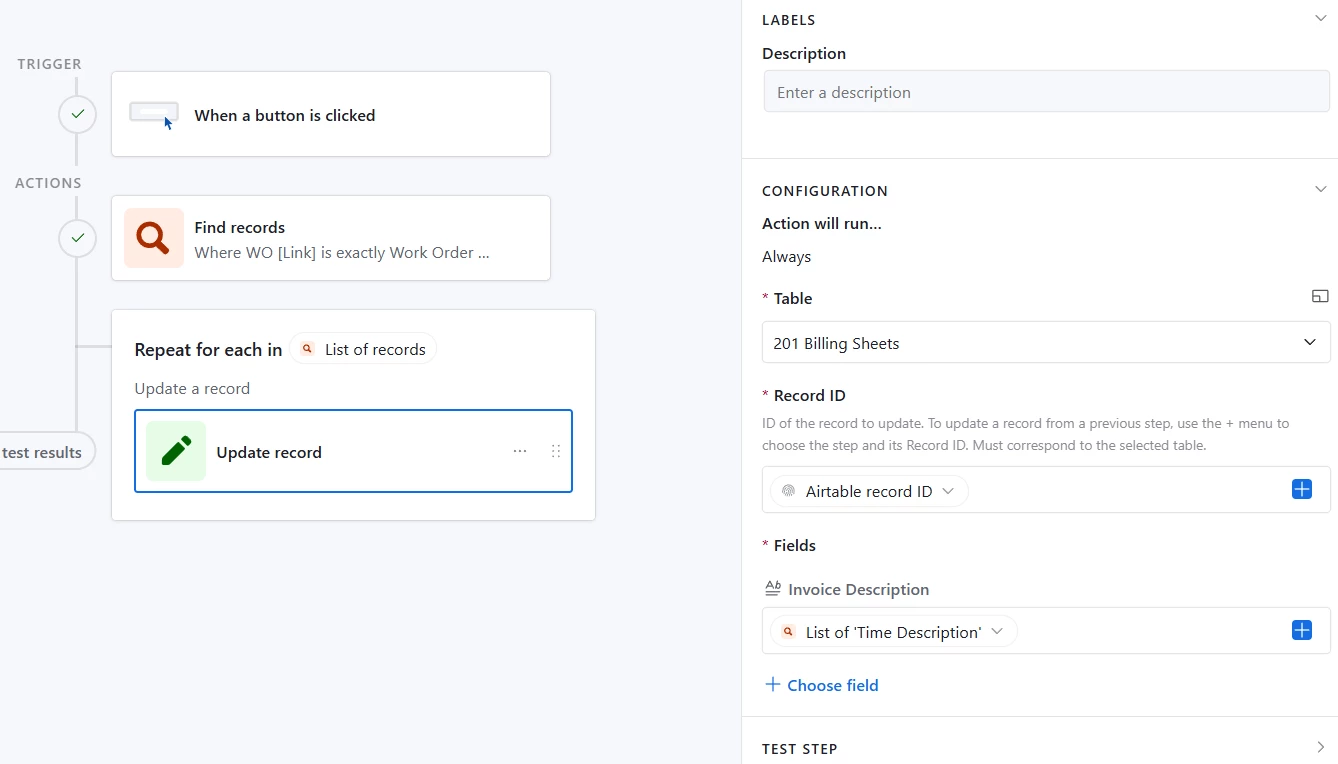
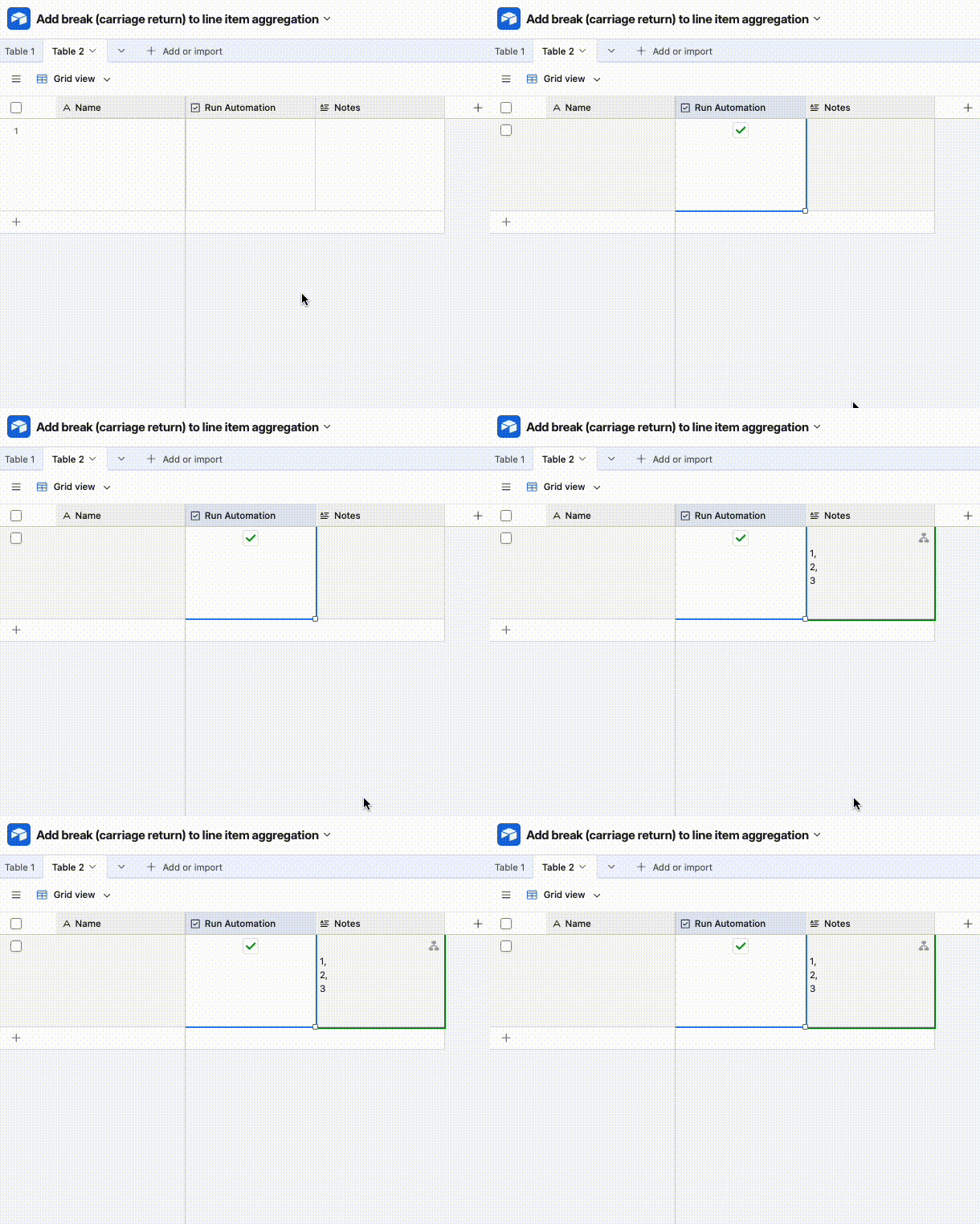
I have an automation that aggregates all the line items for an invoice - see attached image…
That works fine but I would like to have each item be on its own line. So somehow I need to be able to insert a break <br> presumably. Not willing to go to Make or Zapier for this.
How can I do this?
Best answer by TheTimeSavingCo
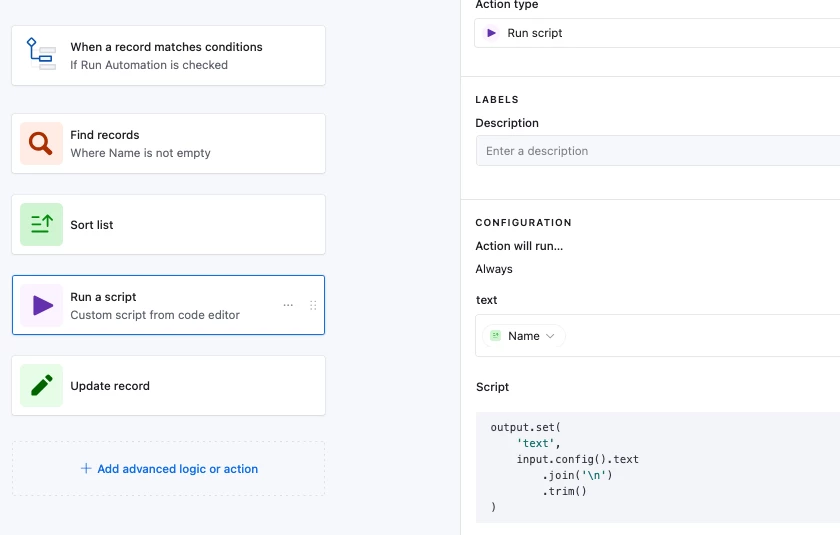
Hm, I just realized that if we want new lines without the comma and are okay with using a script then we don’t even need the formula field. I’ve added it to the base as an automation called ‘No leading new line, remove commas’
You can duplicate it to your own workspace to view the settings more in depth!
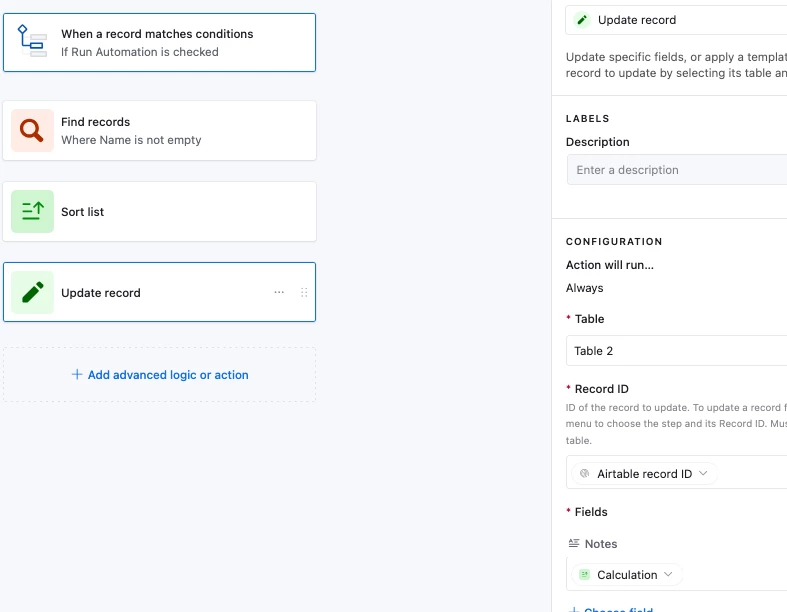
The automation will:
Use a ‘Find Record’ step to find the records you want
Sort them in the order you want
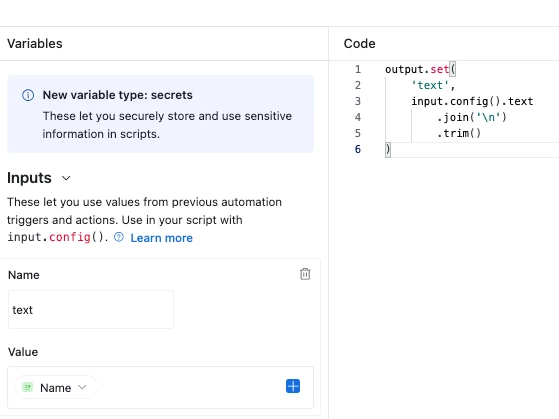
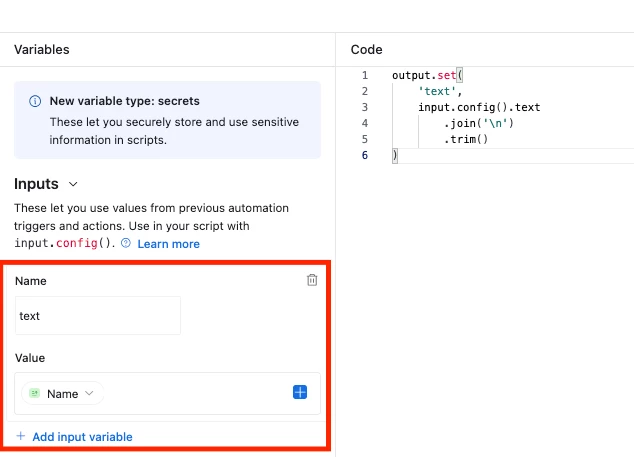
Separate each value with a new line
Update the original record with the new line separated value
10 June 26 edit: This solution works but I found a better way to do it and posted it below, so I’m going to put the original solution under a spoiler tag to save the time of future readers!
Does this look right? If so I’ve set it up here for you to check out!
The idea is to create a formula field that’ll put a new line in front of the value you want to display and to use that value in the automation instead:
' \n' & Name
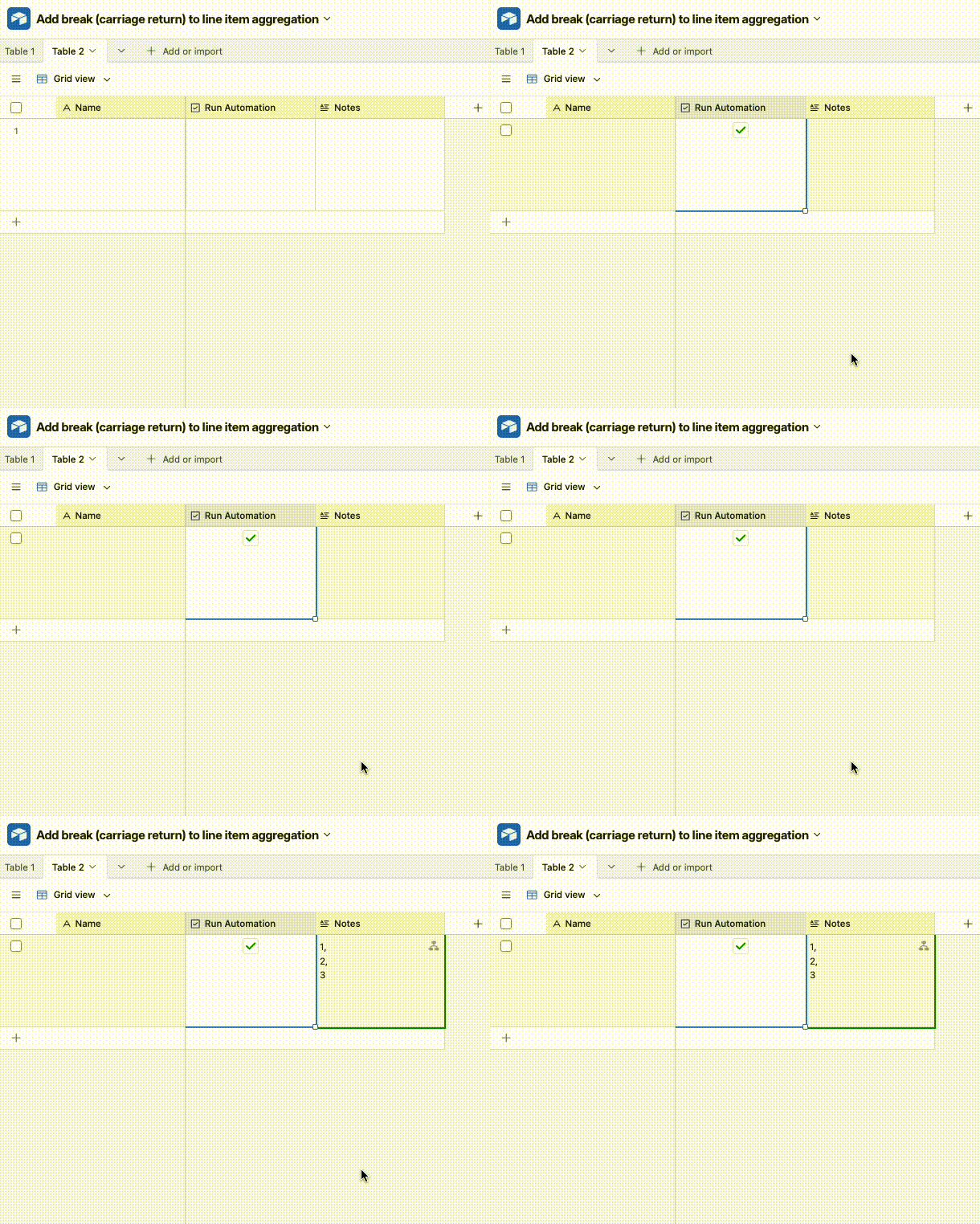
This is nice because it doesn't use a script, but it results in a leading newline and I’m not sure if you’re okay with that. To get rid of it we’d use a Run Script step to trim it out and you can find it in the base linked above as well:
Hm, I just realized that if we want new lines without the comma and are okay with using a script then we don’t even need the formula field. I’ve added it to the base as an automation called ‘No leading new line, remove commas’
You can duplicate it to your own workspace to view the settings more in depth!
The automation will:
Use a ‘Find Record’ step to find the records you want
Sort them in the order you want
Separate each value with a new line
Update the original record with the new line separated value