Solved

Airtable automation Gmail

  • May 3, 2026
  • 4 replies
  • 74 views

Nedra_Hines
Forum|alt.badge.img+10

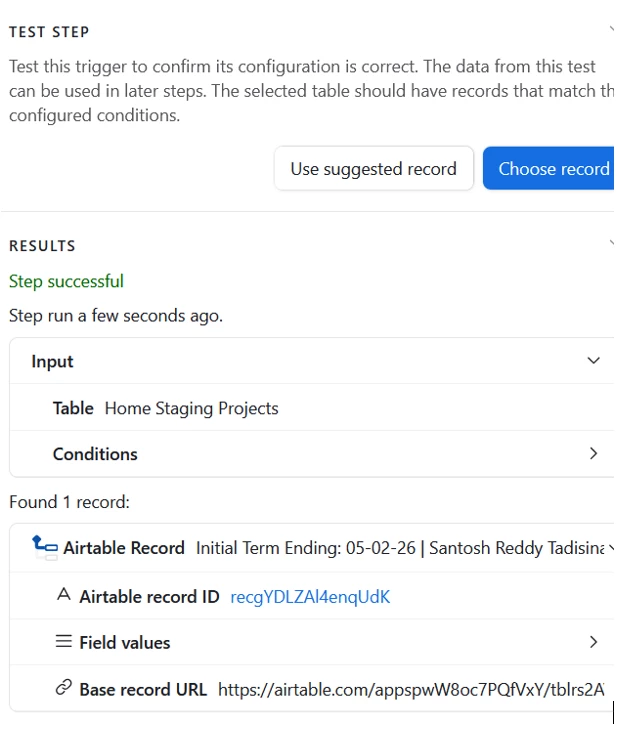
Hi everyone! I hope I explain this correctly since I’m not an Airtable guru. I created an Airtable automation with Gmail and completed a project yesterday. I want the client to receive an automated email confirming completion of the project today. Images of configuration and results are attached, but the email hasn’t been sent yet. I assumed it would have been sent by now and it hasn’t. I’m CST and currently it’s 10:55am. Am I missing anything? 
 

Best answer by anthonyXRay

It is a good sign that Airtable was able to find a record, so it is most likely a timezone issue.


By default, Airtable uses UTC for automations.  If your date field shows 05-02-26, if the trigger condition is set to trigger “on a specific date” or “today” it could already be considered tomorrow by UTC time.  CST is about 5-6 hours behind so you may have missed the window.

For your project can you check that the date field is storing the date with a time component and double check what condition you’re using in the trigger.  The “is today” condition can behave quite unexpectedly.  Set the trigger through a view would be a much cleaner approach and gives you more control over which records qualify as completed today.

4 replies

TheTimeSavingCo
Forum|alt.badge.img+32

Hm, and this automation has been turned on the whole time (like two days before), is that right?  I’m wondering whether this might be a timezone related issue where dates are stored as GMT, and so the automation may have been turned on during the window of time where it was already yesterday in GMT, but wasn’t yesterday for you?

For date related automation stuff, I sometimes find it useful to set the automation to trigger via a view instead, and so in this context it would only show project records that were completed yesterday.  This makes it easier to debug why the record isn’t meeting the conditions, does that make sense?


Nedra_Hines
Forum|alt.badge.img+10
  • Author
  • Inspiring
  • May 4, 2026

Hi ​@TheTimeSavingCo I created the automation less than 48 hours before the staging date of 5/1/26, and it has been turned on the whole time. It could be a timezone related issue. Instead, I created a “test” staging project taking place today 5/4/2026 to see if I get the automated email tomorrow 5/5/26. Hopefully it works.

Yes, what you’re saying about setting the automation to trigger via a view makes sense to me. It makes it easier to find what the issue is. Thank you for responding!


nroshak
Forum|alt.badge.img+11
  • Inspiring
  • May 4, 2026

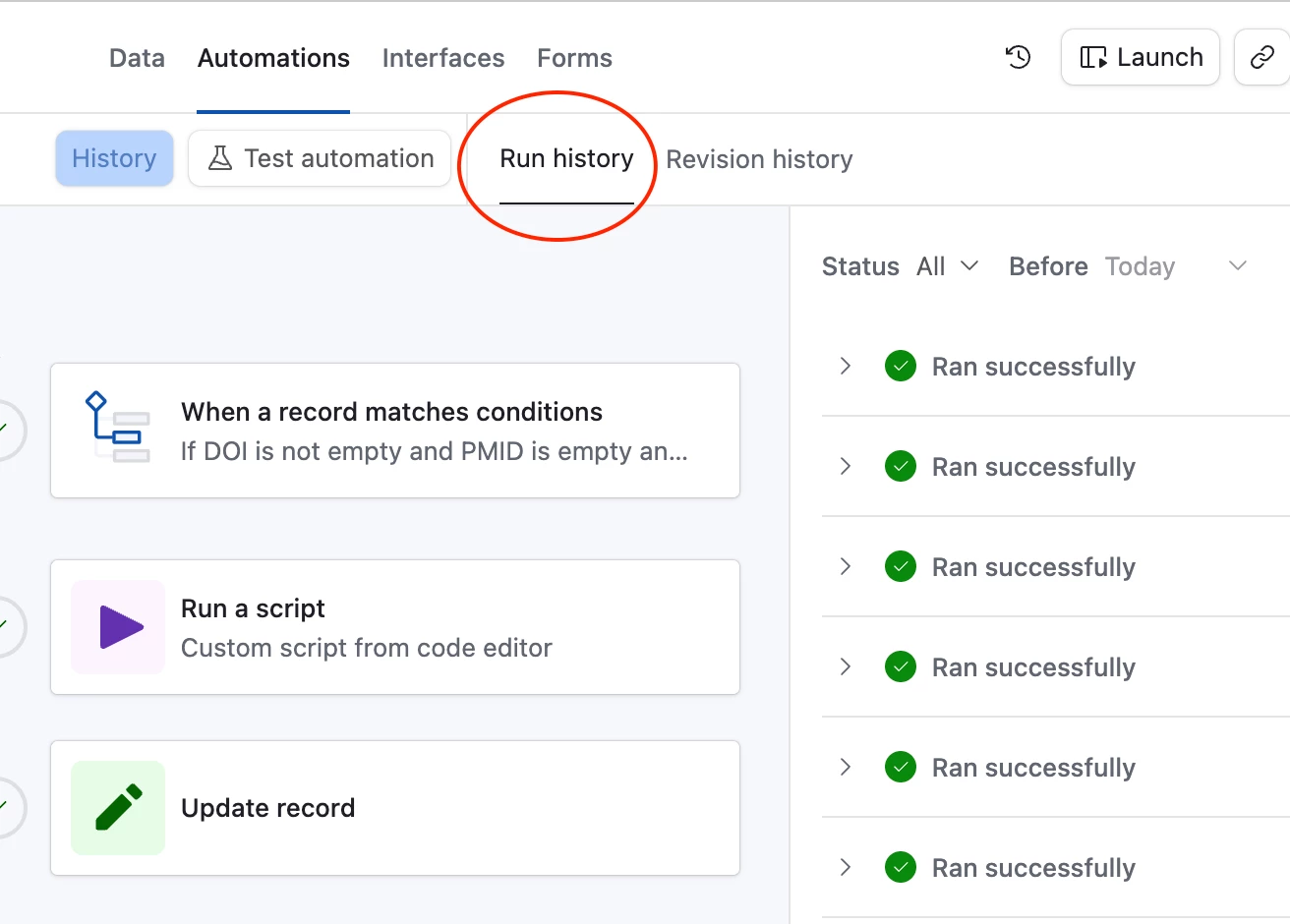
@Nedra_Hines If you check in Run History, did the automation get run when you expected it to ? (see example of Run History below) If not, then you know the problem is with the triggering condition. If it did run, click on the “>” in the run history to see the details to help figure out why the email did not send.

Hope that helps,

-Natalka


Forum|alt.badge.img+5
  • Participating Frequently
  • Answer
  • May 4, 2026

It is a good sign that Airtable was able to find a record, so it is most likely a timezone issue.


By default, Airtable uses UTC for automations.  If your date field shows 05-02-26, if the trigger condition is set to trigger “on a specific date” or “today” it could already be considered tomorrow by UTC time.  CST is about 5-6 hours behind so you may have missed the window.

For your project can you check that the date field is storing the date with a time component and double check what condition you’re using in the trigger.  The “is today” condition can behave quite unexpectedly.  Set the trigger through a view would be a much cleaner approach and gives you more control over which records qualify as completed today.