

Question

Airtable Reminder Feature

  • May 15, 2026
  • 2 replies
  • 61 views

Forum|alt.badge.img+1

I am utilizing the reminder feature in Airtable for the first time. I’ve created a few “test” CRM’s to see how the feature would work for me. Out of 5 “test” CRM’s, only 1 gave me the info I needed. I have attached a picture of what I want vs. what I’m getting. Any idea why one would work and the others do not? 
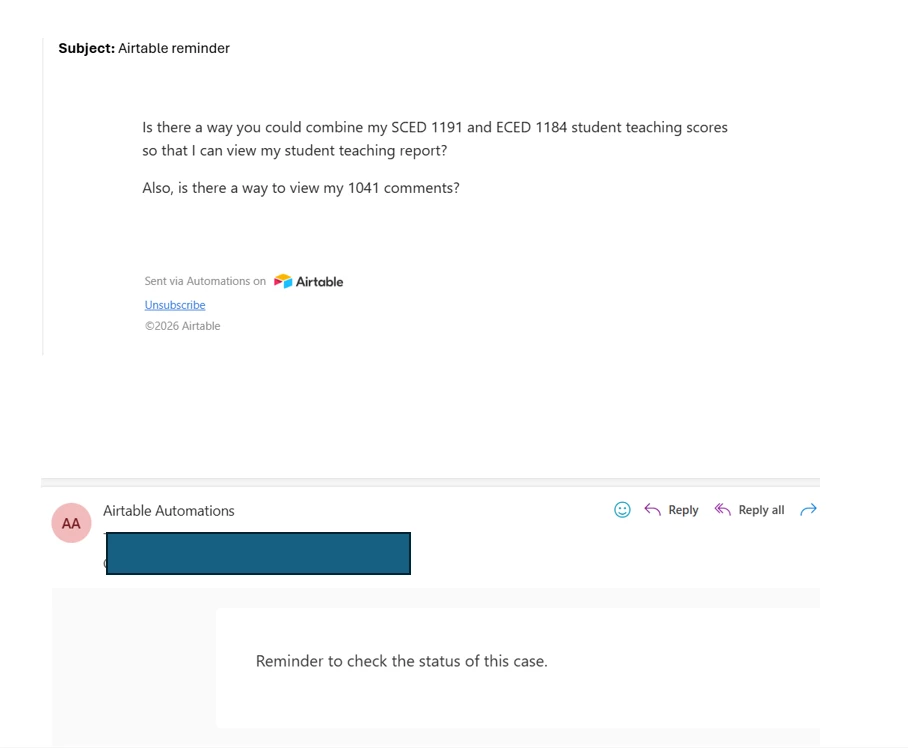
 

2 replies

TheTimeSavingCo
Forum|alt.badge.img+32

The first screenshot appears to be displaying data from the record itself, while the second screenshot’s contents appear to be typed in manually, and so if you update the second automation to display the data you want it seems like it’d fix that

I’m confused though, because given that you set up the first automation and it’s doing what you want, you’d also then be able to update the problematic automation as well, so I think I’m missing something, sorry!

Could you provide some screenshots of the automation setups maybe?


Forum|alt.badge.img+6
  • Participating Frequently
  • May 19, 2026

There are a few reasons why some records trigger in Airtable while others do not.  These include:

Date Field Values: The failing records could be missing a date, or the date is already in the past from when the automation was set up.  If that is the case Airtable won’t fire retroactively.

Filter Conditions: If your automation has filters, double check that the failing records meet all the conditions.  Even if there is a blank field, that can be enough to disqualify a record.

Notify Field: If you are sending this to a collaborator or linked record field, make sure the field is populated on every record, not just what has worked.


If you send along a screenshot of your automation configuration, I might be able to offer advice.

