
Solved

Autofill Lookup field when importing data

  • Jun 19, 2023 7:19 PM UTC
  • 6 replies
  • 102 views

Forum|alt.badge.img+4

Hello,

This is my first day with Airtable and I have a question. 

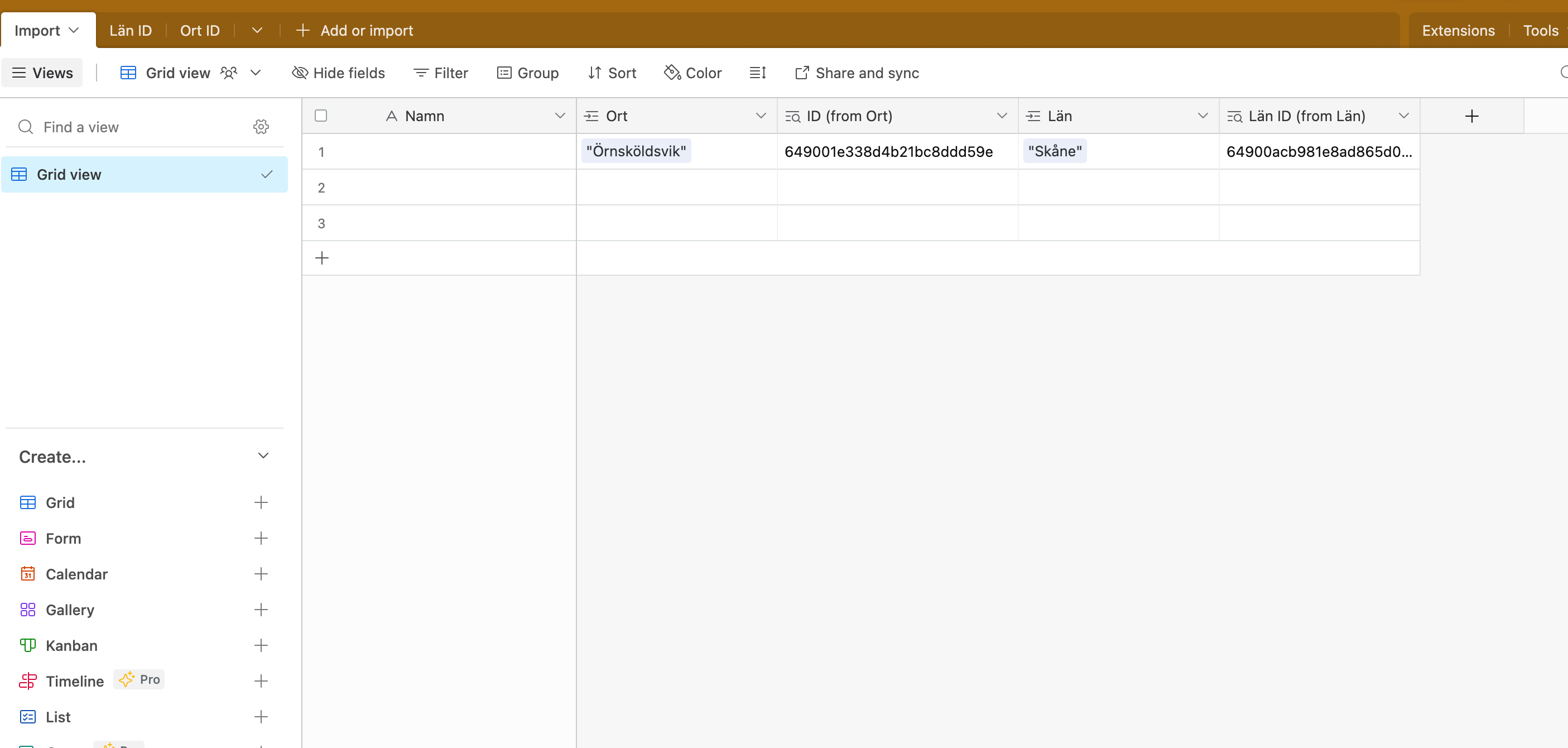
Ill be importing data via a webhook. Just one location per import (or filled out form that is imported to my Airtable). I I've connected each location to a individual ID for future export. I connected the ID's to all possible locations to choose from, and I want the ID for the imported location to show up besides it. However the ID's dont show up automatically.

Probably a bit of a messy explanation, so here are some pictures:

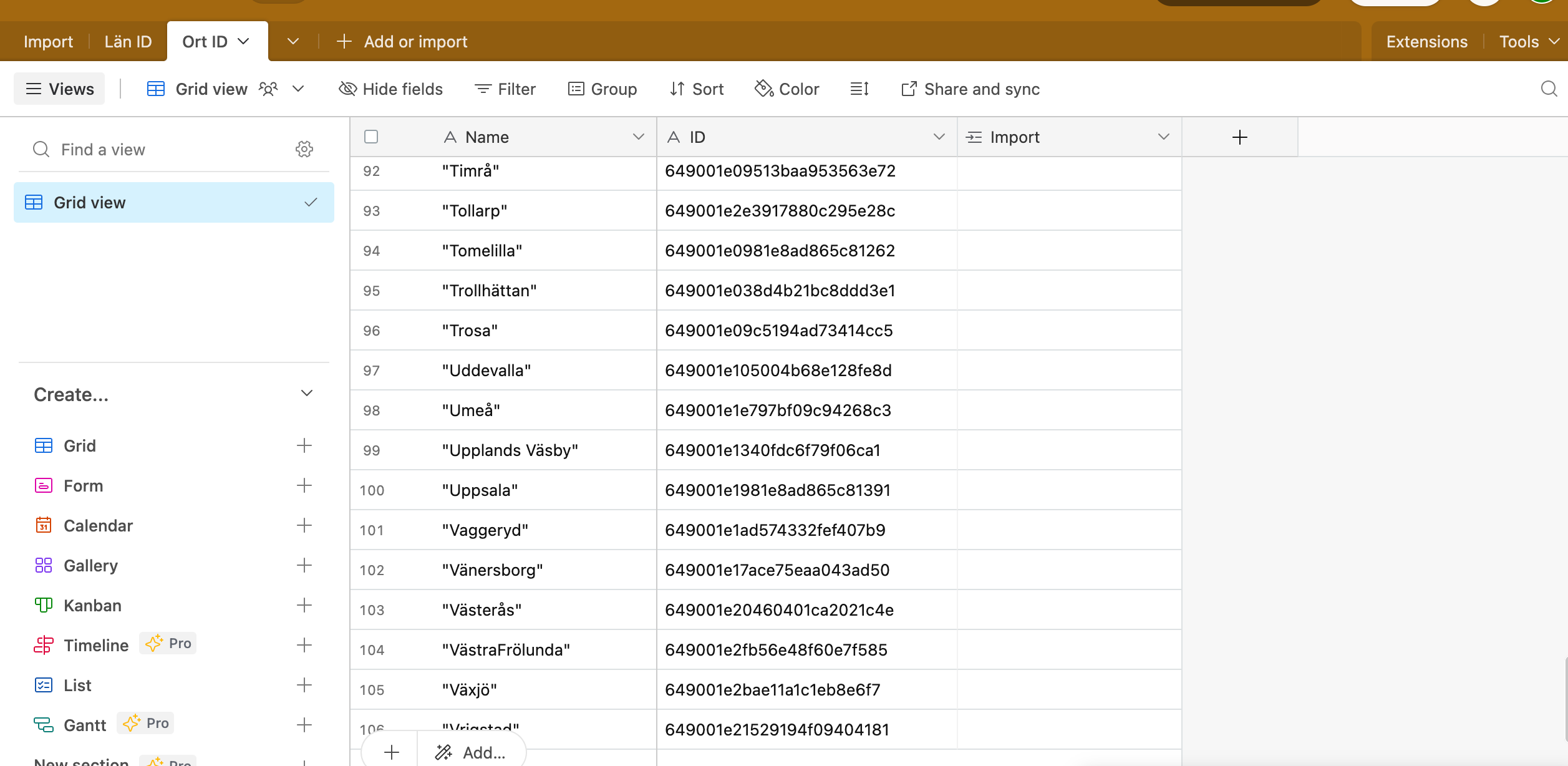
The first picture is where I want the ID's to show up. So beside the "ort" column is the "ort ID". I added this ID manually to make it more clear. On the second picture are all the possible "ort" and their respective ID's. So when importing a "ort" from my website form (automatically) I want Airtable to pull the correct ID from the other table and display it beside the "ort" on the first place. How do I do that?
  

Best answer by Zach1

Well guys, seems like Im just retarded. Misstook ¨ for " and therefore my "orter" and "län" did'nt match my lookup records that linked to the ID's. Now they update automatically.

View original
This topic has been closed for replies.

6 replies

Joe_Svingala
Forum|alt.badge.img+13
  • Known Participant
  • Jun 19, 2023 10:59 PM UTC

So the table in image one will be populated how? 

If the 'Ort' table is being populated via webhook, then ultimately you just need to make sure that whatever or whomever populates the first table is entering an 'Ort' that exists within the 'Ort' table, and same for the 'Lan' table & linking. 

For example, if you entered: "Uddevalla" on line 2, automatically you will get '649001e105004b68e128fe8d' in the ID field since that is the ID associaated with "Uddevalla" on the 'Ort' Table


Forum|alt.badge.img+24
  • Inspiring
  • Jun 20, 2023 12:01 AM UTC

Hello,

Is the Automation as shown below no good?

Trigger :
When webhook recievd ( Input: Ort name )
Action :
1. Find records ( Search for matching Ort name )
2. Update record ( Link from search results by Ort Name record ID )


Forum|alt.badge.img+4
  • Author
  • New Participant
  • Jun 20, 2023 7:02 AM UTC

Hello,

Is the Automation as shown below no good?

Trigger :
When webhook recievd ( Input: Ort name )
Action :
1. Find records ( Search for matching Ort name )
2. Update record ( Link from search results by Ort Name record ID )


Yes! How do I do that?


Forum|alt.badge.img+4
  • Author
  • New Participant
  • Jun 20, 2023 7:05 AM UTC

So the table in image one will be populated how? 

If the 'Ort' table is being populated via webhook, then ultimately you just need to make sure that whatever or whomever populates the first table is entering an 'Ort' that exists within the 'Ort' table, and same for the 'Lan' table & linking. 

For example, if you entered: "Uddevalla" on line 2, automatically you will get '649001e105004b68e128fe8d' in the ID field since that is the ID associaated with "Uddevalla" on the 'Ort' Table


Exactly, the webhook will populate the "ort" column on the import table. And then I want it to automatically pull the ID from the "Ort ID" table and paste in in the import table under the "ort ID" column.


Forum|alt.badge.img+24
  • Inspiring
  • Jun 20, 2023 7:44 AM UTC

How to do this is as I explained.
If you are just getting started with Airtable, you need to understand the official documentation first!

Airtable Automations


Forum|alt.badge.img+4
  • Author
  • New Participant
  • Answer
  • Jun 20, 2023 7:45 AM UTC

Well guys, seems like Im just retarded. Misstook ¨ for " and therefore my "orter" and "län" did'nt match my lookup records that linked to the ID's. Now they update automatically.