Question

Automation Help

  • July 24, 2026
  • 4 replies
  • 45 views

Forum|alt.badge.img

Hi, 

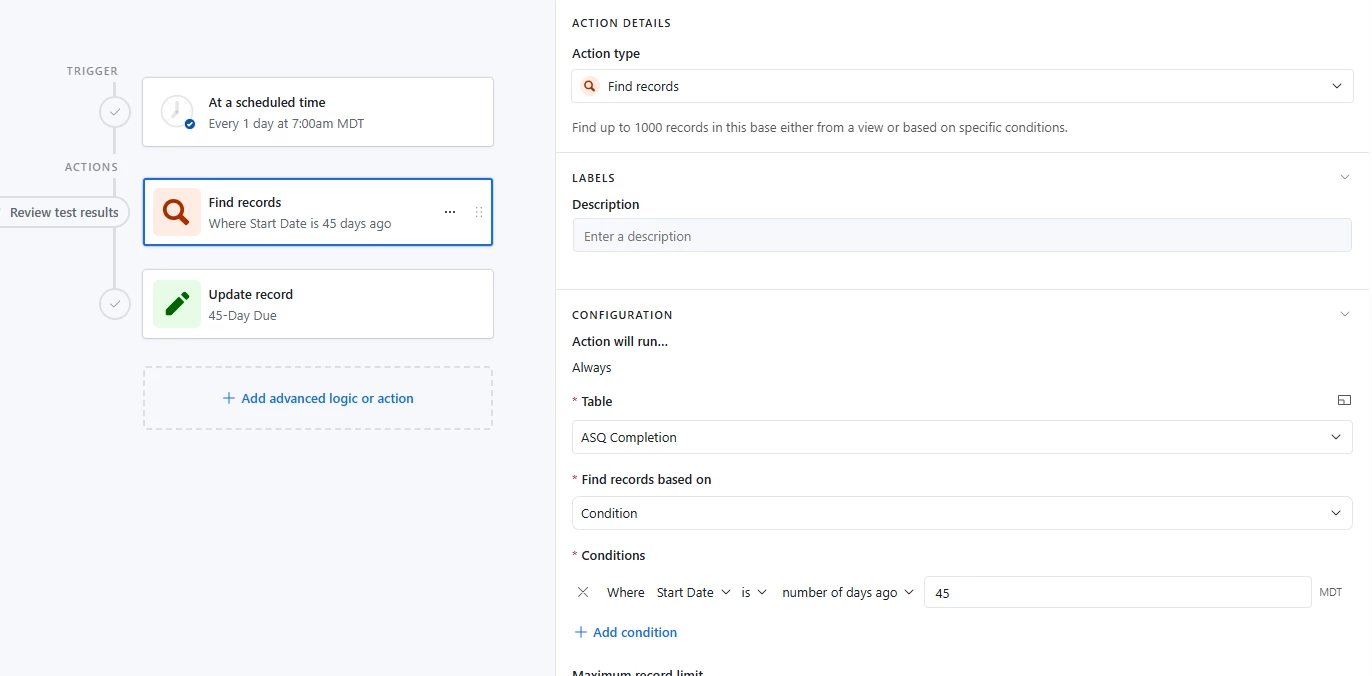
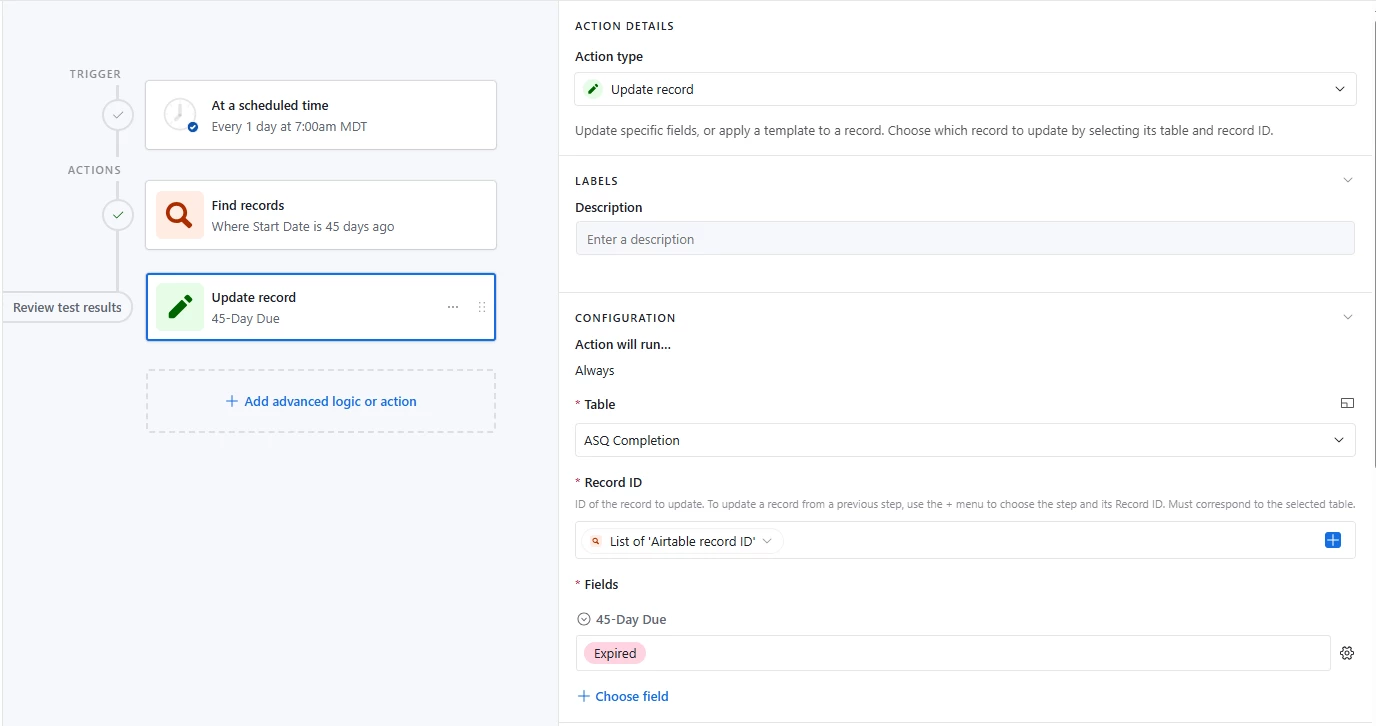
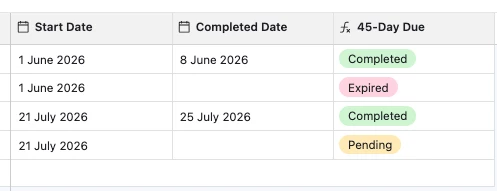
I’m currently trying to set up an automation where a record will be updated, but I’m having a hard time with it. I’m attaching pictures of the current setup I have for it. 

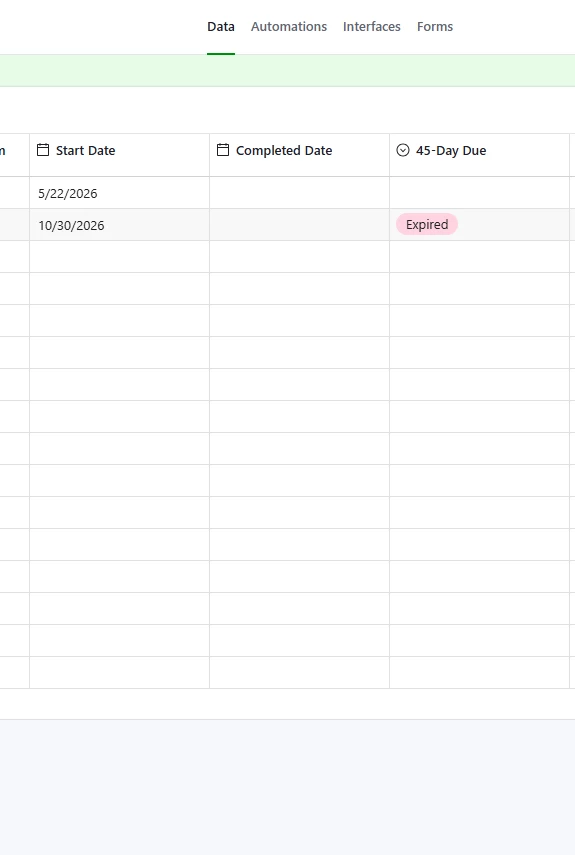
In the data we have a ‘Start Date’ that will be entered manually. We have a 45 day deadline to turn paperwork in and we would enter it manually under the ‘Completed Date’ once its turned in. If no paperwork is turned in those initial 45 days, we want the automation to flag it and update the status under ‘45-Day Due’ as ‘Expired’. 

We have another automation (that is working perfectly fine) set up that changes the status of ‘45-Day Due’ to ‘Completed’ once a date is entered into ‘Completed Date’. 

Any help with the automation is greatly appreciated! :) 
 

4 replies

DevonK
Forum|alt.badge.img+17
  • Inspiring
  • July 24, 2026

Create a formula field called “Due Date” and use this formula: DATEADD({Start Date}, 45, 'days')

Your automation would be triggered when record matches conditions, when Due Date = today.


Forum|alt.badge.img
  • Author
  • New Participant
  • July 24, 2026

Thank you so much! It worked! 


TheTimeSavingCo
Forum|alt.badge.img+32

Hm, I think you could do this without an automation too, and here’s the formula I used: 

IF(
{Completed Date},
'Completed',
IF(
{Start Date},
IF(
DATETIME_DIFF(TODAY(), {Start Date}, 'days') > 45,
'Expired',
'Pending'
)
)
)


DevonK
Forum|alt.badge.img+17
  • Inspiring
  • July 27, 2026

@TheTimeSavingCo - If they will never need to update the field manually, this is definitely the better option.