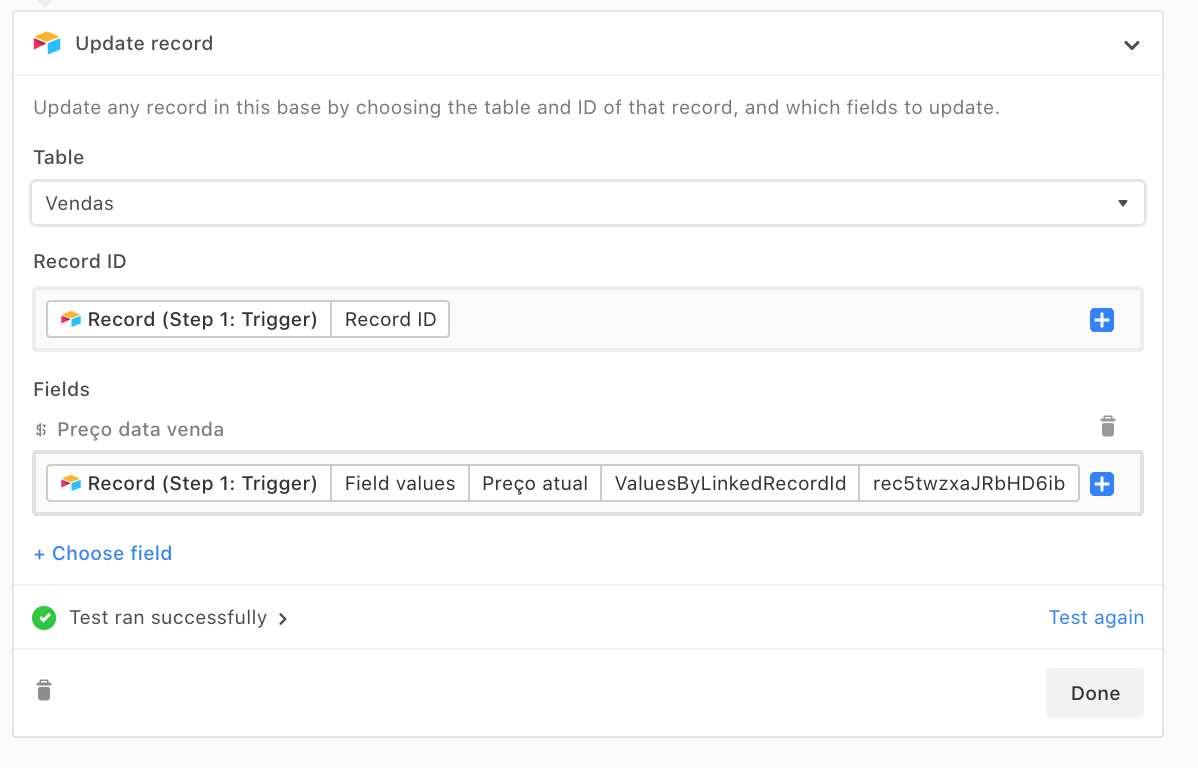
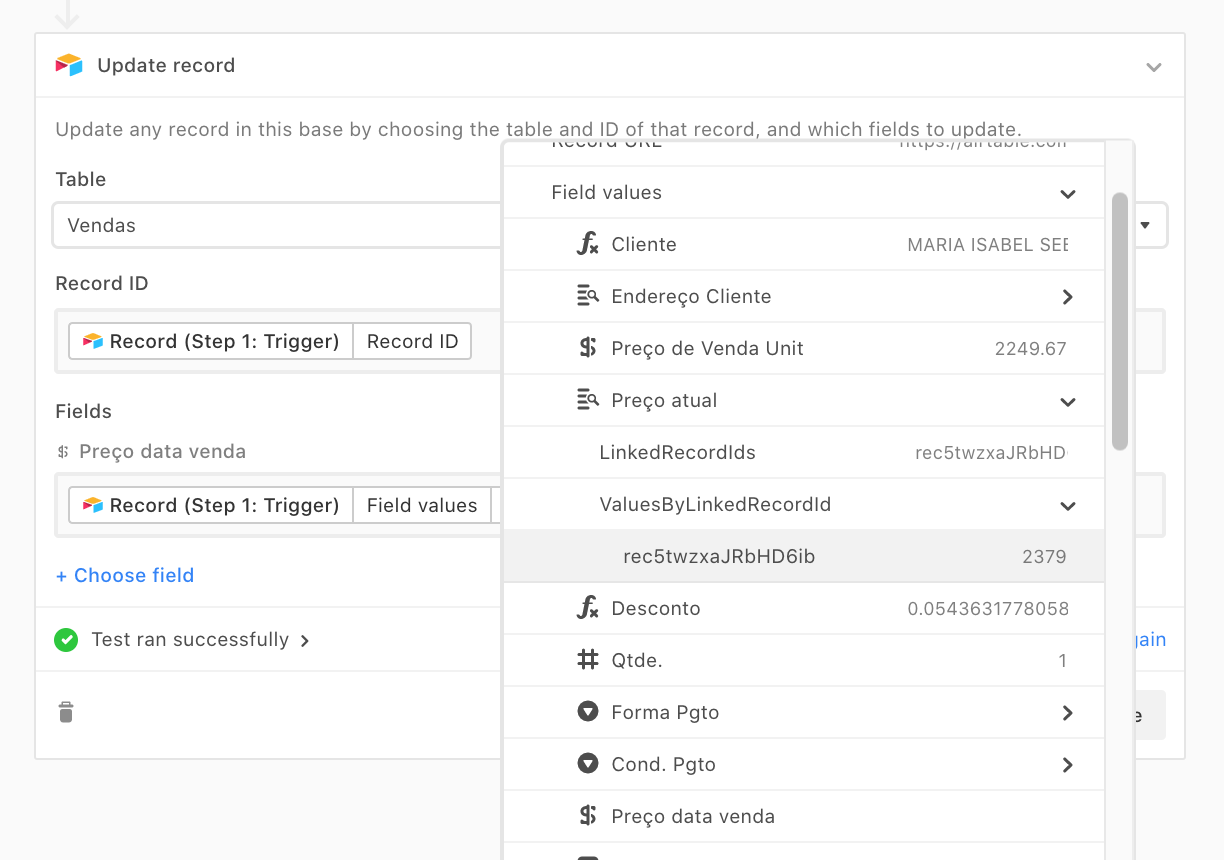
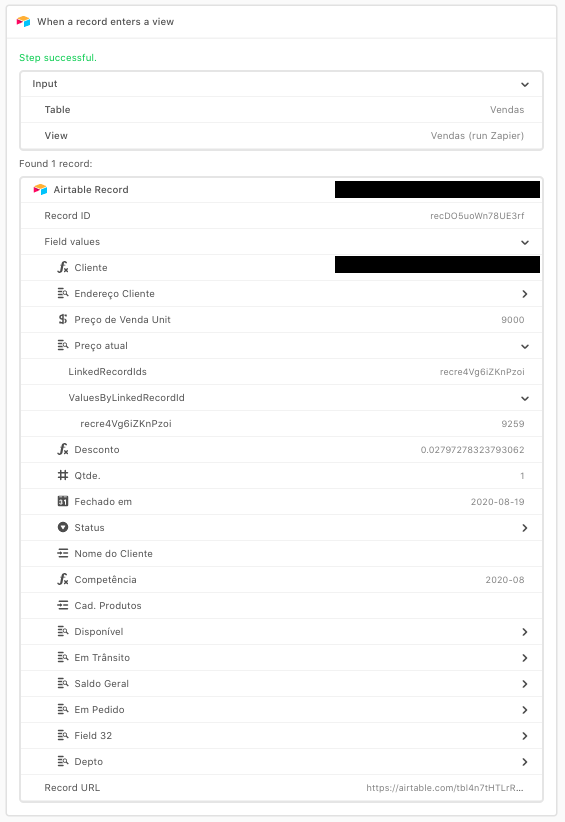
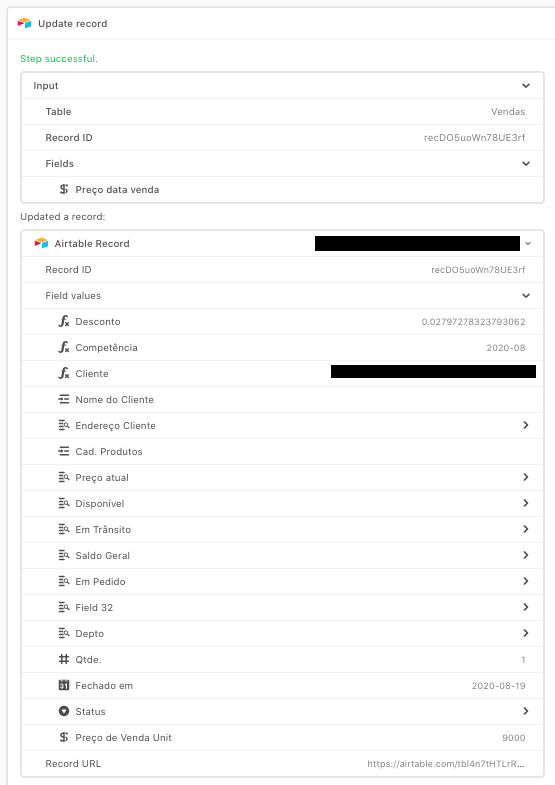
I’m setting an automation to copy a value from a lookup field (formatted as currency) to a currency field.
The tests run fine, but the automation doesn’t get the value from this lookup field when it goes live. It works if I set a manual value in the automation, so it seems something wrong with getting the value, the field type or something like that. Has anyone hit the same issue or has something to add to help?