Question

Automation permission error

  • April 16, 2026
  • 6 replies
  • 40 views

Forum|alt.badge.img

Hello,

We’re working on an Airtable automation and wanted to sanity‑check whether this setup is supported or if there’s a better approach.

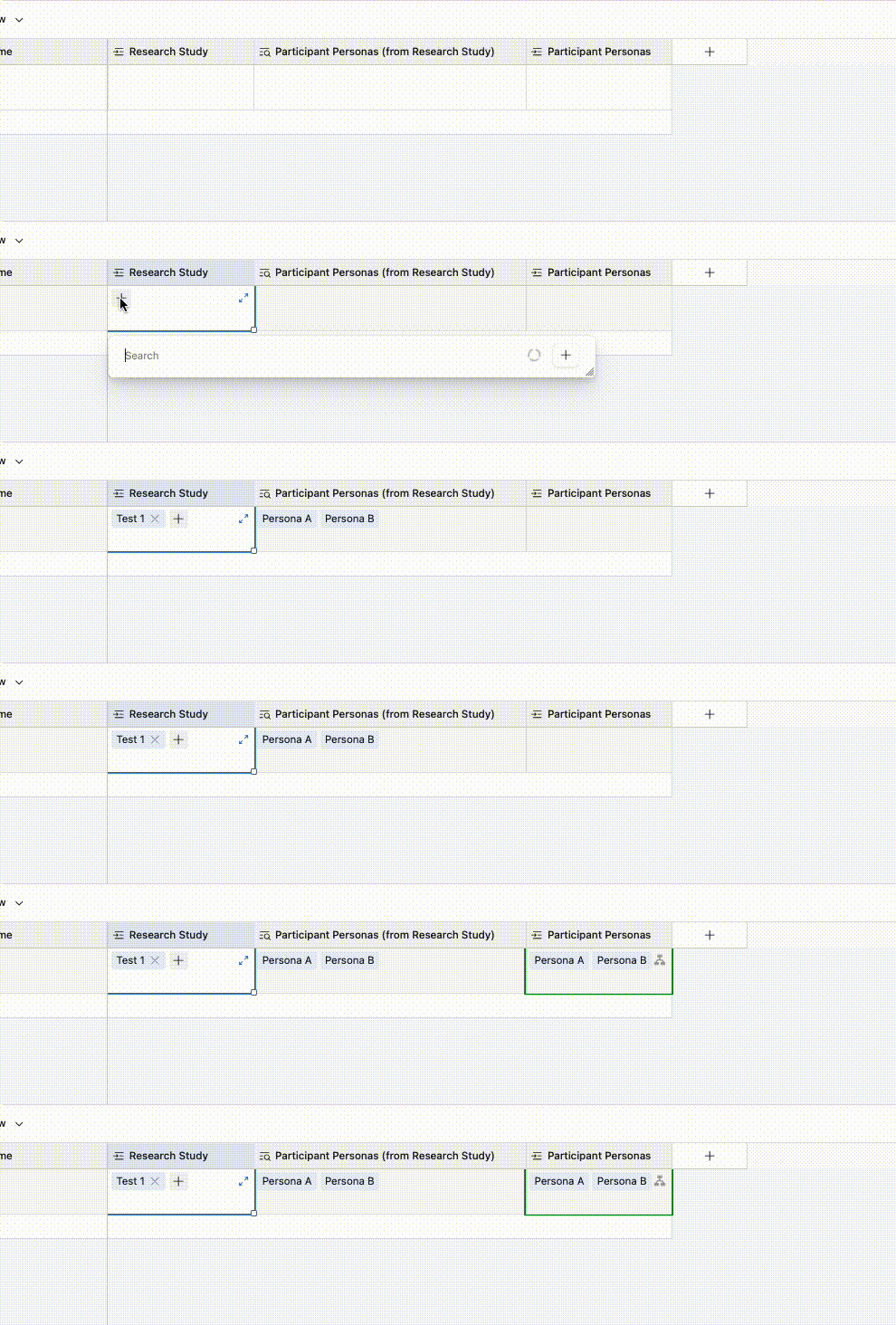
We have a table called Research plan with a linked record field (Research study) pointing to another table. In the Research study table, there’s already a Persona field populated.

Our goal is: when a new Research plan record is created and a Research study is selected, automatically populate the Persona field on the Research plan with the Persona from the linked Research study.

We tried doing this with an automation:

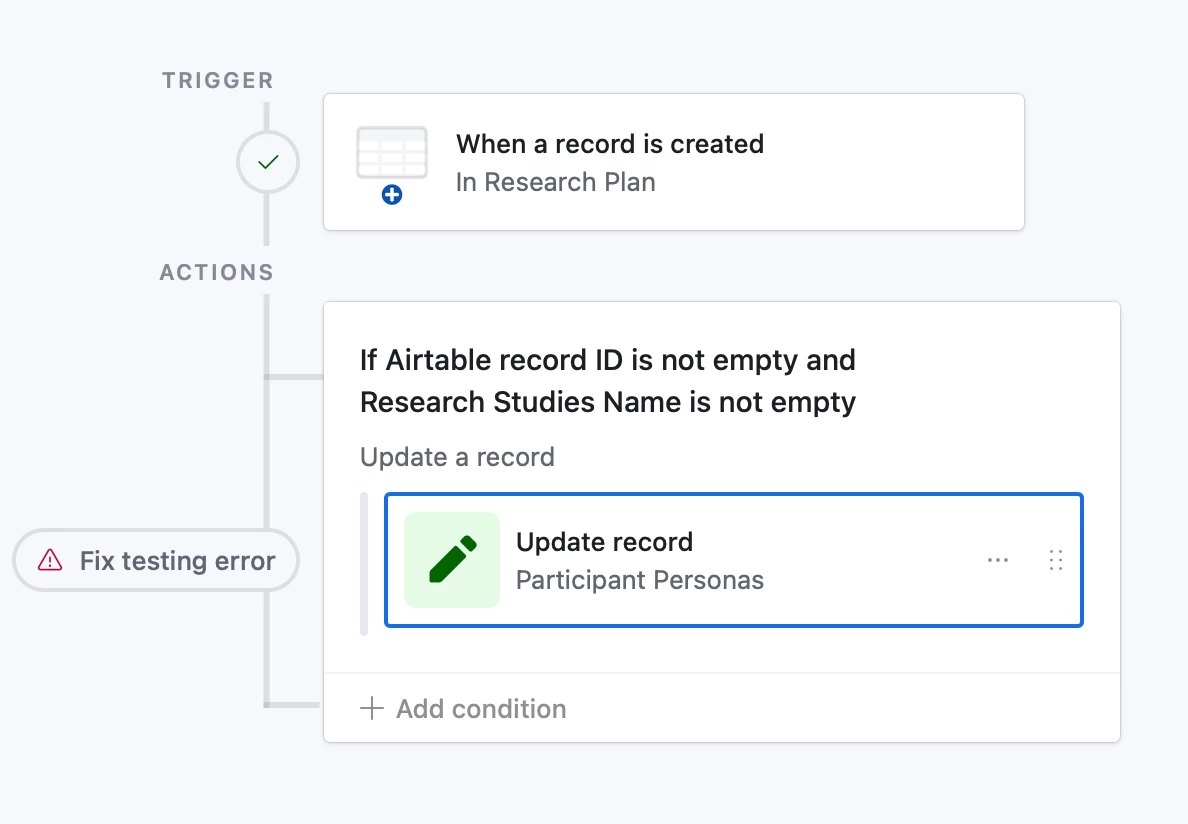
  • Trigger: When a record is created (Research plan)
  • Action: Update record (the same Research plan record)

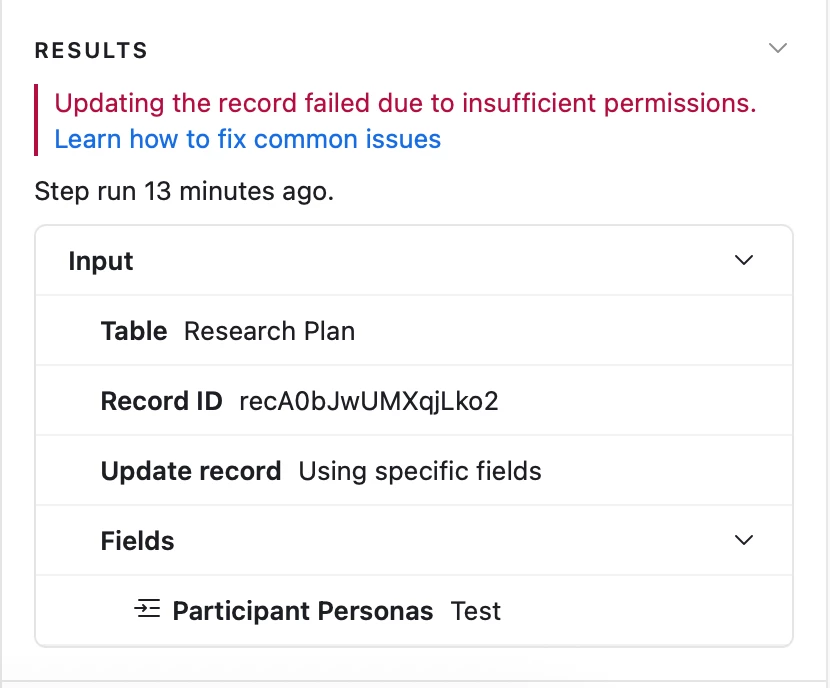
However, the automation fails with the error: “Updating the record failed due to insufficient permissions.”

We’ve confirmed:

  • The automation owner has edit access to both tables
  • The Persona field on Research plan is not a formula or rollup

Is there a limitation around updating the same record that triggered a “record created” automation, or a permission setting we might be missing?

More generally, what’s the recommended best practice for automatically populating fields in one table based on linked data from another table at record creation time?

Thanks in advance for any guidance!

6 replies

Holly Nilson-Clay
Forum|alt.badge.img

You might not need an automation for this at all. A lookup field on the Research plan table will automatically pull the Persona from the linked Research study.

If you do want to stick with the automation, the issue is likely timing rather than permissions. When a record is first created, the Research study field is often still empty, so the automation has nothing to work with.

Try changing the trigger to “when record matches conditions” or “when the Research study field is updated” so it only runs once that link is in place. Hope this helps :)


TheTimeSavingCo
Forum|alt.badge.img+32

+1 for everything Holly said!

---

The insufficent permissions error is interesting and I’m curious what might be causing that though

Could you provide screenshots of your tables with the relevant fields as well as the automation set up? 

If that’s not possible, may I know the field type of the ‘Persona’ field in the Research Plan table is?  Could I also confirm that there are no permissions set up on the Persona field and no permissions set on the Research plan table as well?  No worries if the lookup field already solves your problem though!


Forum|alt.badge.img
  • Author
  • New Participant
  • April 16, 2026

Hi, in this particular case, yes — lookup solves the problem because we’ve already linked the research study in the Research Plan.

I’m still interested in this topic, since in some cases we’ll want to automatically add data without having it in the table.

I’ve attached a few screenshots below.


coderkid
Forum|alt.badge.img+6
  • Inspiring
  • April 16, 2026

Are you trying to update a record in the “Research study” (or Personas) table while passing the Record ID from the Research plan table instead of the linked record’s ID? I think you might be using the wrong Record ID.


TheTimeSavingCo
Forum|alt.badge.img+32

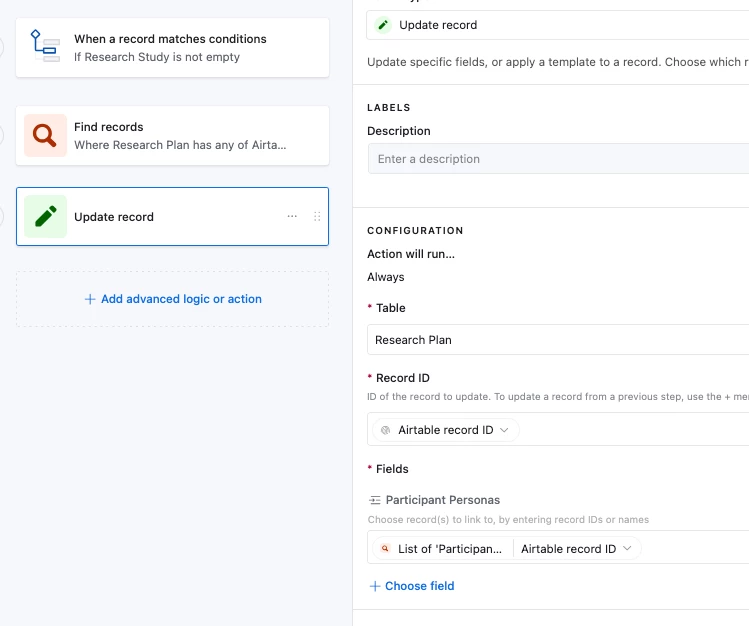
Hm, is the primary field of the Participant Personas table a formula field?  If it is, and we get the automation to update the linked field with a value that doesn’t exist in the Participant Persona’s table’s primary field then the Insufficient Permissions error will pop up

How are you retrieving the Personas that are linked to the linked Research Study?  Is that done via a lookup field?

---

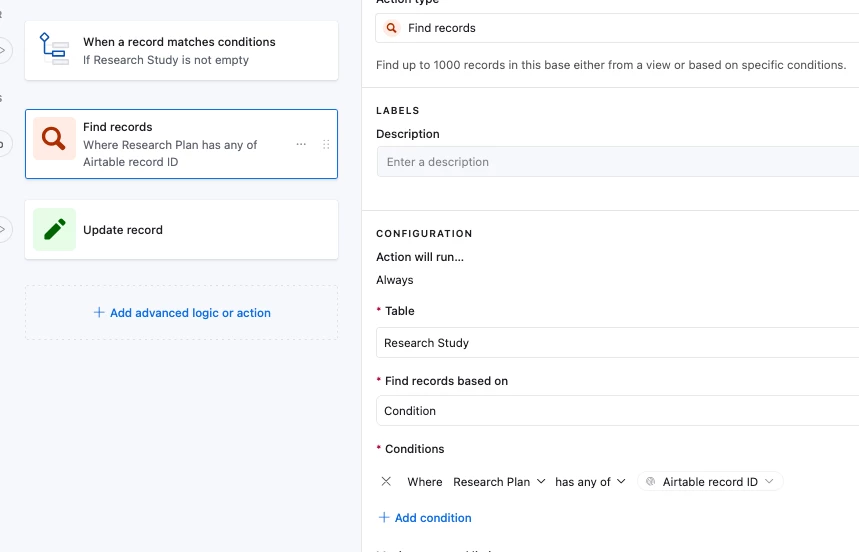
I’ve set up an example here for you to check out in case that’s helpful as well

The automation first retrieves the Research Study record via a Find Record action:

And it then updates the Research Plan record with the found record’s Participant Personas:


Holly Nilson-Clay
Forum|alt.badge.img

Looking at your screenshot, it looks like "Participant Personas" is a linked record field, so the update step needs a record ID, not a text value. Passing something like “Test” won’t work there even if permissions are fine.

Building on what Adam shared above, if you’re pulling Personas from the linked Research Study you’ll need to either use a lookup, or retrieve the record first (Find records) and pass those record IDs into the update step.