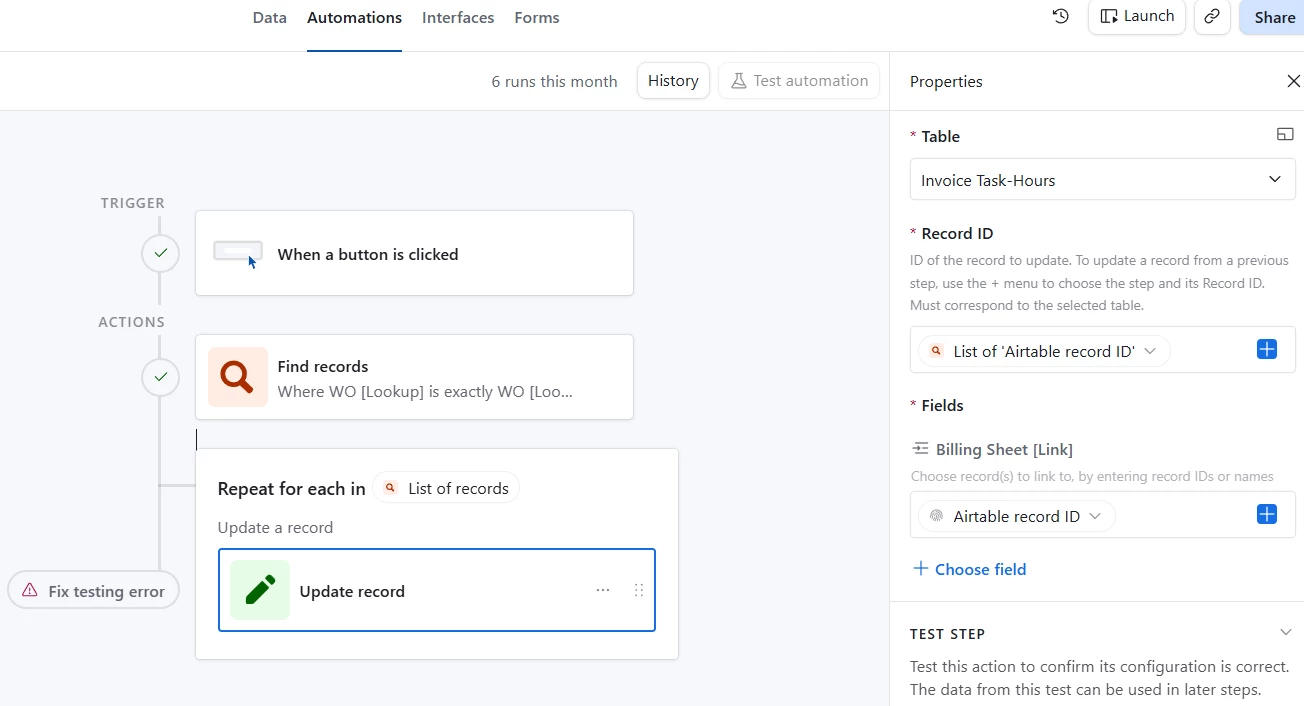
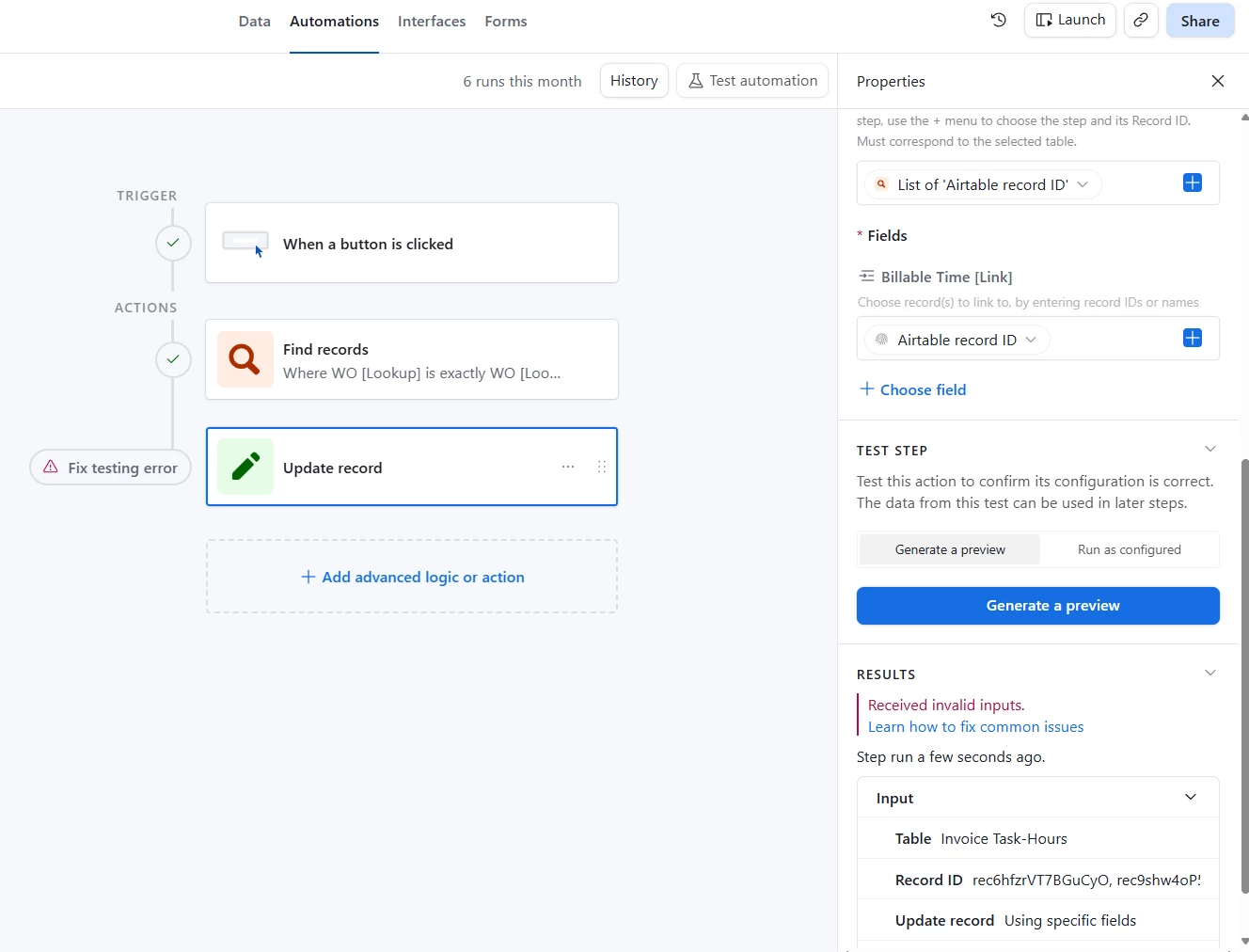
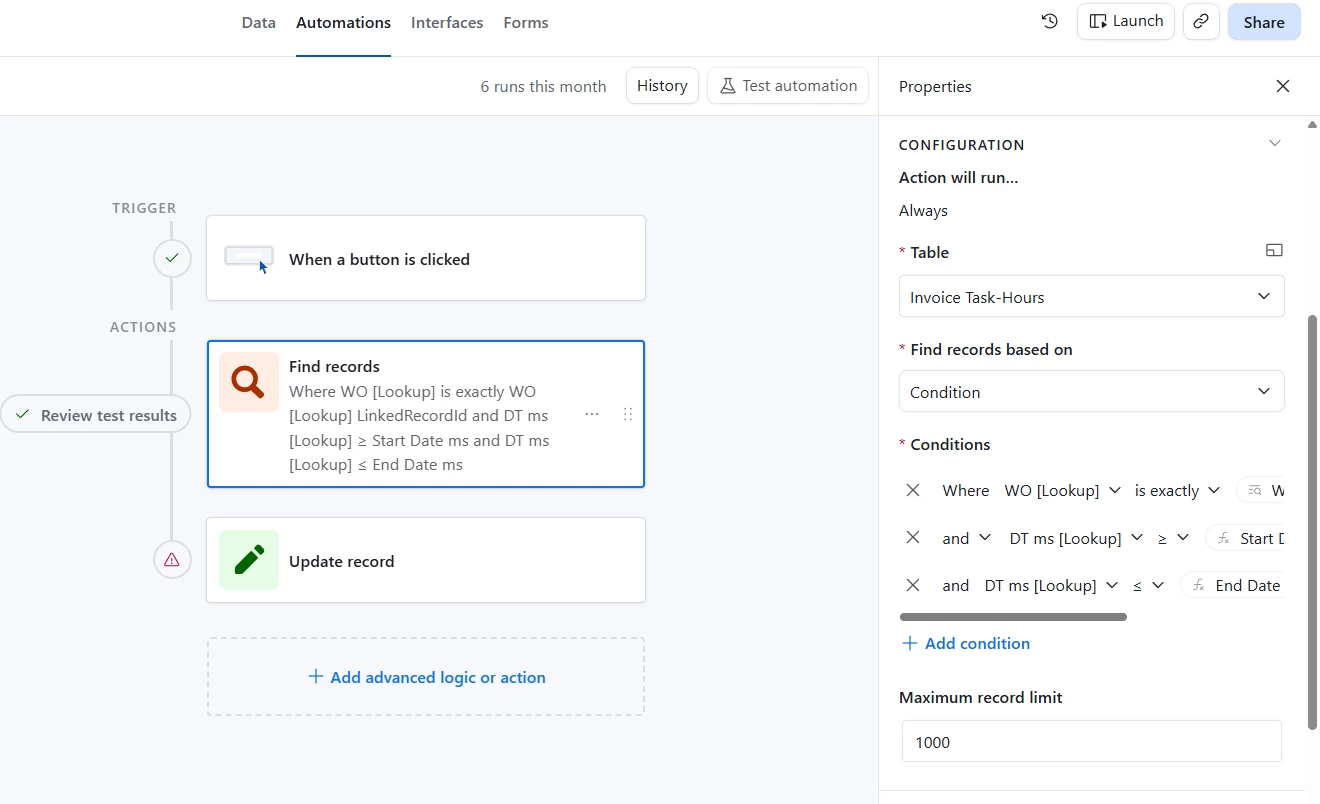
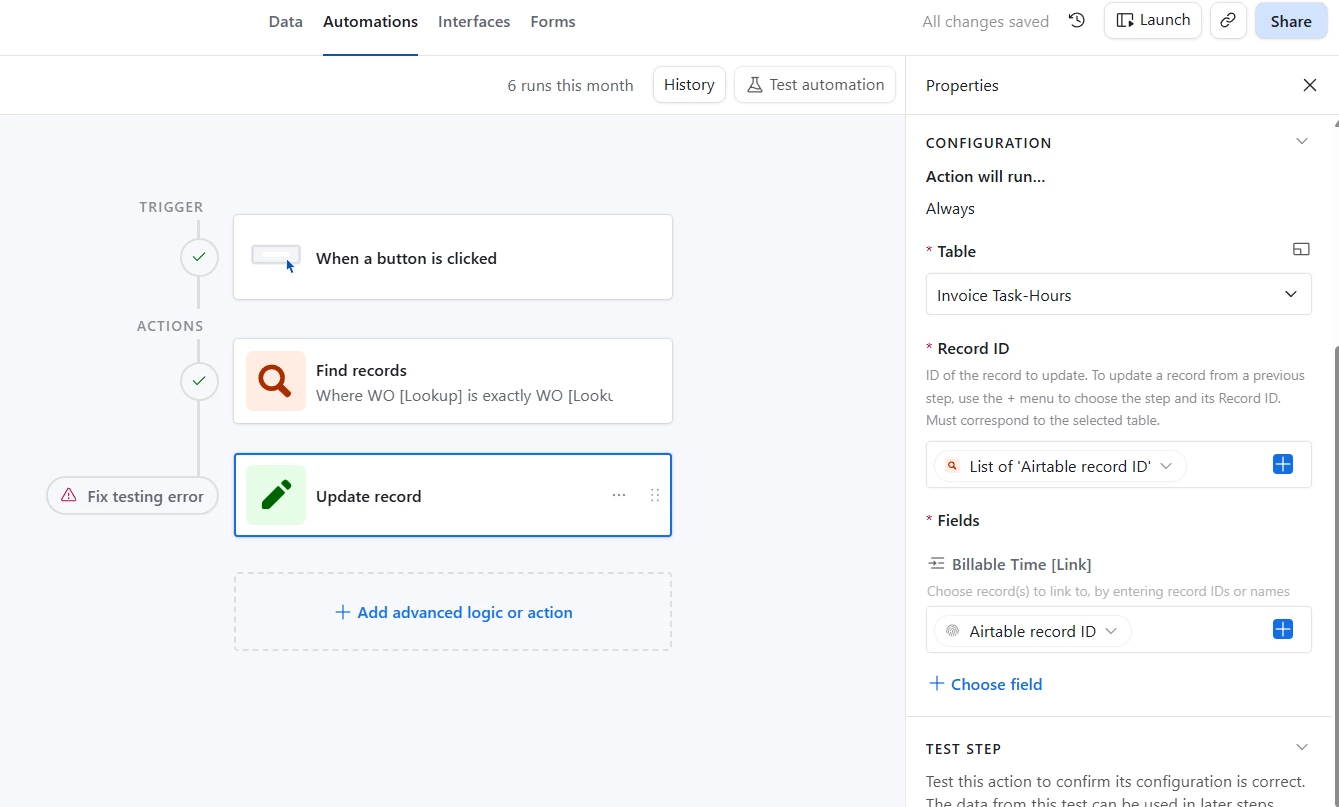
I have an automation that runs from a button on a blank interface. I’m trying to fill in the qualifying Billing Sheet [Link] field with the value from the current Billing Sheet on the blank interface. The automation runs correctly, finding the matching records in the Invoice Task-Hours table. But it won’t link them automatically. I tried linking to the RecordId and to the Billing Sheet Title field. No dice. Note: the Billing Sheet Title field is a formula, if that matters?
Best answer by Alexey_Gusev
Hi,
That’s the same thing. Each link you set in the first table, will be auto-created in the second. The same for delete. If you see my example, total number of links in the first and second table are always equal.
You are trying to update “Dog” and “Tiger” from Table 1, and set “Animal” into their linked field. Instead, you can update “Animal” in Table 2, setting “Dog” and “Tiger” in the linked field.
These two actions are equal, you can follow any of these paths, result will be the same. But updating a single record easier in your case.
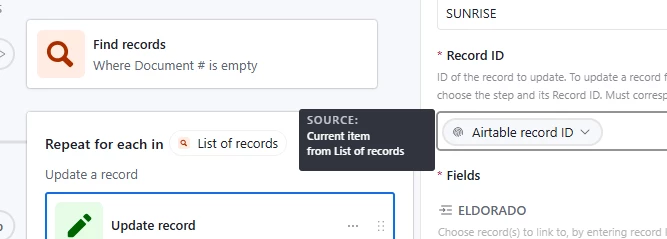
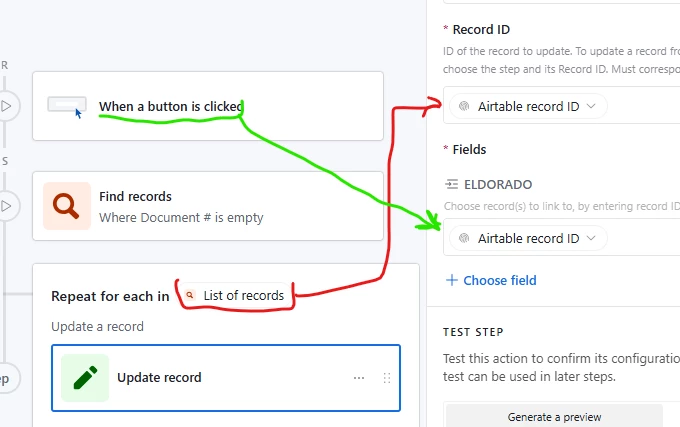
BUT, maybe you are right about the starting way. I don’t know your Conditions and if you link Trigger record to records 1, 2, 3 today, and then tomorrow you will link it to records 3,4,5 , it will clear links to 1,2 but maybe you want all 1,2,3,4,5 to be linked. In that case, you should link as you started, with Repeating group You update every record from “Find Records”, note that source is “Current item” from list
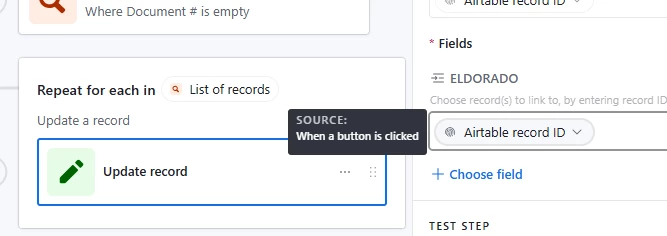
And the value which you put into Linked field is the ID of Trigger record
And that’s how it should work. Despite looking the same, these are different Airtable Record IDs.
I'm sorry that I may have accidentally led you astray.
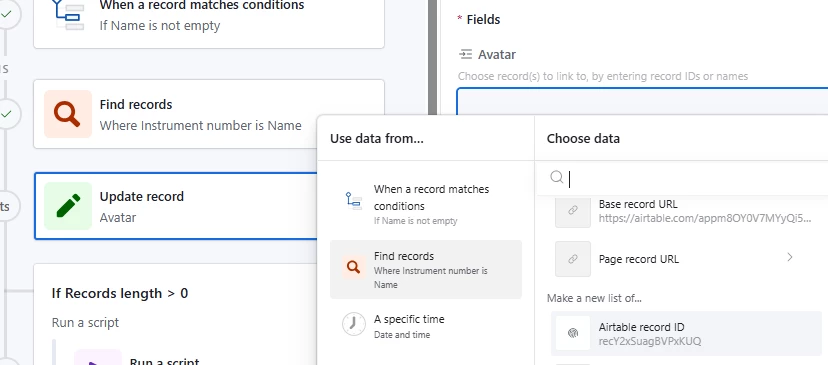
Hi, cell value of Linked field is always Array of IDs (even when 1 or 0 record(s) linked). the result of Find Records is Array (of record IDs or field values) too. You don’t need to apply Repeated Group, just put the result of Find Records directly to the Linked field like this:
You swapped them :) Upper cell on you screenshot (where you put List of “Airtable record ids”) asking for a single record ID (where changes made to the Linked field). Usually it's a record ID from trigger. *Fields / Billable Time (Link), where you but single ID, asking for array of IDs to link
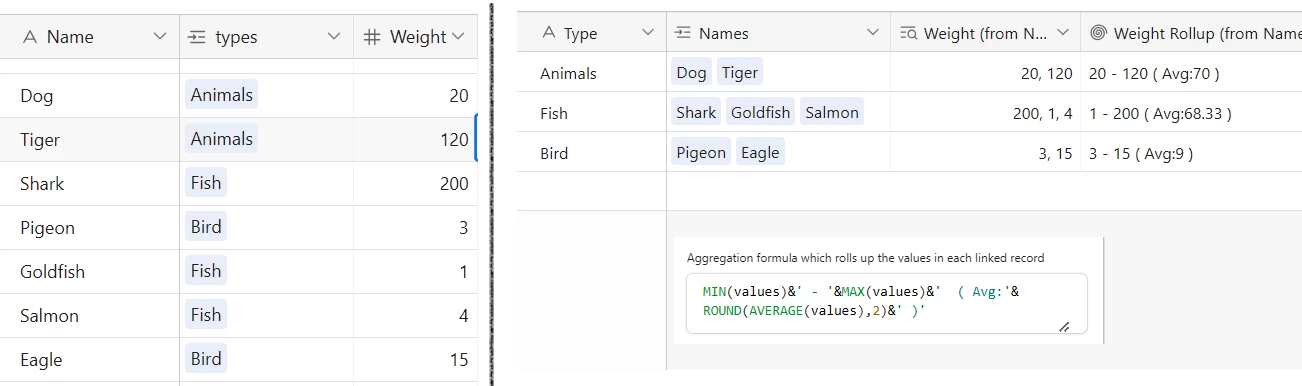
A quick explanation on a simple example. About how linking works, with Lookup and Rollup example.
Interface button always tied to a record picker (or Record Review type of Interface). When you press a button, automation receive selected record data (ID, values) from picker. In your second step “Find records”, you use this data.
Imagine your interface tied to the table 2 from this example. You selected “Animals” and want to find and link records from table 1 (which are already linked on picture). ID of “Animals” record is your single record ID IDs of “Dog” and “Tiger” are “list of Record IDs”, which you put into “Names” field of table 2
That’s the same thing. Each link you set in the first table, will be auto-created in the second. The same for delete. If you see my example, total number of links in the first and second table are always equal.
You are trying to update “Dog” and “Tiger” from Table 1, and set “Animal” into their linked field. Instead, you can update “Animal” in Table 2, setting “Dog” and “Tiger” in the linked field.
These two actions are equal, you can follow any of these paths, result will be the same. But updating a single record easier in your case.
BUT, maybe you are right about the starting way. I don’t know your Conditions and if you link Trigger record to records 1, 2, 3 today, and then tomorrow you will link it to records 3,4,5 , it will clear links to 1,2 but maybe you want all 1,2,3,4,5 to be linked. In that case, you should link as you started, with Repeating group You update every record from “Find Records”, note that source is “Current item” from list
And the value which you put into Linked field is the ID of Trigger record
And that’s how it should work. Despite looking the same, these are different Airtable Record IDs.
I'm sorry that I may have accidentally led you astray.
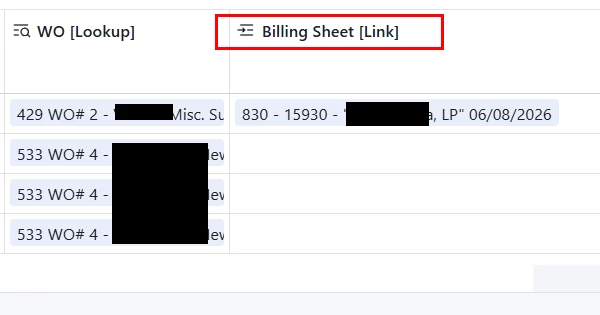
It wasn’t working because i was trying to update the wrong field! If you look at my image you’ll see that I was trying to update “Billable Time [Link]”. The correct field is “Billing Sheet [Link]”.