Question

Automation to send email - no email received - looking for a solution

  • June 24, 2026
  • 7 replies
  • 35 views

Barry_Seidensta
Forum|alt.badge.img+9

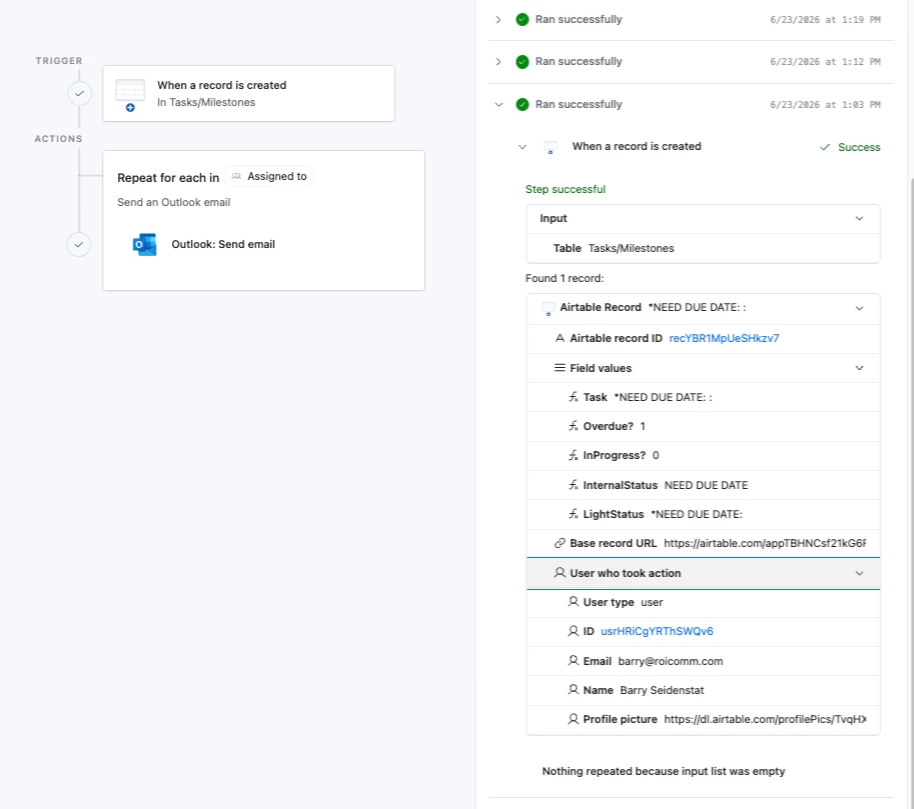
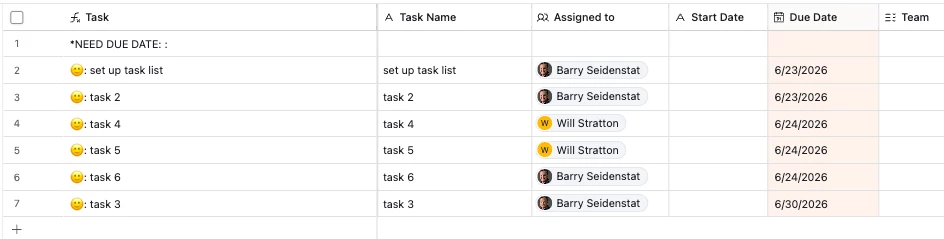
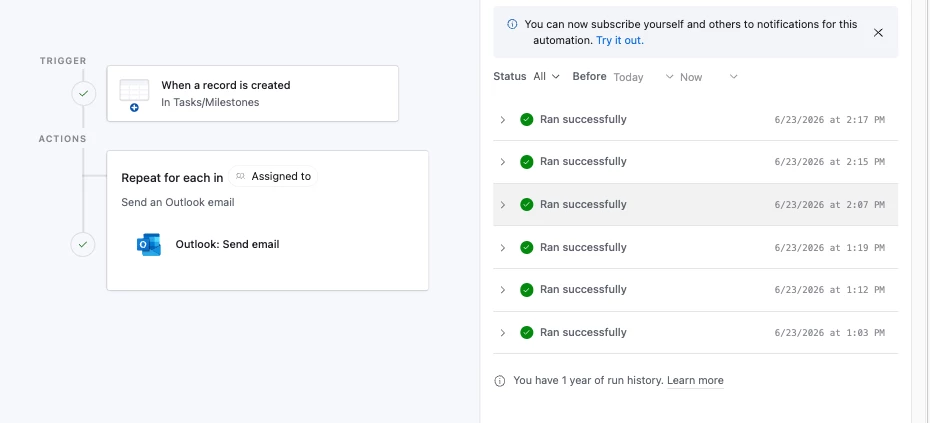
Created this automation to send an email if a new task is created. Shows it’s running correctly. However no emails are being received. Nothing in spam either. Query into Omni as to why suggests all the usual things, which I’ve confirmed are not in error. Any suggestions?
 

7 replies

TheTimeSavingCo
Forum|alt.badge.img+32

Could you provide screenshots of the automation setup as well?  Does using Gmail or the Airtable ‘Send Email’ action work?

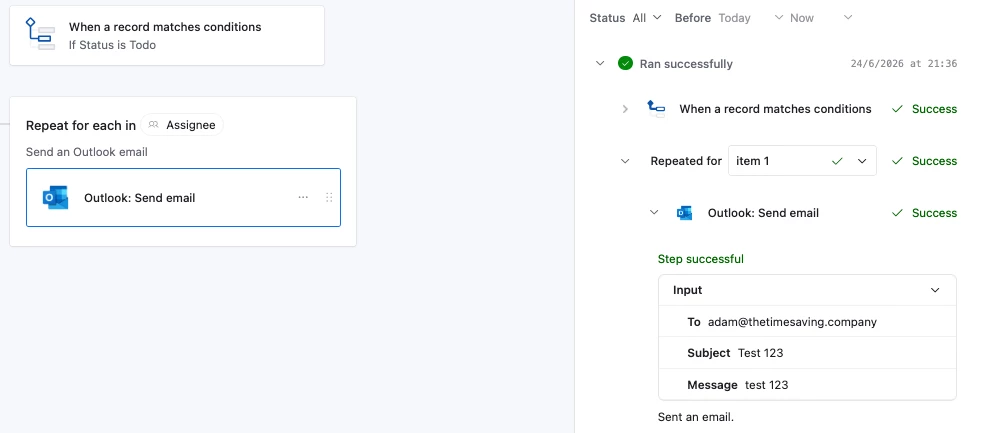
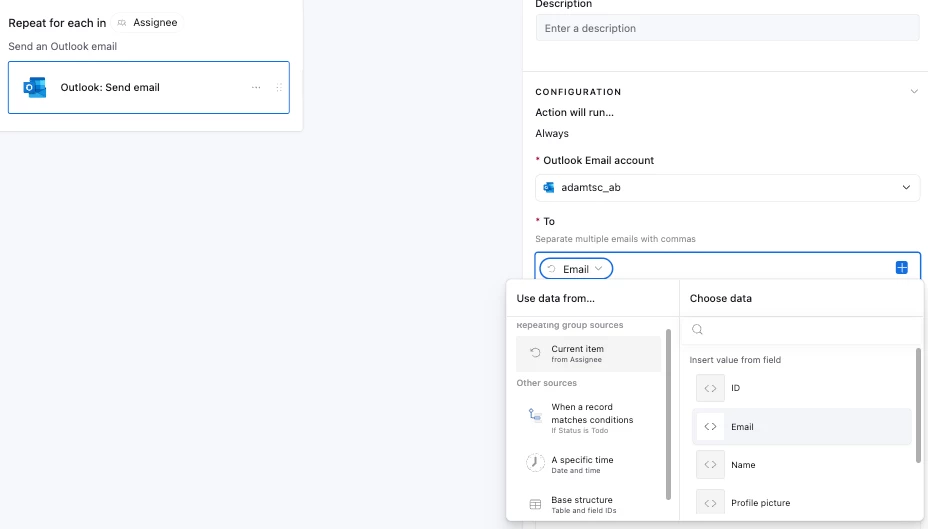
As a data point, I tried recreating your automation and successfully received the email the automation sent out


Barry_Seidensta
Forum|alt.badge.img+9

Here’s the screen shot requested. The automation you show is different than the one Omni created for me. Mine is activated when a new record is created.


ScottWorld
Forum|alt.badge.img+35
  • Genius
  • June 24, 2026

@Barry_Seidensta 

How are your records being created?

You are using a very tricky trigger.

You chose to use the trigger “when a record is created”, which means that it will trigger on a completely blank record unless the record is created through a form or through Airtable’s API.

The better trigger to use is “when a record matches conditions”.

(Or create your records through a form.)

- ScottWorld, Expert Airtable Consultant 


Barry_Seidensta
Forum|alt.badge.img+9

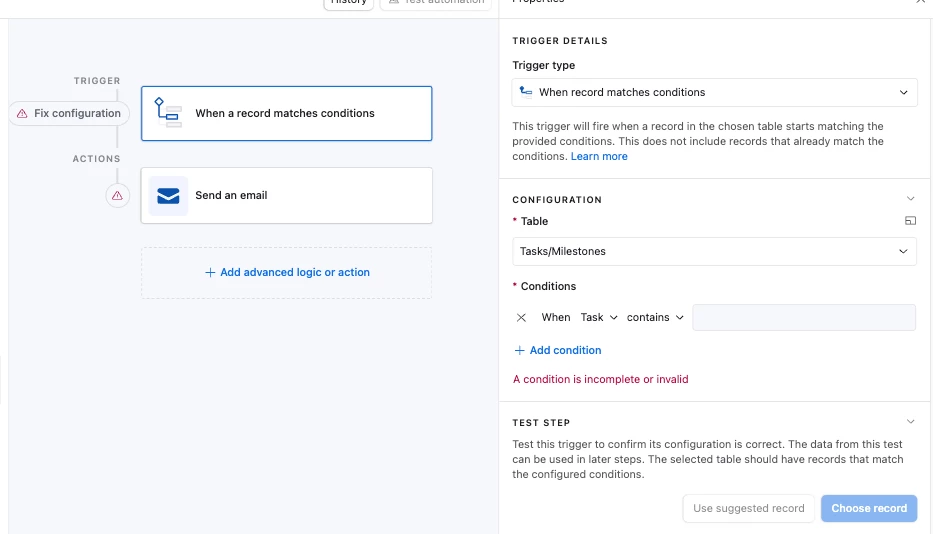
@ScottWorld  - the goal is to replace Microsoft Planner and have all parts of the project in AT. As such, if a new task is created and you are added to it, I want to notify you. I started a new automation as you suggest (attached). What do I put as the condition?


ScottWorld
Forum|alt.badge.img+35
  • Genius
  • June 24, 2026

If you switch the trigger to “when a record matches a condition”, a good set of conditions would be to make sure that all the required fields are not empty.

Another possible condition might be to have the user check a checkbox or choose an option from a dropdown menu when they’re ready to send the email.

Alternatively, if you keep the trigger the same (“when a record is created”), then you would want to make sure that new records are only created through a form with the required fields marked as required. Then, when the record is finally created in Airtable (due to the form submission), all the information is already there.

Hope this helps!

If you have a budget and you’d like to hire the world’s best Airtable consultant to help you with this or anything else that is Airtable-related, please feel free to contact me through my website: Airtable consultant — ScottWorld


DisraeliGears01
Forum|alt.badge.img+22

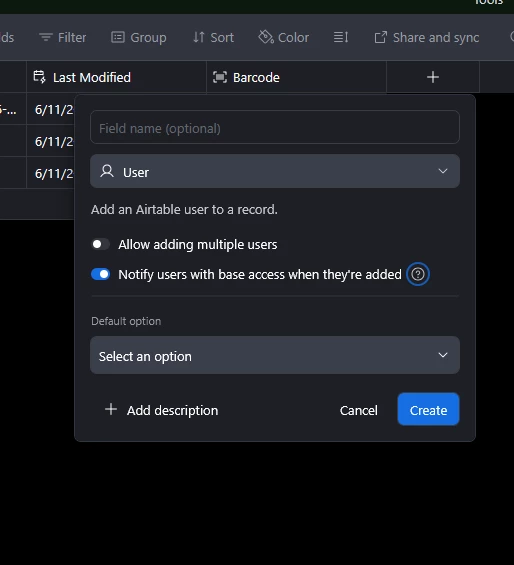
Also though, if your email automation is a simple notification that you’ve been added to the task, you don’t even need an automation potentially. The user field has an option to cover that, where for registered users it’ll send an email notification. 


If you want to stick with the automation version (it really matters that it’s an Outlook email from you and not a generic Airtable email), the trigger could be as simple as When {Assigned To} is not empty. Since you’re utilizing a user field, you could also have the trigger be “When record is updated” and have it watch the {Assigned To} field. 


ScottWorld
Forum|alt.badge.img+35
  • Genius
  • June 25, 2026

@DisraeliGears01 That’s a great trick that I totally forgot to mention! Super easy, and doesn’t require any automations at all!