
Solved

Can “Generate structured data” take an Attachment as input (and actually read the file) to extract structured data?

  • February 5, 2026
  • 2 replies
  • 13 views

Vadim Ciobanu
Forum|alt.badge.img


Hi everyone 👋

I’m trying to use Automations → “Generate structured data” to extract structured data from a file that’s attached to a record (e.g., CSV / PDF / image). My automation is simple: When a form is submitted → Generate structured data.

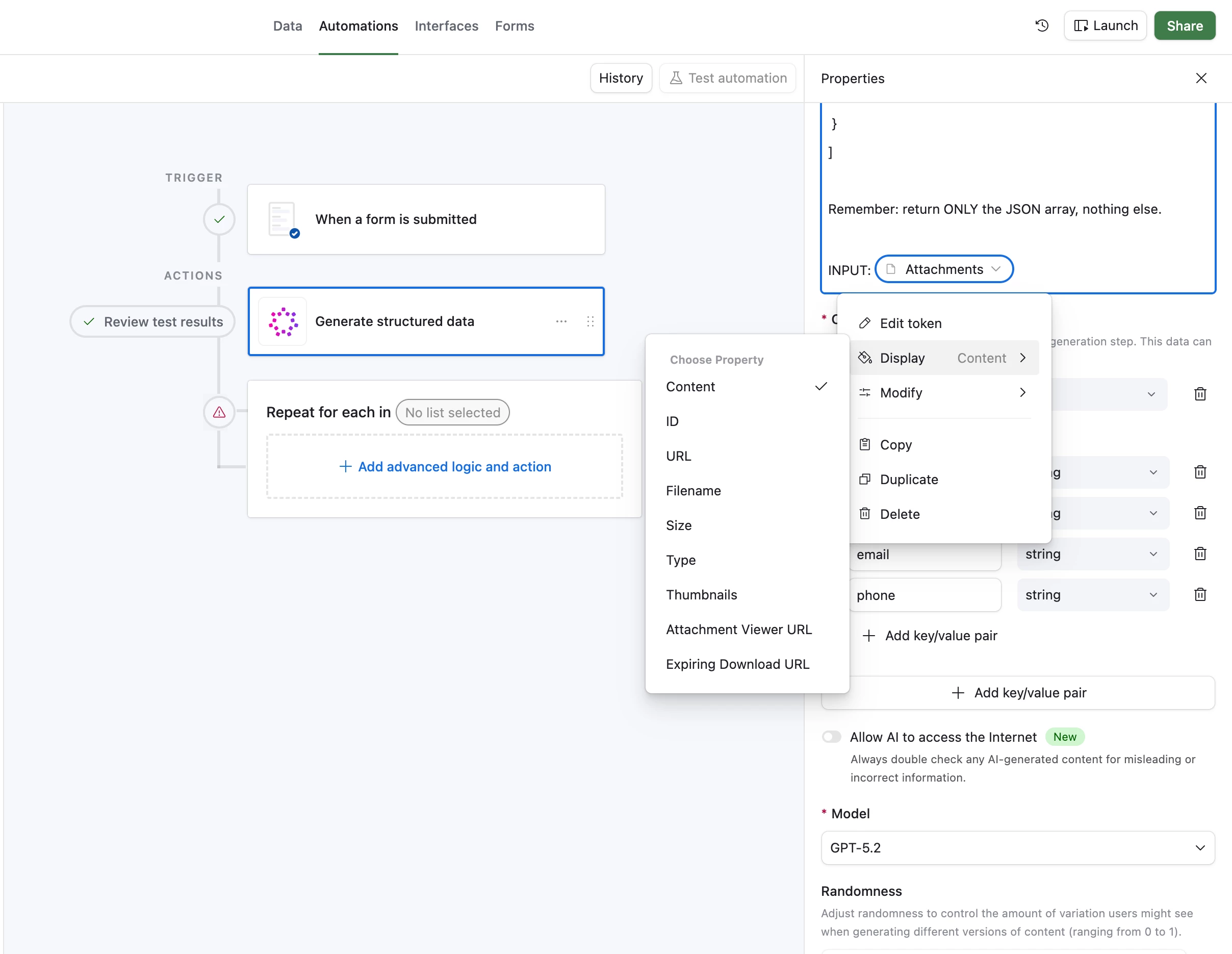
The confusing part: when I select the Attachments field as the input, Airtable only lets me choose attachment properties like URL / Filename / Size / Type / Attachment Viewer URL / Expiring Download URL (see screenshot). It’s not clear to me whether the model can actually read the file contents, or if it can only see metadata/links.

My questions:

  1. Is it possible for “Generate structured data” to ingest an attachment and parse its contents (e.g., read a CSV and output a JSON array)?

  2. If yes, what’s the correct input to pass: Expiring Download URL or Attachment Viewer URL (or something else)?

  3. Does this only work with “Allow AI to access the Internet” enabled, or is there a limitation where it can’t fetch files at all?

  4. If it’s not possible directly, what’s the recommended workaround inside Airtable: a Script step to download/convert the file to text first, then send that text into the AI step?

Goal: user uploads a file with event registrations (participants list, etc.) and I want a clean JSON array with normalized fields.

Thanks! 🙏
Best answer by TheTimeSavingCo

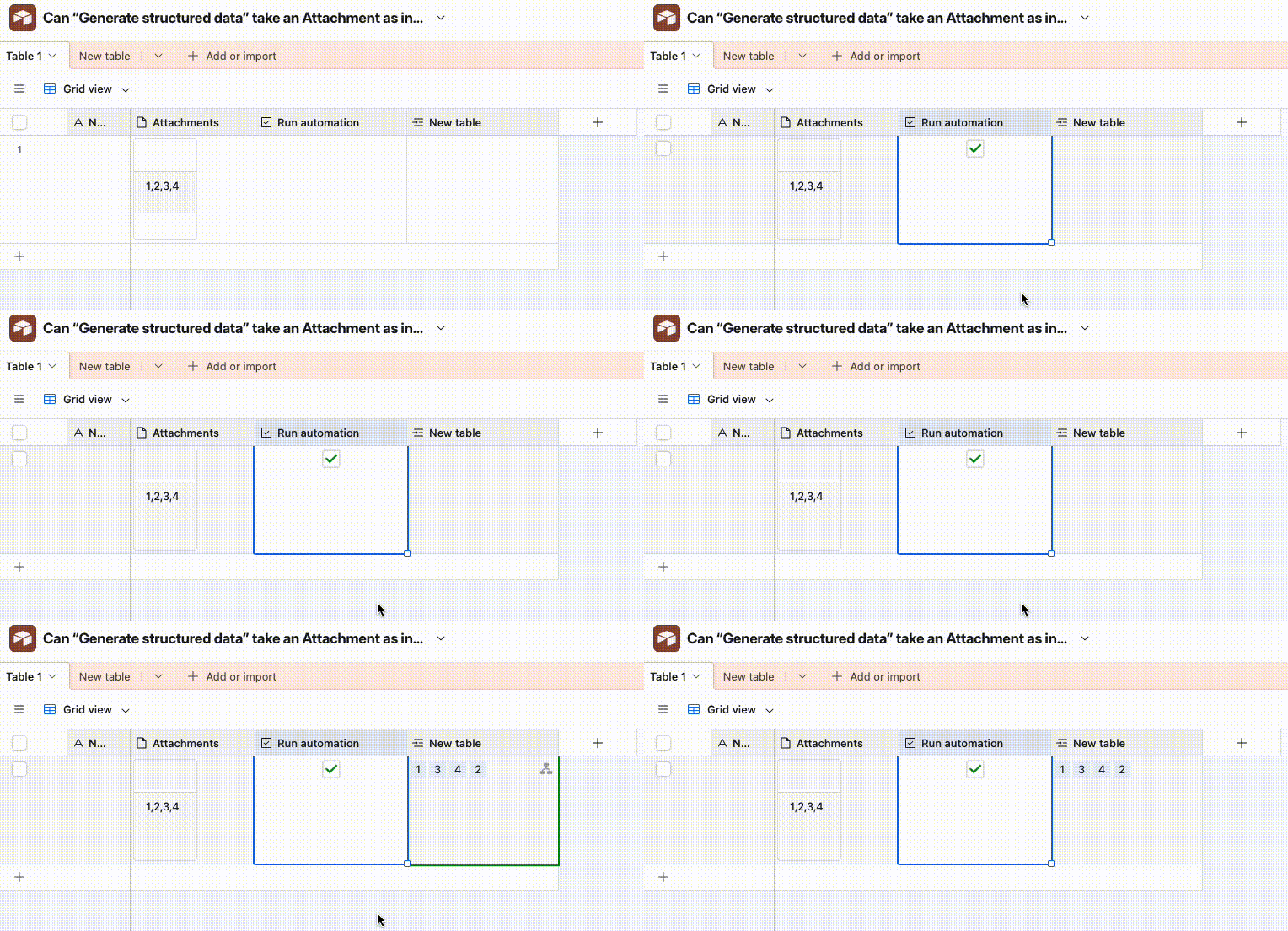
Yeah it should be able to, I’ve set up an example here for you to check out.  The automation uses a ‘Generate Structured Data’ step to read the attachment, split the text out into an array, and then uses a Repeating Group to create one record per option


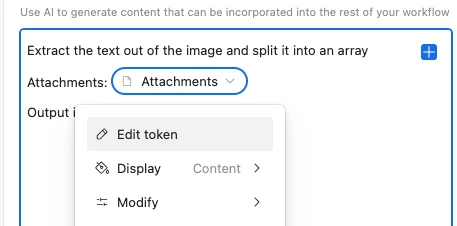
I’m using ‘Content’ as the display type, and the full prompt is:

Extract the text out of the image and split it into an array
Attachments:
Output it in the 'test' variable


If ‘Content’ doesn’t work for you I’d recommend opening a support ticket with Airtable directly to get some help as I had some weirdness with this too

2 replies

TheTimeSavingCo
Forum|alt.badge.img+31

Yeah it should be able to, I’ve set up an example here for you to check out.  The automation uses a ‘Generate Structured Data’ step to read the attachment, split the text out into an array, and then uses a Repeating Group to create one record per option


I’m using ‘Content’ as the display type, and the full prompt is:

Extract the text out of the image and split it into an array
Attachments:
Output it in the 'test' variable


If ‘Content’ doesn’t work for you I’d recommend opening a support ticket with Airtable directly to get some help as I had some weirdness with this too


Vadim Ciobanu
Forum|alt.badge.img
  • Author
  • New Participant
  • February 5, 2026

The problem was in output schema. 

Thanks Adam.