
Changing Multi-select Option Through Automation

  • November 14, 2021
  • 3 replies
  • 28 views

Alison_Cook
Forum|alt.badge.img+2

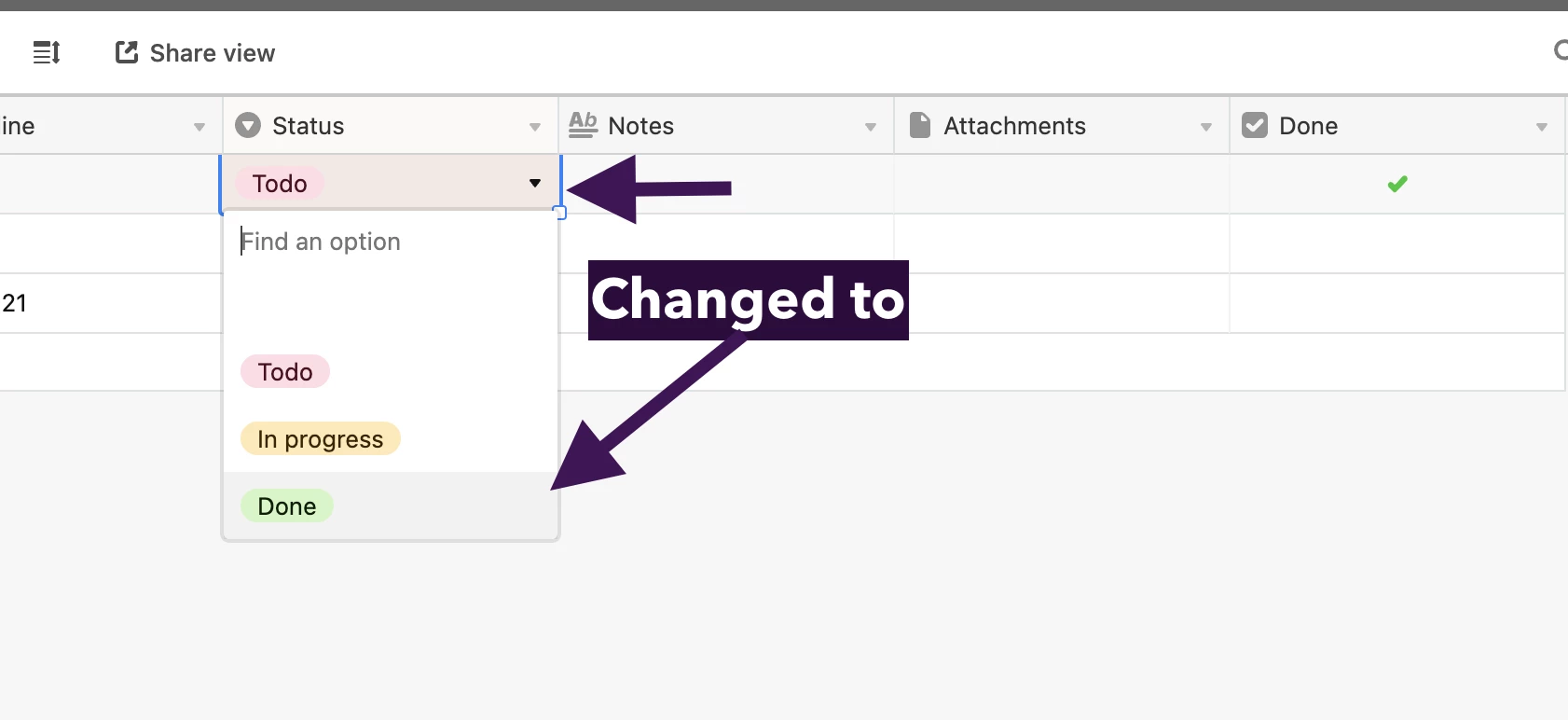
What I want to do, and do not know if it is possible, is when I check a box and I would like a field in that record to change to a different option. So like in the photo below, when I check “Done” I want the choice in the Status column of the record to change to “Done” From its current selection. Is that possible? I’ve been wracking my brain trying to create an automation. Thank you in advance for any help you can provide.

3 replies

Hannah_Wiginton
Forum|alt.badge.img+19

Hey Alison,

Welcome to the Airtable community!

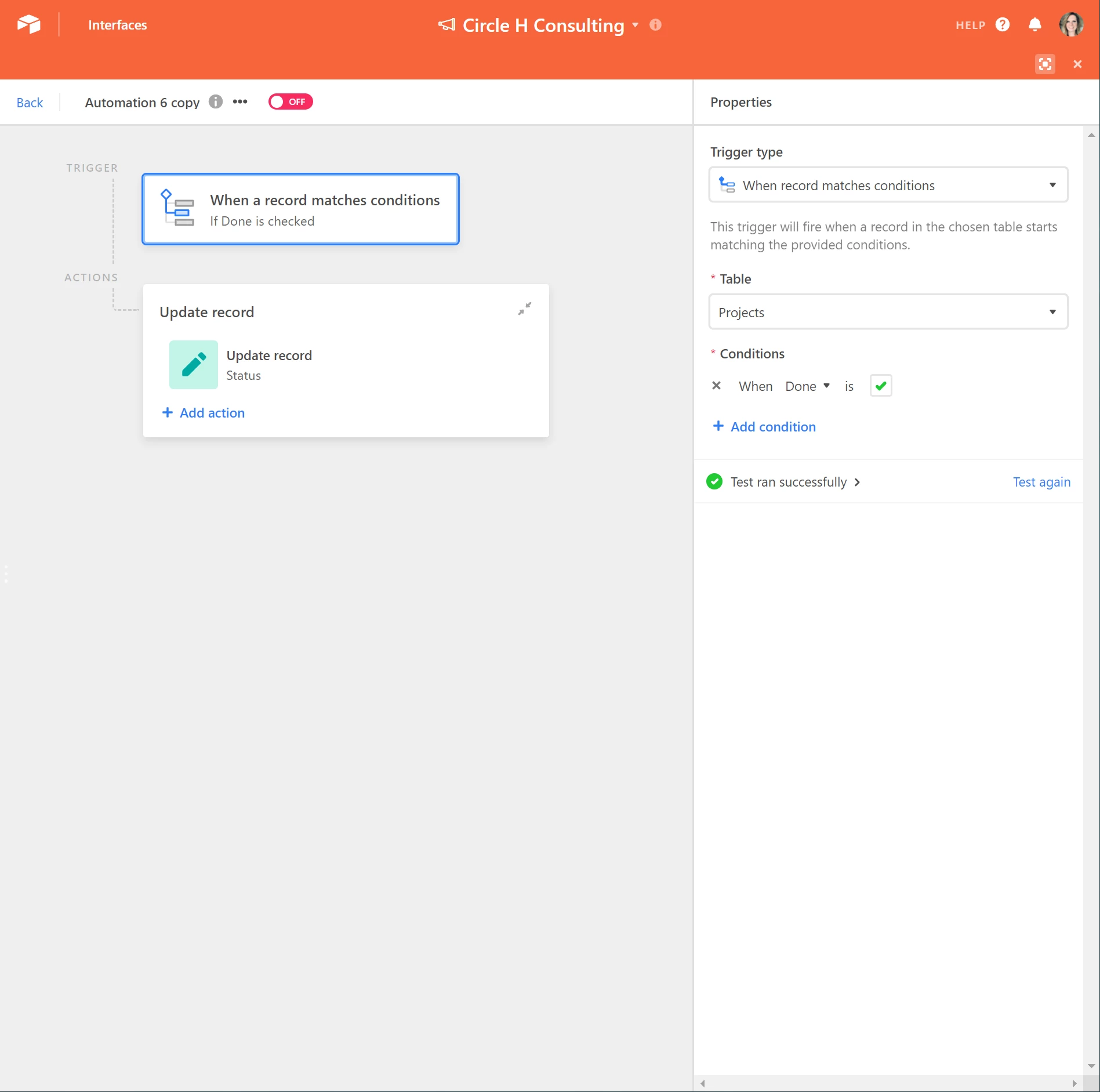
You can use the “When record matches conditions” trigger and Update record action.

  • “When record matches condition”
  • Choose your table
  • The Condition is When Done is :white_check_mark:

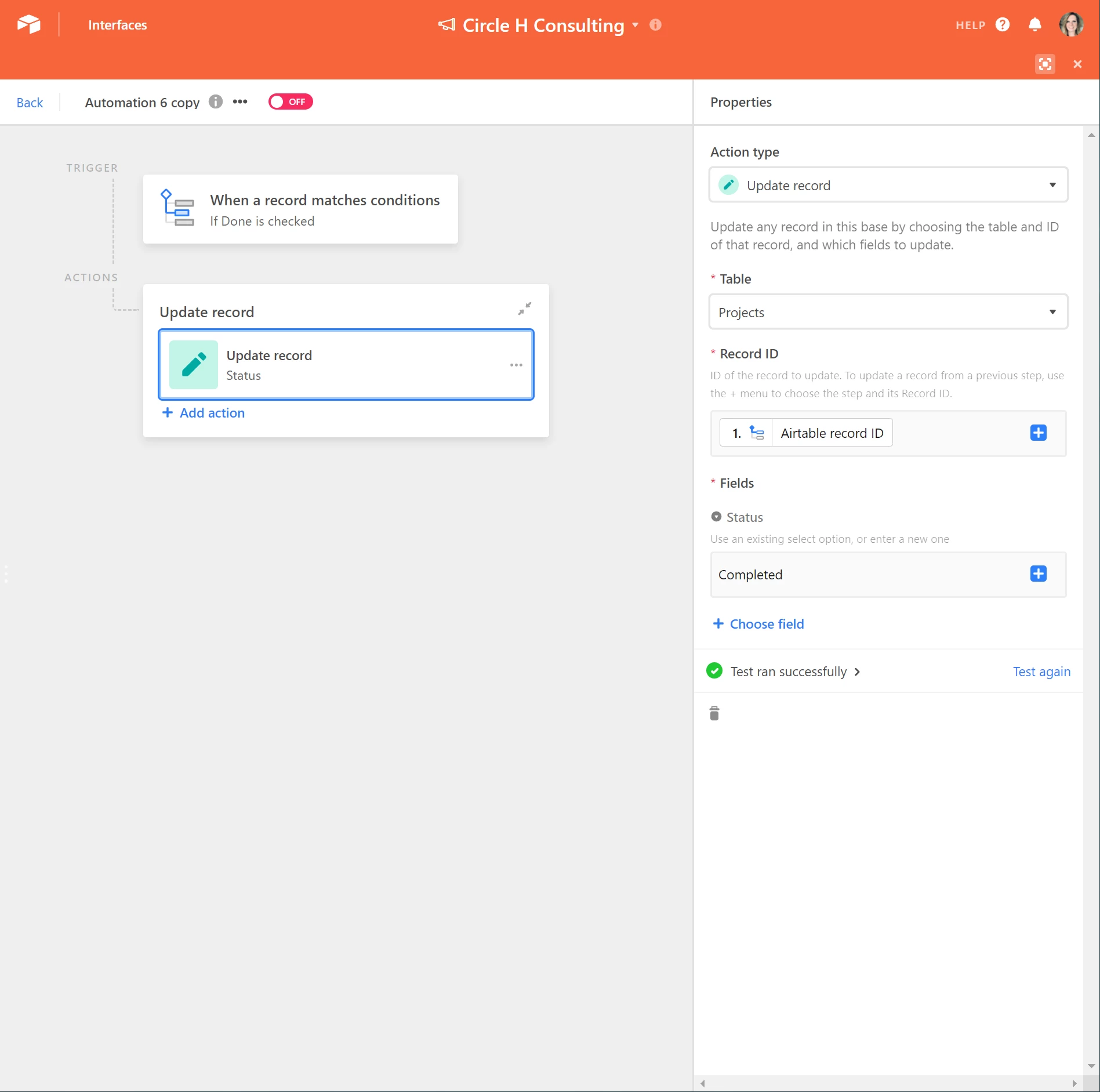
  • Use Update Record as the Action
  • For Record Id, click the blue plus button, click continue, then click Insert next to Airtable record ID
  • In Fields, add your Status field and type Done

Let me know if this helps!


Alison_Cook
Forum|alt.badge.img+2
  • Author
  • New Participant
  • November 14, 2021

You my friend are a genius! Thank you so much!! I was trying add an extra condition.


Hannah_Wiginton
Forum|alt.badge.img+19

You my friend are a genius! Thank you so much!! I was trying add an extra condition.


Awesome! So glad it worked! :slightly_smiling_face: