

Question

Delay Automation

  • March 5, 2026
  • 3 replies
  • 20 views

Forum|alt.badge.img

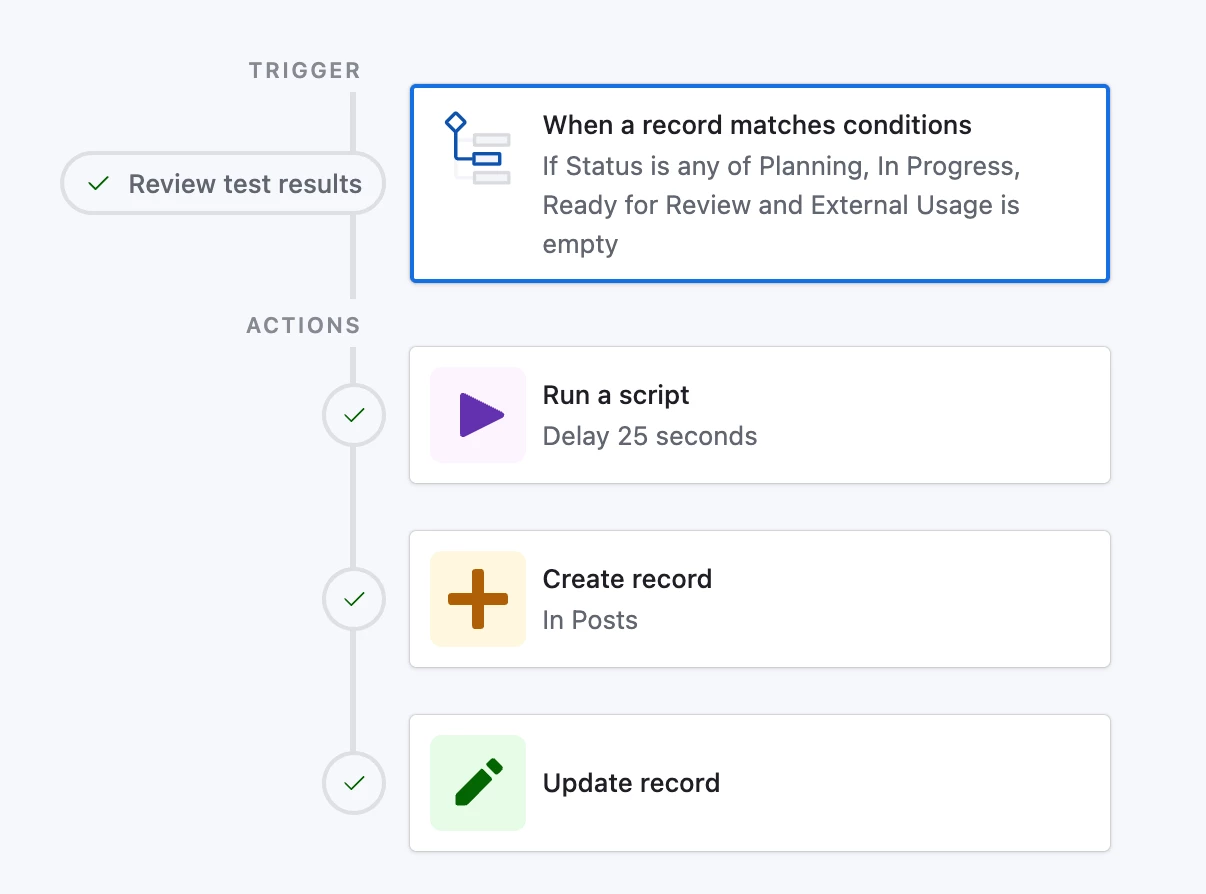
Hi, I have social media base that has two tables – one for content creation and one for our social media posts. I have an automation setup to automatically create a post record when a content record is set to a certain status. It also copies over related fields such as campaign, location, etc. 

The problem is the automation triggers as soon as that status is selected, which is sometimes before the other fields are updated.

I’ve tried adding a script to delay the create record action, but it still only pulls in the fields that were filled out when the whole automation is triggered.

Is there a way to delay the new record creation stage so that it waits a few minutes after the status is updated and then pulls in the rest of the relevant fields into the new record? 

Or, is there a way to update the linked post record fields if any of the fields in the content record are updated after the post record is created?



3 replies

leok
Forum|alt.badge.img+2
  • Participating Frequently
  • March 5, 2026

Hi ​@jreider, the delay workaround is not the most reliable approach here. Even if you refetch the record data inside the script, it depends on whether the other fields have been updated by that point, which you cannot really control.

The cleaner solution is your second idea. Let the post record be created straight away and then set up a second automation that watches the content record for any field changes and updates the linked post record automatically. This way timing does not matter at all.

Here is how to set it up:

Trigger: "When a record is updated" on your Content table. Select the specific fields you want to watch, campaign, location and any other fields that get copied over to the post record.

Action: "Update record" on your Posts table. In the record selection, pick the linked post record directly from the trigger. Then map each field from the content record to the matching field in the post record.

That is it. Every time someone updates any of those fields in the content record, the automation fires and syncs everything across to the post record automatically.

Leo from UseEfficiently


DisraeliGears01
Forum|alt.badge.img+21

At the simplest level, you could add a find action after the script delay which searches for records with RecordID in the trigger, and then use the info from that Find action to fill in your create/update fields. That’ll refresh the record info for anything entered between firing and script delay.

That said, it really sounds like you need a new trigger scheme if you need a few minutes of delay after status update. You could add a bunch more conditions (when fields A, B,C,D,E, and F are not empty and status update), or set up a time scheme with last modified and date add formulas.

Also, for updating records between tables, that is really the primary use of lookups. So once you have linked the two records together in the Post and Content tables, the Post table might contain information on sites you’re posting to, projected dates, etc. The content table contains the text and images, and then in the post table you add lookup fields that display information from the Content table on the Post table. Trying to sync fields via automations gets extremely messy imo


Forum|alt.badge.img
  • Author
  • New Participant
  • March 5, 2026

Hi ​@jreider, the delay workaround is not the most reliable approach here. Even if you refetch the record data inside the script, it depends on whether the other fields have been updated by that point, which you cannot really control.

The cleaner solution is your second idea. Let the post record be created straight away and then set up a second automation that watches the content record for any field changes and updates the linked post record automatically. This way timing does not matter at all.

Here is how to set it up:

Trigger: "When a record is updated" on your Content table. Select the specific fields you want to watch, campaign, location and any other fields that get copied over to the post record.

Action: "Update record" on your Posts table. In the record selection, pick the linked post record directly from the trigger. Then map each field from the content record to the matching field in the post record.

That is it. Every time someone updates any of those fields in the content record, the automation fires and syncs everything across to the post record automatically.

Leo from UseEfficiently

Thank you! This works great.


