Question

Difficulty getting run script in automations to accept Input recordId that has been set up correctly by previous step, e.g after 'when record enters a view'

  • August 6, 2026
  • 6 replies
  • 153 views

Margaret_Picker
Forum|alt.badge.img+13

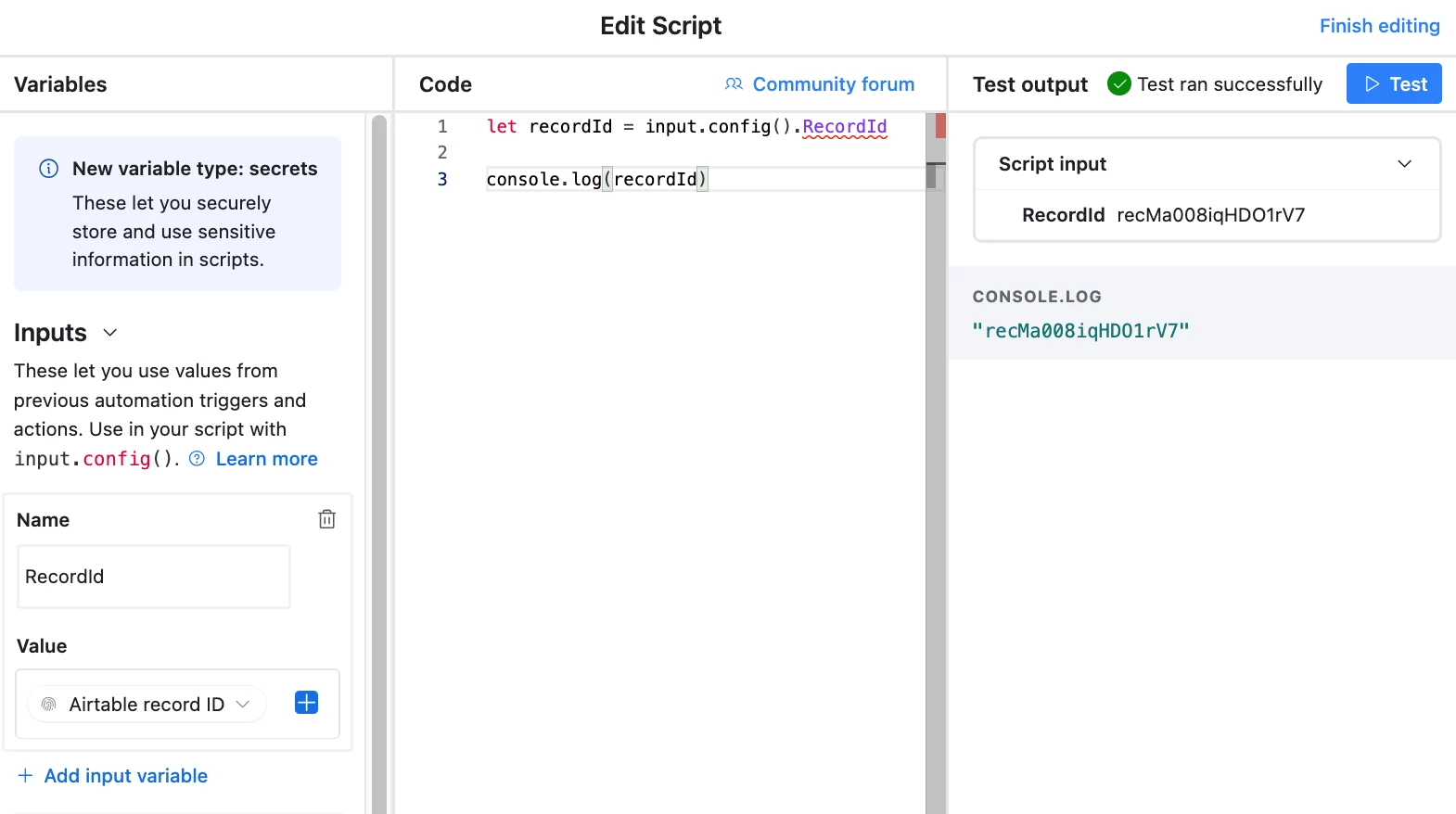
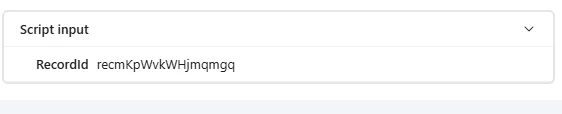
Despite log showing execution:
I still get error :
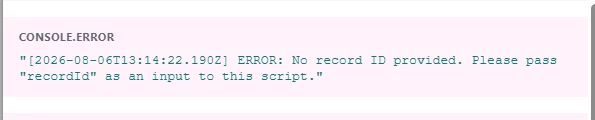
I believe the script to be OK,  “let recordId = input.recordId;”


Does anyone have any suggestions? 

6 replies

  • New Participant
  • August 6, 2026

The value is read through input.config(), rather than directly from input. Try:

const { recordId } = input.config();
console.log(recordId);

In the Run a script action, add an input variable named recordId, then map it to the Record ID token from the trigger step. For When record enters a view, choose that trigger's Airtable record ID token. The variable name must match exactly, including case.


TheTimeSavingCo
Forum|alt.badge.img+32

Yeap, echoing TinyOpsStudio.  You can also try this:

let recordId = input.config().RecordId


Forum|alt.badge.img+2
  • Participating Frequently
  • August 16, 2026

This is a classic gotcha — when a Run script step follows a When record enters a view trigger, the recordId input can come through as an empty string if the trigger variable wasnt mapped. Check you are pulling the {{trigger.recordId}} as the input config, and that the script is reading input.recordId not a hardcoded value. If it still errors, log input to output to see what is actually arriving. Can share a working example if useful.


Forum|alt.badge.img+2
  • Participating Frequently
  • August 16, 2026

Despite log showing execution:

I still get error :

I believe the script to be OK,  “let recordId = input.recordId;”


Does anyone have any suggestions? 

This is a really common gotcha with run-script steps — the input mapping in the script step and what the previous step actually outputs don't always line up the way you'd expect. When a 'when record enters a view' trigger runs a script, the input is available as input.recordId, but a frequent cause of the error is that the script step's input variables haven't been explicitly mapped/bound in the step configuration, so the script receives an empty or undefined value even though the log shows the trigger fired.

Double-check two things: (1) In the run-script step, open the input configuration and confirm recordId is actually present as an input variable (not just referenced in the code), and (2) that you're reading it as let recordId = input.recordId — which you already have. If it's still failing, post the exact error message from the log; that usually tells you whether it's a null input or a type mismatch. Scripts in automations can only access the fields you explicitly pass in as inputs, not the full record.

If you're still stuck, happy to take a look at the script and the step config directly.


Forum|alt.badge.img+2
  • Participating Frequently
  • August 16, 2026

Despite log showing execution:

I still get error :

I believe the script to be OK,  “let recordId = input.recordId;”


Does anyone have any suggestions? 

Hey Margaret! This is a classic gotcha with run script actions — the input variable name you reference has to match exactly what the previous step outputs, and it can be easy to mismatch casing or naming. A few things to try: (1) confirm the input is actually wired in the Run script action settings (not just in your code), (2) log the entire input object with console.log(input) so you can see exactly what keys are available at runtime, and (3) check the execution log for the actual value being passed. Nine times out of ten the script is fine and it is the wiring or the variable casing. If the log shows your recordId arriving as undefined, the fix is usually in the action config rather than the code. Happy to dig deeper if you share a snippet of the log output.


Forum|alt.badge.img+2
  • Participating Frequently
  • August 20, 2026

Despite log showing execution:

I still get error :

I believe the script to be OK,  “let recordId = input.recordId;”


Does anyone have any suggestions? 

When a script step isn't picking up input.recordId even though the previous step ran fine, the usual suspects are: (1) the input variable name doesn't match exactly what the previous step outputs, or (2) the previous step outputs an array of record IDs rather than a single ID. If the trigger is 'when record enters a view', the record ID should be available directly, so confirm you mapped it as a single value in the script's input config, not as a list.

A quick way to debug: add a line in your script that logs the entire input object (console.log(input)) and check what the actual key name and type are. It is very often just a naming mismatch. Happy to help further if you paste the exact error and script setup.