

Hi,
I use the Airtable trick of having an automation update an URL link field so that it becomes a named clickable link. In other words, turning https://www.airtable.com into Click here with [Click here](https://www.airtable.com).
The URL to be “coded” is in a Concatenate formula field and directed to Calendly meeting bookings. They include pre-filled variables with both name and e-mail, as well as Calendly “questions” pre-filled from Airtable data.
The problem is that my automations that look exactly the same suddenly come up with different results, with the faulty one leaving out the last pre-filled variable, “a3”.
Here’s the correct one (data changed):
https://calendly.com/site/book?first_name=Jane&last_name=Doe&email=jane@hotmail.com&a2=rectH64j36cathyrm&a3=recvmhk5664mnx53
And here’s the faulty one, with a3 empty:
The automation that now produces the correct result is an “At a scheduled time” automation that first finds all relevant records with a “Find records” step, then processes these with a “Repeat for each” and then “Update record” steps.
The update step looks like this:
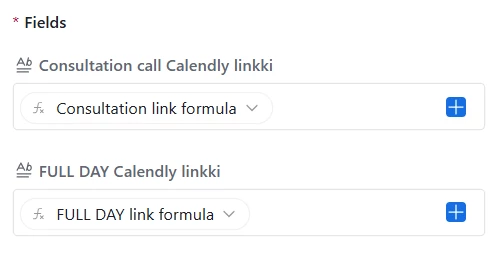
The automation that leaves the final “a3” empty is a “When a record is created” automation, that looks for new bookings come in (via Zapier).
The “Update record” step looks exactly identical, but still produces different results:
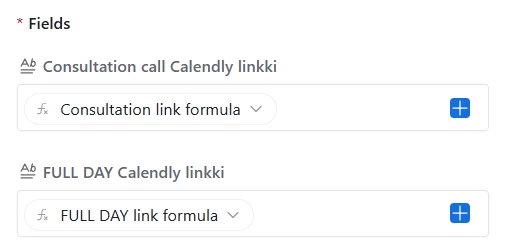
This problem occurred after I added the “a2” and “a3” pre-filled variables. Before that I only used name and e-mail pre-filled variables, and all worked correctly.
I had to fiddle around for quite some time to get the concatenation working correctly with all variables citation marks involved, but surely the same URL should produce the same result in two different automations?
Here’s the formula field:
SUBSTITUTE(CONCATENATE("[Varaa!](https://calendly.com/site/book?first_name=",{first_name},"&last_name=",{last_name},"&email=",{email},"&a2=",{Event recID},"&a3=",{Contact recID},")")," ","%20")The only difference I can see is that one gets the data from a “When new record is created” event, and the other from a “Find record” event.
Any idea where to look for fixing this?
Cheers,
Björn

