Question

Generating a google doc using a custom script

  • February 11, 2026
  • 4 replies
  • 14 views

Forum|alt.badge.img

I am trying to create a google doc and populate it with data from airtable. The report pulls from a survey table and a linked responses table (~71 responses need to be organized into pillars and topics in the google doc). I have been trying a combination of automation and scripting or the scripting extension and google app scripts to generate the report. With every attempt so far, I have been blocked by 302 redirect errors. Has anyone been able to successful use the combination of app scripts and air table? I love it for the flexibility on formatting, but am not sure how to proceed. 

4 replies

ScottWorld
Forum|alt.badge.img+35
  • Genius
  • February 11, 2026

Sorry, I’ve never used Google Script before so this doesn’t directly answer your question, but if you don’t get answers from other people below, I just wanted you to know that I typically generate my Google Documents from Airtable by using Make’s Google Doc integrations in addition to Make’s Airtable integrations

If you’ve never used Make before, I’ve assembled a bunch of Make training resources in this thread. For example, here is one of the ways that you can instantly trigger a Make automation from Airtable

- ScottWorld, Expert Airtable Consultant


TheTimeSavingCo
Forum|alt.badge.img+31

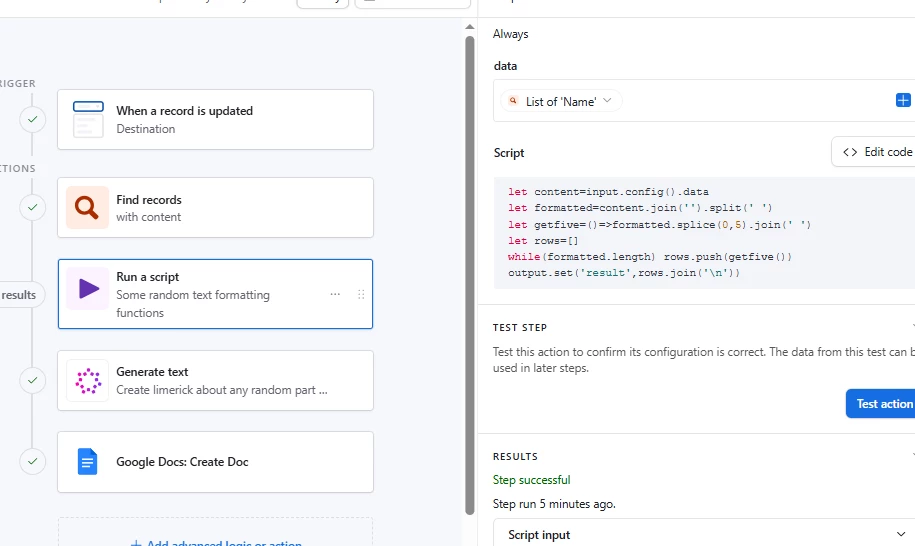
Could you provide the code that’s giving you the error?  I take it you’re running it in a ‘Run Script’ automation action and hitting the 302 there?

---

I take it the Google Docs automation action isn’t suited for your needs?

You’ve probably already considered it, but as a paid option I think DocsAutomator also has the ability to create a Google Doc for you based on your template in addition to creating the PDF


ScottWorld
Forum|alt.badge.img+35
  • Genius
  • February 12, 2026

Ah yes, I totally forgot to mention that DocsAutomator is another fine option for generating Google Docs.

- ScottWorld, Expert Airtable Consultant


Forum|alt.badge.img
  • Author
  • New Participant
  • February 13, 2026

Thanks all! I finally figured it out with with the help of gemini and claude. I changed the script to a “Get” and that got around the 302 errors. The formatting that I wanted was going to be complicated to achieve in DocAutomator. In the end the scripts got me just the formatting I wanted after a lot of trial and error.