Question

Getting intermittent "Automation Failed" notices but actions have been completed

  • August 31, 2026
  • 6 replies
  • 14 views

Forum|alt.badge.img+7

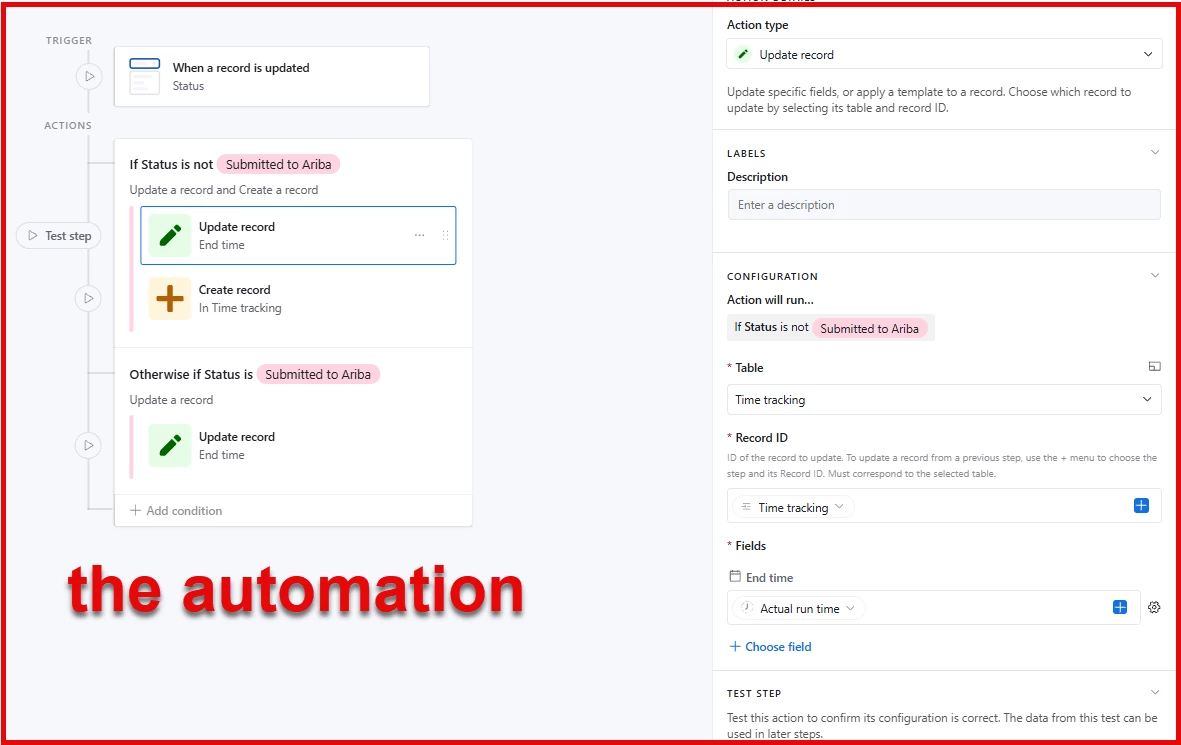
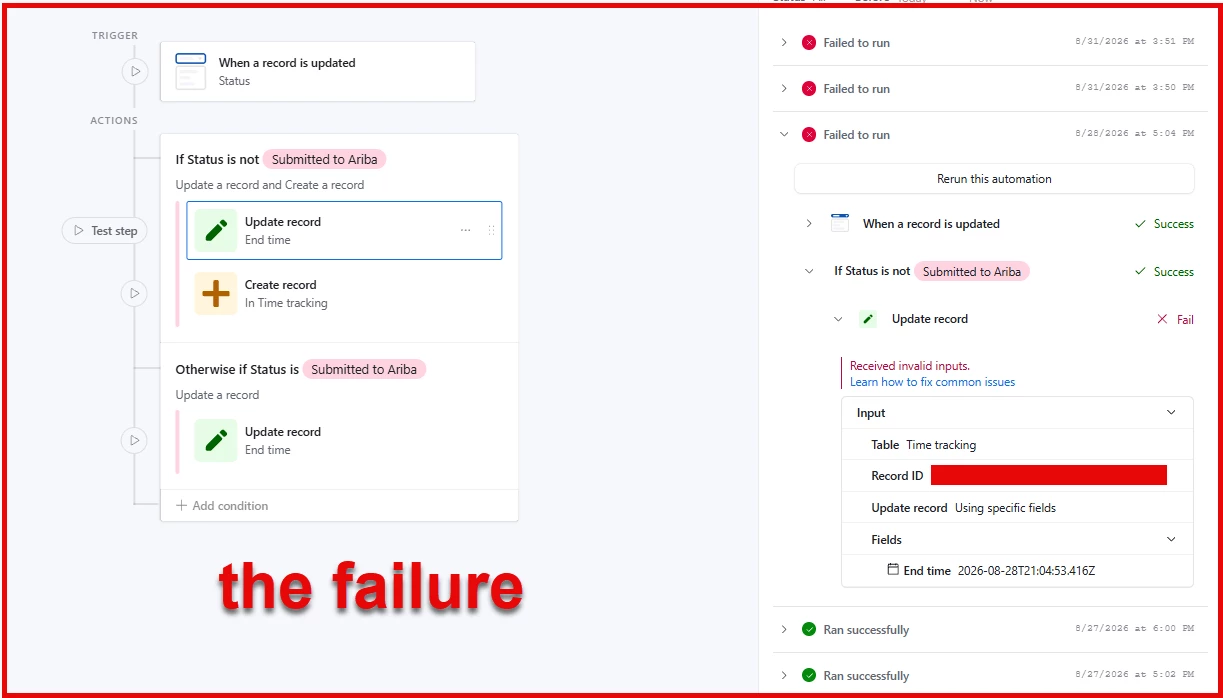
I have a base with a few tables, and an automation set so that when the status of a record on the Tasks table is updated, the linked record on the Time Tracking table is also updated. I’ve been getting intermittent ‘Your automation has failed’ notifications but all of the expected updates on the Time Tracking table are present. History log only ever says “Received invalid inputs”. 

I’m not sure how to even figure out what the problem is.

6 replies

DisraeliGears01
Forum|alt.badge.img+22

Hmm, well when diagnosing problems it’s usually helpful to have a couple screenshots of the automation and the errors, so if you want specific advice we’d probably need that. With that being said, couple of thoughts…

  • Could this instead be done with a Lookup field instead of an automation?
  • What exactly is the trigger? Is it watching all changes to the status field or is it looking for a specific status? 
  • Do you have multiple Tasks or multiple Time Tracking linked or is it strictly 1-1?
    • Guessing pretty blindly, my initial thought is that you have multiple recordIDs being delivered somewhere in the automation, but your action isn’t set up to handle multiple records being delivered (your update action needs to be in a repeating group for instance).

anthonyXRay
Forum|alt.badge.img+6
  • Participating Frequently
  • August 31, 2026

What you are most likely encountering is a race condition, especially because of the intermittent failures.  The automation fires but a field that it depends on, usually the link itself or a lookup or rollup field that pulls from the linked record hasn’t fully settled when the automation tries to reference it.  Rollups and lookups are one of the field types that can have a longer lag behind their source changing.  Try to add a short delay step before the update action and double check whether any field the automation reads is a lookup/rollup rather than a direct field.  That is usually what causes the “invalid inputs” that only show up sometimes.


Forum|alt.badge.img+7
  • Author
  • Inspiring
  • August 31, 2026

@DisraeliGears01 
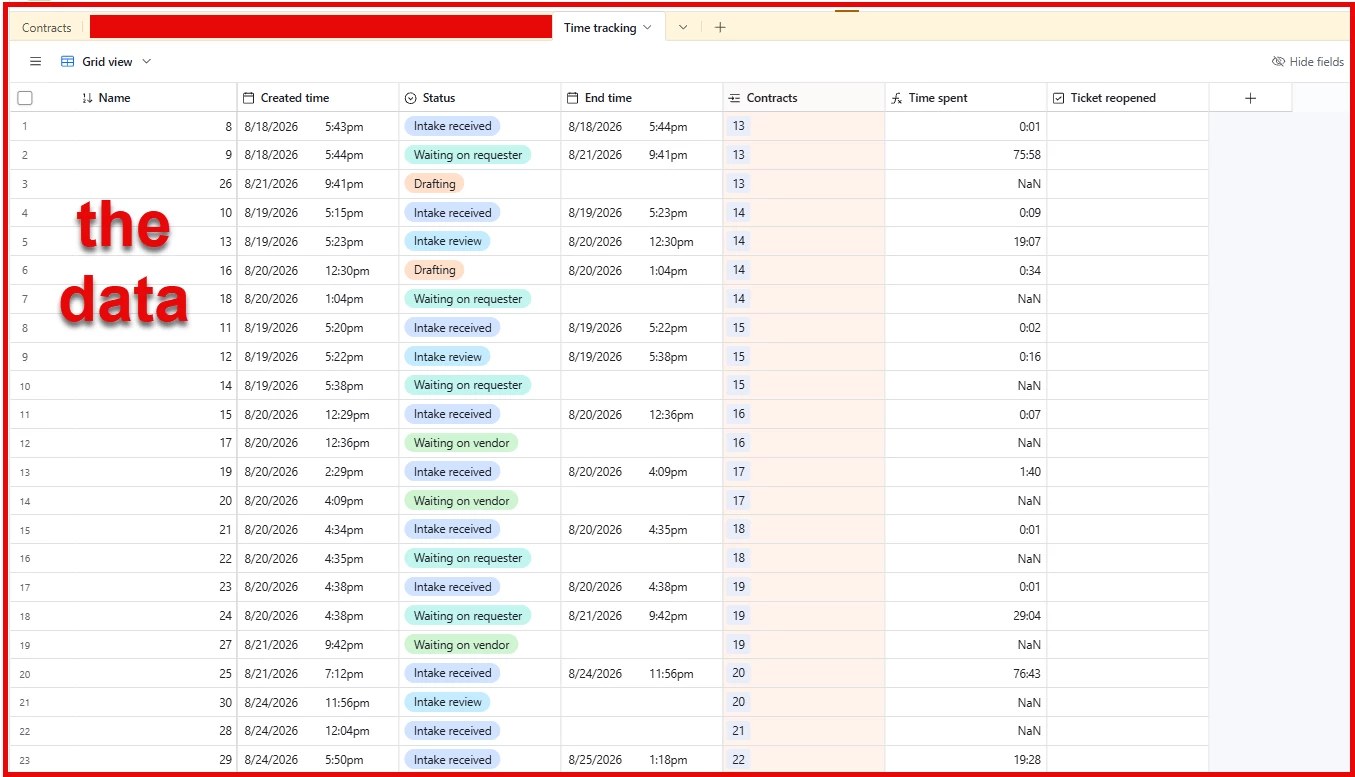
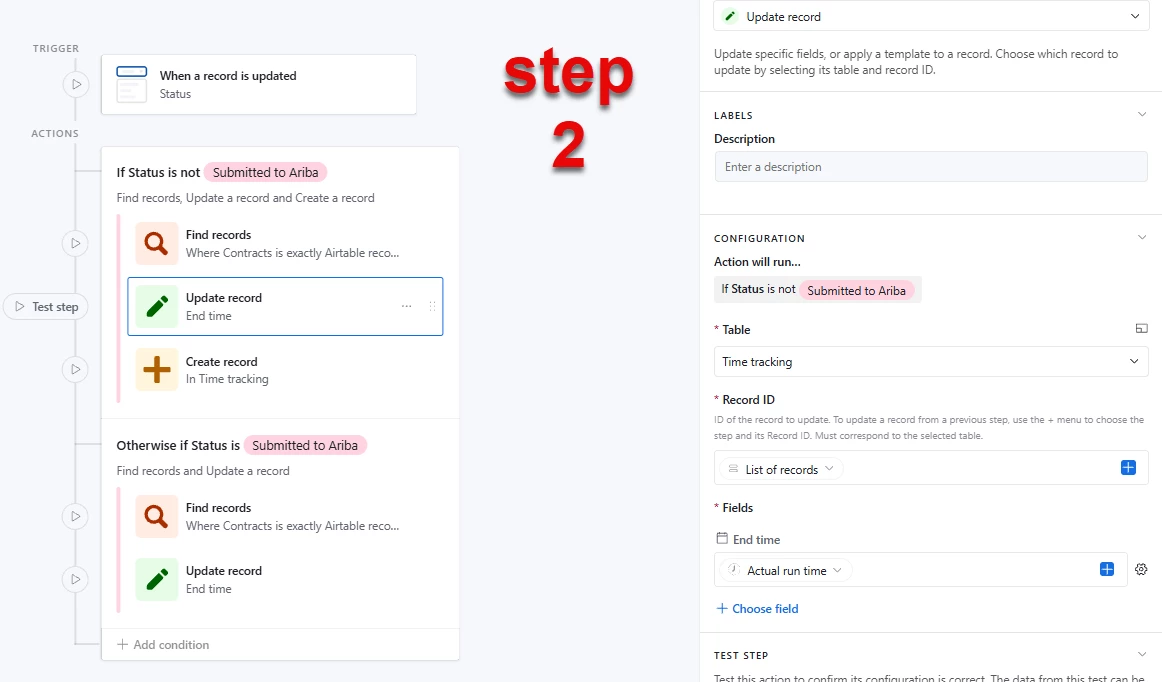
The base is tracking Contract requests - the Contracts table is the main Work ticket and I have a first automation set to create a linked record on the Time Tracking table whenever a new Contract ticket is created. The next (troublesome) automation is set up to create a time stamp every time the status of the Contract ticket changes, and then create a new linked record. Each record on Time Tracking is only linked to one Contract, and only tracks one Status from start to finish. “Submitted to Ariba” is the final step in the process, so no new Time Tracking records are created after that. (I also have a button for reopening a ticket.)

 There’s very possibly a simpler or more elegant way to accomplish this, and I’d be happy to hear any advice. 


Forum|alt.badge.img+7
  • Author
  • Inspiring
  • August 31, 2026

@anthonyXRay  I’m not sure if this would be a race condition, as I’m working with a linked record but not pulling any data from it - I’m just recording a time stamp. I’ve posted screenshots above.


TheTimeSavingCo
Forum|alt.badge.img+32

Hmm, are these failures mostly for Contract records that were just created?   I’m wondering if what’s happening is:

  1. Contract gets created
  2. Automation to create the first Time Tracking record gets created
  3. Contract Status gets updated while step 2 is still running
  4. Automation to update the Time Tracking record runs and errors because Airtable is still creating the first Time Tracking record

In the failure screenshot, there’s a correct Time Tracking record ID in there I assume?  Any chance you could duplicate your base with no records in it and share it?


anthonyXRay
Forum|alt.badge.img+6
  • Participating Frequently
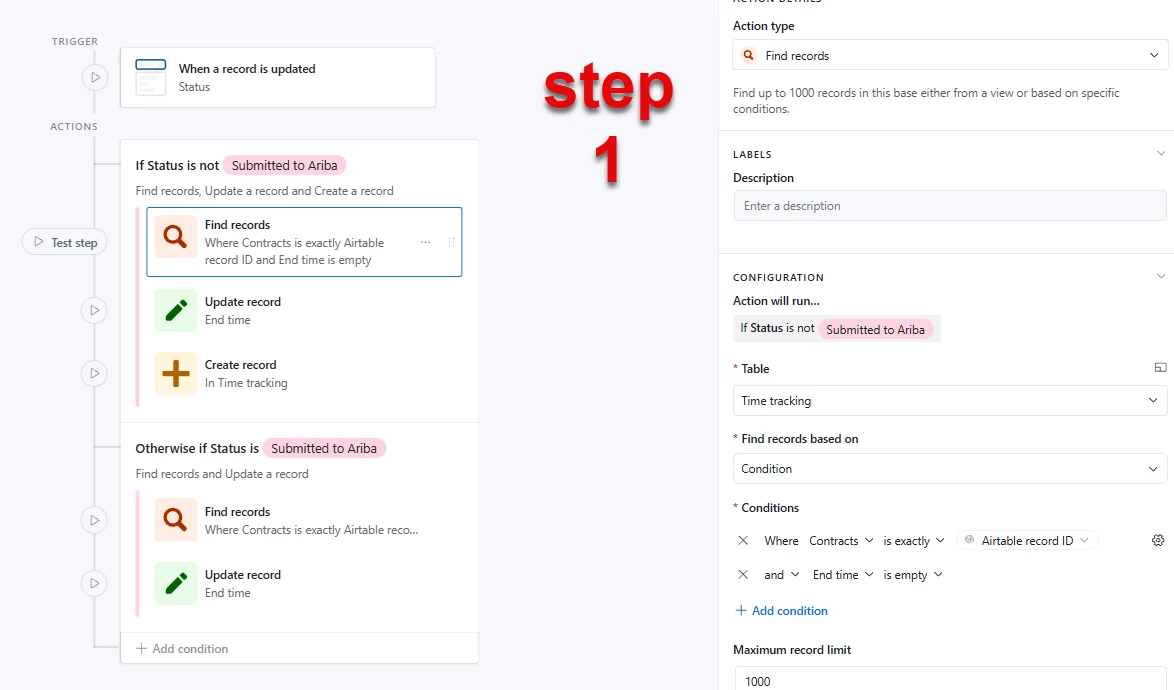
  • September 1, 2026

You are correct, it does not look like issue is with the End time value itself.  Look at the “Record ID” field in the Update record action it is not a literal ID, it has to be pulled from somewhere, likely a lookup on the Contract’s linked Time tracking field.  In your Time tracking table, each contract has multiple linked records.  As you can see contract 13 has 3 while contract 14 has 4.  A lookup through a link field always returns an array even when you only want the most recent one.  When a contract has just one linked Time tracking record, the lookup resolves to a single ID and works fine.  Once a second or third linked record gets created, that same lookup ends up returning multiple IDs, and “Update record” cannot use an array as a single Record ID, hence the “invalid inputs”. Kind of explains why you are seeing something intermittent and only later in a contract’s lifecycle.  What is actually feeding that Record ID field?