


I’m running into an issue where the hyperlink is not being created in an automated email that includes a link to an Airtable form that includes prefilled fields using Markdown. I have hyperlinks in almost all my automated emails, which is a lot, and all the others seem to work fine, except for these ones that include pre-filled fields.
Example of a link with prefilled fields that is not producing a hyperlink
[Home Assessment Scheduling Form](https://airtable.com/appi09WiT6MFsy9zo/pagYdHzqnzsTRVhmn/form?prefill_Efficiency Arizona Applicant Name={Applicant}&prefill_Your Email Address={Applicant Email}&prefill_Street Address={Full Address}&prefill_Project Number Form Submission={Project #}&hide_Project Number Form Submission=true)
I thought maybe it had to do with spaces, but I’ve tested it with underscore, no spaces, and even found something saying using a + or %20 between words, but none of those produced just the hyperlink, they all showed the full string like above. Here’s an example of another one that I tried removing the spaces in the field name and you can see in the nest section a regular hyperlink that works just fine.
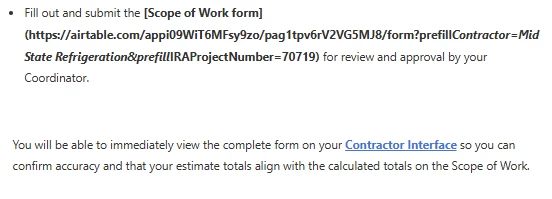
When I use the URL address it works as intended and fills in the fields correctly, so I know the address is correct. I feel like I’m missing something simple and would appreciate any assistance.


