Question

Post-Repeating Action in Automation

  • September 24, 2026
  • 5 replies
  • 25 views

e2laurel
Forum|alt.badge.img+9

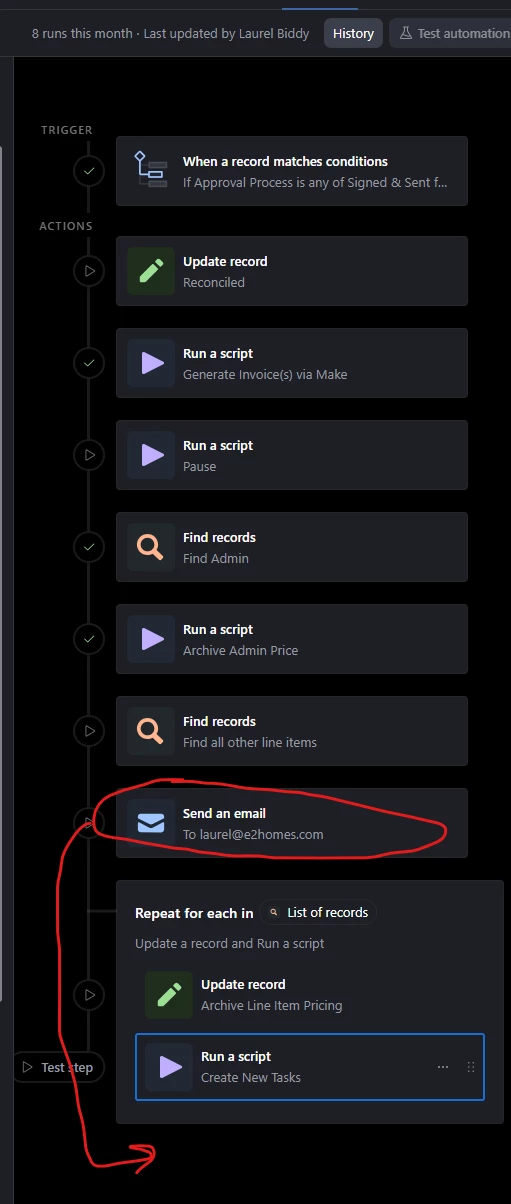
I’d like to add an action at the very end of my automation that sends me an email once the repeated action block is done running. Is there a workaround way to do this?

 

5 replies

TheTimeSavingCo
Forum|alt.badge.img+32

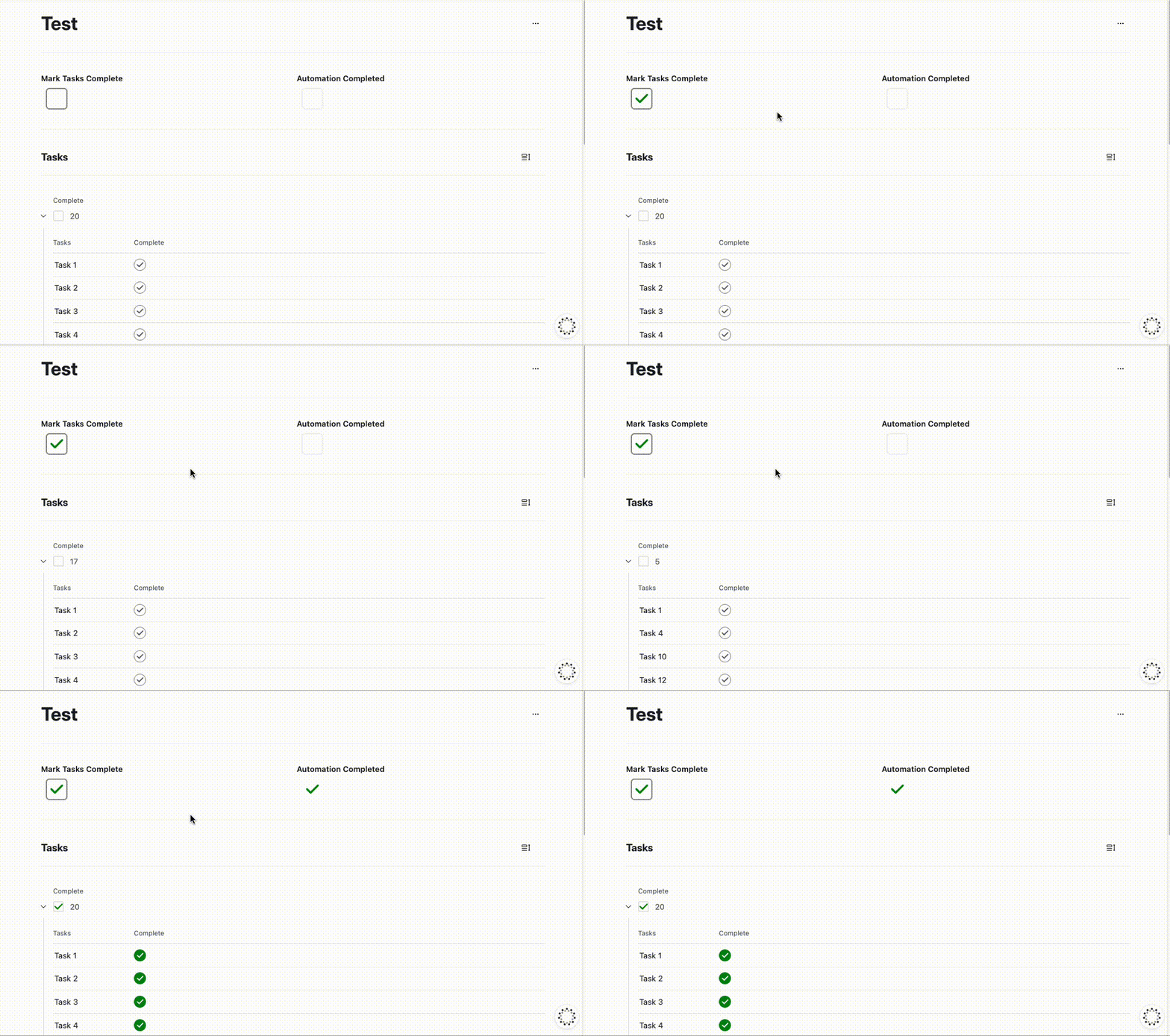
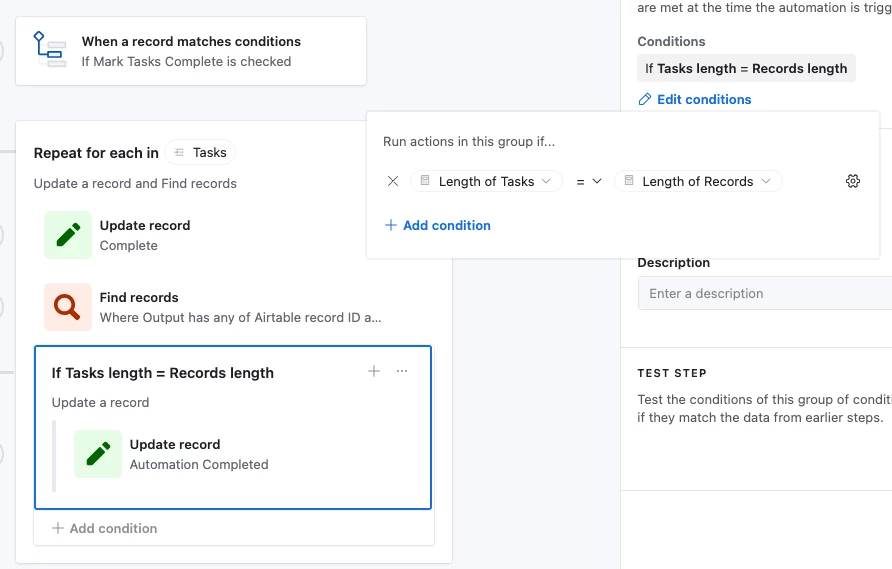
Try adding a ‘Find Record’ step to get the records that should meet the new updated criteria, and then use a conditional step to check if they match?  I’ve set it up here for you to check out!

And here’s how the automation looks:


e2laurel
Forum|alt.badge.img+9
  • Author
  • Known Participant
  • September 24, 2026

​@TheTimeSavingCo 

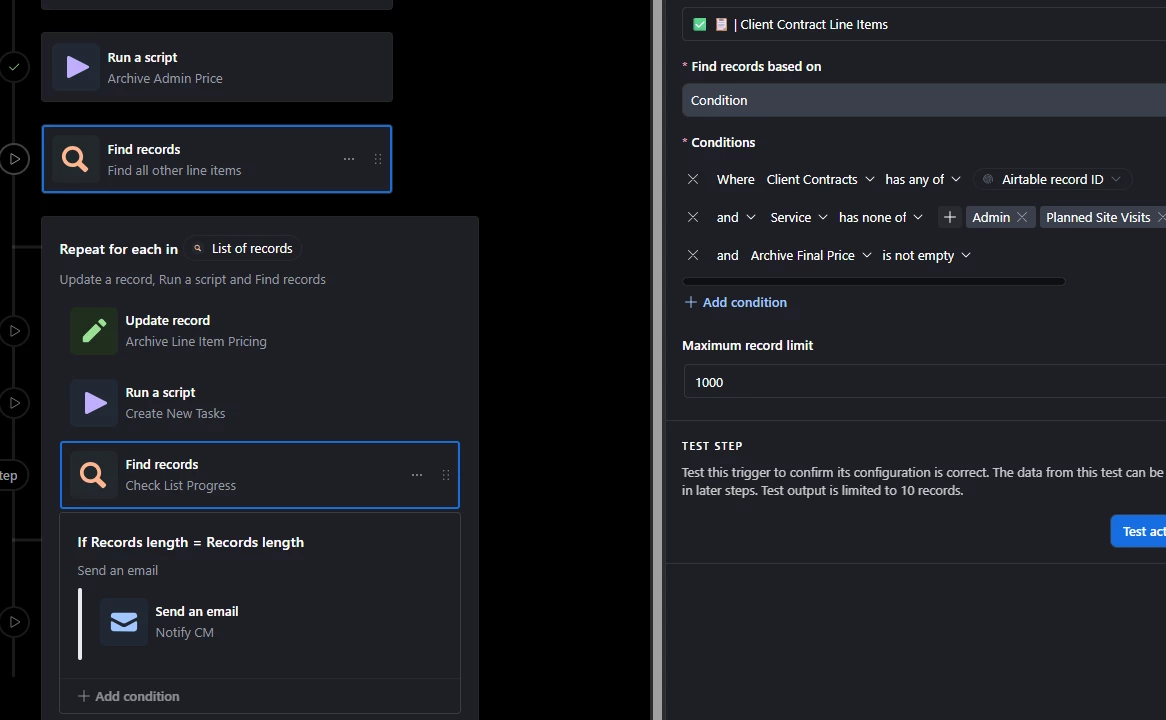
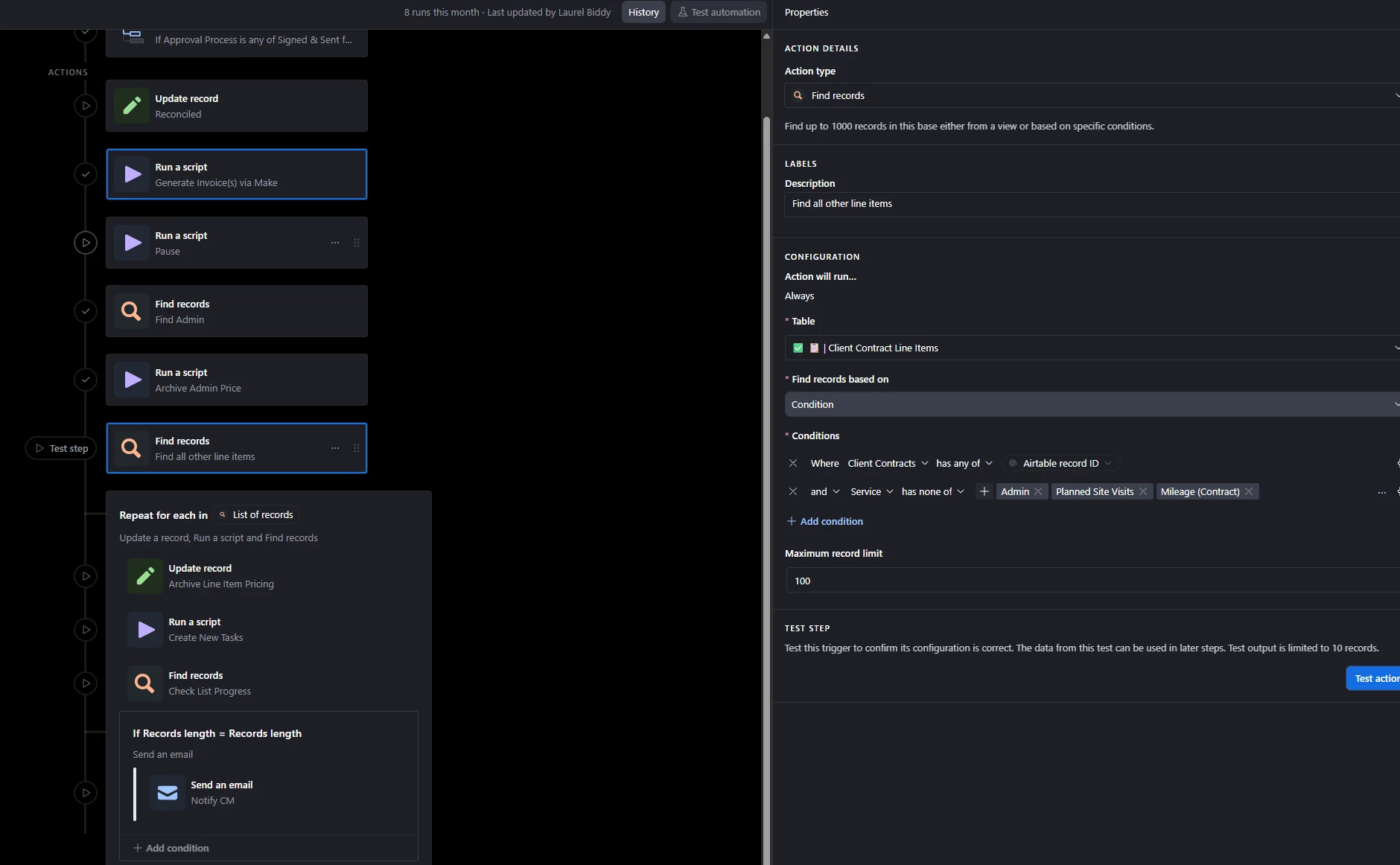
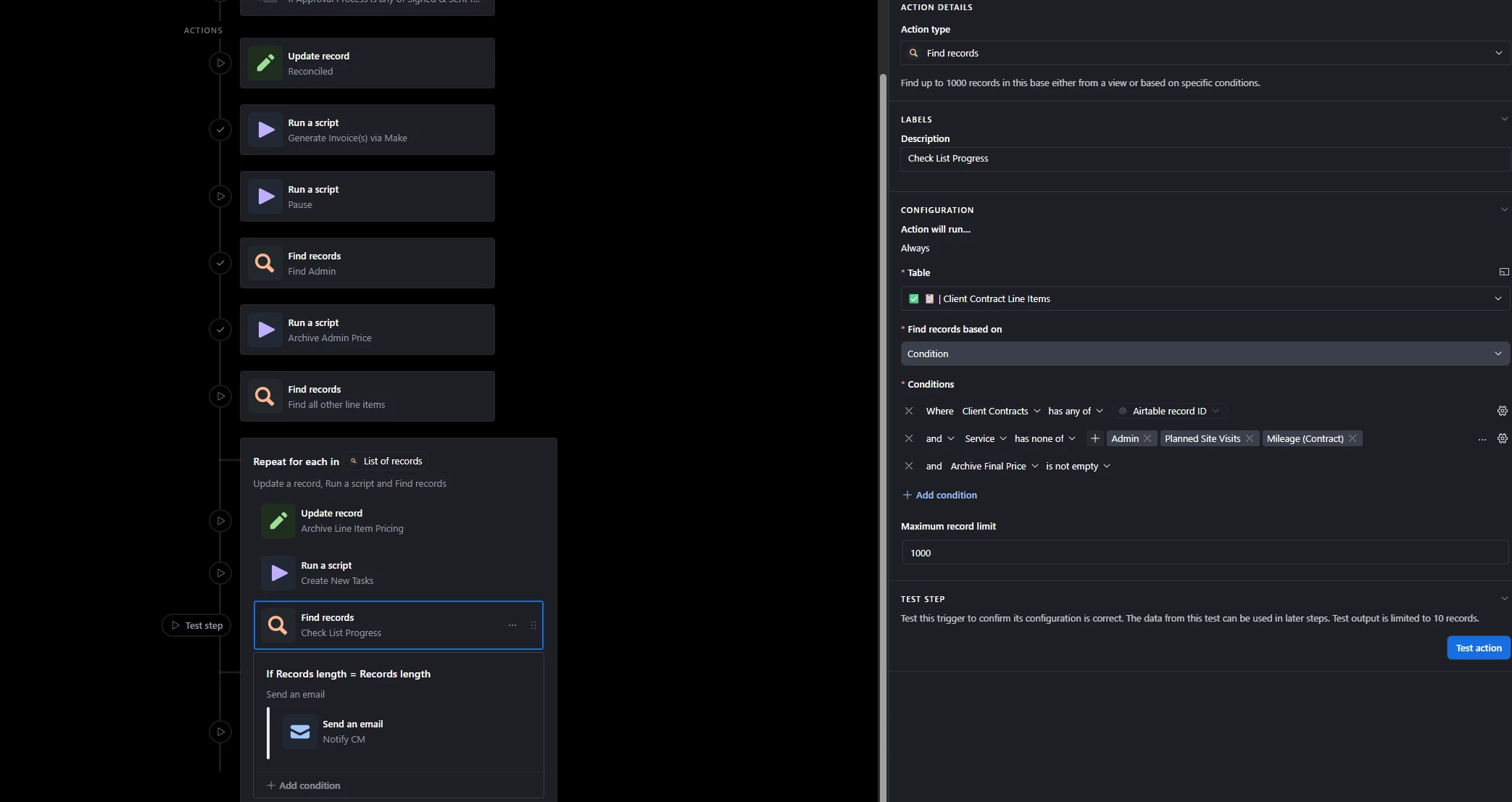
Hello, I gave this a try but it seems like it’s finding all the records in the list immediately (resulting in several emails going out). It should go sequentially, right? I cannot figure out why it’s seeing all records as “updated” at once. The conditions for the email are if length of “Find all other line items” matches length of “Check List Progress”


TheTimeSavingCo
Forum|alt.badge.img+32

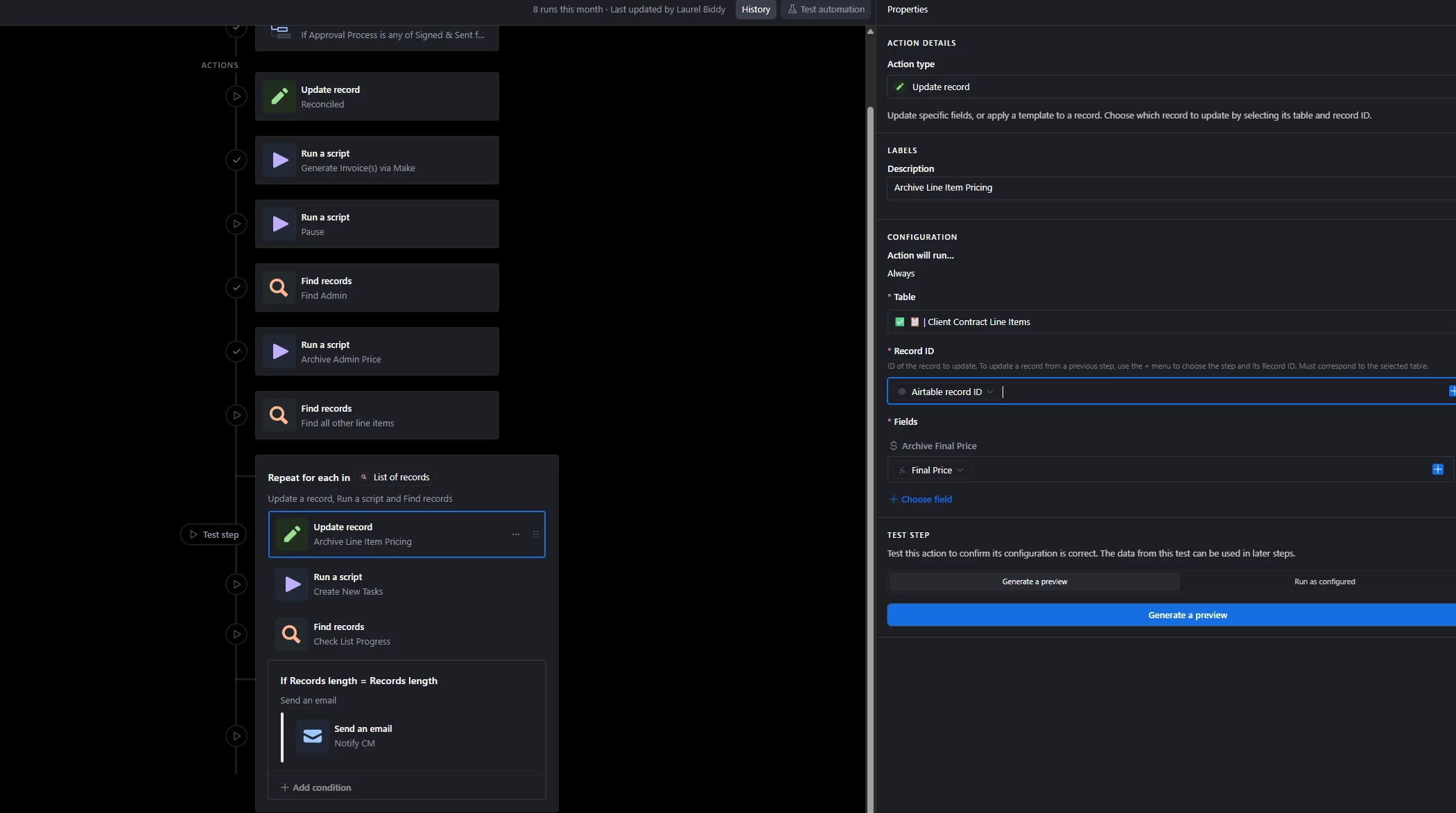
Hm, could you provide screenshots of the ‘Find Record’ and ‘Update Record’ steps?


e2laurel
Forum|alt.badge.img+9
  • Author
  • Known Participant
  • September 24, 2026

I’ve also confirmed that the “Archive Final Price” field is empty prior to the automation running ​@TheTimeSavingCo 


TheTimeSavingCo
Forum|alt.badge.img+32

Ah, so sorry!  This is because the repeating group is running in parallel and the checkbox looks like it’s working because after it gets ticked it stays like that, it can’t get more ticked, does that make sense?

To solve this perhaps you could update the automation to mark a checkbox once the tasks are complete, and have another automation trigger off of that checkbox instead?