Background:
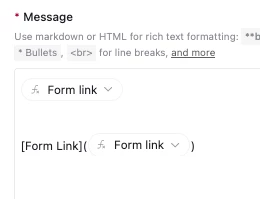
I’m keeping records of applicants in my Airtable base. I wanted the applicants to be able to review the information I entered into Airtable and make any changes to them if needed. I already created the form and a separate table to do so, and I created a link (in a formula field) to their own pre-filled form using the Airtable extension. I also already created the automation to update any changes made with their pre-filled form. All of that works great but only when you click or copy and paste directly from the link in the Airtable formula field.
Problem:
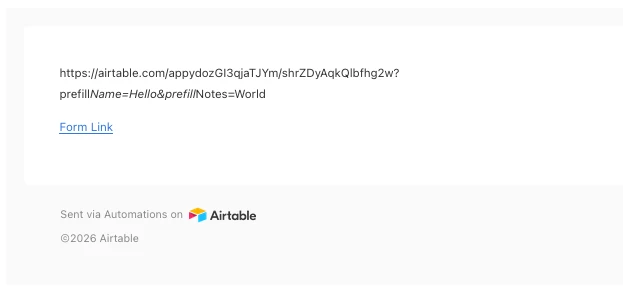
I wanted to set up an automation that would send an email based on a trigger field to these applicants with their pre-filled form and confirm their info. I tested it out with a fake applicant record but the link in the email is not showing any of the pre-filled fields when you copy and paste (for some reason its also not showing the link fully underlined). I’ve attached a photo of what the pre-filled formula looks like in the test email.
I’ve tried a couple of different things but I’m not sure what I’m missing or not seeing. I’m hoping another set of eyes can help!