Question

Predecessors

  • June 2, 2026
  • 2 replies
  • 16 views

Forum|alt.badge.img

I am trying to make a template schedule with predecessors (which I have) then use automations to generate a schedule for each new customer that gets entered. I can get it to copy over tasks, but the automation seems unable to generate them with predecessors.

I realize I could just copy the full template table, but ideally all customers would be in 1 table (with groupings) since we use the same team to support multiple clients and I need to be able to see when someone is allocated somewhere else. 

Right now what we’ve done is add a table just for the clients. Then there is a trigger link there to say that they are starting their project. The Action takes a “find records” and pulls the tasks from the template file. Then I have a repeat for each in list of records, create record and I’ve copied most of the columns down. But when I try to add predecessor it doesn’t like that.


2 replies

TheTimeSavingCo
Forum|alt.badge.img+32

I’d suggest trying to use Record Templates instead if possible, would make the predecessor creation much simpler! https://support.airtable.com/docs/using-record-templates-in-airtable

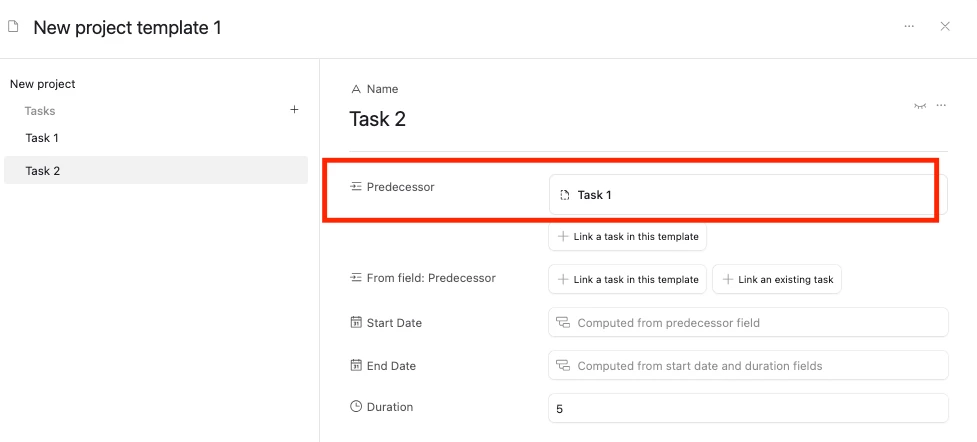
We set it up within the template itself:

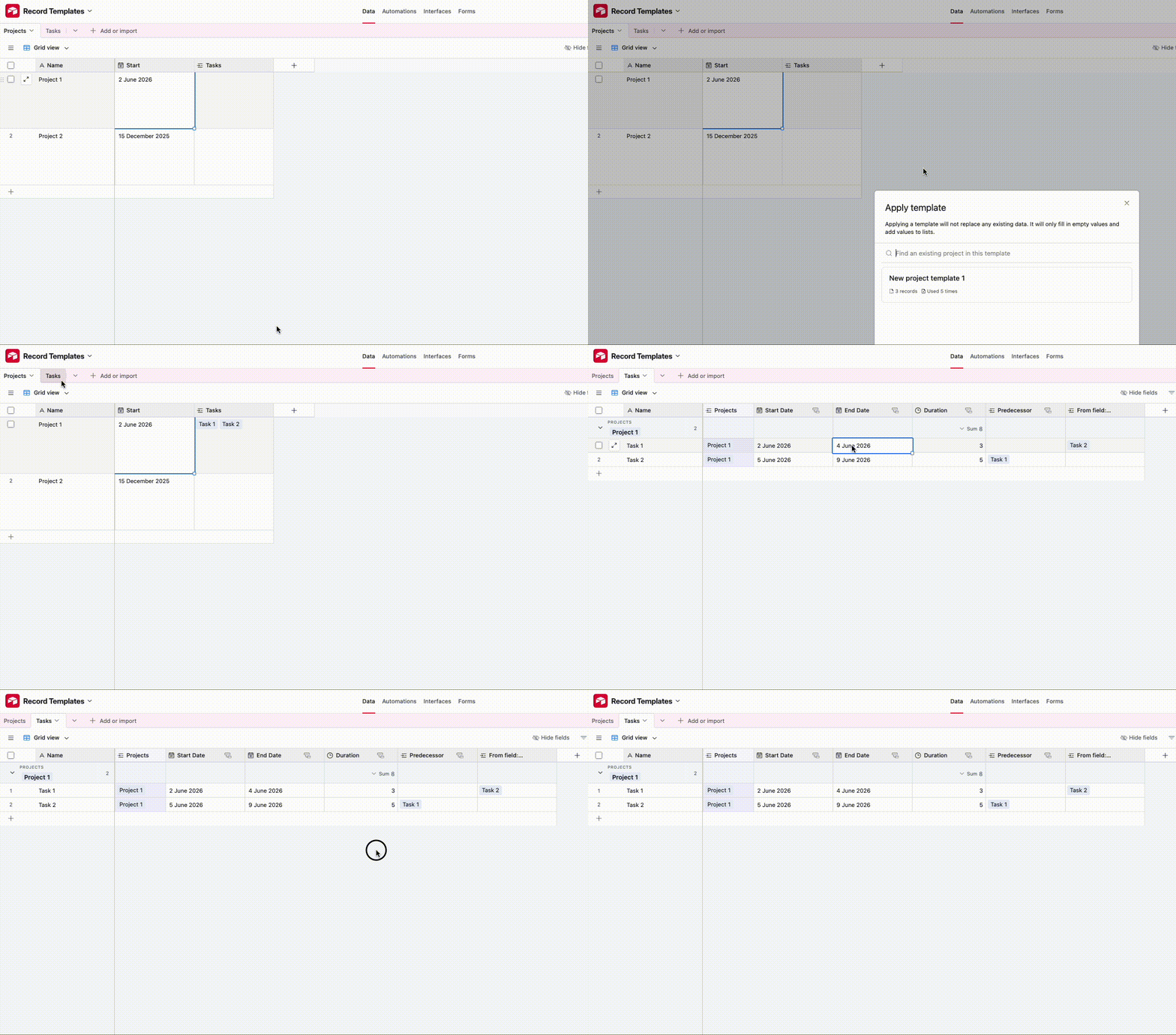
And when applying the template (either by right clicking or via an automation), it gets created for us automatically:


Setting this up with automations alone is doable, but also going to be pretty difficult.  The main problem we have to solve is that we need to link the newly created Task records to each other as predecessors, and so we’d need to:

  1. Full create all the Task records
  2. For each of these Task records, find its predecessor from the newly created list and link them

And so to handle this I think we’d need:

  1. A helper table that groups each set of Tasks that are being created so that we can look in this group for their predecessor
  2. A second automation that will trigger when the Tasks all get created from the first automation
    1. We can’t add this functionality into the first automation as Repeating Groups run in parallel, and so there’s no way to be sure that Task 1 is created before Task 2, and so there’s no way to link them, does that make sense?

You could also try doing it via a Script too, but Record Templates would really be the most straightforward way to get this done I think!


VikasVimal
Forum|alt.badge.img+12
  • Inspiring
  • June 3, 2026

Please use scripts.
Set it to use two passes: one to read the template table and create records in the destination table, then link the predecessors in the same order as the template. Should be straightforward for chatgpt.