Question

Slack Formatting when Inserting List of Records

  • September 3, 2026
  • 6 replies
  • 147 views

Forum|alt.badge.img+1

I have an automation set up to send weekly summaries across all workstreams in a project. I have the Workstream and Weekly Summary as fields. I’m currently inserting them as a List but then it doesn’t really allow me to format the content in the List - only the text I add before/after the List. Is there a way for me to insert the data I want and format it for slack?

6 replies

TheTimeSavingCo
Forum|alt.badge.img+32

Hm, could you provide some examples of some formatting you’d want to add in?

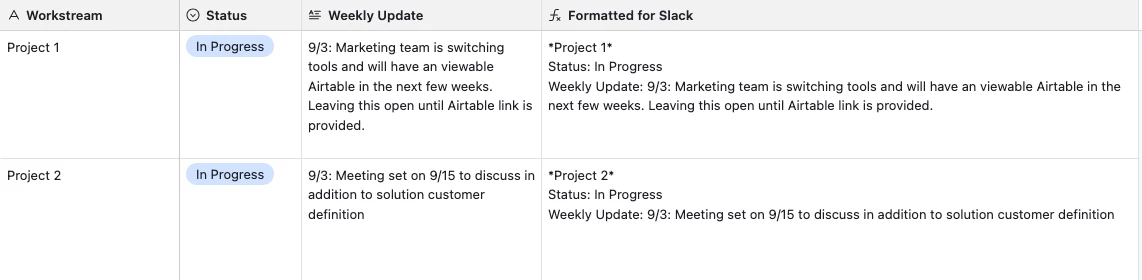
I think the closest we could get is using a formula field to format the text for us, which lets us use some basic markdown as well:


Forum|alt.badge.img+1
  • Author
  • New Participant
  • September 4, 2026

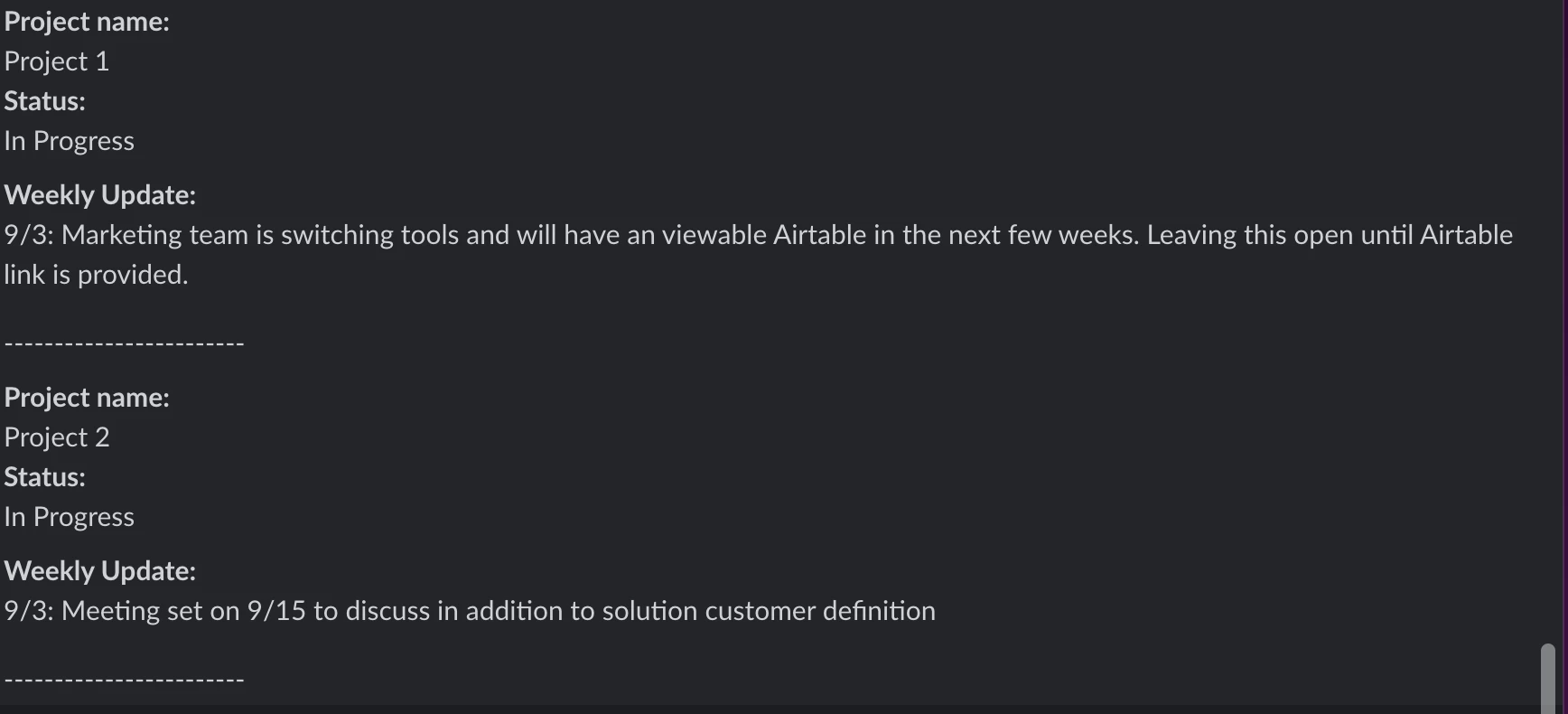
​@TheTimeSavingCo Ah I see, that’s a good workaround. I wanted to bold some headers, remove spacing and the “----” in between each Workstream. Condensing it is the biggest thing as it posts a very long slack message with a small amount of text and gratuitous spacing.


ScottWorld
Forum|alt.badge.img+35

​@ashen

Sounds like your issue is resolved, but if you’re still in need of significantly more advanced Slack formatting (or significantly more control over Slack), you can always turn to Make’s Slack automations in conjunction with Make’s Airtable automations.

The sky is the limit with Make. If you’ve never used Make before, I’ve assembled a bunch of Make training resources in this thread. For example, here is one of the many different ways that you can instantly trigger a Make automation from Airtable. You can even instantly trigger a Make automation by having a button or URL link trigger a custom webhook (with optional webhook response).

Hope this helps!

If you’d like to hire the best Airtable consultant to help you with anything Airtable-related, please feel free to contact me through my website: Airtable consultant — ScottWorld


TheTimeSavingCo
Forum|alt.badge.img+32

Hm, any chance you could provide a screenshot of the data setup, and another screenshot for the spacing and ‘---’ bit between each Workstream in the message?  No worries if you’ve already solved your problem tho!


Forum|alt.badge.img+1
  • Author
  • New Participant
  • September 8, 2026

​@TheTimeSavingCo here’s an example!


TheTimeSavingCo
Forum|alt.badge.img+32

Thanks!  Hmm I don’t think we can do anything about the ‘---’ stuff, that’s probably Airtable’s way of separating the records in the List.  For the spacing thing, maybe we could combine it into a single formula like so?

"*" & {Workstream} & "*" & 
"\nStatus: " & Status &
"\nWeekly Update: " & {Weekly Update}