Question

Triggering webhooks

  • January 8, 2026
  • 5 replies
  • 69 views

Forum|alt.badge.img+1

I’ve spent hours on this and can’t figure it out. My goal is to simply click a button to trigger a N8N webhook trigger. Can anyone help me?

5 replies

TheTimeSavingCo
Forum|alt.badge.img+31

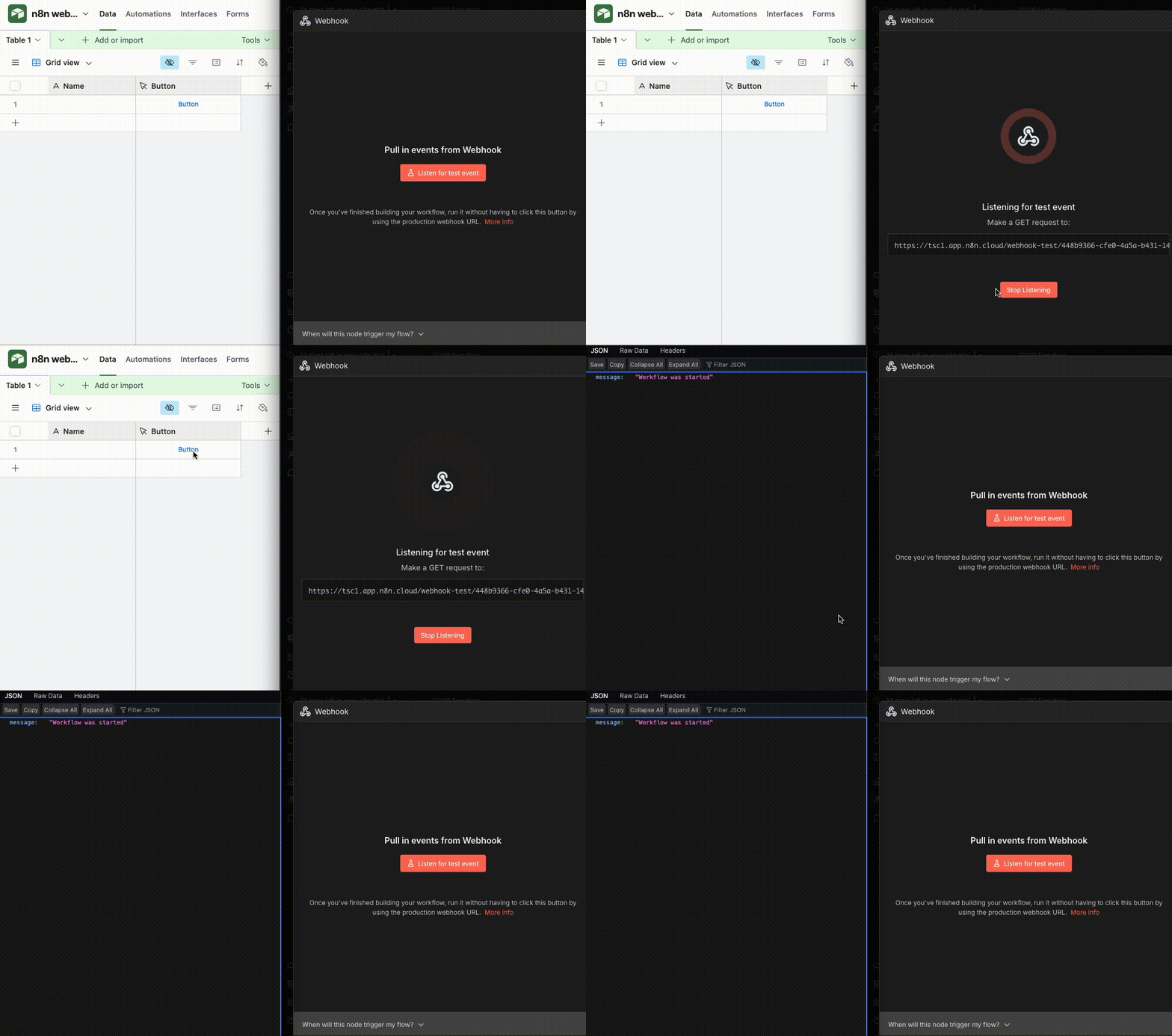
Hm, I set up a button field with the following formula:

'https://tsc1.app.n8n.cloud/webhook-test/448b9366-cfe0-4a5a-b431-1423c8064524' & 
'?r=' & RECORD_ID()

And on click, the webhook will receive the record ID of the record I clicked the button for.  Once you replace the URL with yours it should work fine?


Here it is working for a test:


Here’s the base I set it up in in case that’s useful.  I also created an automation version of it where, upon ticking a checkbox, a script runs that will hit the webhook for your reference as well!


Forum|alt.badge.img
  • New Participant
  • January 8, 2026

Hello!

To trigger an n8n webhook with a button, just call the webhook URL on click. For example, set up your webhook node in n8n, copy its URL, then in your page add a button whose click handler uses fetch (or even a simple link for GET) to send a request to that URL. Clicking the button will fire the request and start your workflow.


ScottWorld
Forum|alt.badge.img+35
  • Genius
  • January 8, 2026

The methods above will cause the user’s web browser to open another webpage with your webhook response.

If you want to keep the user within Airtable, you can use the scripting method that I outline in this post.

That post is written from the context of Make’s custom webhooks and Make’s custom webhook responses, but it’s the same process with n8n.

Hope this helps!

- ScottWorld, Best Airtable Consultant


Mike_AutomaticN
Forum|alt.badge.img+28

Brilliant post ​@ScottWorld!

For further context on n8n’s Webhook Response node you canch check their documentation here.

Mike, Consultant @ Automatic Nation 
YouTube Channel 


ScottWorld
Forum|alt.badge.img+35
  • Genius
  • January 8, 2026

Thank you, ​@Mike_AutomaticN! 😀