Update the previous record using automation - Help Needed

  • January 30, 2021
  • 4 replies
  • 24 views

Forum|alt.badge.img+12

Hello! I’ve created a simple way to track time with clients using two forms.

Basically using their mobile phone:

The agent will complete the ‘Start Time’ form to record their start time with a client. When they are done they will complete the ‘End Time’ form.

This creates two records as shown:
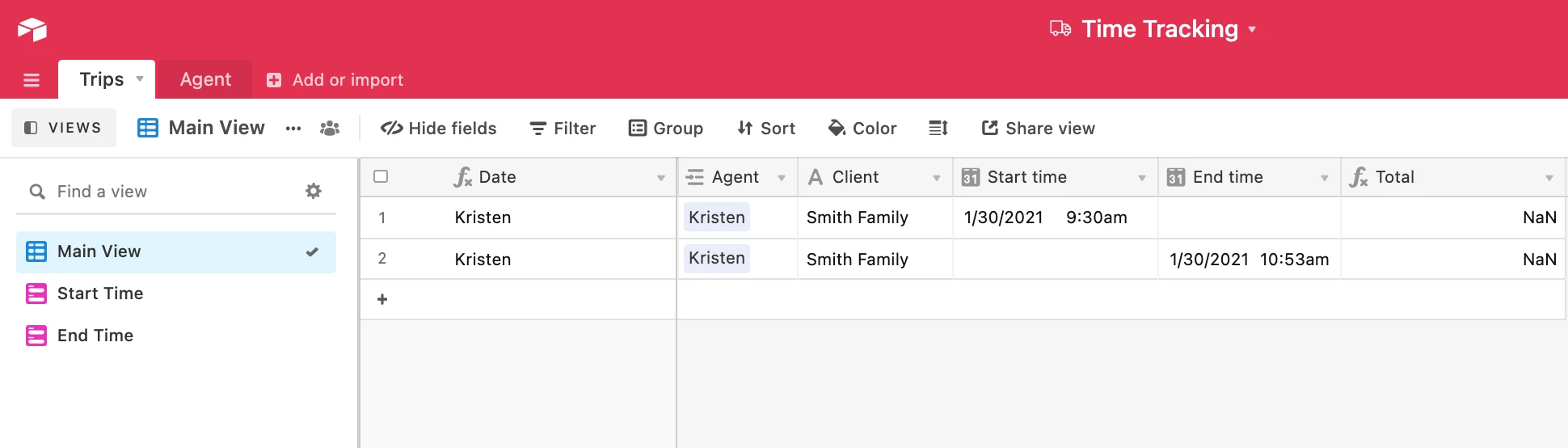
What I would like to automate is when the ‘End Time’ form is submitted I would like it to update the previous record with that end time. So it looks like this after the automation:
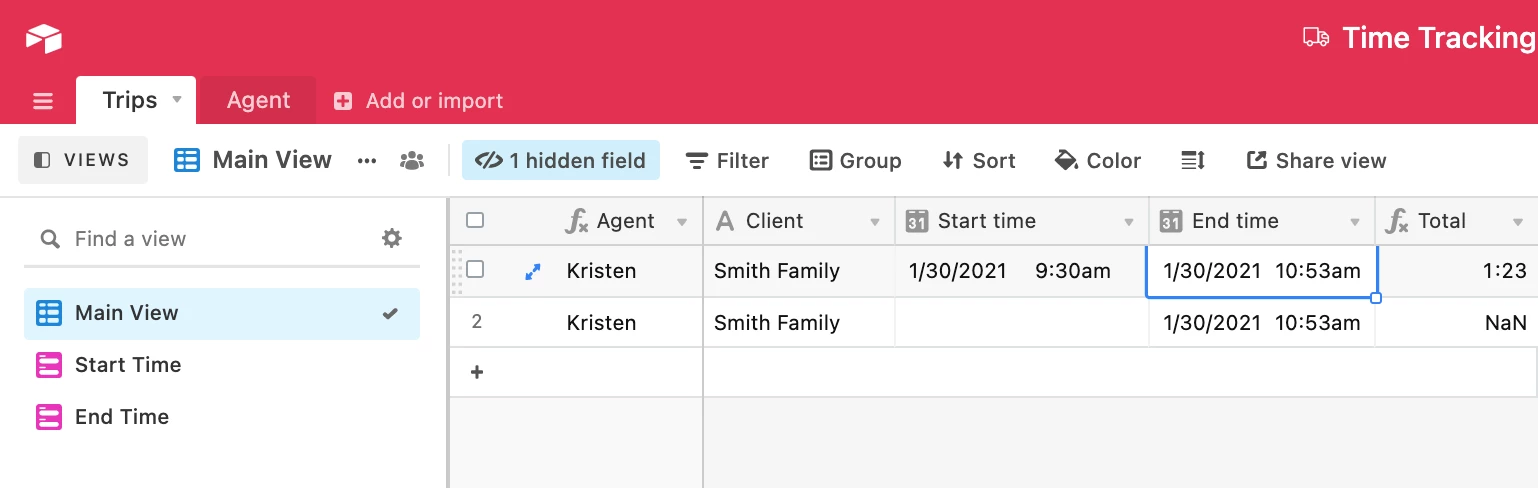
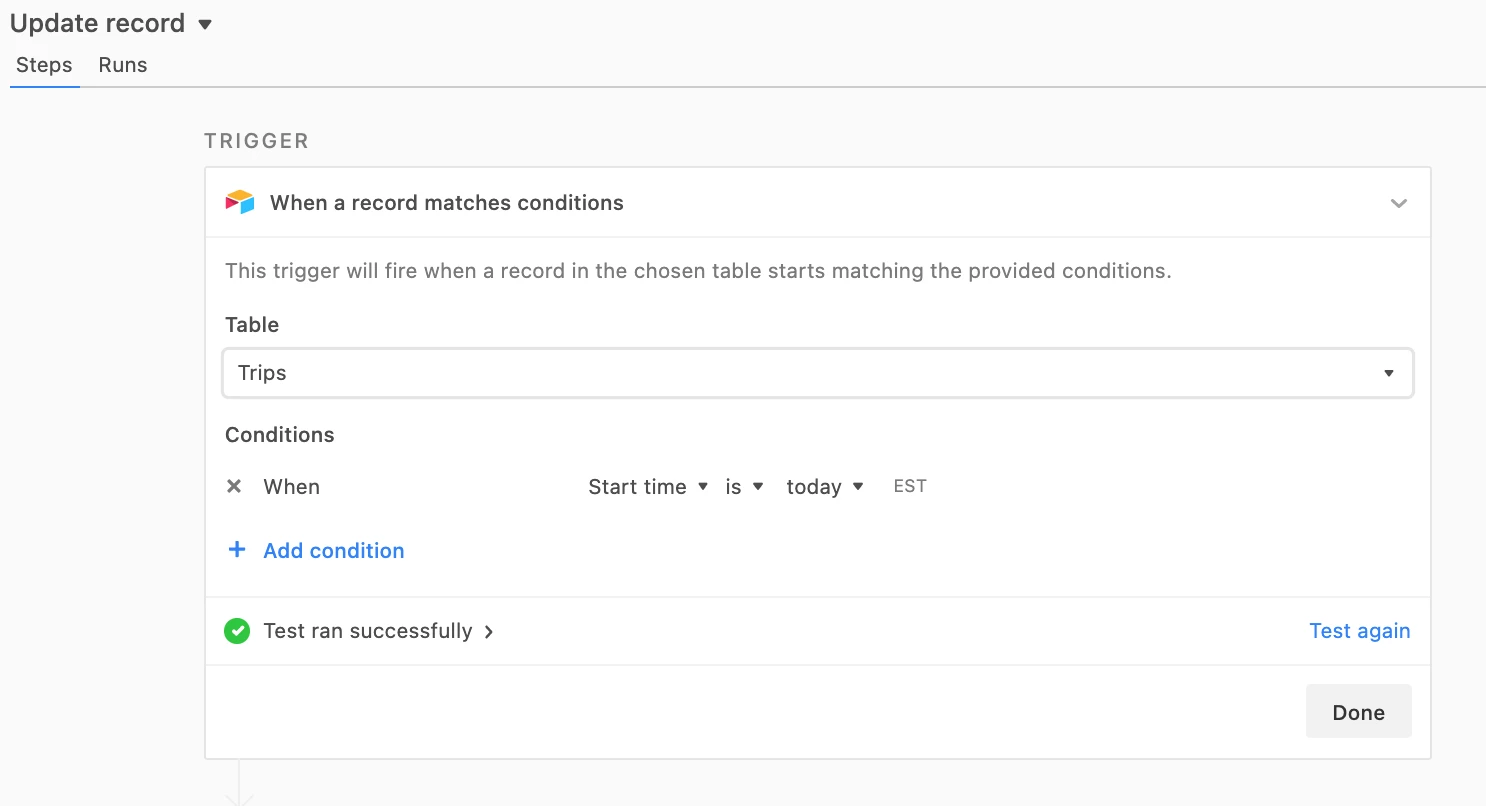
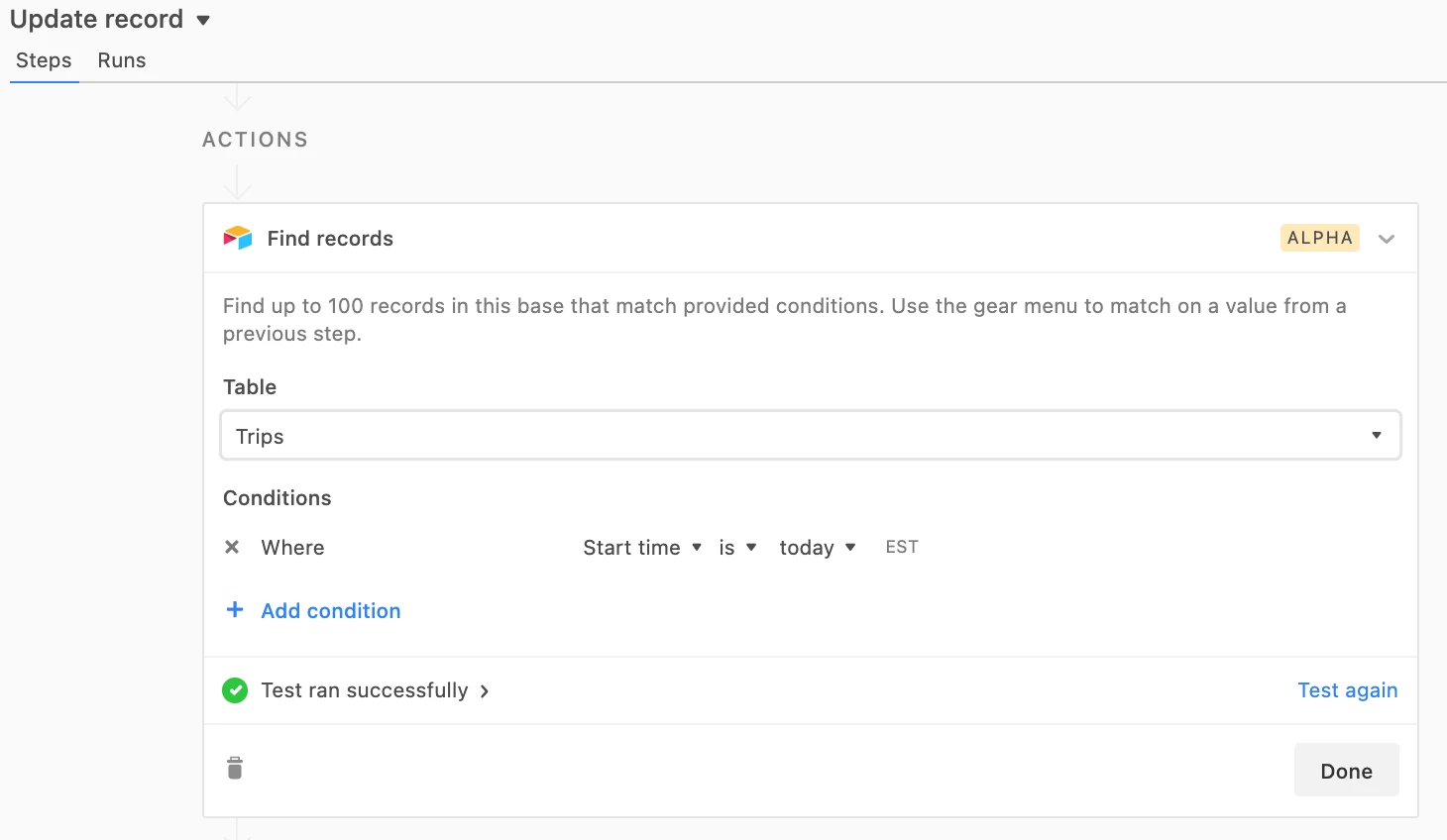
I’ve tried multiple triggers with actions but I can’t figure it out. :woozy_face:

I would be most grateful for any insights the Airtable Ninja’s could provide! :pray:

4 replies

ScottWorld
Forum|alt.badge.img+35
  • Genius
  • January 30, 2021

As of last week, automations now give you the ability to search for records, so you could search for the previous record and then update it.


Forum|alt.badge.img+12
  • Author
  • Inspiring
  • January 30, 2021

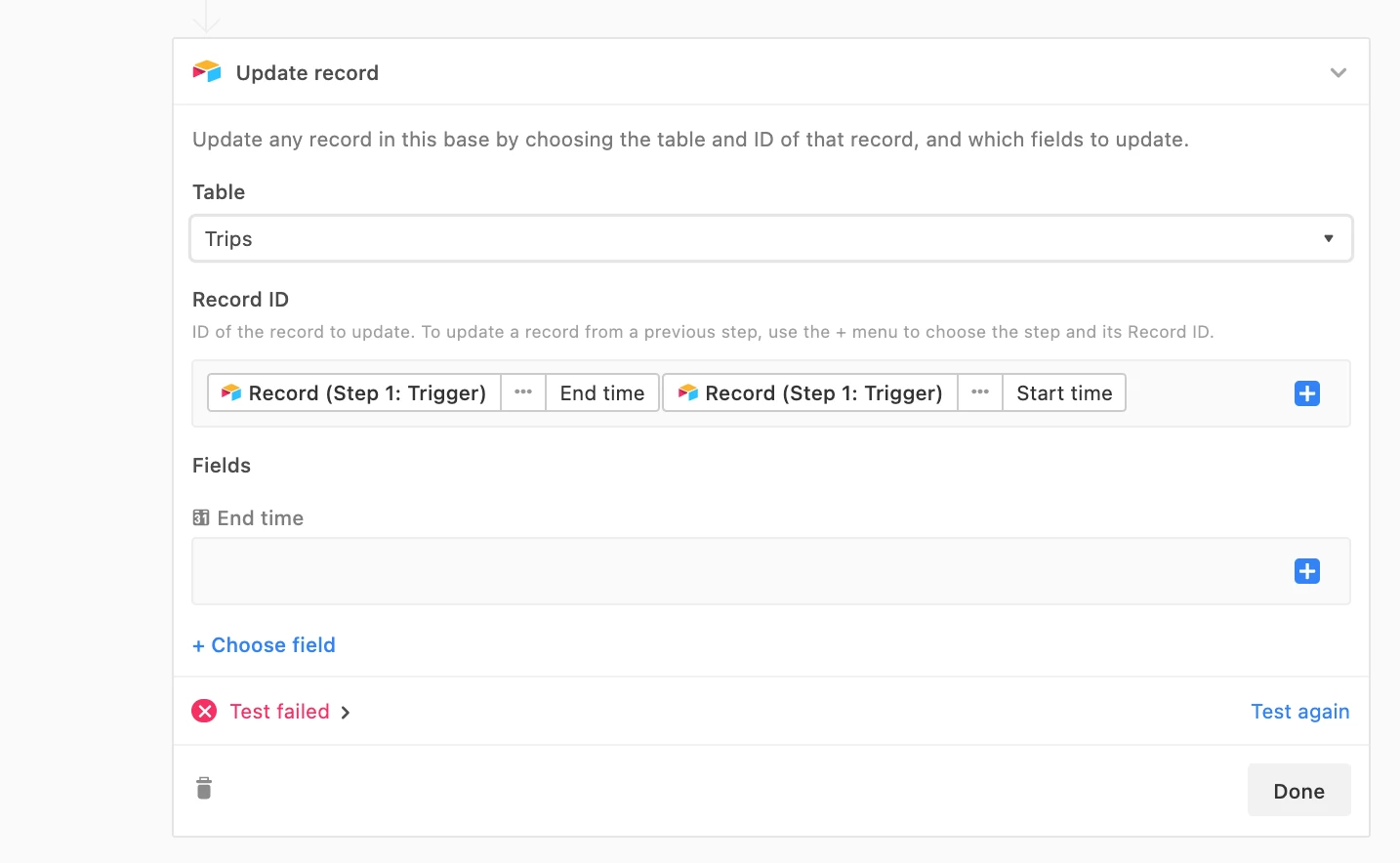
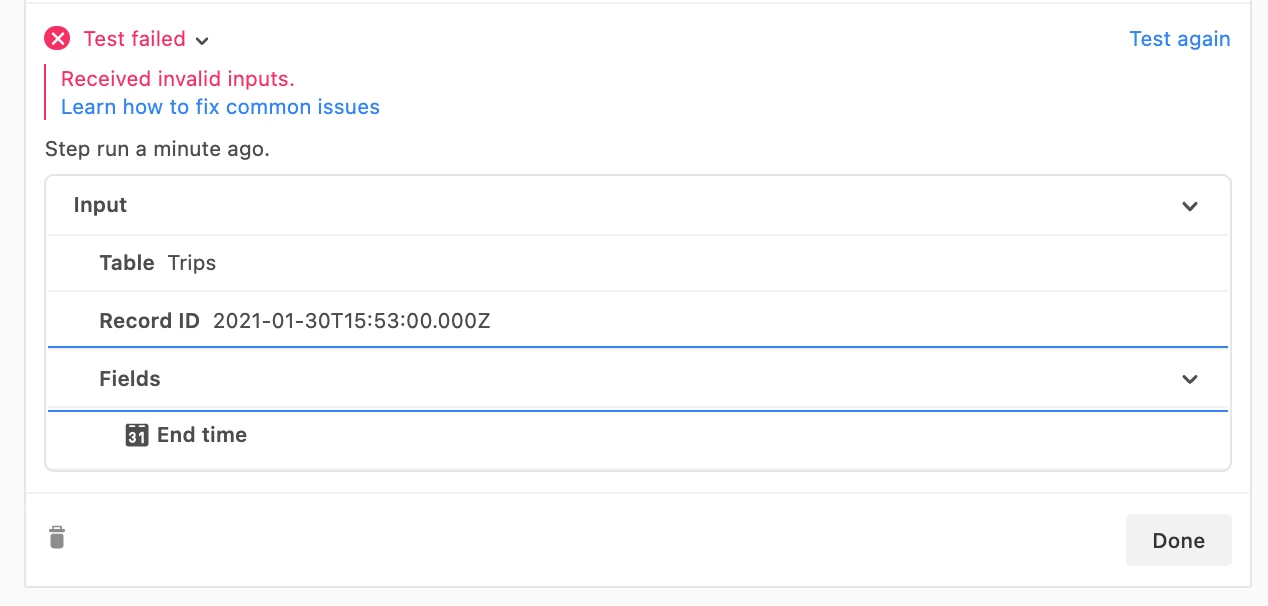
Thanks @ScottWorld - this is the very reason I’m trying the automation. But I’m doing something wrong…

I think I do not understand the logic of how to access the previous record correctly.


Forum|alt.badge.img+12
  • Author
  • Inspiring
  • January 30, 2021

Here is the base if anyone wants to troubleshoot with me.

Agent Time Tracking


ScottWorld
Forum|alt.badge.img+35
  • Genius
  • January 30, 2021

Thanks @ScottWorld - this is the very reason I’m trying the automation. But I’m doing something wrong…

I think I do not understand the logic of how to access the previous record correctly.


For your trigger, you’ll probably want to use “New Record”.

For the update record step, for the Record ID field, you need to choose the Record ID from Step 2.

I would highly recommend watching the Getting Started videos, so you can learn more about automations:

Here is a 1-hour training video on Automations as well: