Question

Use Find Records Maximum Limit

  • January 24, 2026
  • 4 replies
  • 33 views

Darryl_Oliver
Forum|alt.badge.img+8

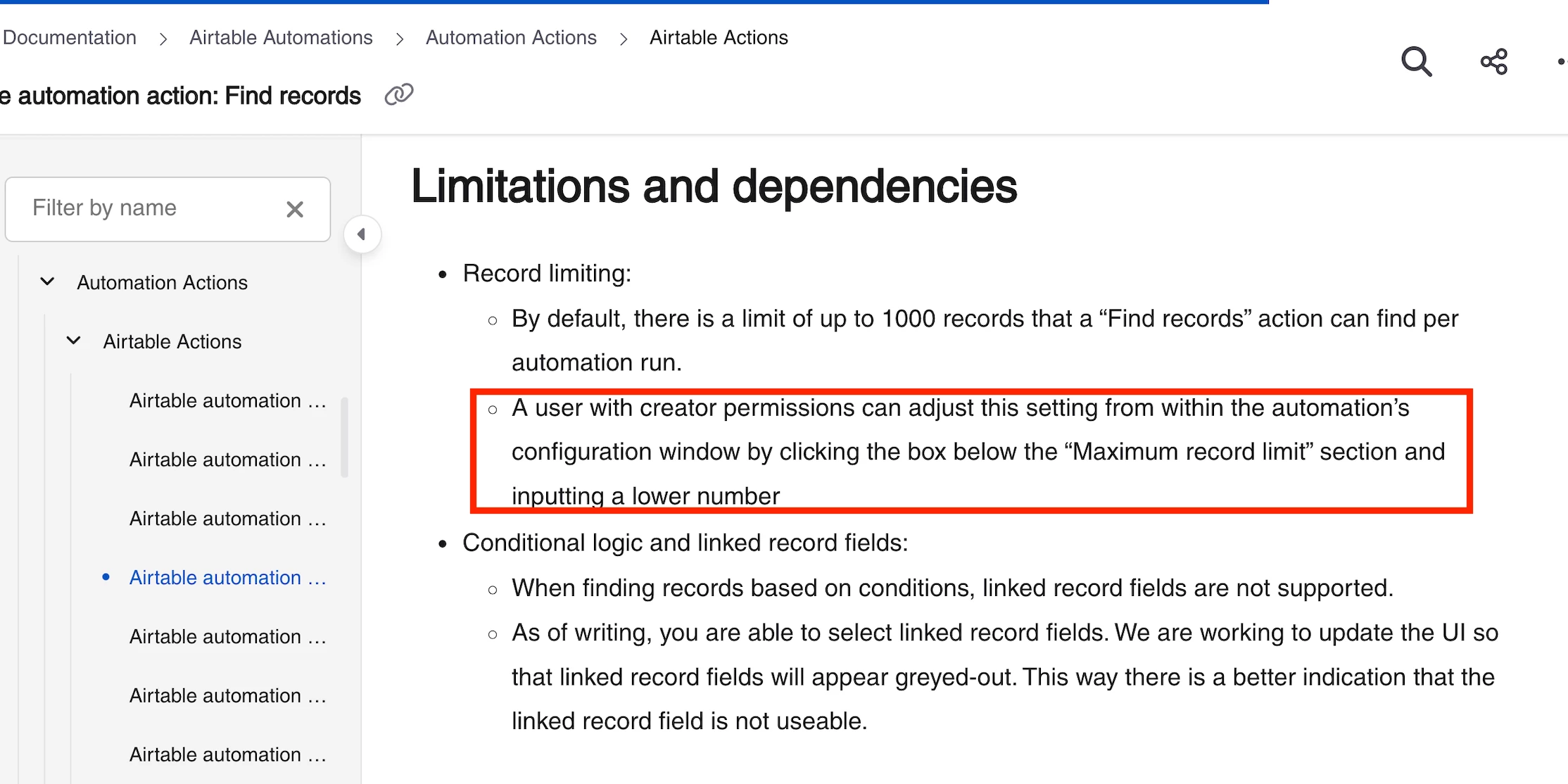
No mention of this in the docs.

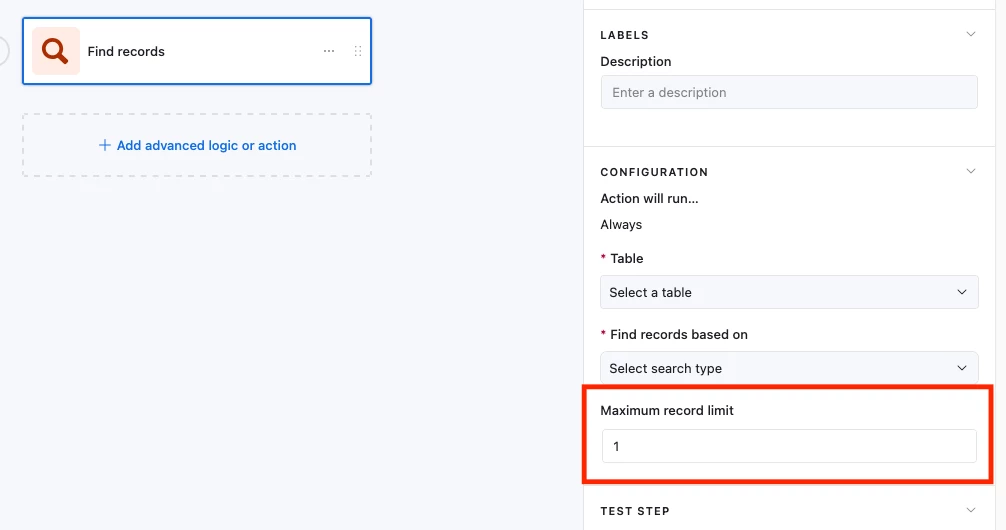
Is it possible to limit the number of found records by setting the maximum limit to “1”?

4 replies

TheTimeSavingCo
Forum|alt.badge.img+31

Hm yeah that’s possible.  I feel like I’m missing something though, what’re you trying to do?


Mike_AutomaticN
Forum|alt.badge.img+28

Hey ​@Darryl_Oliver,

This actually does get covered on AT’s support docs. See screenshot below! For further reference, you might want to check out this support article. Having said that, you can find a clear screenshot of the feature itself on Adam’s answer above.


Feel free to grab a slot if you need any help setting this up!

Mike, Consultant @ Automatic Nation 
YouTube Channel 


Forum|alt.badge.img
  • New Participant
  • January 27, 2026

While the Airtable documentation doesn't always explicitly highlight it, you can indeed achieve a limit of "1" by utilizing a specific filter or a script within your automation to isolate the first record found. Much like managing complex database limits, ensuring your digital presence is built on a scalable and efficient infrastructure is key to long-term performance.

For those looking to build high-performance digital solutions or custom integrations that go beyond standard platform constraints, you can visit our official website. We specialize in optimizing workflows and digital growth strategies to ensure your technical systems are as streamlined and effective as possible.


Alexey_Gusev
Forum|alt.badge.img+25
  • Brainy
  • January 28, 2026

Hi,

Yes, it’s possible and it can be very useful in some cases where you need to do something with a single record, because Find Records always return Array. You can use result of this output, at least record ID, as a single value.
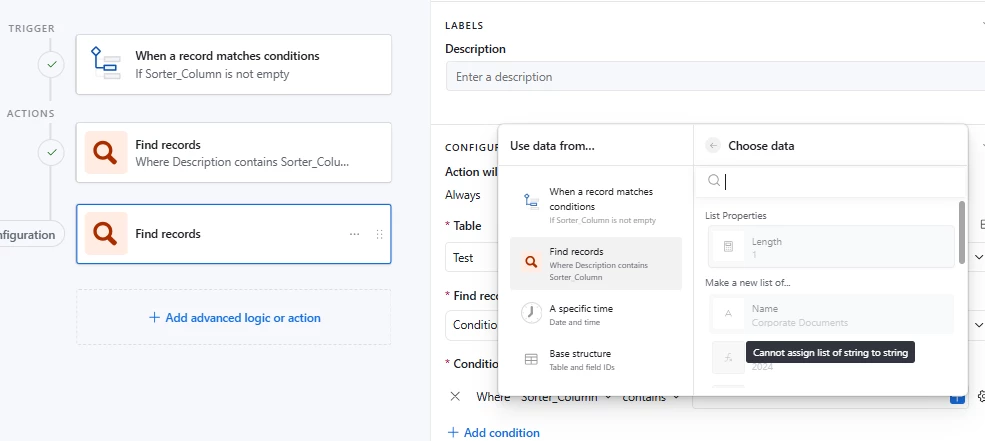
But some procedures in Automations might still not let you use such result, where it expects a single value from other field, but you have array (a list). There is an interesting lifehack for this.

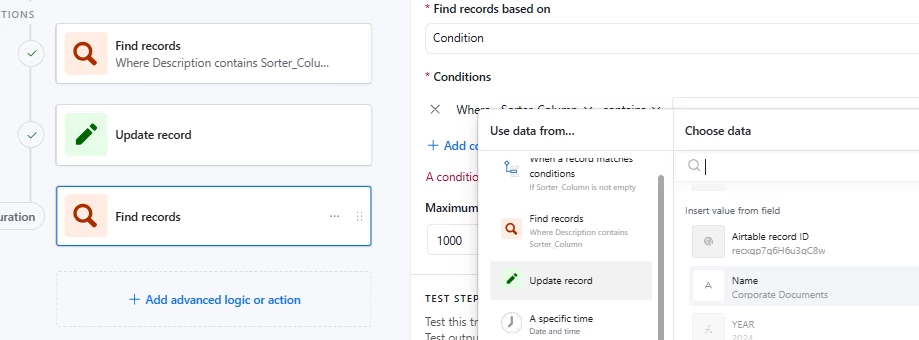
Like, I’ve found 1 record and I want to use it’s name in the next Find Records condition as ‘contains’,
but Airtable still counts result of previous Find Records as Array and not allows me to use the value from this single found record.


But I can update this record’s text field with existing value (a kind of ‘dummy update’, operation that does nothing). And then use this single record as a source of single value.