Question

Best practice on moving stories to next sprint?

  • July 14, 2026
  • 3 replies
  • 13 views

Forum|alt.badge.img+7

I’ve built out a fairly robust Jira replacement for our Agile team. This base has separate tables for Tasks and Sprints (among others). All Tasks have a Status, ending with ‘Done’ and all Sprints are either ‘Complete’, ‘Active’, or ‘Backlog’. 

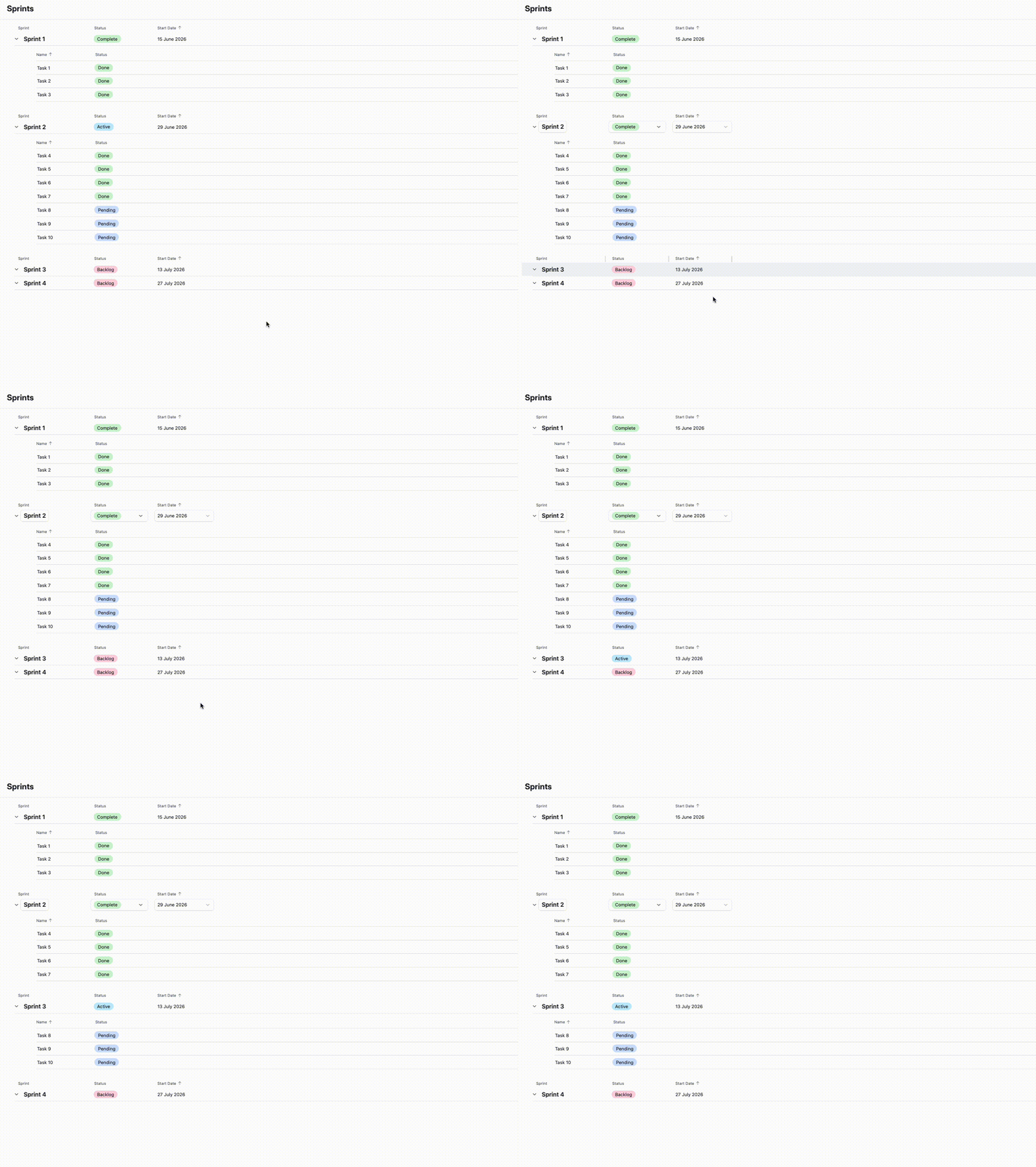
My question is - what’s the best way to move any incomplete stories to the next sprint when I’m closing out the current one? I’d need to 1. Change current Sprint to ‘Complete’, 2. Change next Sprint in the current view to Active, 3. For any Tasks that are not Done but are in a Sprint that’s Complete, change them to the Current Sprint. 

I feel like that’s too many steps to tie to one button click, or that it would all happen too instantaneously for the stories to get moved correctly. I expect that this has been solved by others - does anyone have a nice solution?

3 replies

DisraeliGears01
Forum|alt.badge.img+22

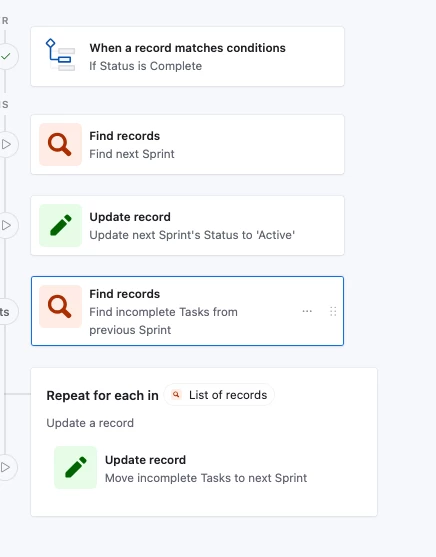
Seems to me this should be perfectly doable using Airtable’s automation setup. Something like…

  1. Trigger- When “Sprint” marked Complete
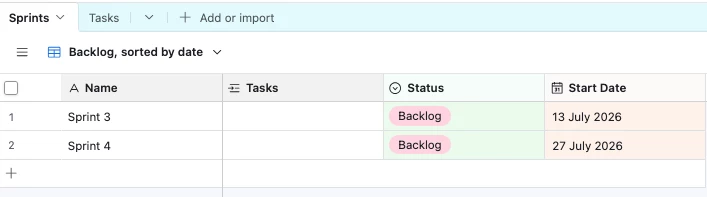
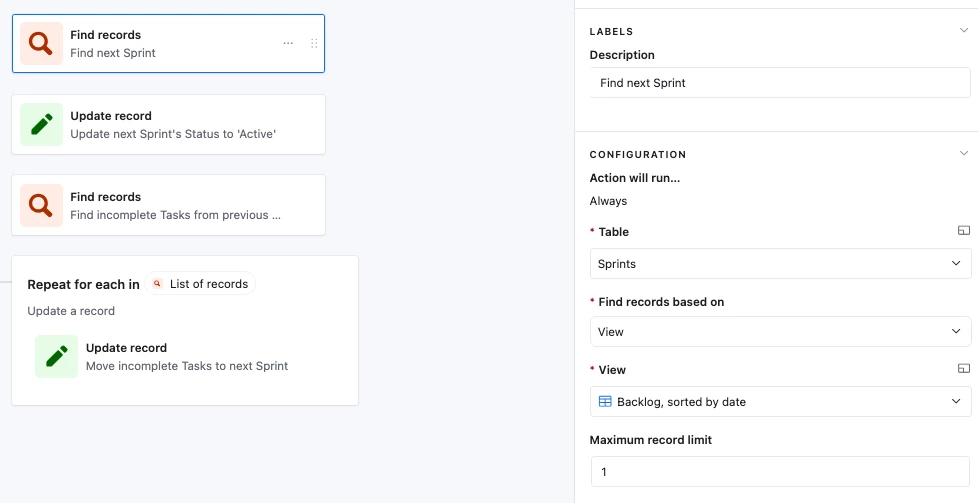
  2. Find Record- Find Sprint record in specific view, or some other indicator that it’s the next one (date based?)
  3. Update Record- From step 2, update Sprint record found to “Active”
  4. Find Records- In Tasks table, find all records where Sprint ID is same as Trigger record and Status is not “Done”
  5. Repeating Group - On list from Step 4
    1. Update Record - Change linked record to ID found in Step 2.

The most complicated part is finding the right way to identify the next sprint record (so Step 2) but that’ll depend on how things are entered and what fields you have available. I mentioned the view option, but that’s because you specified view even though I imagine you’re interacting via interface. 


Forum|alt.badge.img+7
  • Author
  • Inspiring
  • July 14, 2026

While I’d like this to be a one-click solution, now I’m wondering if the easier answer is to manually close out one sprint and activate the next, and then have a button to Move Sprint Stories, which would just look for Status = Not Done and Sprint = Done, and move them to the Active Sprint


DisraeliGears01
Forum|alt.badge.img+22

While I’d like this to be a one-click solution, now I’m wondering if the easier answer is to manually close out one sprint and activate the next, and then have a button to Move Sprint Stories, which would just look for Status = Not Done and Sprint = Done, and move them to the Active Sprint

It’s really up to you and how many steps/what kind of granular control & review you want to implement. You could also just set it up so when you Activate a Sprint, all outstanding Tasks would move to that Sprint (foregoing the “Move Sprint Stories” button step you mention). 

As for rolling it all into one button, do you currently have any fields that indicate how sprints are organized sequentially? Like a Sprint start date field and each one is +7 days from the prior one, or you have a DATETIMEFORMAT formula populating week numbers or something?