Question

Change Kanban Uncategorized Card

  • April 22, 2026
  • 2 replies
  • 14 views

Forum|alt.badge.img+2

Hi, I’m not so clever at IT and despite reading the Help and this site can’t find an answer.

In Kanban view, all cards are listed under Uncategorized

So, how do I create Categories to get the cards out of that column?

2 replies

TheTimeSavingCo
Forum|alt.badge.img+32

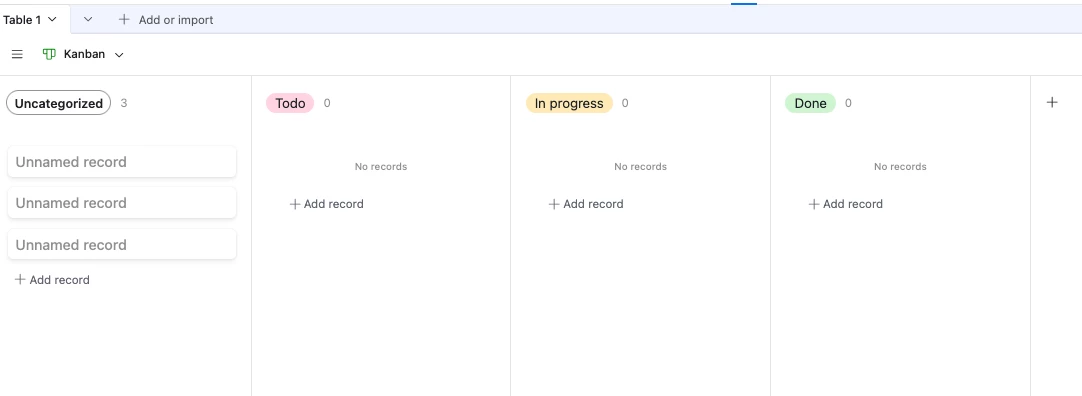
Hm, it sounds like the field you’re grouping by doesn’t have any other options to select from.  As an example, here’s a Kanban where I’m stacking by the Status field:

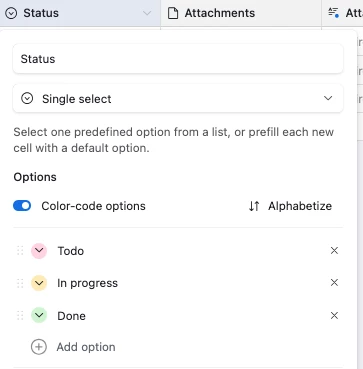
And here’s my Status field setup:

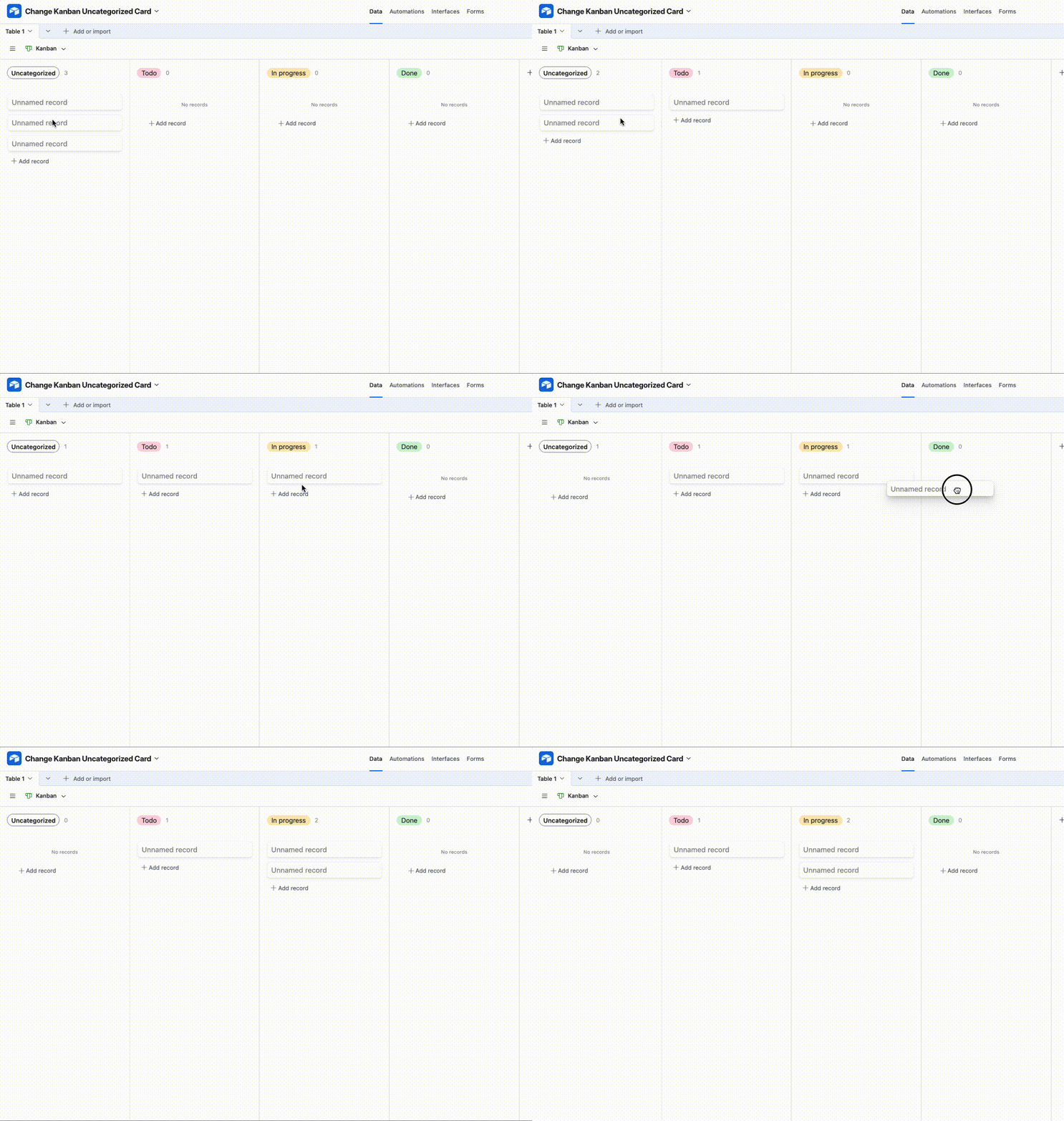
And I can change the stack via drag and drop like so:


Stephen_Biegner
Forum|alt.badge.img+3
  • Participating Frequently
  • April 23, 2026

Yes - you need to create a status field to stack your records into different categories. You can add a single select field to your table, and then update the stacking field in the view or interface. 


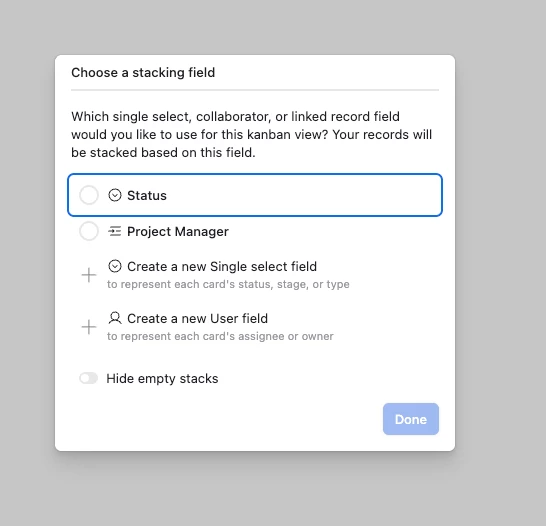
If you’re using a view within a table of your base, when you add the Kanban view, you should get this pop-up:

This will show you any fields that already exist that you can use to stack or categorize your records, or it gives you the option to create a new single select or user field right from that screen. 

If you ever need to edit in a view, you can click the Stacked by Stauts tool which is in the top right corner of the table:


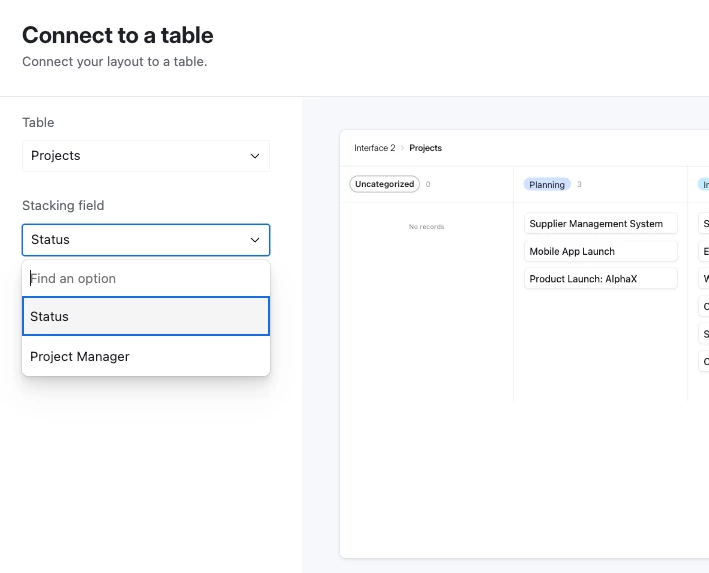
If you’re creating a Kanban interface, it should also walk you through the process in a similar way. Once you select the Kanban interface, it will ask you to select the table you want to use, and then any corresponding fields that can be used to categorize your records will appear:

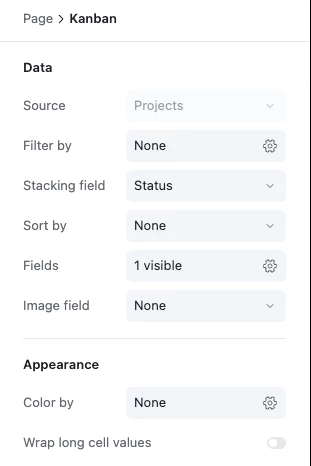
Once in the Interface, you can click on the Kanban view itself, and from the right hand column see all the different tools and customizations you can make to that interface. In that column, there is a Stacking field option which allows you to change the field you use to categorize/stack your records in the Kanban view:


Wasn’t sure whether you were in a view or an interface, so wanted to share both. But once you create the single select or user field to organize, you can select it and automatically organize your Kanban view. Good luck!