Answer

Chrome Browser Overlap Issues When Viewing Bases

  • January 21, 2021
  • 4 replies
  • 68 views

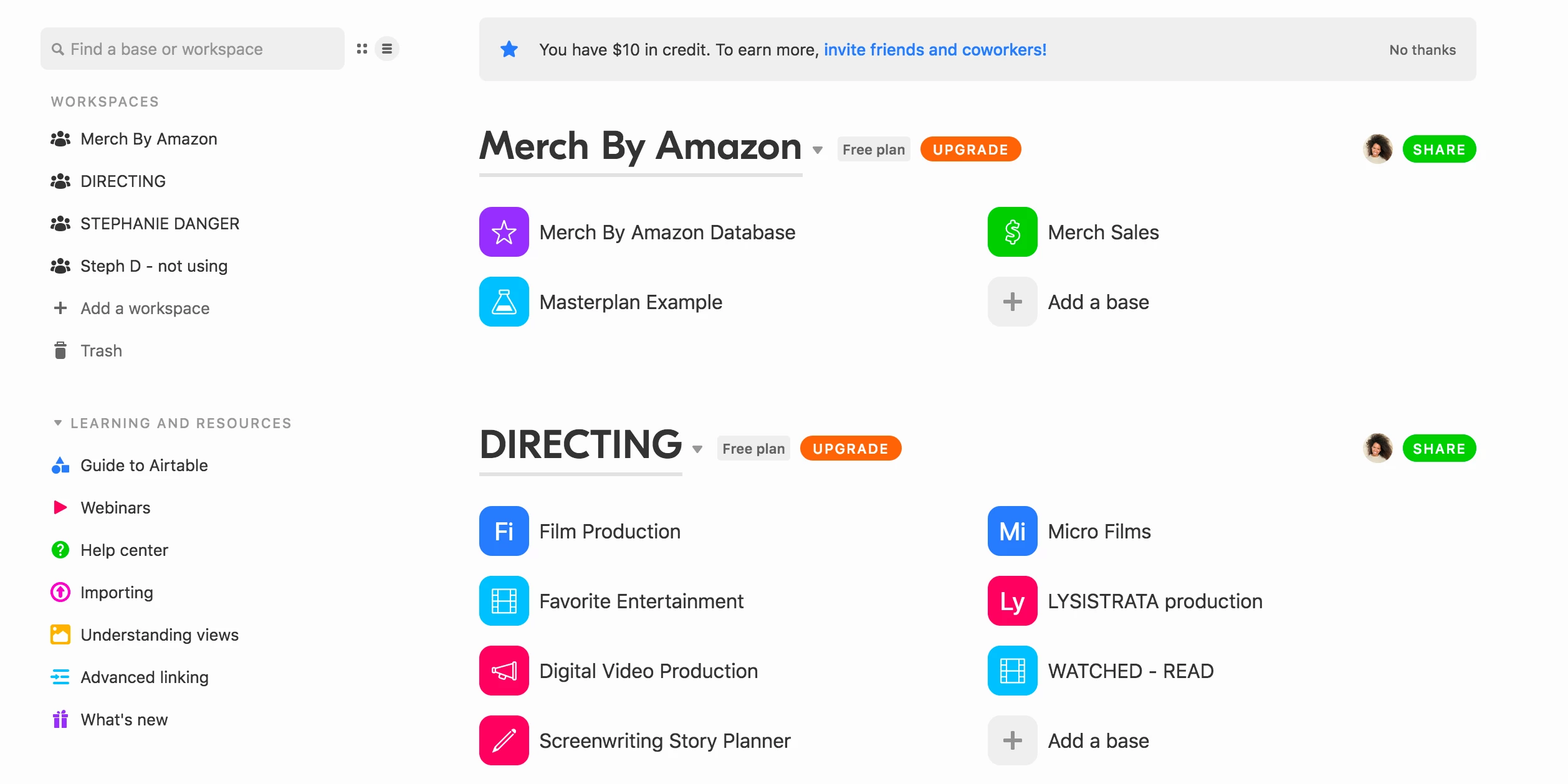
Any suggestions for how to view my Bases properly in Chrome?
I’m on a Macbook Pro viewing on a LG monitor, although if I move the tab to my Mac the issues still exists.

All is good when I’m on Firefox.

See comparison of both browsers in screenshots.
Best answer by Kai_Soremekun

Well I solved my own issue. The font size in my Chrome preferences was set to custom and much larger than normal. Once I set it to the recommended (medium). Things adjusted and realigned. ¯_(ツ)_/¯

4 replies

  • Author
  • Inspiring
  • Answer
  • January 21, 2021

Well I solved my own issue. The font size in my Chrome preferences was set to custom and much larger than normal. Once I set it to the recommended (medium). Things adjusted and realigned. ¯_(ツ)_/¯


Forum|alt.badge.img+18
  • Inspiring
  • January 21, 2021

The text size differences makes me think chrome is just zoomed in? That would be fixed via these controls:

  • Windows and Linux: Press Ctrl and + or - .
  • Mac: Press ⌘ and + or - .
  • Chrome OS: Press Ctrl and + or - .

That said, I use Firefox and have had fewer Airtable issues than some of our users that use Chrome.


  • Author
  • Inspiring
  • January 21, 2021

The text size differences makes me think chrome is just zoomed in? That would be fixed via these controls:

  • Windows and Linux: Press Ctrl and + or - .
  • Mac: Press ⌘ and + or - .
  • Chrome OS: Press Ctrl and + or - .

That said, I use Firefox and have had fewer Airtable issues than some of our users that use Chrome.


Thank you @Zollie. Just for anyone else should they have the same problem. I did try zooming out and it did not fix the problem.
I had to go into the font size preference to fix it.

Noted: That Firefox has fewer issue. I have an unhealthy relationship with Chrome so perhaps it’s time to end it. :slightly_smiling_face:


Forum|alt.badge.img+18
  • Inspiring
  • January 21, 2021

Thank you @Zollie. Just for anyone else should they have the same problem. I did try zooming out and it did not fix the problem.
I had to go into the font size preference to fix it.

Noted: That Firefox has fewer issue. I have an unhealthy relationship with Chrome so perhaps it’s time to end it. :slightly_smiling_face:


Awesome. Nice job Kai