Question

Duplicating Bases while Preserving formulas

  • February 17, 2026
  • 3 replies
  • 7 views

Forum|alt.badge.img

We have a master base “template” created with all of the usual requests from a client and different bases per campaign. How can we duplicate a table from the master template to a campaign base with including the formulas? It works when you sync and unsync but somehow when duplicating the formulas are lost. Is there a work around?

3 replies

TheTimeSavingCo
Forum|alt.badge.img+31

Hm, I just tried duplicating a base with a formula field and the formula field appeared in the duplicated base

I feel like I’ve misunderstood your question, sorry!

---

I’m also curious as to the workflow if you’re open to talking about that!  Previously we would have different bases due to permissions issues, but with the introduction of Interfaces this problem has been solved

Is it that you’re worried about hitting the record limits per campaign base?  

Keeping everything in one base would make the automations and third party automations easier to maintain long term, so just wondering if that’s possible!


Forum|alt.badge.img
  • Author
  • New Participant
  • February 18, 2026

Hi Adam,

I am trying to duplicate the base to a different app (not within the same app). When doing so the only way to duplicate the data is to sync the base but when syncing, the formulas are lost. 


TheTimeSavingCo
Forum|alt.badge.img+31

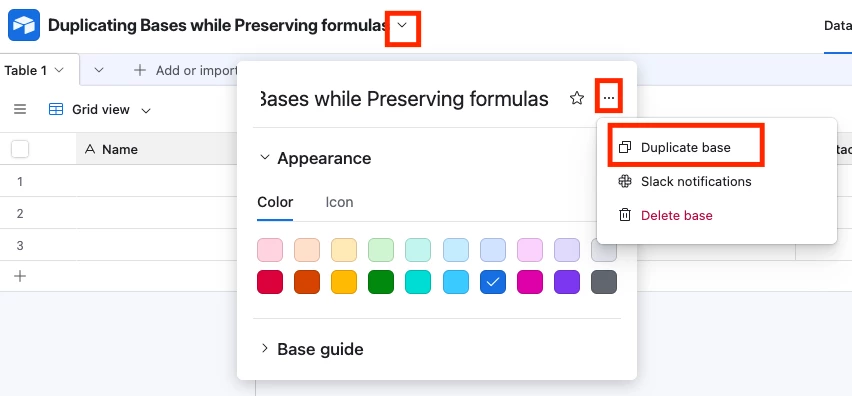
Ah the only way to get the formulas to get carried over is to use the ‘Duplicate base’ function I’m afraid

When you say ‘app’, are you referring to like, a different workspace?