Solved

How to auto-populate fields from linked records

  • August 15, 2026
  • 6 replies
  • 74 views

Forum|alt.badge.img+2


I have a very basic question! When I use linked records, I thought the field should auto-populate, but it is not doing that. Is there any way to make that happen? Eg: I am using Airtable for a small school attendance records. There are two tables; one called 'classes' and another called 'educators'. In Classes, each Class record (such as ESL120), has educator(s) listed in the 'Teachers' field. When I add a new class, I am able to look up teachers in this field, and I can see all educators listed in the Educators table. In the Educators table, each Educator is listed. There is a linked field called Classes. I want this field to auto-populate with any classes that the educator is listed under in the Classes table. TIA!!

Best answer by rcode

@marta ​@Mike_AutomaticN I just noticed there is a new field (“classes 2”) in the educator table that I didn’t create, which I think does exactly what I need. Would it have gotten created automatically when I make the lookup in the Classes table?


6 replies

Mike_AutomaticN
Forum|alt.badge.img+30

Hey ​@rcode,

I think you are describing what a lookup field would do. You might want to check out thi article on lookups.

Else, feel free to grab a slot using this link and I’d be super happy to show you around on a brief call :D
https://automaticnation.com/book-a-call-now/
 

Mike, Consultant @ Automatic Nation 
YouTube Channel 


Forum|alt.badge.img+2
  • Author
  • New Participant
  • August 15, 2026

Thanks ​@Mike_AutomaticN 

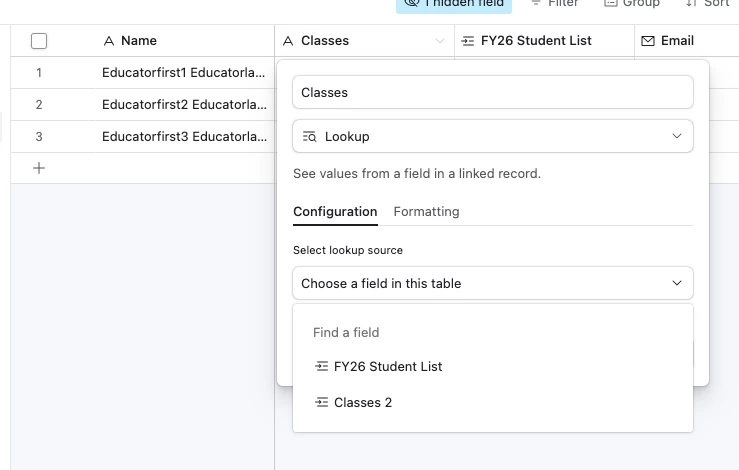
I thought that was what a lookup field was for, but since I want the lookup source to be the record name itself, and lookup doesn’t allow that, that doesn’t work. I’ve attached a screenshot to show what I mean, in case I’m going about this the wrong way and I’m just missing something simple.


Forum|alt.badge.img+2
  • Participating Frequently
  • August 16, 2026

This is actually expected behavior in Airtable and it's a quick fix. Linked records only populate when you create the link FROM that side or use a rollup/lookup — the reverse field doesn't auto-fill by itself. In your Educators table, open the Classes field (the linked field) and click the little bucket/grid icon on its left edge to expand it; that reveals the linked records and you can add records there too. Better yet: since you're linking Teachers in Classes, the cleanest approach is to add a Rollup field (or Lookup) in the Educators table that pulls the class names from the linked Classes field — that way it stays in sync automatically even when you add new classes. If you want, I can walk you through the exact rollup formula for your attendance setup.


Forum|alt.badge.img+2
  • Author
  • New Participant
  • August 16, 2026

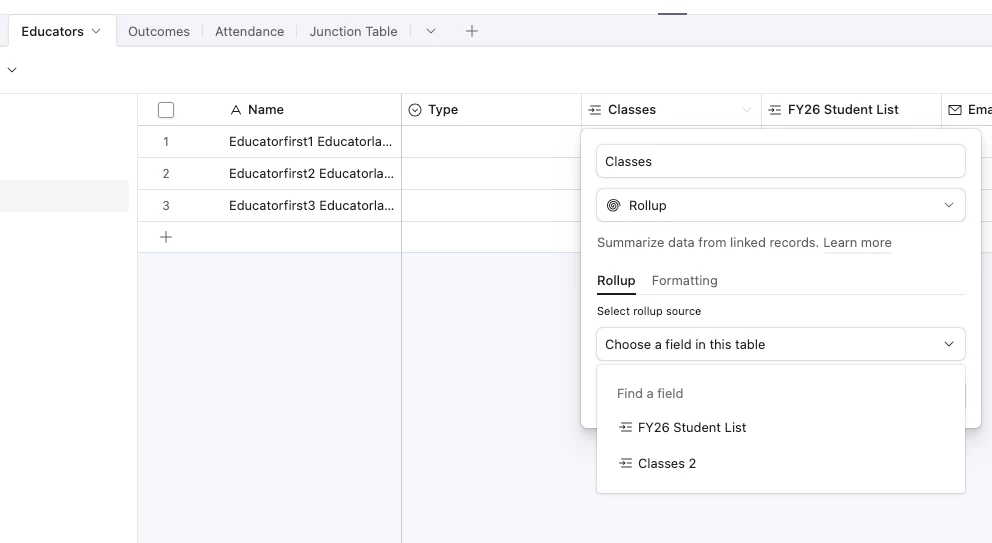
Hi ​@marta thank you this is very helpful! So how would I create a rollup that uses the educator’s name as the rollup source? I have a similar issue as I did above, where I can’t choose the educator’s name as the rollup source. Screenshot attached. 


Forum|alt.badge.img+2
  • Author
  • New Participant
  • Answer
  • August 16, 2026

@marta ​@Mike_AutomaticN I just noticed there is a new field (“classes 2”) in the educator table that I didn’t create, which I think does exactly what I need. Would it have gotten created automatically when I make the lookup in the Classes table?


TheTimeSavingCo
Forum|alt.badge.img+32

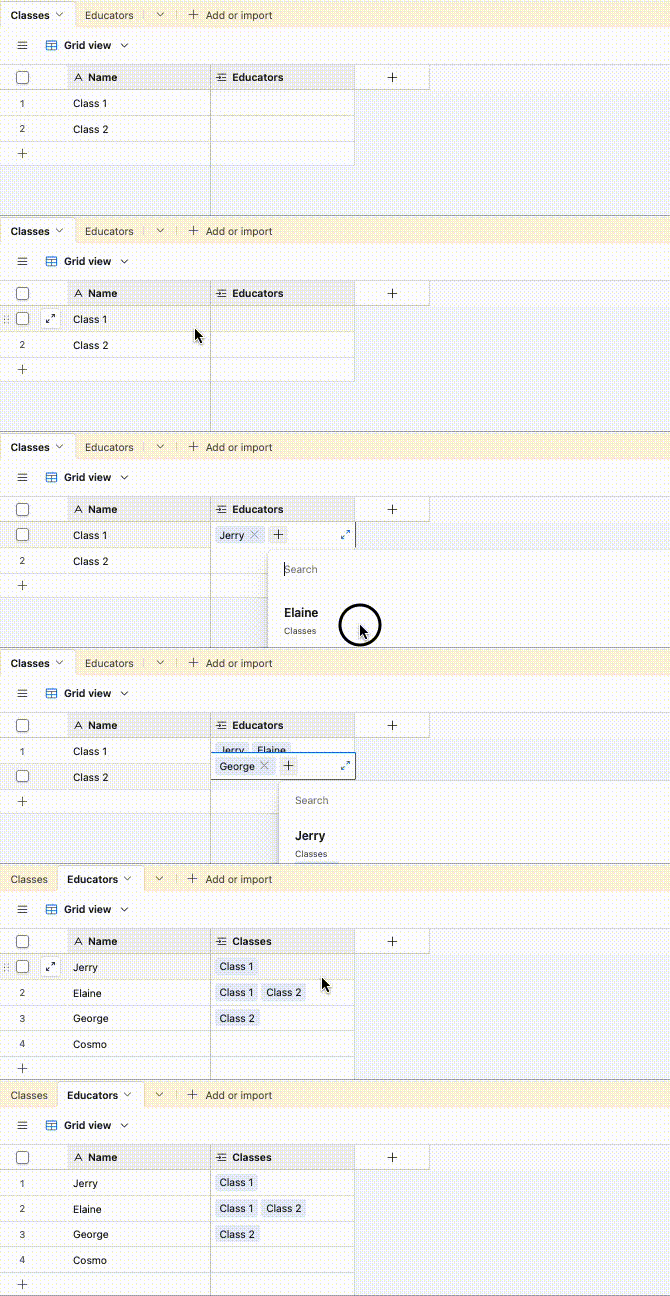
Hm, when you create a linked record field, any records you link up will show up in the other table automatically and so it actually works the way you expect:


When we create a linked field to another table, Airtable automatically helps us to create a corresponding linked field in the destination table, and they name the field after the source table

In your case, I think the problem is that you accidentally created two linked record fields, resulting in ‘Classes’ and ‘Classes 2’ linked fields being created in ’Educators’, and so the solve would be to:

  1. Delete the ‘Classes’ field that has no values in it
  2. Rename the ‘Classes 2’ field to be ‘Classes’
  3. In ‘Educators’, look for a text field that’s called ‘Educators’ or something similar that’s empty and delete it

You should now be left with a single linked field relationship between Classes and Educators, and any records you link up will show up in the other table