
Hi,
I just realised I seemed to have made some design blunders in our CRM for a portrait photography business. We store customer inspiration images they send us and the final images we deliver to them in client specific Google Drive folders for storage cost and client delivery benefits.
I have linked the delivery images to an attachment field in Airtable, and somehow have thought for several years now that the images are stored only in Google Drive. I now realised that seems wrong, and Airtable actually has mirrored the images, so they are stored both in Airtable and Google Drive.
Apart from the master data issues with having them stored in two places, this obviously makes no sense given Airtable’s attachment storage limits (we’re on Team, so 20 GB). The whole point of my earlier design was to leverage Google Drive as a kind of simple CDN.
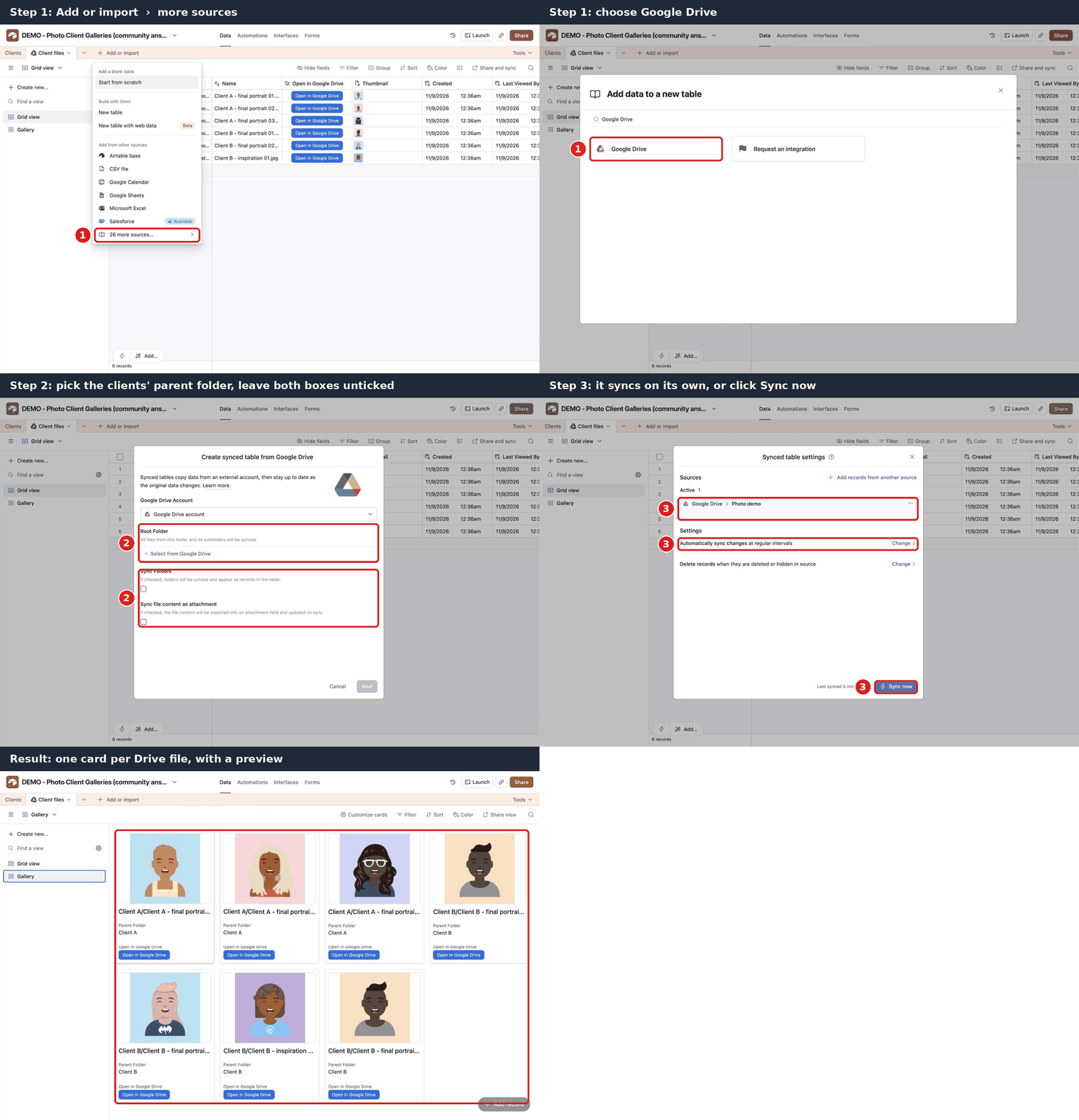
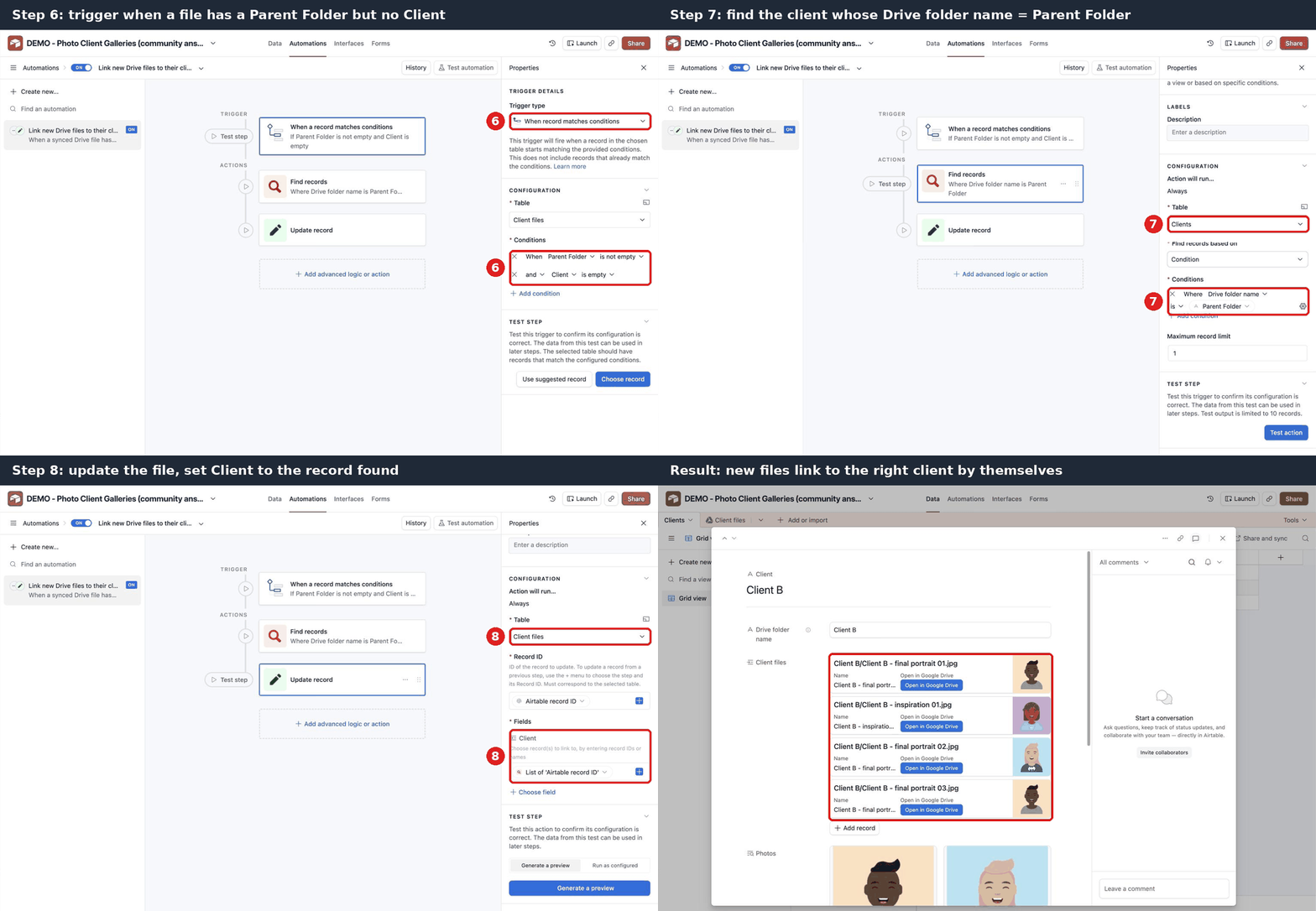
Is there a way to build this the way I originally wanted? I’d like to have an Airtable field which can show (preview) all images in a Google Drive folder, either with individual URLs for each image or with only the folder URL in an interface.
Additionally one should be able to add files manually to this folder.
I realise I can put the Drive folder URL into a URL field, but then it opens the Drive folder and with that all the other clients’ image folders also become unnecessarily easy to accidentally do something to.
I guess I could (?) set up separate bases for the images, but at some point the storage limits will hit again, so that doesn’t feel like a robust long term plan.
A kind of “gallery” view in Airtable based on URLs with the possibility to add images would be fantastic.
Thought?
Cheers,
Björn