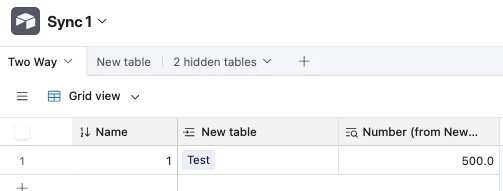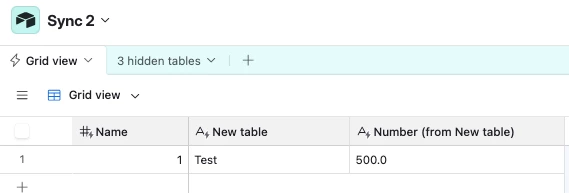
I have created a base that I want to use as a central dataset (People, Office, BU, CoDEs, Disciplines).
I am syncing the People table into another base (feedback base) and linking to it. I can successfully pull through the Name field, but I cannot get Office or CoDE-related data to come through correctly.
When I link a record, I only see the Name, and lookups for Office / CoDE fields return blank.
Setup
Source base (dataset)
People table:
- Name (primary, single line text)
- Office (linked record → Office table)
- BU (lookup → Office → BU for Office)
- Office List (lookup → Office → Office)
- CoDE Lead (linked record → CoDEs)
- CoDEs List (lookup → CoDE Lead → Codes)
- Other fields (emails, etc.)
Office table:
- Office (single line text)
- BU for Office (single line text)
- People (linked to People)
CoDEs table:
- Codes (single line text)
- People (linked to People)
Disciplines table:
- Standard linked structure
Sync setup
- I am syncing the People table from a view into another base
- Sync settings = “All fields in the source”
- I now understand that syncing from a view does not include linked record relationships, only field values
Issue
- In the synced table, I can see Names
- But:
Office(linked field) does not behave as a usable relationship- Lookup fields like
Office ListandCoDEs Listare either blank or not usable in the destination base
- In the destination (feedback) base:
- I link to People successfully
- But lookups from People → Office / CoDE fields return empty
What I expected
I expected that:
- Lookup fields (e.g. Office List, BU, CoDEs List) would sync as usable values
- And that I could then use lookups in the destination base to retrieve them
Question
What is the correct pattern to:
- Sync a relational dataset (People → Office / CoDEs)
- And reliably access fields like Office, BU, and CoDEs in another base?
Do I need to:
- Flatten all required fields in the source base (via lookup/formula) before syncing?
- Or is there a way to preserve linked relationships across bases?
Any guidance appreciated — I feel like I’m very close but missing something fundamental with how sync handles linked records.
Thank you