Question

Table disappeared from base — not in trash or revision history (Free plan)


ssdd

Hi everyone,

A table in one of my bases (ΣΥΝΟΙΚΙΕΣ) disappeared today, July 23, 2026, sometime after 19:00 GMT+3. It's not in the base trash, and it doesn't appear in the revision history available on the Free plan (2 weeks).

I've already emailed Airtable support, but wanted to check here too:

  • Has anyone experienced a table just vanishing without an explicit delete action?
  • Is there any way for a Free plan user to recover a deleted table, or does this require contacting support directly?
  • Does anyone know if Airtable keeps backend snapshots beyond what's shown in revision history?

This was manually entered research data for my PhD dissertation, so any pointers would be hugely appreciated.

Thanks in advance!

Σοφία

2 replies

Kamille_Parks11
Forum|alt.badge.img+27

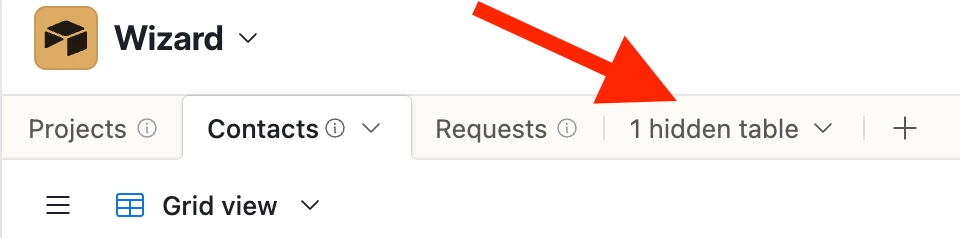
Check if the table was hidden. If not, check if you are in the correct base.

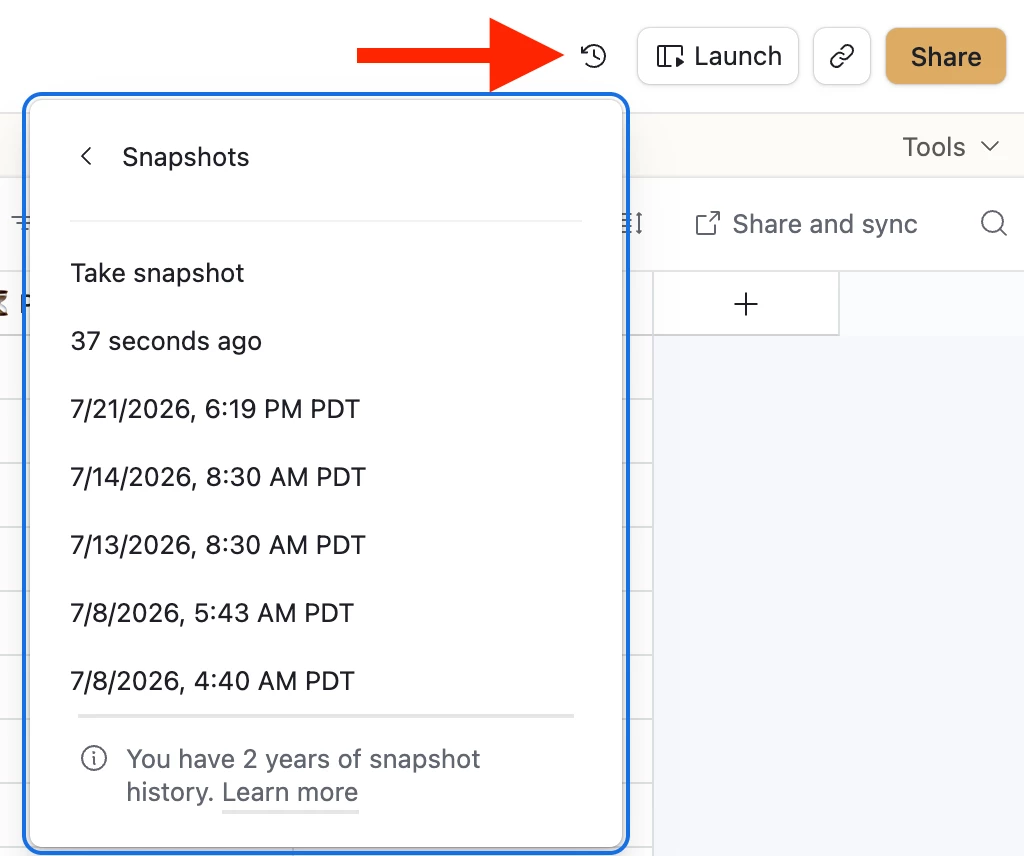
If you are in the correct base and the table mysteriously vanished, restore one of your base snapshots. On the free plan, snapshot history goes back 2 weeks.

If it isn’t in the trash or any of the snapshots then it didn’t disappear today, it was removed at least 15 days ago.


Willem_Dewulf
Forum|alt.badge.img+9

Hi ​@ssdd , I hope this was resolved in the meantime?

Here’s are some things you could try for future reference:

  1. Email support@airtable.com now if you haven't already. Include the base ID and your time window (after 19:00 GMT+3 on July 23). They can sometimes recover recently deleted data on their side even when it's outside anything visible to you, but the odds drop with every day, so this beats waiting on forum answers.
  2. The trash you checked via the clock icon only holds items deleted in the last 7 days, and it's per-base. If you looked after that window, it would appear empty even though the table did pass through it.
  3. Snapshots, also under the clock icon. On the free plan they're kept about 2 weeks. If any snapshot predates July 23, restore it as a new base and copy the table out of it. Record IDs will change, but the data survives.
  4. Tables don't remove themselves. Check the collaborator list and anything with API access to the base (scripts, automations, synced integrations). The revision history on your remaining tables shows who was active around that time, which usually answers the "how" question.

Longer term: the free plan's 2-week history window is unforgiving, so a periodic CSV export of anything you can't afford to lose is worth the small hassle. Alternatively you could look at 3rd party tools like On2Air or ProBackup (disclosure: I am co-founder of ProBackup).