Question

[Template Needed] Webinar Program / Digital Event Program

  • Nov 4, 2026 10:41 PM UTC
  • 2 replies
  • 31 views

Hi everyone,

I am looking to build or adopt an Airtable base to manage our upcoming webinar and virtual event program, and I would love to get some direction or template recommendations from the community.

Ideally, i’d like to track:

  • Event Details: Dates, times, registration links, program type, target audience
  • Speakers & Presenters: Bios, headshots, session assignments, and outreach status.
  • Content & Assets: Presentation decks, promotional graphics, and landing page copy.
  • Task Management: Production timelines, marketing deadlines, and dry runs.

Before I start building this entirely from scratch, I wanted to check:

  • Are there any standout Universe templates or official Airtable templates you recommend for virtual event programs?
  • For those managing recurring webinars, how do you prefer to handle the relationship between a "Master Event" and individual "Sessions/Webinars" (e.g., a single table with views vs. linked tables)?


Thank you so much
- Brian (Airtable noob)

2 replies

byNeo
Forum|alt.badge.img
  • New Participant
  • Nov 5, 2026 11:48 AM UTC

Hi Brian,


I would use linked tables if a master event can contain several sessions with their own dates, speakers, and assets.


A starting table structure could be:

  • Master Events: the series or umbrella event, target audience, etc.

  • Sessions / Webinars: one record per session or scheduled occurrence, with its date, time, registration link, status, and a link to its master event.

  • Speakers: one record per person, with their bio and headshot, linked to the sessions they’re presenting.

  • Tasks: one record per task, linked to the relevant session, with an owner, due date, and status.

For example, a monthly webinar series would be one Master Events record linked to twelve Sessions records, so you can keep each session’s work separate without repeating the series details everywhere.


I’d keep decks and graphics on the session initially, or attach them to the relevant task if that’s where they’re being worked on. For example, the presentation deck could sit on the session, while a promotional graphic could sit on its design task.


Cheers,


VedaSync_Aziz
Forum|alt.badge.img+2
  • Participating Frequently
  • Nov 5, 2026 8:37 PM UTC

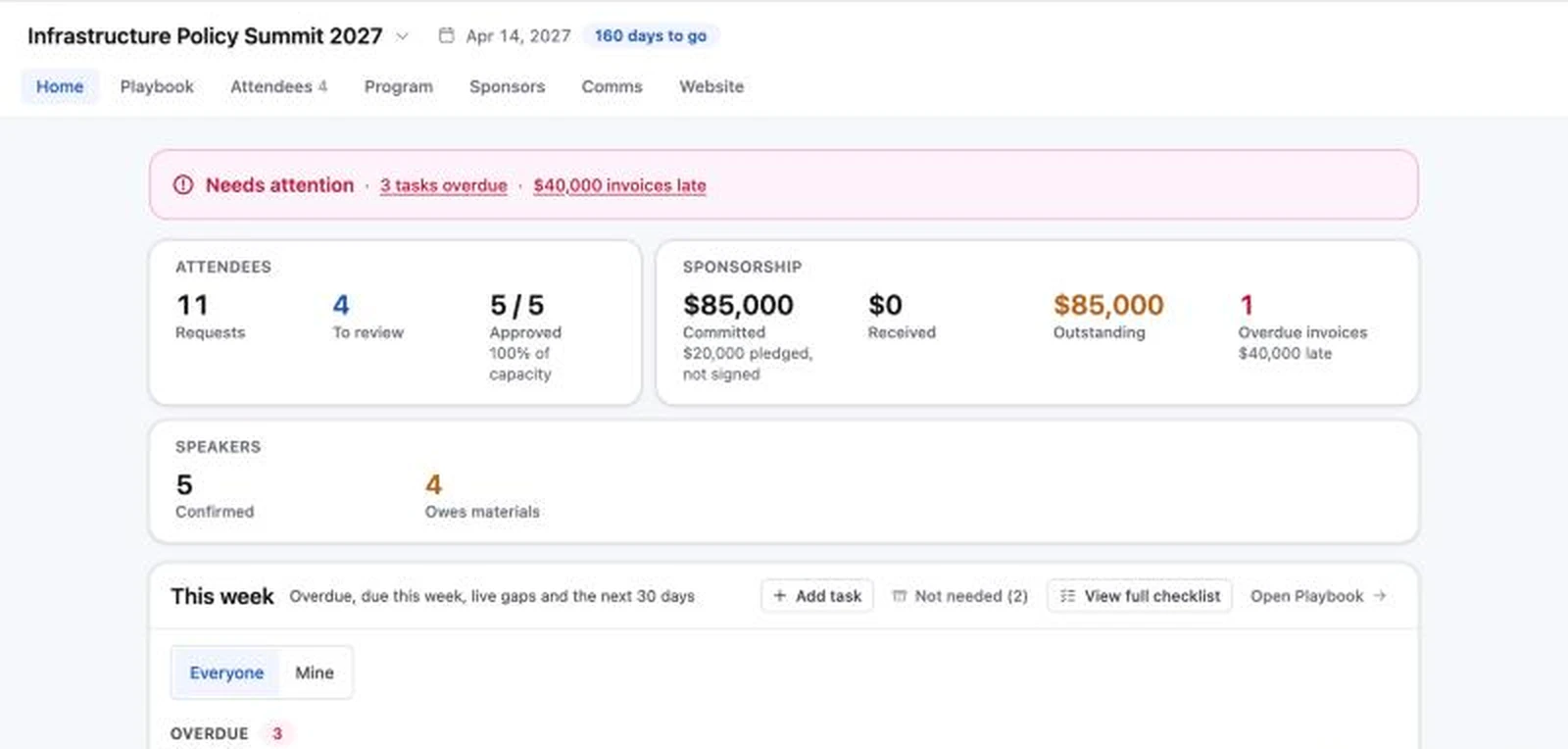
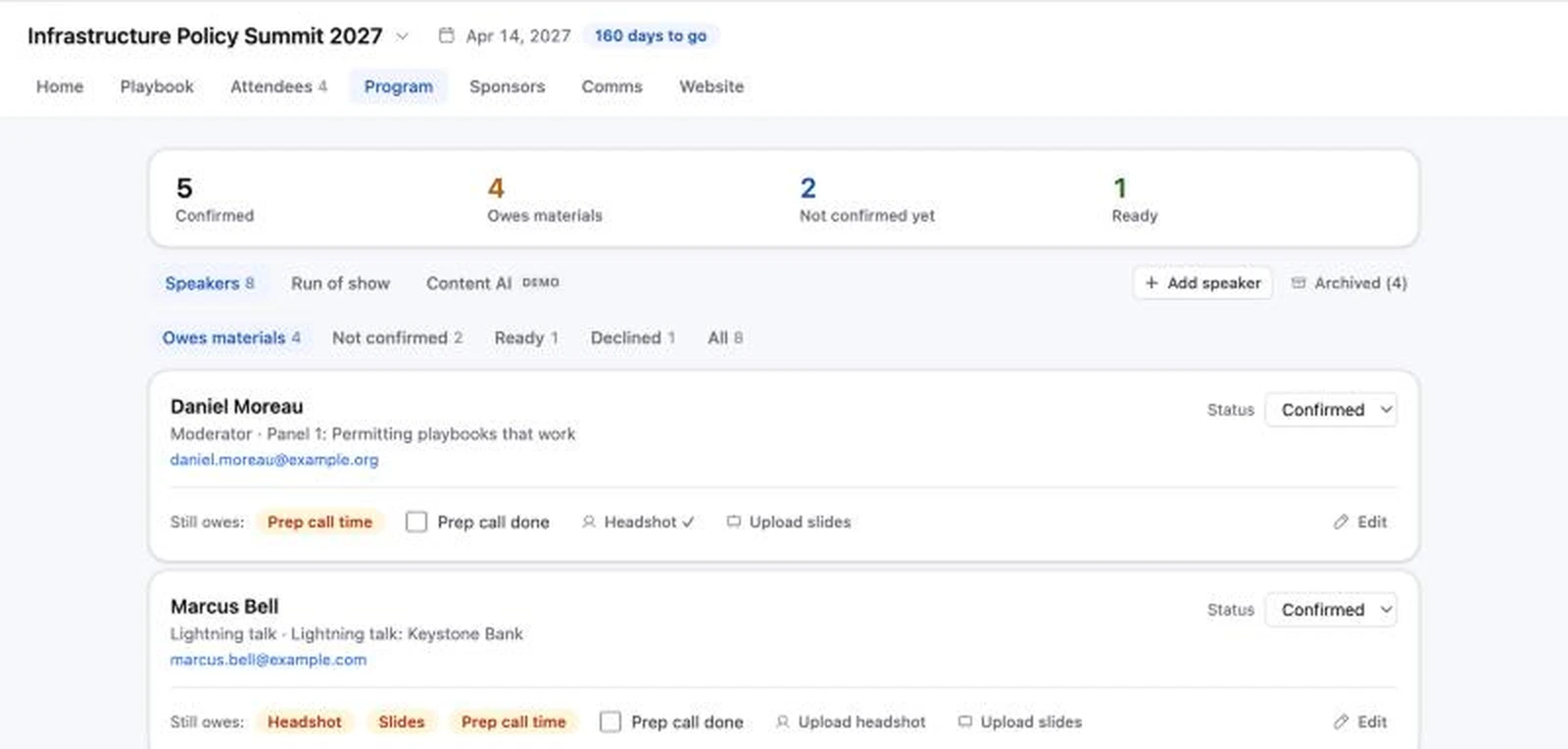
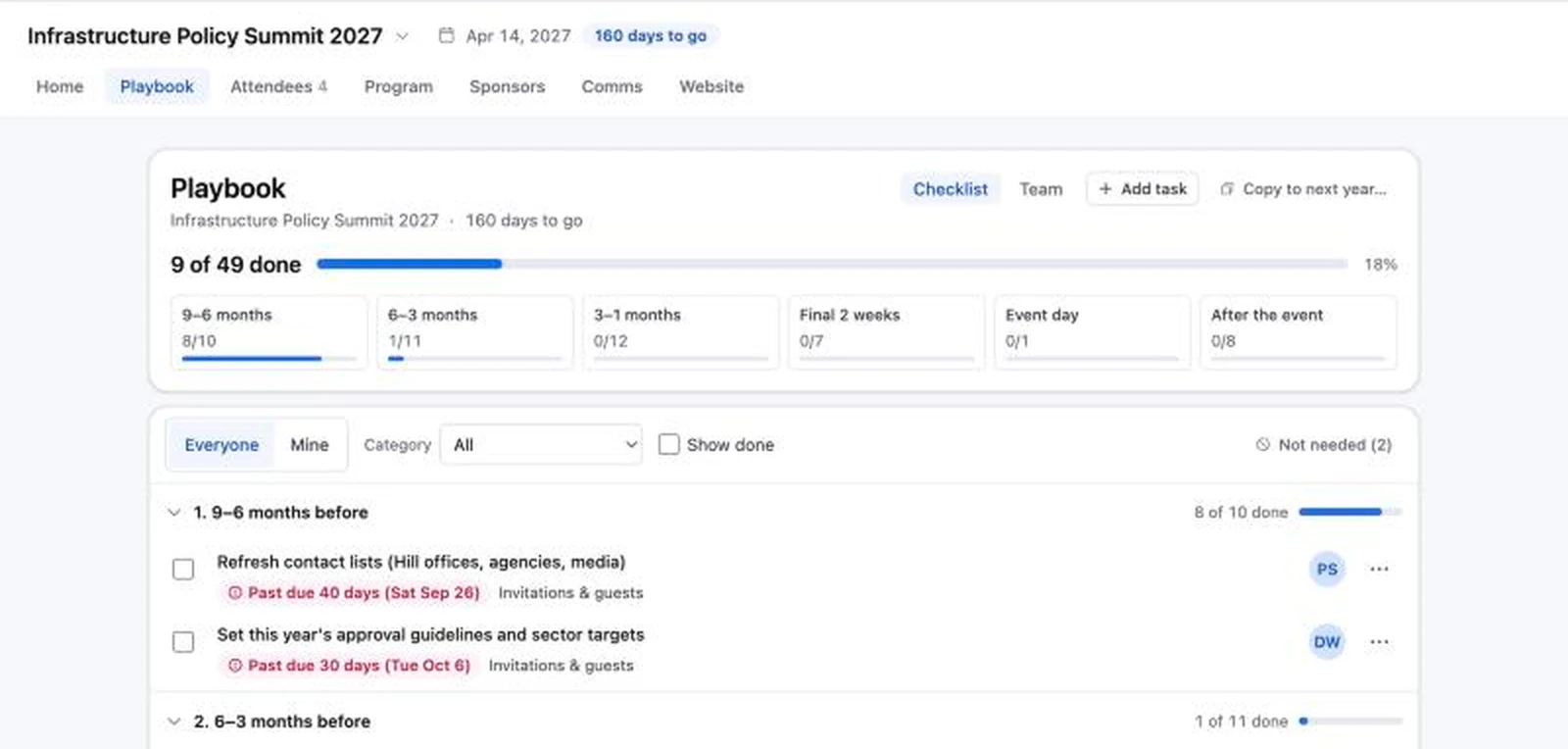
Hi Brian, byNeo’s structure is the right one, so I’d go with linked tables. Here’s what that can look like once it’s running. It’s a system I built for event teams, shown with demo data.

One home screen for each event: what’s overdue, how speakers are doing, and what’s due this week.

Speakers: each one shows exactly what they still owe, like a headshot, slides or a prep call time.

Checklist: each task has a “days before event” number, so due dates are set from the event date. That’s the part I’d copy first for recurring webinars.

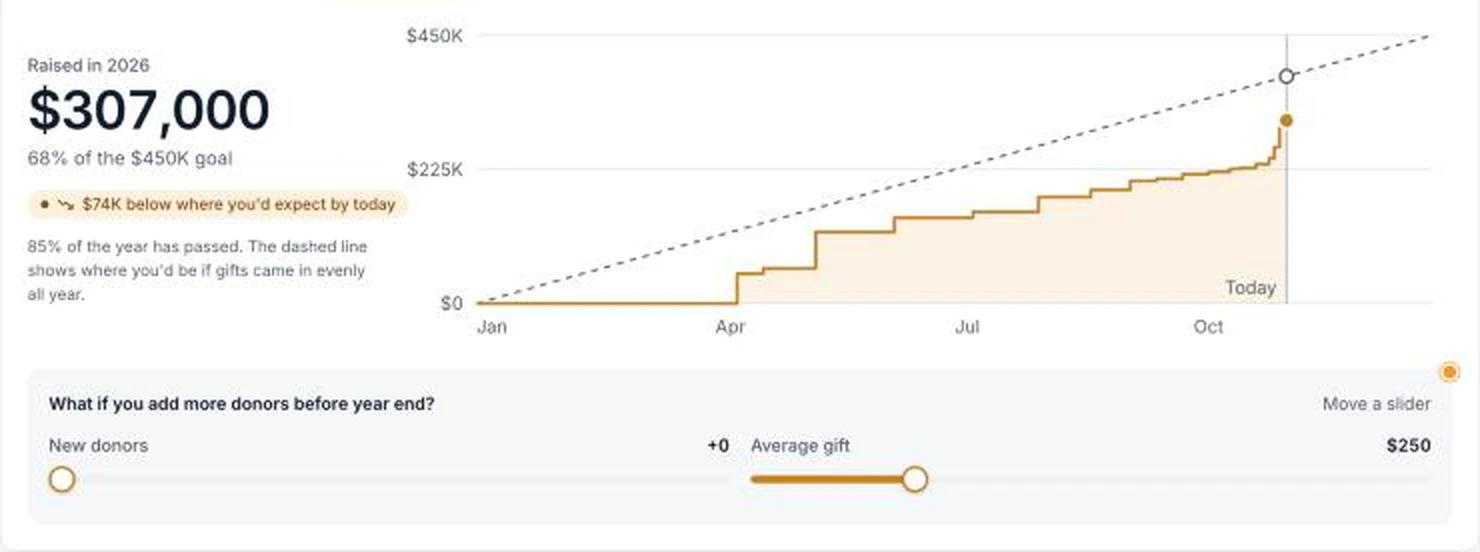
You can add charts too. This one’s from a nonprofit example, tracking progress against a goal. For webinars, the same idea could track registrations against your target.

If you’d like, I’m happy to set up a simple version in your base, free of charge: events, sessions, speakers and the checklist, so you aren’t starting from scratch. No catch, I’d just enjoy seeing it used for webinars.

How many webinars do you run in a typical month?