Question

Using rollup to pull the field of a record that has maximum value in a second field?

  • Oct 7, 2026 8:56 PM UTC
  • 6 replies
  • 62 views

Forum|alt.badge.img+6

I am using Airtable to record attendance for a small school. The base has two tables:

  1. Students, in which each record is a student
  2. Attendance, in which each record is a class session.


There is a link between the two, so each Attendance record has a list of all students present, as well as the Class Name, and Date. Each record name in the attendance table is unique, and is a concatenation of Class Name and Date.  


Each Student record has a linked list of all sessions attended.


I want a field that reports the Class Name of the last session attended. I have a rollup field that reports the date of the last session attended. 

Here is a screenshot of that rollup:
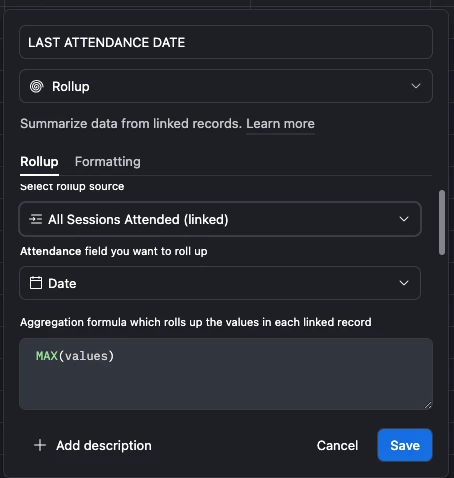
 

Is it possible to use Rollup to report the Class Name of that most-recent session?



6 replies

ScottWorld
Forum|alt.badge.img+35
  • Genius
  • Oct 7, 2026 9:05 PM UTC

Instead of using a rollup field for this, you can use a lookup field and set the “sort” option to sort by the class date, and then limit the number of items shown to 1.

- ScottWorld, Expert Airtable Consultant


Forum|alt.badge.img+6
  • Author
  • Inspiring
  • Oct 7, 2026 9:20 PM UTC

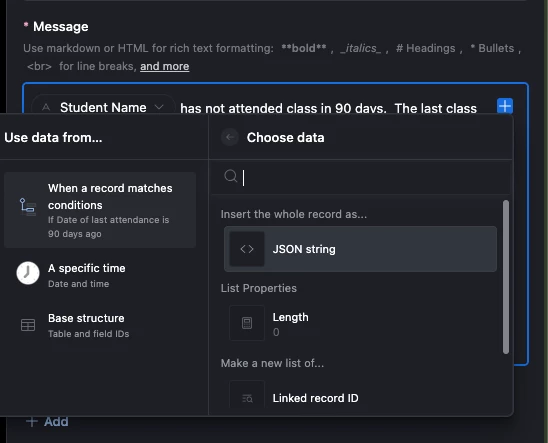
That worked thank you! I want to use that field in an automated email, but when I try to add it, I can’t figure out what to select so the Class Name is displayed in the body of the email. Below is a screenshot; 

This is what I see when I use the “+” button and then select the field I created with Lookup as you suggested. What would I select to have the Class Name show up in the email?


ScottWorld
Forum|alt.badge.img+35
  • Genius
  • Oct 7, 2026 9:52 PM UTC

Keep scrolling down on the right and choose “Make a new list of… value”. That should work!

- ScottWorld, Expert Airtable Consultant


Forum|alt.badge.img+6
  • Author
  • Inspiring
  • Oct 7, 2026 10:04 PM UTC

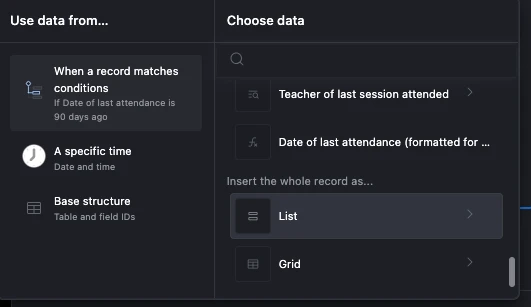
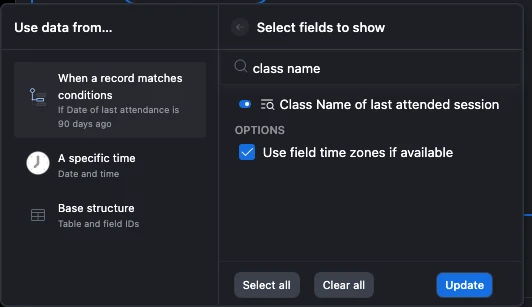
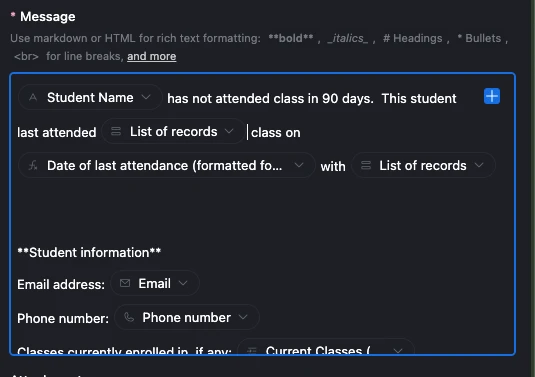
I attempted .. didn’t find an option to ‘make a new list of… value’ but did find something similar. However, the value didn’t show up in the email. Screenshots below:


I selected ‘Insert the whole record as… List”. 


Then selected the field “class name of last attended session”


This is what the automation email set-up looks like 


This is what the email displayed (the date not displaying is a separate issue that I have started a different thread about)


ScottWorld
Forum|alt.badge.img+35
  • Genius
  • Oct 7, 2026 10:08 PM UTC

You can see one of your lookup fields in that first screenshot (“teacher of last session attended”). If you don’t see the exact lookup field that you’re looking for, try re-testing the previous steps of the automation.


Forum|alt.badge.img+6
  • Author
  • Inspiring
  • Oct 7, 2026 10:11 PM UTC

Thanks, that worked!