Airtable script fetch put


Hello,

Is there such thing as a fetch put? I am needing to do a put on an external api with the airtable scripting app. I was wondering what the best way to do it is? The external api is expecting a put method. I have successful used fetch for get and post but can’t seem to figure out the put. Thanks in advance!


This topic has been closed for replies.

14 replies

Bill_French
Forum|alt.badge.img+19

Hi @ALA_Staff, and welcome to the community!

Yes. Something like this…

let putURL = "https://...";

let putOptions = {
    method: "PUT",
    headers: {
        'Accept' : 'application/json',
    },
}
const putResults  = await remoteFetchAsync(putURL, putOptions);
const jsonObject    = await putResults.json();

output.inspect(jsonObject);

  • Author
  • Participating Frequently
  • February 11, 2021

Thanks for responding, Bill.

I’ve tried your suggestion. Here is my code.

        let putUrl = "https://...";
        let putOptions = (putBody) => {
            return {
            method: "PUT",
            headers : {
                "accountid":"...",
                "applicationkey": "...",
                "Accept": "application/json"
            },
            body:putBody
            }
        }
        console.log("pre put");
        let putResults = await remoteFetchAsync(putUrl, putOptions(JSON.stringify(prod)));
        let jsonObject = await putResults.json();
        output.inspect(jsonObject);

It runs up until the fetch call. the last thing that prints is “pre put”. I’ve tried this with postman and it works there. Just can’t seem to get it working with the script. Am I missing something? Thanks again


Bill_French
Forum|alt.badge.img+19

Thanks for responding, Bill.

I’ve tried your suggestion. Here is my code.

        let putUrl = "https://...";
        let putOptions = (putBody) => {
            return {
            method: "PUT",
            headers : {
                "accountid":"...",
                "applicationkey": "...",
                "Accept": "application/json"
            },
            body:putBody
            }
        }
        console.log("pre put");
        let putResults = await remoteFetchAsync(putUrl, putOptions(JSON.stringify(prod)));
        let jsonObject = await putResults.json();
        output.inspect(jsonObject);

It runs up until the fetch call. the last thing that prints is “pre put”. I’ve tried this with postman and it works there. Just can’t seem to get it working with the script. Am I missing something? Thanks again


Yes. But I do not know what it might be.

There are three scripting environments in Airtable - where [exactly] are you trying to run this script?


  • Author
  • Participating Frequently
  • February 11, 2021

Yes. But I do not know what it might be.

There are three scripting environments in Airtable - where [exactly] are you trying to run this script?


I am using the Scripting App, downloaded from the Airtable apps Marketplace


Bill_French
Forum|alt.badge.img+19

I am using the Scripting App, downloaded from the Airtable apps Marketplace


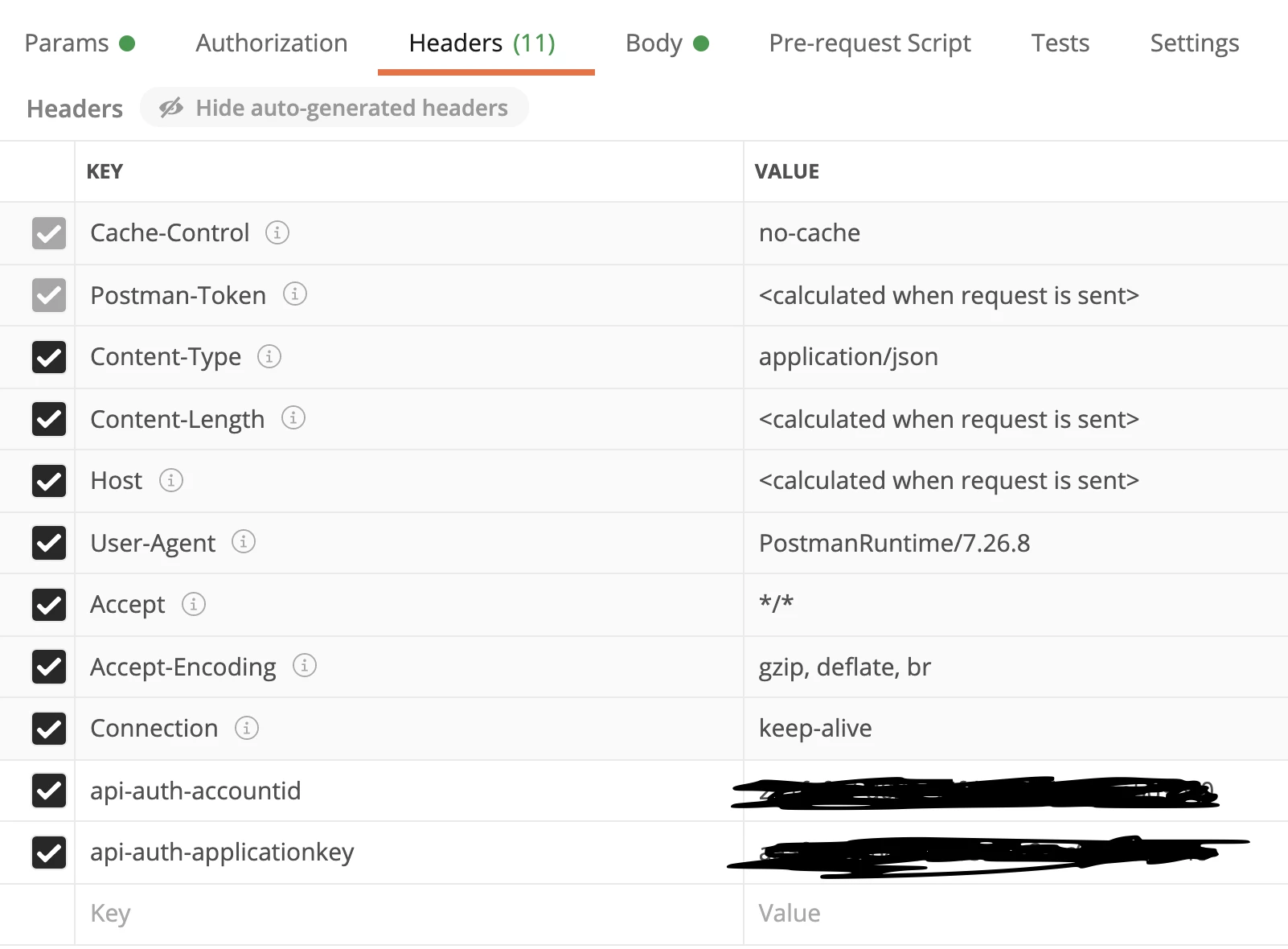
I would post the exact postman request header here so we can see the pattern that workers with your api.


  • Author
  • Participating Frequently
  • February 11, 2021


  • Author
  • Participating Frequently
  • February 11, 2021

here is the api documentation as well. DEAR Developer Portal · Apiary

From the docs, it says accountid, appkey, and content-type are the only required headers. it’s odd because i have the get and post calls working in the same script


Bill_French
Forum|alt.badge.img+19

here is the api documentation as well. DEAR Developer Portal · Apiary

From the docs, it says accountid, appkey, and content-type are the only required headers. it’s odd because i have the get and post calls working in the same script


And yet, that is missing from your code - I would try adding that to see what happens.


  • Author
  • Participating Frequently
  • February 11, 2021

And yet, that is missing from your code - I would try adding that to see what happens.


No luck, i’ve tried that in the past and just now. Still didn’t work. stops at the same spot


Bill_French
Forum|alt.badge.img+19

No luck, i’ve tried that in the past and just now. Still didn’t work. stops at the same spot


Without seeing the actual code, this could take many days to debug.


  • Author
  • Participating Frequently
  • February 12, 2021

Without seeing the actual code, this could take many days to debug.


I got it working. I had the fetch call in an async function. guess it didn’t like that. thanks for your help!


Forum|alt.badge.img+18

Without seeing the actual code, this could take many days to debug.


Hi @ALA_Staff ,

@Bill.French is right : thread is publicly shared but Solution’s Code isn’t yet.

Thanks in advance to share the Solution’s Code.

olπ


  • Author
  • Participating Frequently
  • February 12, 2021

Hello, so when I initially had problems with the put, this was my code.

let options = (httpMethod, body) => {
    return {
        method: httpMethod,
        headers: {
            'Content-Type': "application/json",
            'api-auth-accountid': "...",
            'api-auth-applicationkey': "..."
        },
        'body': body
    }
};

let putUrl = "https://inventory.dearsystems.com/ExternalApi/v2/product";

let checkProductSupplierList = async (prod) => {
    // get supplierID to add to product suppliers list
    let linkedID = suppliers["linkedRecordIds"][0];
    let supplier = supplierRecords.getRecord(linkedID);
    let supplierID = supplier.getCellValue("SupplierID")[0];

    if (prod["Suppliers"].length === 0) {
        prod["Suppliers"] = [{ "SupplierID": supplierID, "DropShip": true }];
        prod["DropShipMode"] = "Optional Drop Ship";

        let putResults = await remoteFetchAsync(putUrl, options("put", JSON.stringify(prod)));
        let putObject = await putResults.json();
        console.log("put response", putObject)
    }

    for (let product of lines) {
        if (product["SKU"] === productSku) {

            let prod = await getProduct(product["ProductID"]);
            prod = prod['Products'][0];

            checkProductSupplierList(prod)
        }

        product["DropShip"] = true;
        break;
    }
}

What worked was this…

let checkProductSupplierList = (prod) => {

    let linkedID = suppliers["linkedRecordIds"][0];
    let supplier = supplierRecords.getRecord(linkedID);
    let supplierID = supplier.getCellValue("SupplierID")[0];

    if (prod["Suppliers"].length === 0) {

        prod["Suppliers"] = [{ "SupplierID": supplierID, "DropShip": true }];
        prod["DropShipMode"] = "Optional Drop Ship";
        return true;
    }
    return false;
}


for (let product of lines) {
    if (product["SKU"] === productSku) {

        let prod = await getProduct(product["ProductID"]);
        prod = prod['Products'][0];

        let putBool = checkProductSupplierList(prod);

        if (putBool) {

            let putUrl = "https://inventory.dearsystems.com/ExternalApi/v2/product";
            let putResults = await remoteFetchAsync(putUrl, options("put", JSON.stringify(prod)));
            let jsonObject = await putResults.json();
            output.inspect(jsonObject);
        }

        product["DropShip"] = true;
        break;
    }
}

Forum|alt.badge.img+18

Thank you very much @ALA_Staff ,
it’s interesting to see Code evolution in relation with this thread,
to understand what was talked about !

olπ