Question

API call success, but returns no results

  • February 24, 2026
  • 3 replies
  • 39 views

Forum|alt.badge.img

Hi,

I have workspaces and bases created where as a user I am configured with “Creator” permissions. I have created a personal access token (PAT) and have applied ALL available read permissions and have set the scope to all resources. When I run for example a “list bases” API call, I get a successful response (code 200), however I get an empty list returned like it doesn’t see any of the bases I have created. From my perspective I have given all necessary permissions across the user and PAT, but I still can’t get any bases to come back via API. Any suggestions on something I might be missing or how to further troubleshoot? Thanks!


3 replies

nroshak
Forum|alt.badge.img+9
  • Inspiring
  • February 24, 2026

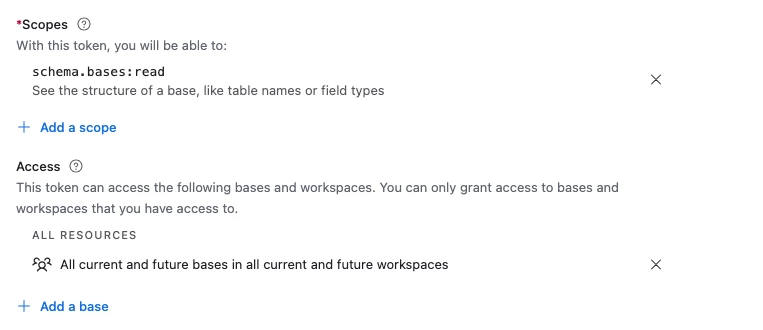
I would double check in the builder hub here that this PAT has the schema.bases:read scope granted:

https://airtable.com/developers/web/api/scopes 

HTH,

Natalka


Forum|alt.badge.img
  • Author
  • New Participant
  • February 24, 2026

Hii Natalka,

Appreciate the response! Yes I’ve configured my PAT with ALL read scopes and have set the access for my PAT to all resources.

I did get a response back from Airtable support and after looking at my account they say it’s because my permissions for my user of “Creator” are granted at the Workspace level and not at the base level. If I go into a base, which is in a Workspace I have “Creator” permissions on, it clearly shows me as having access to the base. If I try to add my self to the base, I get a message that says I already have permissions. So I’m completely confused :)

Thanks!

Mike


TheTimeSavingCo
Forum|alt.badge.img+31

Hm interesting!  So you’re getting a 200 with this response when you hit ‘https://api.airtable.com/v0/meta/bases’?

{
"bases": []
}

As a datapoint, I was able to get the list of bases by hitting the endpoint above with schema.bases:read and all resources, which sounds like a subset of what you’ve set up:

Long shot, but perhaps you could try:

  1. Create a new account and try hitting the endpoint to see if that works
  2. If that works, invite that account as a read-only user to the workspace and see if it manages to get everything