
Hi,
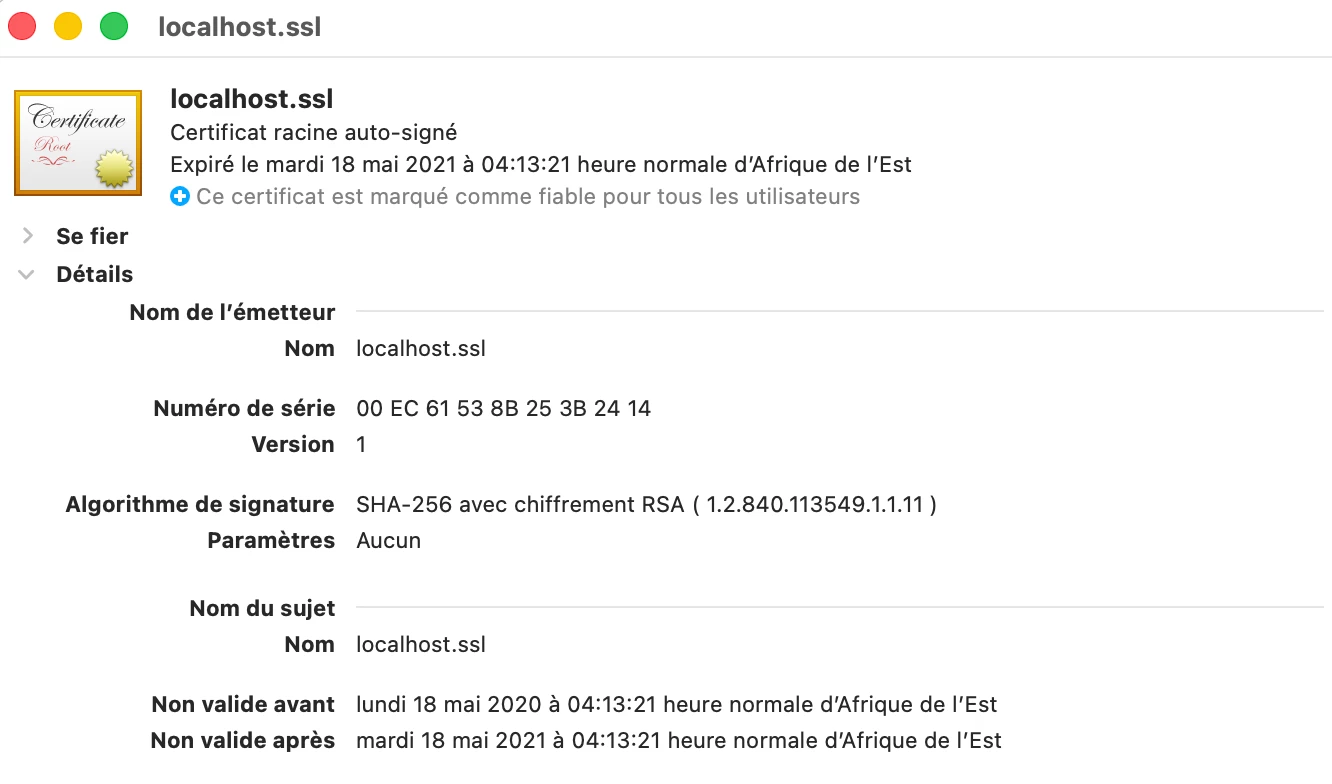
The certificate that `block run` serves — `node_modules/@airtable/blocks-cli/keys/server.crt` — expired on 18 May 2021. Screenshot from Keychain Access attached.
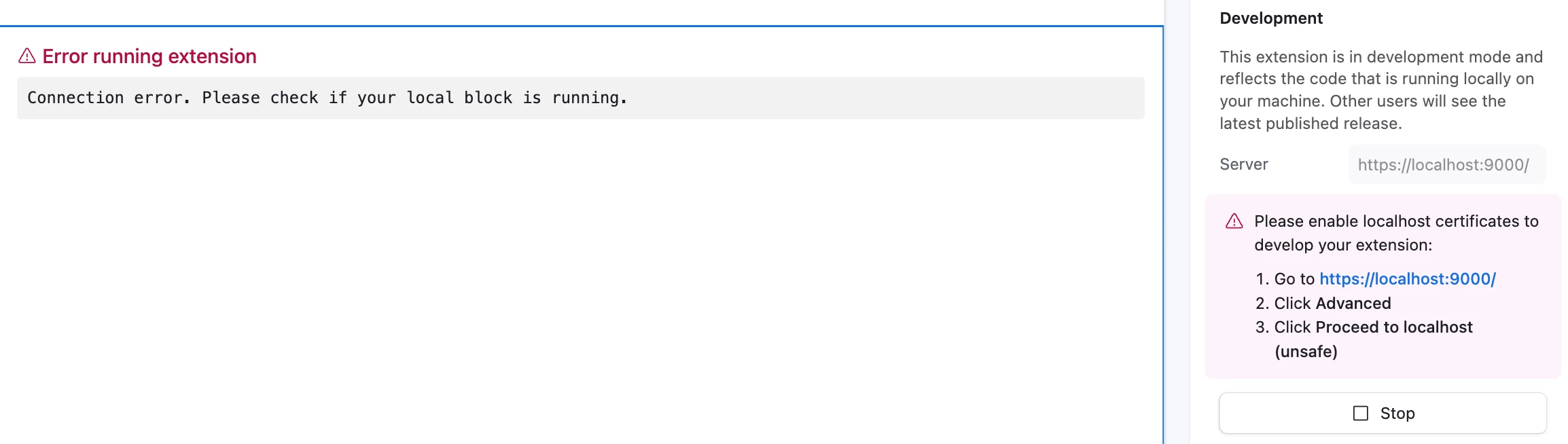
Because of this, Development mode doesn't work in the Airtable desktop app on macOS. The app won't accept an expired cert and gives you no way to override it, so you get "Connection error. Please check if your local block is running" even with `block run` clearly listening. Trusting the cert at the system level doesn't help — expiry wins over trust settings.
The workaround is to develop in Safari instead of the desktop app, since the browser lets you click through the warning.
Two questions:
- Could the certificate be regenerated in the next CLI release, with a longer validity this time?
- Is there any supported way to point `block run` at my own cert (mkcert, for instance)?
Setup: macOS Apple Silicon, Node v20.20.2, blocks-cli 3.0.1, @airtable/blocks interface-alpha.
Thanks